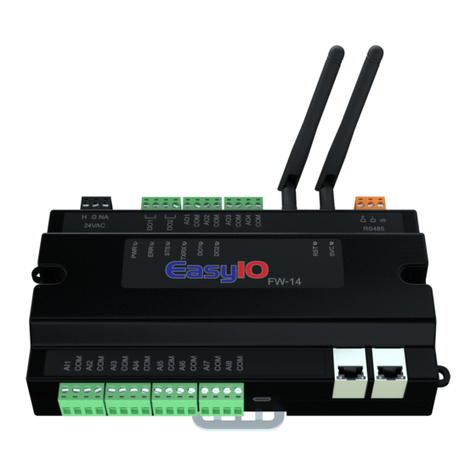
EasyIO FT Series Service manual

EasyIO FT Series –User Reference v1.0
1
EasyIO FT Series User Reference

EasyIO FT Series –User Reference v1.0
2
Document Change Log
16th Jan 2018
Document created.

EasyIO FT Series –User Reference v1.0
3
Disclaimer
Confidentiality Notice
The information contained in this document is confidential information of EasyIO Holdings Pte Ltd. Such
information and the software described herein, is furnished under a license agreement and may be used
only in accordance with that agreement.
The information contained in this document is provided solely for use by EasyIO Holdings Pte Ltd
employees, licensees, and system owners; and, except as permitted under the below copyright notice, is
not to be released to, or reproduced for, anyone else.
While every effort has been made to assure the accuracy of this document, EasyIO Holdings Pte Ltd is not
responsible for damages of any kind, including without limitation consequential damages, arising from
the application of the information contained herein. Information and specifications published here are
current as of the date of this publication and are subject to change without notice. The latest product
specifications can be found by contacting our corporate headquarters or support channel.
Trademark Notice
EasyIO logo are registered trademarks of EasyIO Holdings Pte Ltd.
CPT Tool is by Online Tools Inc.
BACnet and ASHRAE are registered trademarks of American Society of Heating, Refrigerating and Air-
Conditioning Engineers. All other product names and services, mentioned in this publication, that are
known to be trademarks, registered trademarks, or service marks are the property of their respective
owners.
Copyright and Patent Notice
This document may not, in whole or in part, be copied, photocopied, reproduced, translated, or reduced
to any electronic medium or machine-readable form without prior written consent from EasyIO Holdings
Pte Ltd
Copyright © 2018 EasyIO Holdings Pte Ltd. All rights reserved
Disclaimer
The material in this manual is for information purposes only. The contents and the product it
describes are subject to change without notice. EasyIO Holdings Pte Ltd makes no
representations or warranties with respect to this manual. In no event shall EasyIO Holdings Pte Ltd be
liable for any damages, direct or incidental, arising out of or related to the use of this manual.
EasyIO Holdings Pte Ltd
101, Cecil Street #09-07
Tong Eng Building
Singapore 069533
support@easyio.com

EasyIO FT Series –User Reference v1.0
4
Federal Communication Commission Interference Statement
This equipment has been tested and found to comply with the limits for a Class B digital device, pursuant
to Part 15 of the FCC Rules. These limits are designed to provide reasonable protection against harmful
interference in a residential installation. This equipment generates, uses, and can radiate radio frequency
energy and, if not installed and used in accordance with the instructions, may cause harmful interference
to radio communications. However, there is no guarantee that interference will not occur in a particular
installation. If this equipment does cause harmful interference to radio or television reception, which can
be determined by turning the equipment off and on, the user is encouraged to try to correct the
interference by one or more of the following measures:
•Reorient or relocate the receiving antenna.
•Increase the separation between the equipment and receiver.
•Connect the equipment into an outlet on a circuit different from that to which the receiver is
connected.
•Consult the dealer or an experienced radio/TV technician for help.
Caution: Any changes or modifications not expressly approved by the party responsible for compliance
could void the user's authority to operate this equipment.
FCC Caution
This device complies with Part 15 of the FCC Rules. Operation is subject to the following two conditions:
(1) This device may not cause harmful interference, and (2) this device must accept any interference
received, including interference that may cause undesired operation.
FCC Radiation Exposure Statement
This equipment complies with FCC radiation exposure limits set forth for an uncontrolled environment.
This equipment should be installed and operated with minimum distance 20cm between the radiator &
your body.
RF Exposure: A distance of 20 cm shall be maintained between the antenna and users, and the
transmitter module may not be co-located with any other transmitter or antenna.

EasyIO FT Series –User Reference v1.0
5
Table of Contents
Prerequisites ...................................................................................................................................................6
Introduction ....................................................................................................................................................6
Hardware Configurations................................................................................................................................7
Power supply Connection...........................................................................................................................7
Input Output configuration ........................................................................................................................8
Jumpers Configurations..............................................................................................................................8
Wiring diagram ...........................................................................................................................................9
Digital Output Wiring Connection ............................................................................................................10
Analog Output Connection.......................................................................................................................11
Universal Input Connection ......................................................................................................................12
Network and Wireless...................................................................................................................................13
Login Details..................................................................................................................................................14
Establish a connection for the first time.......................................................................................................14
AP Config...................................................................................................................................................15
Establish connection of FT to a Wi-Fi network .............................................................................................16
Scan Wi-Fi .................................................................................................................................................16
Connecting to FT Series (CPT Tool) ...............................................................................................................17
LED Indicator.................................................................................................................................................18
Technical Support .........................................................................................................................................18

EasyIO FT Series –User Reference v1.0
6
Prerequisites
1. HTML5 supported Web browser.
2. Latest CPT Tool 29th Dec 2018 or later.
3. The EasyIO FT Series Sedona Controller running latest firmware.
Contact EasyIO support at support@easyio.com if you need assistance.

Introduction
EasyIO FT Series is the most smallest wireless Sedona controller in the market. It is equipped with a all in
one microprocessor with built in Wi-Fi, the first in the Automation industry, with a 240MHz processor and
also with a lightweight freeRTOS V8.2.0 OS for premium performance. Supports BACnet IP server over Wi-
Fi and TCom or premium performance with Niagara AX and N4.
The Build in boot loader can be carried out remotely. No more manual service button
needed is used.
Firmware upgrading can be done remotely and without any assistant.
Firmware upgrading is via web browser. No extra program or software required.
This document describe about basic connection and technical specifications.
FT Series range of products comes in few options.
Options are referring to IO (Input/Output) configurations.
FW
Model
UI
AO
DO
EIA-485
Protocol Supported
FT-04B
2
1
(Voltage only)
1
1
Sedona
BACnet IP server
Table shown above show the IO configuration

EasyIO FT Series –User Reference v1.0
7
Hardware Configurations
Power supply Connection
Both AC and DC can be used for EasyIO FT Series controller. Refer to electrical specification for the
working range. In order to avoid damage on the controller input/output devices and RS485 connection,
use individual power supply for each controller. If a single power supply is used to power up multiple
EasyIO FW series, make sure controller power supplies are connected with the same polarity.
Electrical
Power Supply
24V AC +/- 5% or 24V DC +/- 15%
Consumption
100 mA
Operating Temperature
32 to 150 Deg-F (0 to 65 Deg-C)
Storage Temperature
-4 to 150 Deg-F (-20 to 65 Deg-C)
Operating Humidity
10% to 70% relative humidity non-condensing
Power Supply Connection
Multiple controllers share single transformer connection

EasyIO FT Series –User Reference v1.0
8
Input Output configuration
FT Series range of products comes in few options.
Options are referring to IO (Input/Output) configurations.
FW
Model
UI
AO
DO
EIA-485
Protocol Supported
FT-04B
2
1
(Voltage Only)
1
1
Sedona
BACnet IP server
Jumpers Configurations
Below image shows the jumper setting for Universal Input and Watchdog Jumper
Jumper not shown below are for internal use ONLY.

EasyIO FT Series –User Reference v1.0
9
Wiring diagram
Below diagram shows the general wiring diagram for FT series according to its model.

EasyIO FT Series –User Reference v1.0
10
Digital Output Wiring Connection
EasyIO FT Series digital output is for general purpose isolated digital output connections (relay output).
Pilot Duty rating is as below (Pilot Duty);
24 VAC , 2.0A
24 VDC , 2.0A
Digital Output
1 ~ 2 Channels
Type
Relay Contacts, SPST NO, 48VA at 24VAC,
It does not output voltage or current. It is a dry relay contact.
No triac output.
Digital Output Connection
This manual suits for next models
2
Table of contents
Other EasyIO Controllers manuals

EasyIO
EasyIO FC Series Quick start guide

EasyIO
EasyIO FG Series User manual

EasyIO
EasyIO FG-32 User manual

EasyIO
EasyIO FG-32 User manual

EasyIO
EasyIO FS-20 User manual

EasyIO
EasyIO FC 20 User manual

EasyIO
EasyIO FC 20 Service manual

EasyIO
EasyIO FW-14 V3 User manual

EasyIO
EasyIO FW Series Service manual

EasyIO
EasyIO FS Series Service manual
Popular Controllers manuals by other brands

Digiplex
Digiplex DGP-848 Programming guide

YASKAWA
YASKAWA SGM series user manual

Sinope
Sinope Calypso RM3500ZB installation guide

Isimet
Isimet DLA Series Style 2 Installation, Operations, Start-up and Maintenance Instructions

LSIS
LSIS sv-ip5a user manual

Rockwell Automation
Rockwell Automation 1769-L31 installation instructions