manuals.online logo
Brands
  1. Home
  2. •
  3. Brands
  4. •
  5. Eaton
  6. •
  7. DC Drive
  8. •
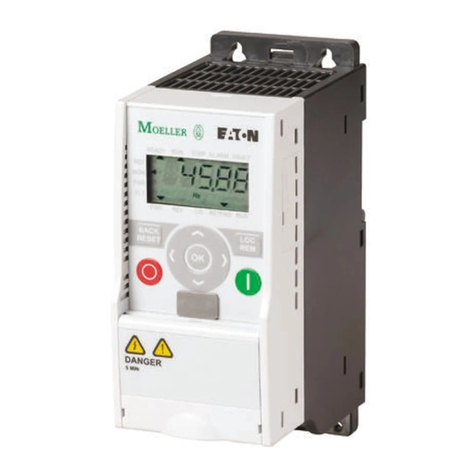
  9. Eaton E501B User manual

Eaton E501B User manual

This manual suits for next models

1

Other Eaton DC Drive manuals

Eaton DC1-32030 Series Manual

Eaton

Eaton DC1-32030 Series Manual

Eaton H-Max Series User manual

Eaton

Eaton H-Max Series User manual

Eaton PowerXL DB1 User manual

Eaton

Eaton PowerXL DB1 User manual

Eaton PowerXL DB1 User manual

Eaton

Eaton PowerXL DB1 User manual

Eaton PowerXL DG1-323D7FB-C21C User manual

Eaton

Eaton PowerXL DG1-323D7FB-C21C User manual

Eaton PowerXL DC1 User manual

Eaton

Eaton PowerXL DC1 User manual

Eaton PowerXL DM1 Series Manual

Eaton

Eaton PowerXL DM1 Series Manual

Eaton PowerXL DC1 User manual

Eaton

Eaton PowerXL DC1 User manual

Eaton PowerXL DM1 Series User manual

Eaton

Eaton PowerXL DM1 Series User manual

Eaton DB1-122D3 Series Manual

Eaton

Eaton DB1-122D3 Series Manual

Eaton PowerXL DG1 Manual

Eaton

Eaton PowerXL DG1 Manual

Eaton GVX9000 User manual

Eaton

Eaton GVX9000 User manual

Eaton PowerXL DA1 User manual

Eaton

Eaton PowerXL DA1 User manual

Eaton SVX9000 Series User manual

Eaton

Eaton SVX9000 Series User manual

Eaton PowerXL DC1 User manual

Eaton

Eaton PowerXL DC1 User manual

Eaton PowerXL DB1 User manual

Eaton

Eaton PowerXL DB1 User manual

Eaton DX-NET-PROFINET-2 User manual

Eaton

Eaton DX-NET-PROFINET-2 User manual

Eaton PowerXL Series Use and care manual
Eaton

Eaton PowerXL Series Use and care manual

Eaton DA- -A20 Series Manual

Eaton

Eaton DA- -A20 Series Manual

Eaton Crouse-hinds series Setup guide

Eaton

Eaton Crouse-hinds series Setup guide

Eaton AGSVX9000 User manual

Eaton

Eaton AGSVX9000 User manual

Eaton DC1-S2 Series Manual

Eaton

Eaton DC1-S2 Series Manual
Eaton PowerXL DH1 Instructions for use

Eaton

Eaton PowerXL DH1 Instructions for use

Eaton PowerXL DH1 Manual

Eaton

Eaton PowerXL DH1 Manual

Popular DC Drive manuals by other brands

National Instruments NI MID-7604 user guide

National Instruments

National Instruments NI MID-7604 user guide

SOMFY Maestria WT Series instructions

SOMFY

SOMFY Maestria WT Series instructions

Danfoss VLT HVAC Design guide

Danfoss

Danfoss VLT HVAC Design guide

Trane TR150 Service manual

Trane

Trane TR150 Service manual

Chamberlain Garog D Series operating manual

Chamberlain Garog

Chamberlain Garog D Series operating manual

Parker PDS Series user guide

Parker

Parker PDS Series user guide

Binks QS-5012-1-CE Service manual

Binks

Binks QS-5012-1-CE Service manual

Danfoss VLT 2800 Series Quick setup

Danfoss

Danfoss VLT 2800 Series Quick setup

YASKAWA CANopen SI-S3 Technical manual

YASKAWA

YASKAWA CANopen SI-S3 Technical manual

GE D20A6 instructions

GE

GE D20A6 instructions

Danfoss VLT AQUA Drive FC 202 operating manual

Danfoss

Danfoss VLT AQUA Drive FC 202 operating manual

Lenze PositionServo 940 user manual

Lenze

Lenze PositionServo 940 user manual

Unex MC-D-250-1000-050W-TW operating manual

Unex

Unex MC-D-250-1000-050W-TW operating manual

Geckodrive G213V manual

Geckodrive

Geckodrive G213V manual

ABB RSYC-01 user manual

ABB

ABB RSYC-01 user manual

Rockwell Automation PowerFlex 700S Programming manual

Rockwell Automation

Rockwell Automation PowerFlex 700S Programming manual

WEG DeviceNet CFW500 user manual

WEG

WEG DeviceNet CFW500 user manual

Siemens SINAMICS G List manual

Siemens

Siemens SINAMICS G List manual

manuals.online logo
manuals.online logoBrands
  • About & Mission
  • Contact us
  • Privacy Policy
  • Terms and Conditions

Copyright 2025 Manuals.Online. All Rights Reserved.

Application Note AP040079EN Effective July 2014
IT Starter Repair –HVX Intellipass Drives
Introduction
This guide is to assist with the separation and replacement of one contactor section on
the IT series reversing starter assemblies. The repair of the assembly may be required
due to burnt sections of a contacor, or a contactor coil not pulling in and sealing. The
guide is only used to repair the assembly with an operational electronic overload. This
guide includes frame size/series B/E501B, C/E501C, D/E501D, and E/E501E.
E501B and E501C Assemblies
1. If the starter/contactor is mounted to a plate remove the plate by removing the 2
screws on the bottom side (see Figure 1-1).
2. Remove contactor covers by turning out the 4 cover screws, 2 per cover, until
they are fully released from the contactor (see Figure 1-2). Carefully pull up on
each cover and un-seat from the contactor (see Figure 1-2a).
3. Turn out all 6 Allen/hex head lugs/screws all the way and then turn back in 1.5
turns to keep the lugs/screws from falling out. (See Table 1-2, Figure 1-3)
- For B Frame use 2.5mm
- For C Frame use 3mm
4. Pull up on the electronic overload, right side of the overload section, and remove.
Gently pull back the locking clip on top of the bus bar block and then lift up and
remove the left side of the overload section (see Figure 1-4 and Figure 1-4a).
a. NOTE: Be careful not to lose the small spring located at the foot of the
right side contactor (see Figure 1-5)
5. Carefully separate each half of the contactors from the interlock. The interlock is
clipped into each contactor on the 4 corners of the interlock (See Figure 1-6 and
1-6a)
6. Take the new contactor and remove the top cover (same 2 screws as on the
starter). Turn out all 6 lugs/screws and then turn each one back in 1.5 turns to
keep the lugs/screws from falling out.
7. If the side being replaced is the right contactor be sure to transfer the small
spring over from the old contactor (see Figure 1-5).
8. To reassemble observe the position of the interlock. To insert the interlock into
the first side use one of two methods:
a. Method A: Press down firmly onto the contactor to engage it fully and in-
sure the interlock pin is down on the side you are inserting. Carefully in-
sert and snap the interlock onto the contactor (see Figure 1-7).
b. Method B: Leave contactor in the up/disengaged state. Place the interlock
pin in the up position on the side you are to insert into the contactor. To
hold it in that position use your thumb or finger to hold the opposite side
interlock pin down, this will engage the interlock from changing positions.
Carefully insert and snap the interlock onto the contactor (see Figure 1-
7a).
9. To connect the other contactor to the installed interlock move the exposed inter-
lock pin to the up position (see Figure 1-8). Once it is in the up position press
firmly on the contactor with the interlock installed to keep the interlock from
changing positions (see Figure 1-8a). Carefully line up the interlock pin and the
clips on the interlock with the other contactor and snap the two together.
10.Test Interlock Functionality: Only one side will engage at a time and it shall en-
gage fully. Press and hold one contactor side down and the opposite contactor
should not go down when pressed. Reverse to test the other contactor (see Fig-
ure 1-9).
11.Re-install the remainder components in the reverse order
12.When installing the left side of the overload place the buss pins into the contactor
terminals and then gently press down until the locking clip on the upper left snaps
into place (see Figure 1-10). Before installing the right side of the overload check
for the little spring again and ensure it is installed (see Figure 1-10b). Install the
electronic overload (see Figure 1-10a).
13.Firmly tighten down the lug/screws onto the overload assembly (see Figure 1-
11). For specific torque specifications refer to the cut sheet included with the
new contactor and reference to the line and load side torque specifications or see
Table 1-1.
14.Re-install covers and secure the cover screws (see Figure 1-12). If a plate was
used, re-install the plate and secure with the two screws that were removed (see
Figure 1-12a). There are multiple holes on the plate, but only 2 of them will line
up with the contactor assembly.
E501B and E501C Assemblies
1. If the starter/contactor is mounted to a plate remove the plate by removing the 4
screws on the bottom side (see Figure 2-1 and Figure 2-1a).
2. Remove the contactor covers by turning out the 4 cover screws, 2 per cover, until
they are fully released from the contactor. Carefully pull up on each cover and
un-seat from the contactor (see Figure 2-2 and Figure 2-2a).
3. Turn out all 6 Allen/hex head lugs/screws all the way and then turn back in 1.5
turns to keep the lugs/screws from falling out (see Figure 2-3).
- For D Frame use 4mm
- For E Frame use 8mm
4. Pull up on the electronic overload, right side of the overload section, and remove.
Gently pull back the locking clip on top of the bus bar block and then lift up and
remove the left side of the overload section (see Figure 2-4).