EnglishDeutsch
 logo
Brands
  1. Home
  2. •
  3. Brands
  4. •
  5. Eizo
  6. •
  7. Monitor
  8. •
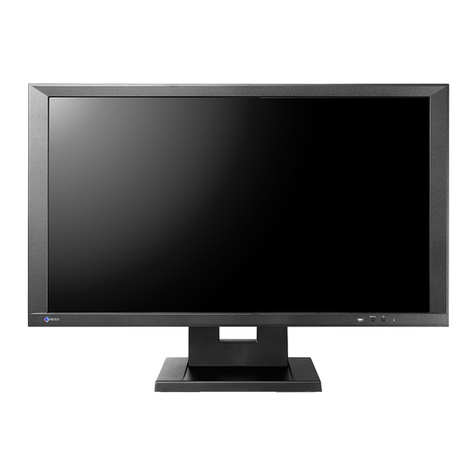
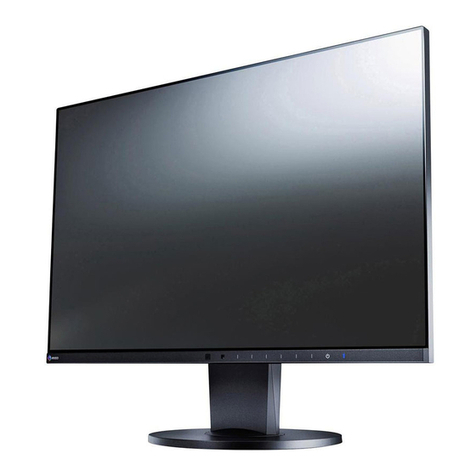
  9. Eizo FlexScan EV2023W User manual

Eizo FlexScan EV2023W User manual

Other manuals for FlexScan EV2023W

3

This manual suits for next models

3

Other Eizo Monitor manuals

Eizo ColorEdge CG19 User manual

Eizo

Eizo ColorEdge CG19 User manual

Eizo FLEXSCAN T1721 User manual

Eizo

Eizo FLEXSCAN T1721 User manual

Eizo CuratOR EX4342 User manual

Eizo

Eizo CuratOR EX4342 User manual

Eizo ColorEdge CG279X-BK User manual

Eizo

Eizo ColorEdge CG279X-BK User manual

Eizo FLEXSCAN L567 User manual

Eizo

Eizo FLEXSCAN L567 User manual

Eizo FlexScan S2202W User manual

Eizo

Eizo FlexScan S2202W User manual

Eizo RadiForce EX210 User manual

Eizo

Eizo RadiForce EX210 User manual

Eizo ColorEdge CG2420 User manual

Eizo

Eizo ColorEdge CG2420 User manual

Eizo FlexScan L 795  L795 L795 Quick start guide

Eizo

Eizo FlexScan L 795 L795 L795 Quick start guide

Eizo ColorEdge CS2400S User manual

Eizo

Eizo ColorEdge CS2400S User manual

Eizo ColorEdge CG2420 User manual

Eizo

Eizo ColorEdge CG2420 User manual

Eizo ColorEdge CS270 User manual

Eizo

Eizo ColorEdge CS270 User manual

Eizo DURAVISION FDS1901 User manual

Eizo

Eizo DURAVISION FDS1901 User manual

Eizo FlexScan L360 User manual

Eizo

Eizo FlexScan L360 User manual

Eizo FlexScan L565 User manual

Eizo

Eizo FlexScan L565 User manual

Eizo RadiForce ES240W User manual

Eizo

Eizo RadiForce ES240W User manual

Eizo coloredge prominence CG3145 User manual

Eizo

Eizo coloredge prominence CG3145 User manual

Eizo FlexScan L 560T L560T-C L560T-C User manual

Eizo

Eizo FlexScan L 560T L560T-C L560T-C User manual

Eizo ColorEdge CS2420 User manual

Eizo

Eizo ColorEdge CS2420 User manual

Eizo FlexScan S1934 User manual

Eizo

Eizo FlexScan S1934 User manual

Eizo FlexScan EV2495-WT User manual

Eizo

Eizo FlexScan EV2495-WT User manual

Eizo RadiForce GX540-CL User manual

Eizo

Eizo RadiForce GX540-CL User manual

Eizo DuralVision FDF2304W-IP Reference guide

Eizo

Eizo DuralVision FDF2304W-IP Reference guide

Eizo FlexScan EV2360 User manual

Eizo

Eizo FlexScan EV2360 User manual

Popular Monitor manuals by other brands

Linear Acoustic LQ-1000 user guide

Linear Acoustic

Linear Acoustic LQ-1000 user guide

AOC I2579V user manual

AOC

AOC I2579V user manual

ViewSonic VX1945WM - ViewDock - 19" LCD Monitor null

ViewSonic

ViewSonic VX1945WM - ViewDock - 19" LCD Monitor null

ViewSonic VA705M null

ViewSonic

ViewSonic VA705M null

BenQ FP757 null

BenQ

BenQ FP757 null

ViewSonic VA703MB - 17" LCD Monitor null

ViewSonic

ViewSonic VA703MB - 17" LCD Monitor null

Gateway FPD1520 user guide

Gateway

Gateway FPD1520 user guide

Furuno Mu 120c Operator's manual

Furuno

Furuno Mu 120c Operator's manual

Asus VB171D - 17" LCD Monitor Service manual

Asus

Asus VB171D - 17" LCD Monitor Service manual

Dell S2230MX Setting up

Dell

Dell S2230MX Setting up

Philips 107C64 user manual

Philips

Philips 107C64 user manual

Dell S2409WFP user guide

Dell

Dell S2409WFP user guide

EverFocus EN-7517E instruction manual

EverFocus

EverFocus EN-7517E instruction manual

Panasonic TH152UX1 - 152" PLASMA TV Service manual

Panasonic

Panasonic TH152UX1 - 152" PLASMA TV Service manual

Dell Precision 7680 Connection guide

Dell

Dell Precision 7680 Connection guide

LG 50PM1M -  - 50" Plasma Panel Service manual

LG

LG 50PM1M - - 50" Plasma Panel Service manual

Bosch DDU 9 manual

Bosch

Bosch DDU 9 manual

Acer A231HL user manual

Acer

Acer A231HL user manual

https://manuals.online logo
https://manuals.online logoBrands
  • About & Mission
  • Contact us
  • Privacy Policy
  • Terms and Conditions

Copyright 2026 Manuals.Online. All Rights Reserved.

FlexScan EcoView
Widescreen LCD Monitors
The future of the energy saving office
Presence Sensor for Power Savings
EIZO’s new EcoView Sense feature unites conve-
nience with savings by ensuring that these monitors
automatically conserve power when they are not in
use. EcoView Sense is a built-in presence sensor that
prompts the monitor to switch to power save mode
when it doesn’t detect anyone for 40 seconds with
the EV2303W and EV2023W, or 70 seconds with the
EV2333W and EV2313W, and then resume normal
operation when the user returns. To accurately enter
and stay in power save mode while the user is away
from the monitor, EcoView Sense also differentiates
between a still object like an empty chair and the
movement caused by general office activity.
Optimized Brightness with Auto EcoView
A built-in Auto EcoView sensor measures ambient
light and optimizes the screen’s brightness to ideal
levels in both brightly and dimly lit rooms. This
results in improved visual ergonomics and reduced
power consumption by up to 40% compared to when
the sensor is turned off.
Zero Watts When Turned Off
When the power save mode and off timer are set,
the EV2303W and EV2023W consume less than 0.7
watts and the EV2333W and EV2313W consume less
than 1 watt of power. When turned off via the main
power switch, they consume no electricity at all.
Confirm Energy Efficiency with EcoView Index
An EcoView Index displays the level of energy effi-
ciency in correlation with the monitors’ brightness
to encourage environmental consciousness while
working.
EyeCare Manager
EIZO’s EyeCare Manager prompts workers to take
scheduled breaks to avoid eye fatigue caused by
prolonged monitor use. EyeCare also totals and dis-
plays on-screen the monitors’ usage hours for each
day and month to promote worker appreciation of
improved work habits.
Eco-Friendly LED Backlight,
Lower Power Consumption
The EV2313W incorporates a mercury-free LED
(light-emitting diode) backlight. With the LED
backlight and Auto EcoView in use, the monitor
consumes just 16 W during typical operation. This
is a 60% power decrease compared to a previ-
ous CCFL (cold cathode fluorescent lamp) backlit
22-inch EIZO monitor.
Product Life Cycle Ecology
These monitors debut an innovative compact design
that reduces the number of internal components,
making them thinner and lighter than previous
FlexScan 20" and 24" widescreen models. This

allows the monitors to be shipped in smaller con-
tainers which use between 80% to 100% recycled
material. These considerations made during product
development, in tandem with the monitors’ EcoView
features, reduce environmental burden at each stage
of the products’ life cycle.
These monitor’s new compact cabinet design is thinner and lighter
than that of previous FlexScan widescreen models.
Previous
20" monitor
EV2023W
32% thinner
39% lighter
48% thinner
41% lighter
Previous
24" monitor
EV2303W
These monitors’ new compact cabinet design is thinner and
lighter than that of previous FlexScan widescreen models.

When EcoView
Index is fully
illuminated, the
monitor is operat-
ing at optimum
energy efficiency.

EcoView Sense automatically signals the screen to activate
and stay on, or switch to power save mode by detecting the
user’s presence or absence.
Compared to a previ-
ous FlexScan 24"
widescreen monitor, the
FlexScan EV2303W’s
slimmed-down cabinet
design cuts the use and
weight of sheet metal
components, shown
here, by up to 90%.
Original EIZO-developed
(patent pending) algorithms
allow EcoView Sense’s automatic
detection function to differenti-
ate between animate and inani-
mate objects as well as people
just passing by. The sensor’s
highly accurate position tracking has been achieved
by adopting a special lens that suppresses diffused
reflections of infrared rays and through factory-per-
formed sensor adjustment on each monitor.
Takashi Murata, Group Leader
R&D Visual Products
Inside EIZO R&D
EyeCare
reminds workers
to take regular
breaks to pre-
vent eye fatigue.
Improved Efficiency, Reduced Visual Fatigue
EIZO conducted a survey in 2008 to establish the
relationship between eye fatigue and monitor use.
Results showed that features like Auto EcoView,
ergonomic stands, and the EyeCare Manager
helped reduce eye fatigue and improved work effi-
ciency by 12.5%.
For a white paper regarding this study please visit
www.eizo.com/support/wp/pdf/wp_08-001.pdf
16:9 Aspect Ratio
These are the first FlexScan models to feature 16:9
aspect ratios. The 16:9 wide format is the same
aspect ratio used by HDTV and it lets you enjoy mul-
timedia content without horizontal letterboxing.
Next Generation Connectivity
DisplayPort connectivity with the
EV2333W and EV2313W allows digi-
tal audio and video signal transmission via a single,
high-bandwidth cable at distances up to 15 meters
without any signal degradation.
Fine Contrast for Optimum Viewing
EIZO’s Fine Contrast function has five modes: Text
mode for office applications, Movie mode for video,
Picture mode for graphics, sRGB mode for web brows-
ing, and Custom mode for user-defined settings.
Placement Flexibility
EIZO introduces two new ergonomic stands: the
highly-versatile FlexStand and the space-saving
TriStand. Both stands offer tilt, swivel and height
adjustment. The FlexStand also offers portrait rota-
tion, laptop-like screen placement, and at 225 mm,
the industry’s greatest range of height adjustment.*
The FlexStand features an innovative, bearing-
less design that reduces mechanical wear and the
amount of torque required to adjust height. A quick
release feature on the FlexStand allows for easy
monitor reconfiguration.
*Statement reflects EIZO’s internal findings as of August 20, 2009.
Accessories
Available accessories include mounting arms and
panel protectors.
For compatibility information please visit www.
eizo.com/products/accessories/
Reduced Network Power Consumption
An accessory software utility, EIZO’s EcoView NET
offers business users centralized control over the
power settings of networked monitors to help reduce
electricity consumption and provide a smaller car-
bon footprint.
For more see www.eizo.com/products/accessories/
lcd/ecoview_net/
Customer Assurance
A five-year manufacture’s warranty offers a long
service life, and compliance with leading envi-
ronmental and industry standards such as TCO
Displays 5.0, EPEAT Gold, and TÜV Ergonomics
ensures a better work environment. The EIZO Eco
Products 2009 label indicates these products meet
strict internal requirements for design, manufactur-
ing, packaging, usage and power consumption. All
monitors in this brochure are Vista compatible. The
Windows 7 Certified label indicates the EV2313W is
Windows 7 compatible.
EV2313W
EV2333W
EV2313W
EV2303W
EV2023W
Eco Savings with
FlexScan EV2333W
67% Reduction in Power Consumption
With an installation of 100 FlexScan EV2333W moni-
tors used for 8 hour workdays, 250 days a year for five
years (the warranty period), you can expect to save1:
Power Reductions:
kWh
CO2Emissions Reductions:
kg2
Trees Needed to Consume This CO2:
trees3
Cost Savings:
JPY 4,5
(=6,195 EUR or 8,825 USD)
(1 EUR = 134 JPY; 1 USD = 94 JPY)6
1Based on expected savings compared to using the FlexScan S2231W
at a brightness of 100% in typical office lighting conditions, and without
EcoView Sense activated. 2Calculated from figures obtained from the
Japanese Ministry of Economy, Trade and Industry, Agency for Natural
Resources and Energy, and Ministry of Environment where one kWh of
electricity produces 0.555 kg of CO2. 3Calculated from figures obtained
from the Japanese Ministry of Agriculture, Forestry and Fisheries where
one tree (Japanese cedar) absorbs approximately 14 kg of CO2per
year. 4Calculated at a cost of 1.8 JPY/kg of CO2for per cap and trade
emission credit. 5Calculated at a cost of 22 JPY/kWh based on figures
published by Tokyo Electric Power Company effective August 2009. This
is approximately 0.17 EUR/kWh or 0.24 USD/kWh as of August 20, 2009.
6Based on exchange rates as of August 20, 2009. This usage example
is provided for estimating purposes only. Actual energy savings may vary
based on use and other factors.
FlexStand
portrait mode
FlexStand
height & tilt
FlexStand
quick release
www.eizo.com
153 Shimokashiwano, Hakusan, Ishikawa 924-8566 Japan Phone +81-76-277-6792 Fax: +81-76-277-6793
These monitors were developed, manufactured, and quality control tested by EIZO in Japan.
All product names are trademarks or registered trademarks of their respective companies. EcoView NET is a trademark, EIZO and FlexScan are registered trademarks of Eizo Nanao Corporation. Specifications are subject to change without notice.
Copyright© 2009 Eizo Nanao Corporation.
Model Variations FlexStand, TriStand
Panel Size 23" / 58 cm (584 mm diagonal) 20" / 51 cm (508 mm diagonal)
Active Display Size (H × V) 509.8 × 286.7 mm 442.8 × 249.1 mm
Panel Type VA (with overdrive circuit) TN (with overdrive circuit) TN VA
Viewing Angles (H, V) 178°, 178° (at contrast ratio of 10:1) 170°, 160° (at contrast ratio of 10:1) 178°, 178° (at contrast ratio of 10:1)
Brightness 300 cd/m2250 cd/m2
Contrast 3000:1 1000:1 3000:1
Response Time (Typical) Gray-to-gray: 7 ms, black-white-black:
25 msGray-to-gray: 4 ms, black-white-black:
5 ms Gray-to-gray: –, black-white-black:
25 ms
Native Resolution 1920 × 1080 (16: 9 aspect ratio) 1600 × 900 (16: 9 aspect ratio)
Pixel Pitch 0.2655 × 0.2655 mm 0.2768 × 0.2768 mm
Display Colors 16.77 million from a palette of 1.06 billion
Cabinet Colors Gray, Black
Dot Clock Analog: 148.5 MHz, Digital: 148.5 MHz Analog: 108 MHz, Digital: 108 MHz
Analog Scanning Frequency (H, V) 31 – 81 kHz, 55 – 76 Hz 31 – 68 kHz, 55 – 76 Hz
Digital Scanning Frequency (H, V) 31 – 68 kHz, 59 – 61 Hz (VGA Text: 69 – 71 Hz) 31 – 60 kHz, 59 – 61 Hz
(VGA Text: 69 – 71 Hz)
Video Input Terminals D-Sub mini 15 pin, DVI-D 24 pin (with HDCP), DisplayPort (with HDCP) D-Sub mini 15 pin, DVI-D 24 pin (with HDCP)
Audio Input Terminals 3.5 mm stereo jack
Audio Output Terminals3.5 mm headphone jack
Speakers 0.35 W speaker 0.45 W speaker
Plug & Play VESA DDC 2B
Power Requirements AC 100 – 120 V / 200 – 240 V, 50 / 60 Hz
Power Consumption 45 W (maximum)
25 W (typical) 32 W (maximum)
16 W (typical) 33 W (maximum)
18 W (typical) 40 W (maximum)
25 W (typical)
Power Save Mode Less than 1.0 W Less than 0.9 W Less than 0.7 W
Height Adjustment Range With FlexStand: 225 mm (171.3 mm at 0° tilt)
With TriStand: 60 mm With FlexStand: 225 mm (192.5 mm
at 0° tilt)
With TriStand: 60 mm
Tilt / Swivel / Pivot With FlexStand: 30° Up, 0° Down / 172° Right, 172° Left / 90°
With TriStand: 25° Up, 0° Down / 172° Right, 172° Left / 90°
Dimensions (W × H × D) With FlexStand: 547 × 346.5 – 517.8 × 221 – 236 mm
With TriStand: 547 × 382 – 442 × 200 mm With FlexStand: 476 × 306.5 – 498 ×
219 – 236 mm
With TriStand: 476 × 362 – 442 ×
200 mm
Net Weight With FlexStand: 7.1 kg
With TriStand: 5.5 kg
Without Stand: 4.3 kg
With FlexStand: 6.2 kg
With TriStand: 4.6 kg
Without Stand: 3.4 kg
With FlexStand: 6.9 kg
With TriStand: 5.3 kg
Without Stand: 4.1 kg
With FlexStand: 6.7 kg
With TriStand: 5.1 kg
Without Stand: 3.9 kg
Preset Modes Fine Contrast (Text, Picture, Movie, sRGB, Custom), Auto Fine Contrast1
EcoView Settings Auto EcoView, EcoView Index, EcoView Sense
Screen Adjustment Clock, Phase, Position, Range (Auto), Screen Size (full screen, enlarge, normal),
Smoothing (5 stages), Border Intensity Clock, Phase, Position, Range (Auto), Signal Filter, Screen Size (full screen, enlarge,
normal), Smoothing (5 stages), Border Intensity
Color Adjustment Brightness, Contrast, Gamma, Temperature, Saturation, Hue, Gain, Overdrive, Reset Brightness, Contrast, Gamma, Temperature, Saturation, Hue, Gain, Reset
Power Management Power Save (VESA DPMS, DisplayPort Rev. 1.1a, and DVI DMPM), Off Timer
Sound Volume, Power Save, Source (DisplayPort) Volume, Power Save
Other Settings Signal Switching, Product Information (name, serial number, resolution, operating time, etc.), OSD Menu Settings, Adjustment Lock, DDC/CI, Languages (English, French,
German, Italian, Japanese, Simplified and Traditional Chinese, Spanish, Swedish), Power Indicator, Reset
Certifications and Standards TCO Displays 5.0, EPEAT Gold, TÜV/Er-
gonomics (including ISO 13406-2), TÜV/
GS, c-Tick, CE, CB, UL (cTÜVus), CSA
(cTÜVus), FCC-B, Canadian ICES-003-B,
TÜV/S, VCCI-B, EPA Energy Star, RoHS,
WEEE, EIZO Eco Products 2009
TCO Displays 5.1, EPEAT Gold, TÜV/Ergo-
nomics (including ISO 13406-2), TÜV/
GS, c-Tick, CE, CB, UL (cTÜVus), CSA
(cTÜVus), FCC-B, Canadian ICES-003-B,
TÜV/S, VCCI-B, EPA Energy Star, RoHS,
WEEE, EIZO Eco Products 2009
TCO Displays 5.0, EPEAT Gold, TÜV/Ergonomics (including ISO 13406-2), TÜV/GS,
c-Tick, CE, CB, UL (cTÜVus), CSA (cTÜVus), FCC-B, Canadian ICES-003-B, TÜV/S,
VCCI-B, EPA Energy Star, RoHS, WEEE, EIZO Eco Products 2009
Supplied Accessories AC power cord, signal cables (DVI-D – DVI-D, D-Sub – D-Sub), audio cable, EIZO LCD Utility Disk (PDF user’s manual, ScreenManager Pro for LCD [DDC/CI], EIZO Screen-
Slicer software), setup guide, spec sheet, 4 screws for mount option, warranty card
Warranty Five Years2
1The bundled ScreenManager Pro for LCD is necessary to activate Auto Fine Contrast. The USB version of ScreenManager Pro for LCD is compatible with Microsoft Windows Vista/XP/2000. The DDC/CI version is compatible with
Vista. 2The usage time is limited to 30,000 hours or less, and the warranty period of the LCD panel is limited to three years from the date of purchase.
With current LCD technology, a panel may contain a limited number of missing or flickering pixels.