8 electrolux.com.au
OPERATING INSTRUCTIONS
Activation and deactivation
Touch for 1 second to activate or deactivate the
appliance.
Automatic switch off
The function deactivates the appliance automatically if:
• All cooking zones are deactivated .
• You do not set the heat setting after you activate the
appliance.
• You spill something or put something on the control
panel for more than 10 seconds, (a pan, a cloth etc.)
Remove the object or clean the control panel.
• The appliance becomes too hot (e.g. when, a
saucepan boils dry). Before you use the appliance
again, the cooking zone must be cool.
• If you use incorrect cookware. The symbol comes
on and the cooking zone deactivates automatically
after 2 minutes.
• If you do not deactivate a cooking zone or change a
heat setting. After some time,
comes on and the
appliance deactivates. Refer to table.
The times of Automatic Switch Off
The heat
setting - - -
The cooking zone
deactivates after 6 hours 5 hours 4 hours 1.5
hours
The cooking zone selection
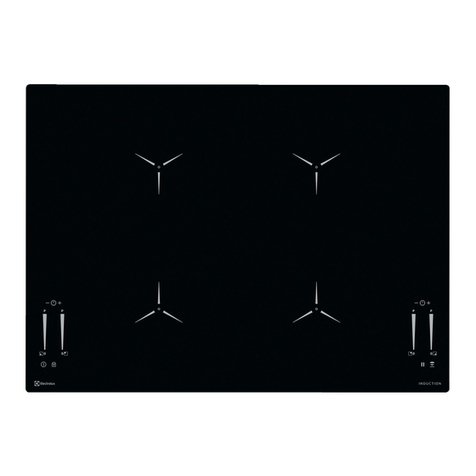
To set the cooking zone touch the sensor field related
with the cooking zone. The display shows the selection by
the dot adjacent to the heat setting indication ( ).
The heat setting
Set the cooking zone. Press
to increase the heat setting.
Press to decrease the heat setting. The display shows
the heat setting. Touch
and at the same time to
deactivate the cooking zone.
Power function
The power function increases power to the induction
cooking zones. You can activate the Power function for a
maximum of 10 minutes. After that the induction cooking
zone automatically sets back to highest setting.
To activate the function:
1. Set the cooking zone.
2. Set the zone for the maximum heat setting.
3. Press
and comes on. To deactivate the
function press .
Power management
The power management divides the power between two
cooking zones in a pair (Refer to the illustration). The power
function increases the power to the maximum level for
one cooking zone in the pair. Automatically decreases the
power in the first cooking zone to a power level. The
display for the reduced zone change between two levels.
Lock
When the cooking zones operate you can lock the control
panel, but not . It prevents an accidental change of the
heat setting.
First set the heat setting. To start this function touch .
The symbol comes on for 4 seconds.
To stop this function touch . The heat setting that you set
before comes on. When you switch off the cooktop, you
also stop this function.
The child safety device
This function prevents an accidental operation of the
appliance.
To activate the child safety device:
• Activate the appliance with . Do not set the heat
settings.
• Touch for 4 seconds. The symbol comes on.
• Deactivate the appliance with .
To deactivate the child safety device:
• Activate the appliance with . Do not set the heat
settings.
Touch for 4 seconds. The symbol comes on.
• Deactivate the appliance with .
To override the child safety device for only one
cooking time:
• Activate the appliance with . The symbol comes
on.
• Touch for 4 seconds. Set the heat setting for 10
seconds. You can operate the appliance.
• When you deactivate the appliance with , the child
safety device operates again.