Scan Inhibit
Start: Suspend scan operation (if enabled).
Stop: Restore the original EEPROM setting.
Voting Tone Enable
Start: Enable Voting Tone
Stop: Disable Voting Tone
ADJUSTMENTS
POTENTIOMETER ADJUST MODE
The System Module contains up to 13 digital potentiome-
ters (10 in MASTR IIe applications) to set various operational
levels. These potentiometers must be adjusted properly to
ensure optimum station performance. The potentiometers,
their key, and function are listed on one of three pot pages. The
pages and associated potentiometers are listed below. Page 3
applies to MASTR III only. The adjustment range for each
potentiometer is given in Table 1.
Page 1.
1. Line Output Level (P LO)
2. Transmit Level (P TX)
3. Line Input Level (P LI)
4. Channel Guard Level (P CG)
5. DSP Line Cancellation Level (P DC)
6. DSP Line Input Level (P DI)
7. Compressor Level (CP)
Page 2.
1. Voting Tone Gain (VTG)
2. Compressor Threshold (CT)
3. Morse ID Transmit (MCTX)
Page 3.
1. PA Power (PA)
2. Repeater Gain (RG)
3. Squelch Pot (SQ)
Table 1 - Potentiometer Adjustment Range
PAGE ADJUSTMENT KEY* RANGE
1. P LO
P TX
P LI
P CG
P-DC
P-DI
1 0-255
2 0-255
3 0-255
4 0-255
5 0-255
6 0-255
2. VTG
CT
MCTX
1 0-127
2 0-32767
4 0-255
3. PA
RG
SQ
1 0-99
2 0-32767
3 0-99
* On each Pot Page the unused key numbers will have
no effect.
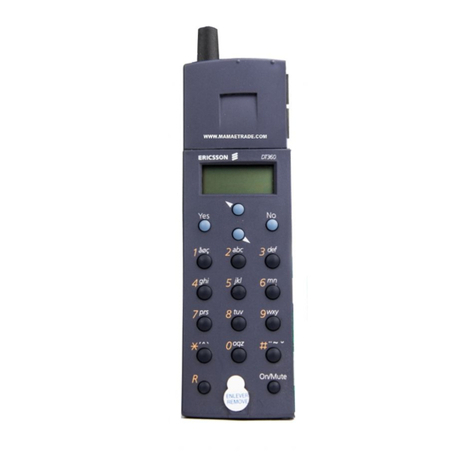
To enter the Adjust Potentiometer Mode from the main
menu, press the "A" key. The handset will display "POT
P1"for page 1. To select additional pages, press the "A" key
again while "POT P1" is still displayed. Toggle it again to
select page 3.
Selectaspecificpotentiometerbyselecting theappropriate
page and then pressing the corresponding number key shown
in Figure 6.
Ramping switches for these adjustments are shown in
Figure 7.
Note: the "0" key is applicable only to the CP, CT and RG
potentiometers(key7 pg1, andkeys1,2pg 2andwithMASTR
III key 2 pg 3.), andis a toggled (Press On-Press Off) function.
Itisnotnecessarytobackup1leveltothePOTP1display
to select another pot on the same page. Just press the
desired number corresponding to the next pot to be
adjusted. To select a pot from another page, press CLR
to return to Pot Px display and toggle the "A" key to the
desired page. Now, press the desired number key shown
in Figure 6.
Subsequent pressing of the "A" key will display the last
selected page. Pressing the "CLR" key while in the
processofactuallyadjustingapotwillreturntothe"POT
Px" display where "x" was the last page selected.
NOTES
LBI-38599
8