manuals.online logo
Brands
  1. Home
  2. •
  3. Brands
  4. •
  5. Fresh 'N Rebel
  6. •
  7. Accessories
  8. •
  9. Fresh 'N Rebel 2PB3000 User manual

Fresh 'N Rebel 2PB3000 User manual

Other Fresh 'N Rebel Accessories manuals

Fresh 'N Rebel 2PB12000 v1 001 User manual

Fresh 'N Rebel

Fresh 'N Rebel 2PB12000 v1 001 User manual

Fresh 'N Rebel 2PB12000 User manual

Fresh 'N Rebel

Fresh 'N Rebel 2PB12000 User manual

Fresh 'N Rebel 2PB2500 User manual

Fresh 'N Rebel

Fresh 'N Rebel 2PB2500 User manual

Fresh 'N Rebel POWERBANK 9000 mAh User manual

Fresh 'N Rebel

Fresh 'N Rebel POWERBANK 9000 mAh User manual

Fresh 'N Rebel 2PB3000 v1 001 User manual

Fresh 'N Rebel

Fresh 'N Rebel 2PB3000 v1 001 User manual

Fresh 'N Rebel 2PB2000 User manual

Fresh 'N Rebel

Fresh 'N Rebel 2PB2000 User manual

Fresh 'N Rebel Powerbank 5200mAh User manual

Fresh 'N Rebel

Fresh 'N Rebel Powerbank 5200mAh User manual

Fresh 'N Rebel 2PB4500 User manual

Fresh 'N Rebel

Fresh 'N Rebel 2PB4500 User manual

Fresh 'N Rebel POWERBANK 2600mAh User manual

Fresh 'N Rebel

Fresh 'N Rebel POWERBANK 2600mAh User manual

Fresh 'N Rebel 2PB18000 User manual

Fresh 'N Rebel

Fresh 'N Rebel 2PB18000 User manual

Fresh 'N Rebel 2PB18000 User manual

Fresh 'N Rebel

Fresh 'N Rebel 2PB18000 User manual

Fresh 'N Rebel 2PB1500 User manual

Fresh 'N Rebel

Fresh 'N Rebel 2PB1500 User manual

Fresh 'N Rebel 2PB6000 User manual

Fresh 'N Rebel

Fresh 'N Rebel 2PB6000 User manual

Fresh 'N Rebel 2PB5500 User manual

Fresh 'N Rebel

Fresh 'N Rebel 2PB5500 User manual

Popular Accessories manuals by other brands

Quincy lab 140AE-1 operating manual

Quincy lab

Quincy lab 140AE-1 operating manual

HomePro ZIR000 user manual

HomePro

HomePro ZIR000 user manual

DOL 20SCR Technical user guide

DOL

DOL 20SCR Technical user guide

RAB Smart Task installation manual

RAB

RAB Smart Task installation manual

Kemppi KMS 300 quick guide

Kemppi

Kemppi KMS 300 quick guide

Stearns 57,500 Series Installation and service instructions

Stearns

Stearns 57,500 Series Installation and service instructions

iGuzzini TWILIGHT COPENAGHEN manual

iGuzzini

iGuzzini TWILIGHT COPENAGHEN manual

Adelaide Annexe & Canvas Avan Deluxe installation guide

Adelaide Annexe & Canvas

Adelaide Annexe & Canvas Avan Deluxe installation guide

OHAUS 5000 instruction manual

OHAUS

OHAUS 5000 instruction manual

HOME8 WLS1300 quick start guide

HOME8

HOME8 WLS1300 quick start guide

MAXBOTIX MaxSonar quick start guide

MAXBOTIX

MAXBOTIX MaxSonar quick start guide

ioSmart iSmart56 Installation and user guide

ioSmart

ioSmart iSmart56 Installation and user guide

Focusrite Scarlett 18i8 user guide

Focusrite

Focusrite Scarlett 18i8 user guide

Velleman ED38105 user manual

Velleman

Velleman ED38105 user manual

JumpSport SkyBounce user manual

JumpSport

JumpSport SkyBounce user manual

Prima-Temp PRIYA Instructions for use

Prima-Temp

Prima-Temp PRIYA Instructions for use

Tefcold BC85I-BC85I W user manual

Tefcold

Tefcold BC85I-BC85I W user manual

Vaisala WMS302 user guide

Vaisala

Vaisala WMS302 user guide

manuals.online logo
manuals.online logoBrands
  • About & Mission
  • Contact us
  • Privacy Policy
  • Terms and Conditions

Copyright 2025 Manuals.Online. All Rights Reserved.

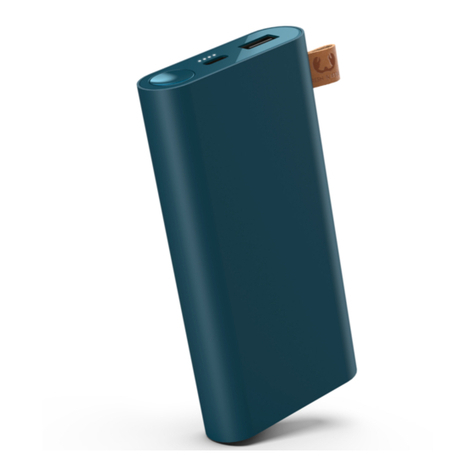
POWERBANK 3000 mAh
manual
Product code:
2PB3000 v1 001
Designed by and manufactured on behalf of:
Sitecom Europe BV NL - 3011 TA, 6
LISTEN UP!
RECHARGE? HERE’S HOW:
TWO OUTPUTS?!?:
IMPORTANT SAFETY INSTRUCTIONS WARNING!
Your safety is our highest priority. These safety guidelines have been designed in order for you to get the best out of your Fresh ‘n Rebel products.
To ensure reliable operation:
• Always follow all instructions and warnings closely.
• Read all instructions in the user manual carefully before using the product.
• Do not open the Powerbank; there are no serviceable parts inside and this will void your warranty.
• Do not use the Powerbank in a wet environment or conditions.
• Do not use the Powerbank in or near a significant heat source, heat vent, or under direct sunlight for long time. The Powerbank should be used in
environment ranging from 5 ºC to 45ºC (41ºF – 113ºF).
• Do not cover the Powerbank with paper or other materials. This may aect its cooling capacity.
Warranty & Limitations
We warranty the product against defects in material and workmanship under normal usage for a period of 2 year from the date of purchase. During
that period, defective products may be oered for repair or replacement at the store where the product was bought. The warranty does not cover
accidental damage, wear and tear, incidental loss, or use beyond the instructions in the user manual.
Product specifications Powerbank 3000 mAh
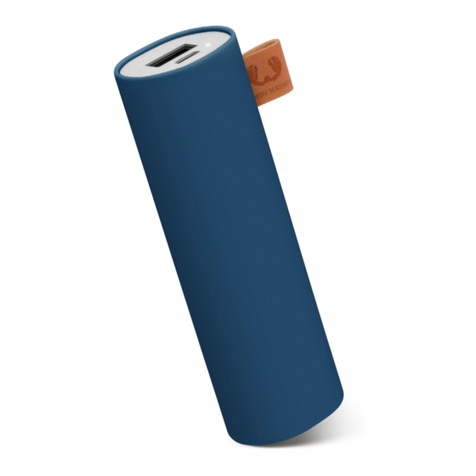
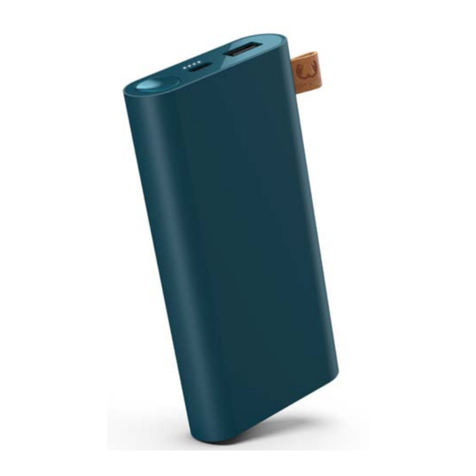
• Battery capacity: 3000 mAh
• Input: 5V/1A (max)
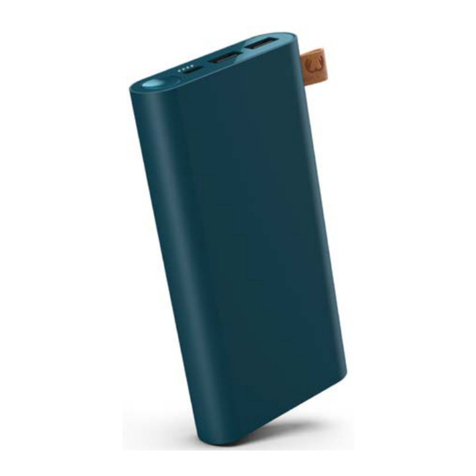
• Output: 5V/1A (max) on 1 USB-A port, 5V/1A (max) on 1 USB-C port
• Product weight: 74g
• Premium safety features: Overvoltage protection, overcurrent protection, overheating protection, overcharge protection, over discharge
protection, short circuit protection
It’s getting hot in here!
To protect your device, the Powerbank will turn o when it gets too hot. We recommend to keep it out of the sun, away from heaters and
other hot environments.
Charge your charger while charging?
Yes, it’s possible.
Need help with warranty?
The standard 2 years store warranty is valid only upon presentation of the proof of purchase or copy hereof consisting of original invoice
with the date of purchase and product code. Please contact the shop where you bought your Fresh ‘n Rebel product to claim warranty.
See also Warranty & Limitations.
Is your question not included? We are here to help.
Drop us a line: [email protected]
The USB-C port can be used both as an input for charging the Powerbank and as an output.
To protect your device, the Powerbank will turn o when it gets too hot. We recommend to keep it out of the sun, away from heaters and
other hot environments.
1. Charge the Powerbank with the USB-C cable
During charging the LEDs blink to indicate the charging status of the battery.
2. Connect your device
Use the cable fit for your device to connect the device to the Powerbank using either the USB-A port of USB-C port.
3. Push the button on the Powerbank
The battery indicator LEDs blink for 30 seconds.
The charging LEDs will turn o when your device is full. When disconnecting, the battery indicator LEDs will light up for 30 seconds to
show how much power is left in the powerbank.
Done. Your device is now ready to rock again.
EN
POWERBANK 3000 mAh
Charging: LEDs blinking indicating charge
Fully Charged: All LEDs o
Charging A Device: LEDs blink for 30sec. indicate charge
A Device Fully Charged: All LEDs on
Press Button: LEDs show charge
25% 50% 75% 100%