24
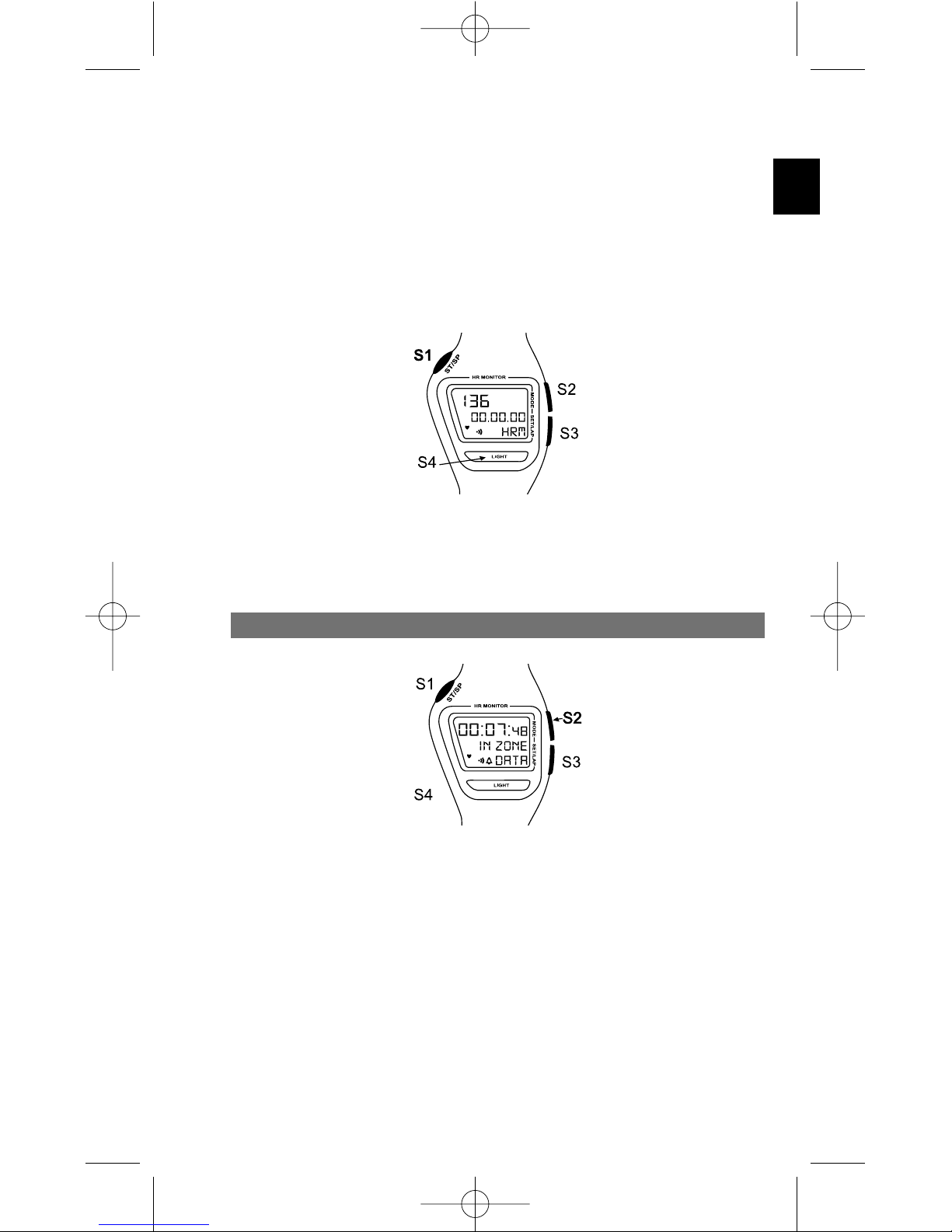
The middle line displays four different items of information :
• total time elapsed since the beginning of the exercise session.
• time in the target zone since the beginning of the exercise session.
• average heart rate
• maximum heart rate
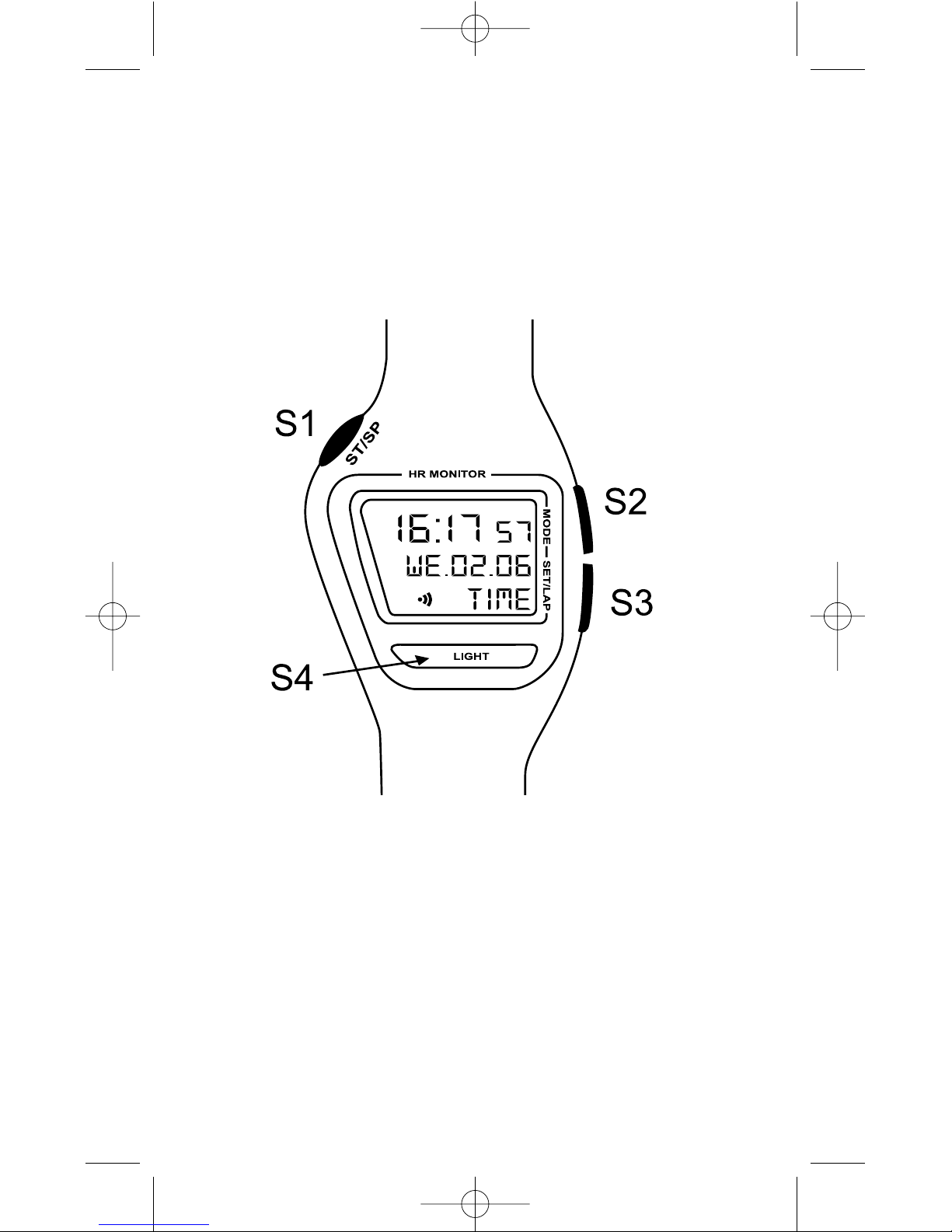
Press S3 to go from one display to the next.
The CW T500 heart rate monitor offers two different modes for the target
zone :
- manual target zone enabling direct entry of upper and lower limits in bpm
- automatic target zone enabling calculation of upper and lower limits
according to the exercise intensity chosen.
Setting the HRM mode
Go to HRM mode by pressing S2. To go to setting mode hold down S3 for
three seconds.
NB : After each operation, move on to the next setting by pressing S2.
Set your gender with S1 : Choose “MALE” or “FEMALE”. Move on to the next
setting by pressing S2. Set your age with S1. Go to the next setting.
Now select your weight measurement unit (“kg” or “lb”). Go to the next
setting. Now set your weight by pressing S1. Go to the next setting.
Now select your height measurement unit (“cm” or -‘—‘’ for feet). Go to the
next setting. Now set your height by pressing S1. Go to the next setting. Now
set your level of activity by pressing S1 : “0” = occasional activity, “1” =
regular activity, “2” = intensive activity. This information is used as a
corrective coefficient in calculating calories expended. Go to the next setting.
Now select target zone mode : “auto” to automatically calculate target zone
limits according to desired exercise intensity, or “manu” to manually enter
upper and lower target zone limits. Go to the next setting.
If you have selected manual mode (“manu”), you now set the lower limit.
“SET LO” is displayed. Set the value you have chosen using S1.
Now access upper limit settings by pressing S2. “SET HI” is displayed. Set
the value you have chosen with S1.
If you have selected automatic mode (“auto”), you can now set your resting
heart rate. This should be measured when you get up in the morning, before
any physical exercise. Set the value with S1. The default value is 50 beats
per minute but you can set a value as low as 30 beats per minute. Go to the
next setting.
Now set your maximum heart rate. The default value displayed is the result
of a theoretical calculation based on your age and gender. If you wish, you
can modify this value with S1. To accurately calculate your maximum heart
rate, we recommend that you undertake an exercise test with your doctor.
Go to the next setting.
Next set the lower target zone limit, shown in %. “Min In” is displayed. Set
the desired value with S1 and then go to upper limit setting (“Max In”) with
S2. Set the desired value with S1.
Having set the limits for the target zone, press S2 to activate the out of zone
alarm. Select “ON” or “OFF” with S1.
Confirm and exit setting mode by pressing S3.
Using the HRM mode.
When the watch is searching for the signal transmitted by the strap, “---” is
displayed on the top line. When the heart signal is detected, the heart
reception symbol flashes and the heart rate is displayed after several
seconds. Ignore the first value shown. The watch needs around twenty
seconds to make calculations and read data in order to display a stable,
reliable figure.
If you have already set a target exercise zone, the watch displays alongside