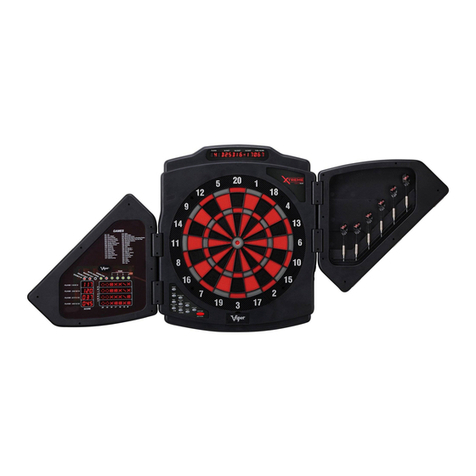
GLD Products 787 Dartboard
Item 42-0001
www.gldproducts.com 8
POWER INSTALLATION
The 787 dartboard can be powered by 4 AA batteries or an external power supply.
The battery compartment can be opened from the front to install the 4 AA batteries.
Always install the correct size and grade of battery suitable for the intended use. Replace all
batteries of a set at the same time, taking care not to mix old and new ones, or batteries of
different types. Clean the battery contacts and also those of the device prior to battery
installation. Ensure the batteries are installed correctly with regard to polarity (+and -).
Remove batteries from equipment which is not to be used for an extended period of time.
Remove used batteries promptly.
Power supply must be 100V AC, 50/60Hz input to 5V DC, 500 milliamp output. The round
plug for the dartboard has a positive outside and a negative center.
Power supply is not included. Remove the batteries and plug the power supply into the jack
on the side of the dartboard.
To conserve power, this dartboard is equipped with a sleep mode and an auto power-off
mode. If the dartboard is not being used, it will automatically enter sleep mode after 5
minutes and will turn off after 30 minutes.
1. The board is not intended for children under the age of 3 years old.
2. The board must only be used with the recommended transformer.
3. The transformer is not a toy.
4. Disconnect the dartboard from the transformer before cleaning.
PROTECTIVE FILM
This electronic dartboard has a clear protective film over the entire display and button area
to prevent scratching during shipping. It is recommended that you remove this film for easier
reading of the display. To remove, simply lift edge, peel off and discard.
WARNING: Not for use by children without adult supervision.
Darts are not toys and may cause injury if used
improperly. Everyone must stand behind the dart
thrower.
IMPORTANT NOTES
1. During shipping or in the course of normal play, it is possible for scoring segments of this
board to become temporarily jammed, resulting in a “frozen” board. If this occurs, the
built-in Self Diagnostic Function of the e-BOARD Computer will be activated
automatically. Your dartboard will run a self-test routine to determine which segment is
stuck. An error message will flash on the display together with the number for the
“Frozen” segment.