FUNCTION OPERATION
Answer call on device 1 or device 2 Single press
End call on device 1, answer call on device 2 Single press
Switch from call on device 1 to incoming call on device 2 Double-click
Switch between calls on device 1 and device 2 Double-click
End call Single press
ACTIVATING MULTI-POINT MODE
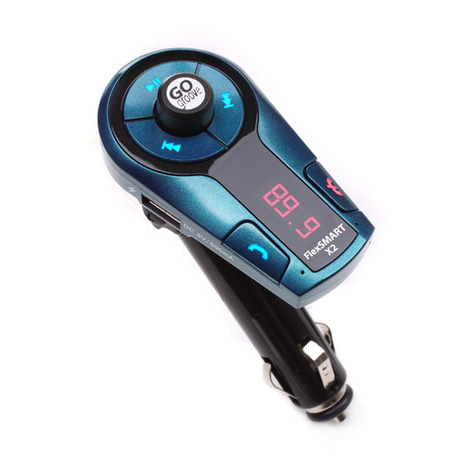
1. Plug in the FlexSMART X2.
2.Tune your car radio and the FlexSMART X2 to the same vacant FM station.
3.
Enable multi-point mode: Before connecting 1st device, press and hold and for 2 seconds until you hear 4 ascending tones.
To disable multi-point mode: Disconnect all devices from the FlexSMART X2, press and hold and for
2 seconds until you hear 4 descending tones.
PAIRING TWO DEVICES
1. Hold on the FlexSMART X2 for 2 seconds to enter pairing mode.The and will begin ashing.
2. Pair device 1 to the FlexSMART X2.When paired successfully, only will be lit.
3. From device 1’s Bluetooth options, disconnect from the FlexSMART X2.
4. Hold on the FlexSMART X2 for 2 seconds to re-enter pairing mode.The and will begin ashing.
5. Pair device 2 to the FlexSMART X2.When paired successfully, only will be lit.
6. From device 1’s Bluetooth options, reconnect to the FlexSMART X2.
CONTROLLING AUDIO PLAYBACK
1.With two devices connected to the FlexSMART X2, the rst user to play audio will have playback control.
2.To switch devices, pause audio on the current device. Then press play on the other device.
Multi-point support
HANDSFREE CALLING IN MULTIPOINT MODE
88.1
9