10. CHILD LOCK
Lock: In waiting state, press "STOP/CLEAR" for 3
seconds, there will be a long "beep" denoting entering
into the child lock state and an indicator will light. LED
willdisplaycurrent time or0:00.
Lock quitting: In locked state, press "STOP/CLEAR"
for 3 seconds, there will be a long "beep" denoting
that the lock is released, and the indicator will
disappear.
11.ENQUIRY FUNCTION
1) While cooking, press “CLOCK/KITCHEN TIMER”
to check the current time. It will be displayed for 3
seconds.
2) During microwave, grill and combination cooking,
press “MICROWAVE”,the current power will be
displayed for 3 seconds.
12. PIZZA & KABAB FUNCTION
Open the Pizza & Kabab tray, put the food on the
bakingtray, and then close thedoor.
1) Press “Pizza/Kabab” buttononce, the LED will
light andthe ovendisplay"1".
2) Press "Pizza/Kabab" button multiple times or turn
the knob to select the choice of timing. There are
fourtypes.
3) Press "Start/+30Sec./Confirm", buzzer will sound
once and the ovenstarts cooking. TheLED willflash,
and thecookingtime countsdown.
4) During cooking, the time can be increased by
pressing "Start/+30Sec./Confirm" and the maximum
cookingtime is95minutes.
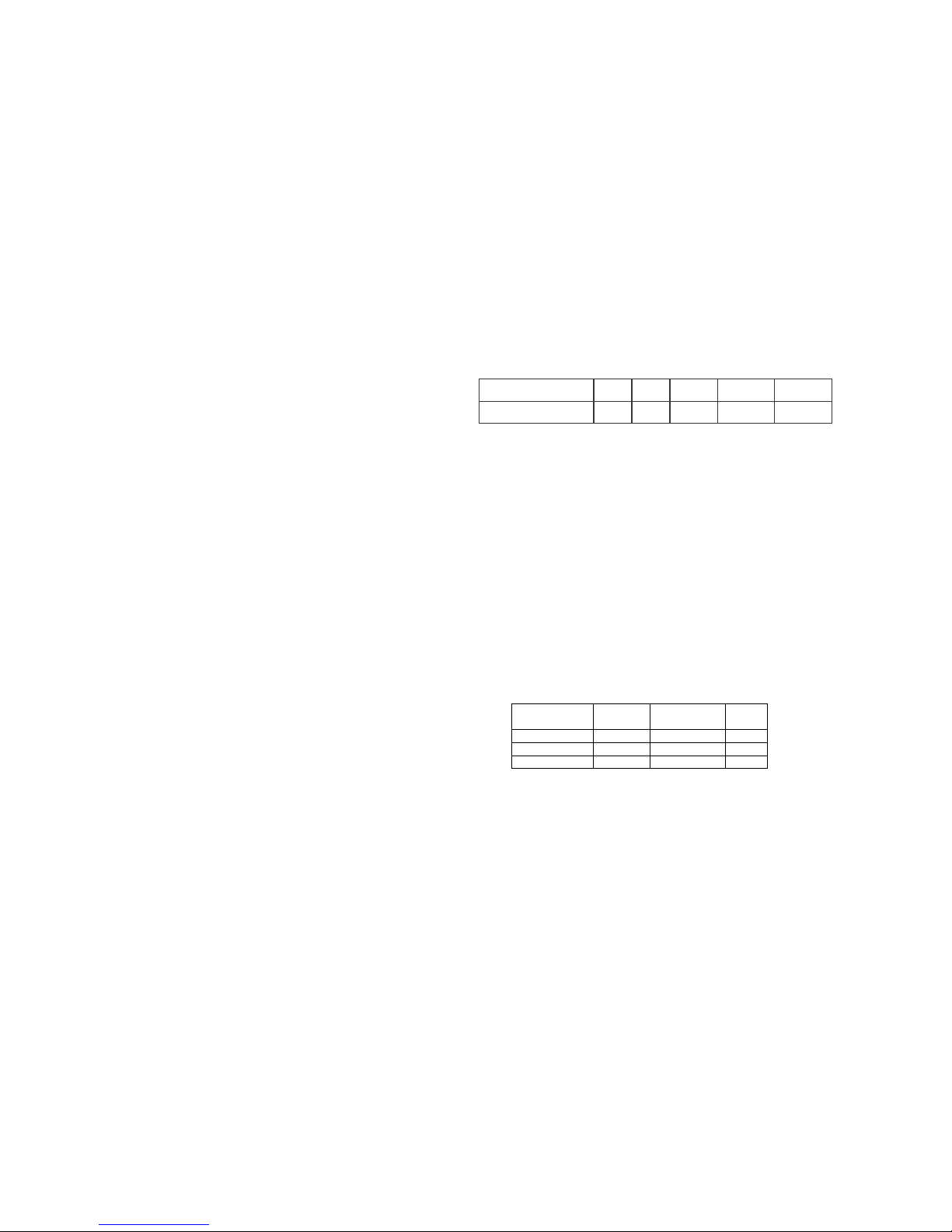
The default Pizza/Kabab cookingtime chart:
Program The default time
1
2
3
4
Note: Pizza/Kabab function cannot work with
the microwave or grill at the same time.
STEAM CLEAN
This function is used to clean the microwave oven
cavity ofanyfood ordirt particles.
1. Place the plastic bowl from the starter kit with
150mlofwater onthecenter ofthe turntable.
2. Set the microwave oven at 100% power for 3 -
5mins and press “Start”.
3. At the end of the cycle the microwave will beep.
Allow the microwave oven to remain closed for
1min.
4. Open the microwave and swipe clean the inner
surface ofthe microwaveoven with asoftcloth.
INSTACOOK MENUS
For food or the following cooking mode, it is not necessary to program the duration and the cooking
power. It is sufficient to indicate the type of food that you wish to cook as well as the weight of this food.
The result of auto cook depends on factors such as the shape and size of food, your personal preference
as to the doneness of certain foods and even how well you happen to place the food in the oven. If you
findtheresult at anyrate not quitesatisfactory, pleaseadjust the cookingtime alittle bitaccordingly.
Note:To select a specific recipe from those given below, identify the InstaCook menu it falls under
(Insta1, Insta2, etc.), rotate the jog dial in the anti-clockwise direction and select the relevant Insta menu.
The InstaCook menu will be displayed as A1, A2, ……A8. Press the START/+30SEC./CONFIRM to set
it. Set the weight according to the recipe weights mentioned below. In case, the display shows weight as
1, 2, 3- it is in the ascending order of weight as given in the recipe. For example, 1=200gms, 2=400gms,
3=600gms. Thus, if you want to prepare Upma under Insta 1, then the weight indication is as follows: 1-
200gms, 2- 300gms, 3-400gms. If you wantto prepare Beetroot Halwa under Insta 2, then the weight
indication isasfollows: 1-200gms, 2-400gms, 3-600gms, and 4-800gms