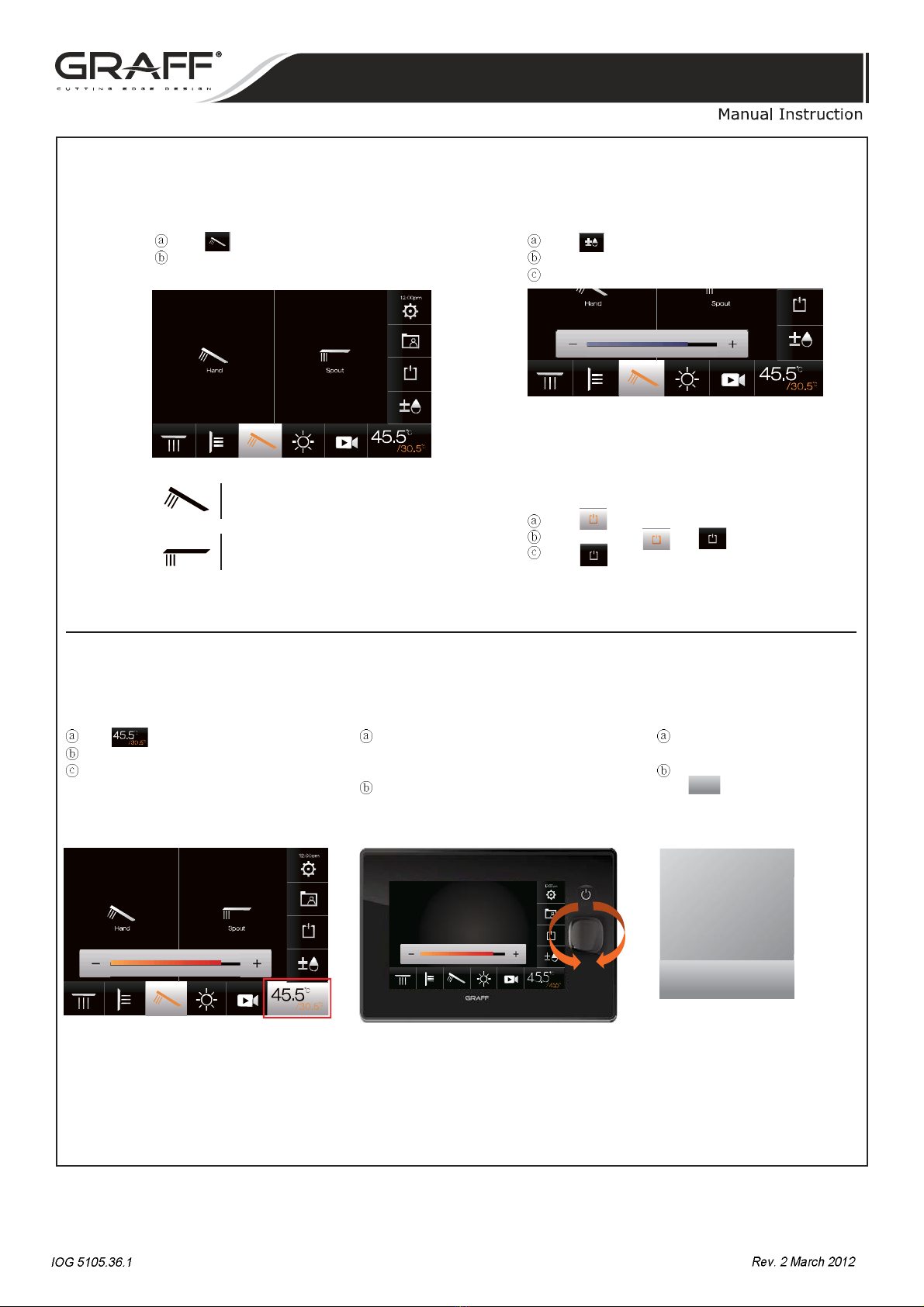
Hand shower & Spout Water flow control
Press button at the top of screen.
Choose the function of your choice.
Press button at the lower of screen.
Water flow control bar is displayed.
Adjust the flow rate by pressing - or + button.
*Hand Shower & Spout Function can be used in duplication.
*If the Flow Control Button is pushed one more time or
not used for 5 seconds, it disappears automatically.
Shower funtion allows bathers to enjoy different types
of shower head,body jets,hand shower & spout.
Flow rate can be adjusted easily with touch.
Hand shower
Water runs from
the hand shower
Spout
Water runs from
the spout
Water On/Off
Press button when you want to stop the water.
the button flicker and .
Press button again to use the previous function.
Water temperature can be adjusted quickly and conveniently with Touch or Jog Dial.
Temperature control1_Button Temperature control2_jog dial Safety mode
Press button at the lower of screen.
Temperature control bar is displayed.
Adjust the temperature by pressing -or + button.
Turn the temperature control button either
to the right or the left to quickly display the tem-
perature bar.
The temperature bar is then displayed.
Turn the knob to the right or left to adjust the
temperature.
*The Jog Dial disappears automatically if not
used for 5 seconds.
*The temperature button disappears if push-
ed one more time or not used for 5 seconds.
Safety!
Water temperature
Lock Un lock
Safe window is displayed when the
temperature reaches 38˚C.
When ahigher temperature is desired,
press toadjust thetemperature.
Un lock
ë
CONTROL TOUCH PANEL