11
◎ MENU CONFIGURATION
◎ BATTERY CONNECTION
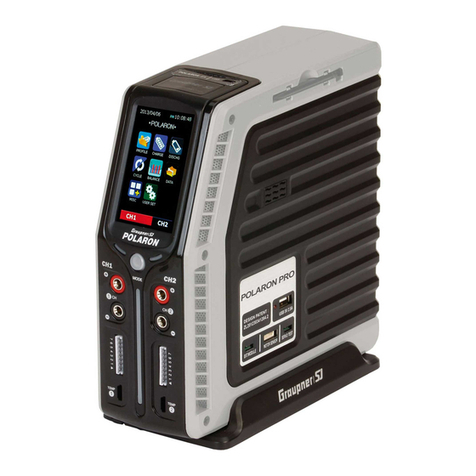
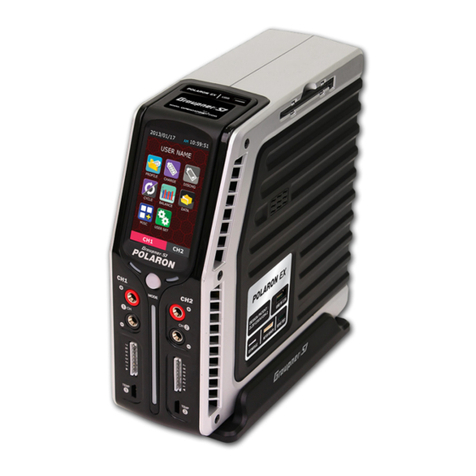
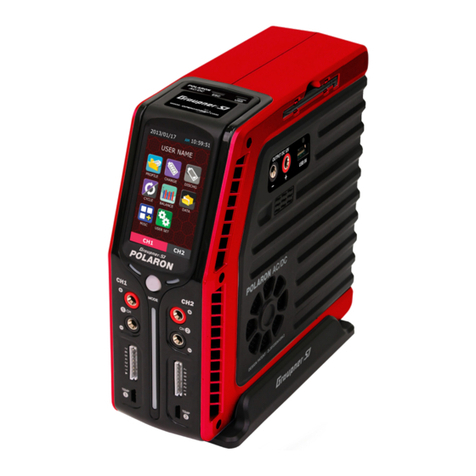
Graupner/SJ POLARON Series chargers are equipped with a highly sensitive touch screen.
Touch the icons to access every mode and set up your device.
POLARON AC/DC SPORTS chargers have two sets of outputs on the front of the charger. Channel 1 is
on the left. Channel 2 is on the right. Each channel has two 4mm banana sockets with a 7 cell balance
port and a temperature sensor input port. An appropriate charge lead must be selected to match the
specific connector on your battery. The charge leads must be connected to the 4mm output sockets on
the specific charger channel, with the positive (+) lead connected to the red socket and the negative
(-) lead connected to the black socket.
Only connect the battery to the charge lead AFTER the charge lead has been connected
to the charger, as the connectors on the charge lead could touch together and cause the
battery to short circuit.
During the charging of a Lithium pack, the balance lead MUST be connected to the charger. The
charger has a ‘JST-EH’ type balance port, but also comes with other balance adaptor boards.
To use an adaptor board, connect the supplied balance adaptor board lead to the charger. Then,
connect the board using the appropriate battery balance connector. This balancing connector is
essential.
Without connecting the balancing connector
to the balancing port on the charger (i.e.,
the
main battery power
leads ONLY are connected to the output banana sockets)
, the charger will charge
or discharge the connected Lithium
pack without balancing it. Balancing a Lithium pack is highly
recommended. As some cells may retain more
ACTION BUTTONS
MENU DESCRIPTION
PROFILE
CHARGE
DISCHG
BALANCE
DATA
MISC
USER SET
CYCLE
Setup cycle type and delay the time of charge / discharge( using the charge / discharge setup data )
Battery name, type, capacity, number of cells, memory number, memory copy
Setup the battery charge data
Setup the battery discharge data
Display the cell voltage and related data. Setup the balance data
Display the completed data and battery status
Servo, Motor, Warmer data Setup
Setup input data, warning, date, time, user name and etc.
Main page Function
- INC button: Data setup
- LEFT button: Page transition
- ESC button: Return to the previous page, store the setup data, etc
- DEC button: Data setup
- START button:
Go to the next page, Complete the data setup, Start / com
plete the operation, store the setup data, etc.
- RIGHT button: Page transition