rev. 4.1 Copyright©GROM Audio, 2010
3.7 Using AUX input on your GROM-IPD2 adapter
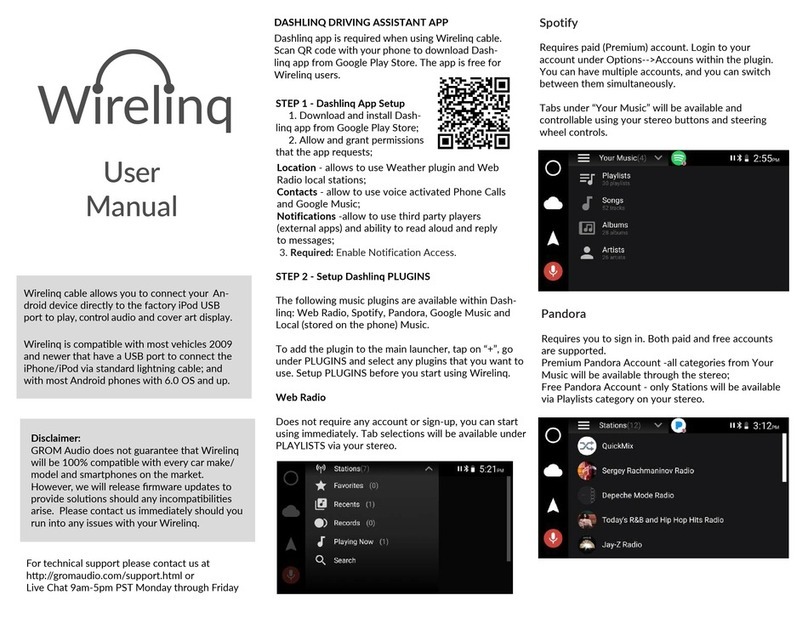
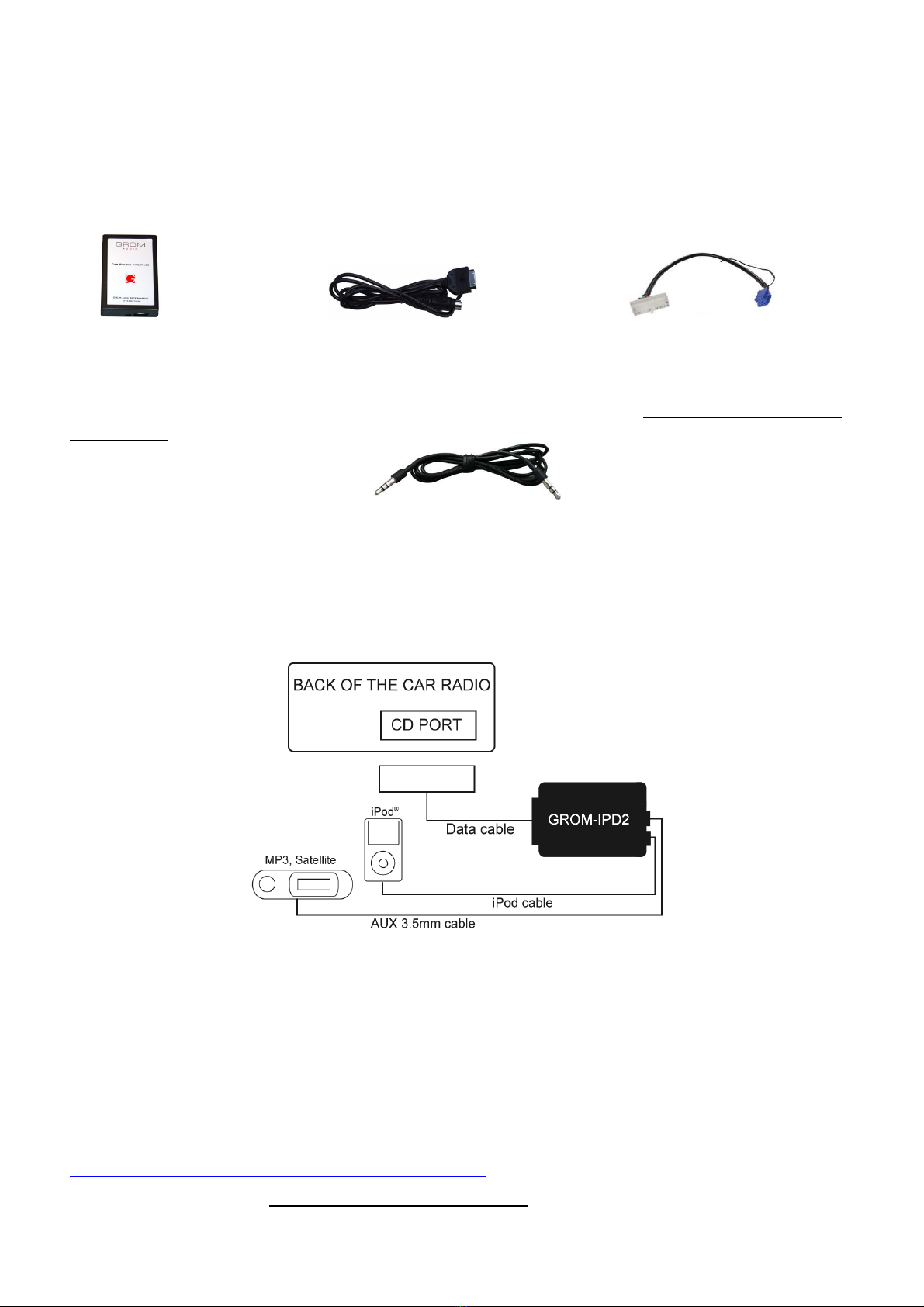
There is the additional 3.5mm AUX jack for the alternative audio sources such as MP3 player, DVD,
GPS, XM and etc. You can use it by simply plugging in one of those devices. We recommend that you
unplug the iPod/iPhone from the dock connector if you are using the AUX input on GROM-iPD2 adapter.
If you don’t unplug the iPod/iPhone and connect the 3.5mm audio source at the same time some sound
interference may occur.
3.8 Troubleshooting
Symptom Cause Remedy
No power Bad connection Check the cable connections.
Radio is not recognizing
GROM iPod interface
Some Honda, Toyota, and Lexus car stereos
have to be restarted before the radio catches
the signal
After connecting the adapter turn the ignition
off and back on
Radio is not recognizing
GROM iPod interface
External CD changer is present Make sure to disconnect the external CD
changer
Radio is not recognizing
GROM iPod interface
Bad cables or cables are not connected
properly between the interface box and car
radio.
Check connection and cables, push in firmly.
You can hear the music
from the iPod but you
can’t control it from the
stereo
The Firmware on the iPod may not be
updated
or
iPod needs to be reset
Update the firmware on the iPod
Reset the iPod (resetting will not erase your
music, it will only restart the iPod)
You can’t hear the music
from the iPod
An empty album or playlist is selected on the
iPod
or
No CD changer is selected
Make sure that the non-empty album or
playlist is selected on the iPod
Make sure CD changer, SAT mode or AUX is
selected ( correct key depends on your
stereo)
The music is distorted EQ or BASS boost options are turned ON on
the iPod
Make sure all EQ and BASS boost options
are turned OFF on your iPod
For VAG only:
Radio is not recognizing
GROM iPod interface
Single black wire on the vehicle specific
harness (3) is not attached to the stereo
chassis ( stereo body)
Attach the black cable to the car stereo body
Make sure it is properly grounded
For BMW only:
Radio is not recognizing
GROM iPod interface
Audio is coming only
from 1 speaker
Audio is not coming from
the speakers
iBus wire have come loose
Sometimes when using T-Tap clips, the IBus
wire may not receive proper connection due
to its wire size.
The 10-pin sound connector is not aligned
correctly
The audio cable is not inserted properly.
Make sure the IBus wire is securely attached
by using multimeter or slightly tighten the T-
Tap connector so its slot is smaller.
Make sure that 10-pin sound connector on
vehicle cable is aligned correctly
Make sure that the audio cable inserted
properly.