logo
Brands
  1. Home
  2. •
  3. Brands
  4. •
  5. Haier
  6. •
  7. Washer
  8. •
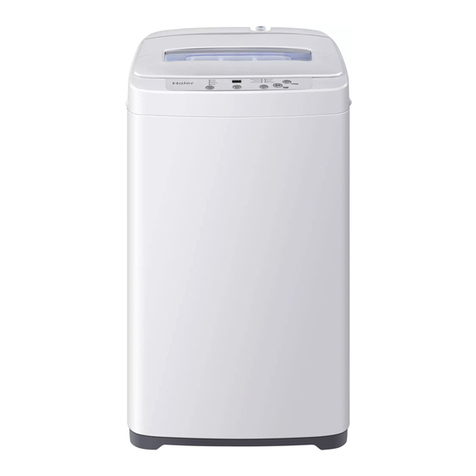
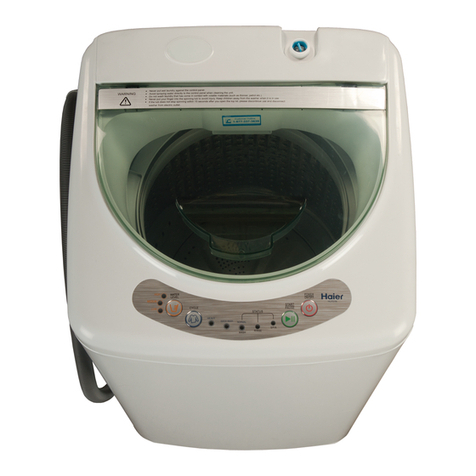
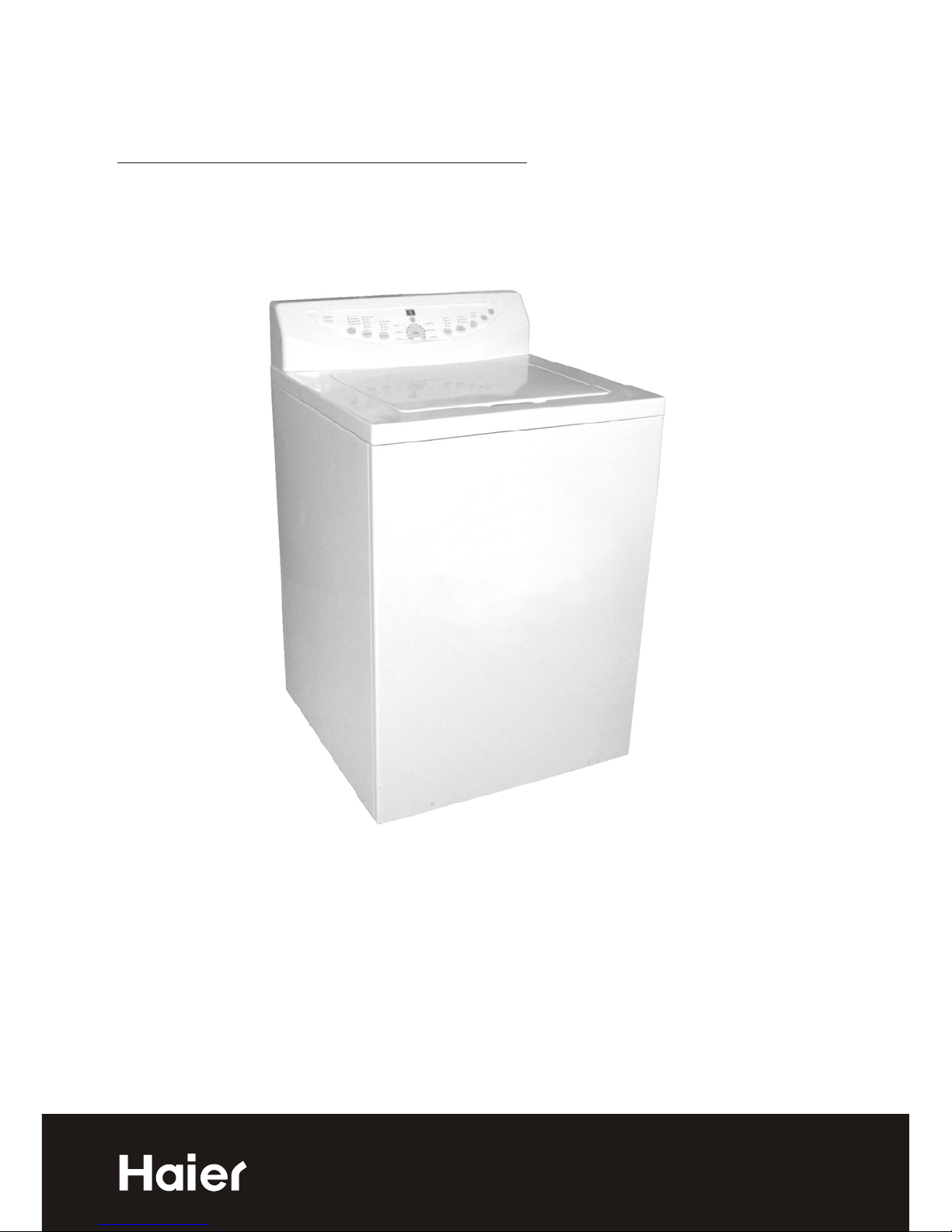
  9. Haier RWT300AW User manual

Haier RWT300AW User manual

This manual suits for next models

2

Other Haier Washer manuals

Haier HLT23E User manual

Haier

Haier HLT23E User manual

Haier LMD7023PBBP User manual

Haier

Haier LMD7023PBBP User manual

Haier XPB70-0713S User manual

Haier

Haier XPB70-0713S User manual

Haier HW50-10866ME User manual

Haier

Haier HW50-10866ME User manual

Haier HW70-F1201 User manual

Haier

Haier HW70-F1201 User manual

Haier HWM60-918NZP User manual

Haier

Haier HWM60-918NZP User manual

Haier HWM110-L287S User manual

Haier

Haier HWM110-L287S User manual

Haier HW120-B14686 Series User manual

Haier

Haier HW120-B14686 Series User manual

Haier HWM100-678NZP User manual

Haier

Haier HWM100-678NZP User manual

Haier HDM5.0-2-LA User manual

Haier

Haier HDM5.0-2-LA User manual

Haier XQJ50-31 User manual

Haier

Haier XQJ50-31 User manual

Haier HW60-1479 User manual

Haier

Haier HW60-1479 User manual

Haier HWM90-23BS User manual

Haier

Haier HWM90-23BS User manual

Haier HWM60-10866 User manual

Haier

Haier HWM60-10866 User manual

Haier XQB60-91BF User manual

Haier

Haier XQB60-91BF User manual

Haier GWT950AW Assembly instructions

Haier

Haier GWT950AW Assembly instructions

Haier HWD 1500 User manual

Haier

Haier HWD 1500 User manual

Haier HWM55-23BS User manual

Haier

Haier HWM55-23BS User manual

Haier HW-D1050TVE User manual

Haier

Haier HW-D1050TVE User manual

Haier HWD-D1200TXVE User manual

Haier

Haier HWD-D1200TXVE User manual

Haier GWT460AW User manual

Haier

Haier GWT460AW User manual

Haier RW-S1000F3 User manual

Haier

Haier RW-S1000F3 User manual

Haier XQS50-28 User manual

Haier

Haier XQS50-28 User manual

Haier HLP22P - 06-03 User manual

Haier

Haier HLP22P - 06-03 User manual

Popular Washer manuals by other brands

Samsung WF8508NMW8 null

Samsung

Samsung WF8508NMW8 null

Samsung WF-B105AV null

Samsung

Samsung WF-B105AV null

Akai AWM1050WF null

Akai

Akai AWM1050WF null

Tricity Bendix AW 1000 W Operating & installation instructions

Tricity Bendix

Tricity Bendix AW 1000 W Operating & installation instructions

Panasonic NA-F60L5WRB operating instructions

Panasonic

Panasonic NA-F60L5WRB operating instructions

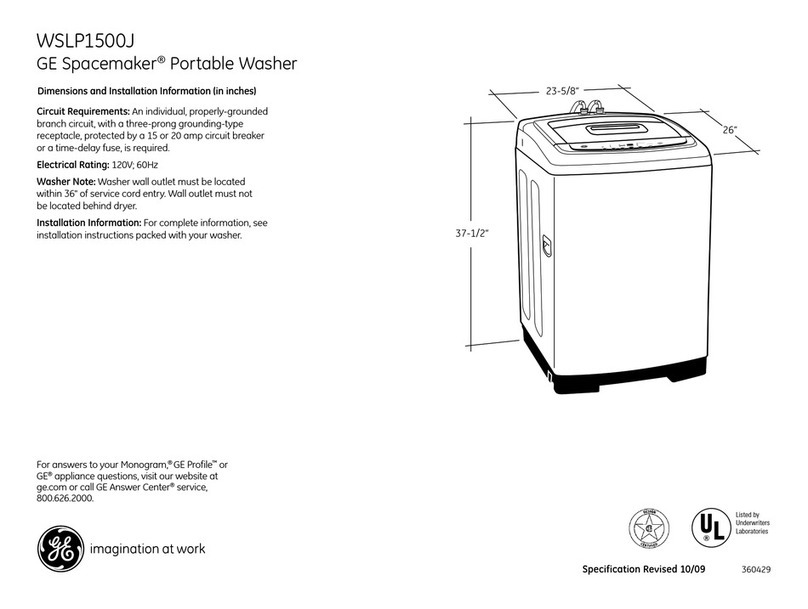
GE WSLP1500 Dimensions and installation information

GE

GE WSLP1500 Dimensions and installation information

Electrolux EWF1284EDW Service manual

Electrolux

Electrolux EWF1284EDW Service manual

LG TV2516DV3B owner's manual

LG

LG TV2516DV3B owner's manual

LG TH2517DSAV owner's manual

LG

LG TH2517DSAV owner's manual

VESTEL CMH-XL 7510 TE user manual

VESTEL

VESTEL CMH-XL 7510 TE user manual

AEG 74335 User information

AEG

AEG 74335 User information

Johnson JWF721A user manual

Johnson

Johnson JWF721A user manual

Beko WTE7604XLW0 owner's manual

Beko

Beko WTE7604XLW0 owner's manual

Danby DTT100A1WDB Owner's use and care guide

Danby

Danby DTT100A1WDB Owner's use and care guide

Amica WA 14 Ex operating instructions

Amica

Amica WA 14 Ex operating instructions

Daewoo DWD-F1222 instruction manual

Daewoo

Daewoo DWD-F1222 instruction manual

Bosch WAS28461AU instruction manual

Bosch

Bosch WAS28461AU instruction manual

Miele PW 6080 Vario manual

Miele

Miele PW 6080 Vario manual

https://manuals.online logo
https://manuals.online logoBrands
  • About & Mission
  • Contact us
  • Privacy Policy
  • Terms and Conditions

Copyright 2026 Manuals.Online. All Rights Reserved.

User Manual
Model # RWT200AW, RWT300AW, RWT400AW
Top Load Clothes Washer
Quality . Innovation . Style
1
English
IMPORTANT SAFETY INSTRUCTIONS
Warning - To reduce the risk of fire, electric shock, or injury to
persons when using your appliance, follow basic precautions,
including the following:
2. Use this appliance only for its intended purpose as described in this
use and care guide.
3. Use only detergents or so fteners recommended for use in a clothes
wash er and keep them out of the reach of children.
4. Thi s wash er must be properly installed in accordance with the
inst allation inst ructions before it is use d.
5. Neve r unplug yo ur washer by pulling on the power cord. Always
grasp the plug firmly and pull st raight out from the outlet.
6. Replace immediately worn power cords, loose plugs/ power outlets.
7. Unplug yo ur wash er before cleaning.
8. If yo ur old wash er is not being use d, we recommend that you remove
the door. Thi s will reduce the possi bility of danger to children.
9. Do not operate your wash er in the prese nce of exp losi ve flames.
10. Do not use wash er to wash clothes so aked, sp otted or washed in
gaso line, dry cleaning solve nts or any other explosive or flammable
subst ances that could ignite and exp lode.
11. Clothes or rags used to clean flammable or explosi ve materials
should not be wash ed in the wash er till all traces of this material has
been remove d, to avo id an accident.
12. Do not add or mix any flammable or exp losi ve su bstances to the wash.
13. Do not tr y to remove clothes while the tub or the agitator is movi ng.
Let it come to a complete st op before use.
14. Wash er loading door must be closed when agitator and tub is sp inning.
15. Do not operate your wash er when parts are missi ng or parts are
broken.
16. Do not use the washer for commercial clothes washing.
17. Do not operate washer unless all enclosure panels are properly in place.
18. Do not tamper with controls.
1. Read all instructions before using the appliance.

2
English
19. To reduce risk of injur y do not allow children to play in or on the
washer.
20. Washer mu st be connected to proper electrical outlet with the correct
electrical supply.
21. Proper grounding mu st be ensured to reduce the risk of shock or fire.
DO NOT CUT OR REMO VE THE GR OUNDING PLUG. If you do not
have a 3-prong electric receptacle outlet in the wall, have a certified
electrician install the proper receptacle. The wall receptacle MU ST be
properly grounded.
22. Hydrogen gas may be produced if the water heater has not been
used in mo re than 2 weeks. This could be explosive and can explode
under certain circums tances. If this is the case, before using the
washer, turn on all the hot water faucet’s and let the hot water run
for a few mi nutes. This will let the trapped hydrogen escape. During
this process do not turn on an electric appliance, smo ke, light a
match/lighter or use a flame to avoid an accident, as hydrogen gas
is flamma ble and can explode.
SAVE THESE INSTRUCTIONS
DANGER
Risk of child entrapment. Before you throw away your old
washer, take off the door so that
children may not easily get trapped inside.
Thank you for using our Haier
product. This easy-to-use manual
will guide you in getting the best
use of your washer.
Remember to record the model and
serial number. They are on a label
in back of the washer.
Model number
Serial number
Date of purchase
Staple your receipt to your manual. You will need it to obtain
warranty service.
For Future Use
PAGE
SAFETY INSTRUCTIONS
....................................................................
1
OPERA TING INSTRUCTIONS
............................................................
4
Parts and Features
..................................................................................
4
Operations ............................................................................................ 5
Nor mal Operating Sounds
....................................................................
12
Lint Filter.............................................................................................. 13
Safety Lid Switch.................................................................................. 13
Care and Cleaning Guide ............................................................ 14
Cleaning and Maintenance
..................................................................
14
Moving and Vacationing
......................................................................
15
Storage of Your W asher ...................................................................... 15
Troubleshooting .............................................................................. 16
INSTALLA TION INSTRUCTIONS
....................................................
18
Tools and Materials Required................................................................ 18
Unpacking Your Washer...................................................................... 19
Leveling Your Washer .......................................................................... 19
Steps for Installation ............................................................................ 20
Electrical Connections .................................................................... 22
Grounding Instructions
..........................................................................
22
Power Interruptions .............................................................................. 22
Warranty
........................................................................................
23
3
English
Table Of Contents
4
Parts and Features
OPERATING INSTRUCTIONS
3
2
4
7
6
5
8
19
10
11
7. Liquid Fabric Softener Dispenser
9. Bleach Injection Inlet
15. Adjustable Fee (4)
5. Cabinet
2. Control Panel
6. Control Panel Seat
3. Inner Wash Tub
1. Top Lid
13. Power Line
10. Cold Water Inlet Valve
8. Door Switch
4. Agitator
14. Drain Hose Joint
11. Hot Water Inlet Valve
12
13
14
15
12. Water Absorption Cushion
English
English
10
8
6
4
2
9
7
5
3
1
Normal/Fast
Normal/Slow
Delicate/Fast
Delicate/Slow
Speed
Wash/Spin
Load Size
Soil Level
Stain Wash
Heavy
Normal
Light
Normal
Heavy Duty
Whites
Delay
Start
Cycles
Quick Wash
Delicate Casual
Hand Wash
Pre-wash
Wash
Rinse
Extra Rinse
Spin
Process
Hot/cold
Warm/Cold
Cold/Cold
Temp
Wash/Rinse
Louder
Softer
Off
Cycle
Signal
Start
Pause
Off
Tim e Remain ing
Time O n
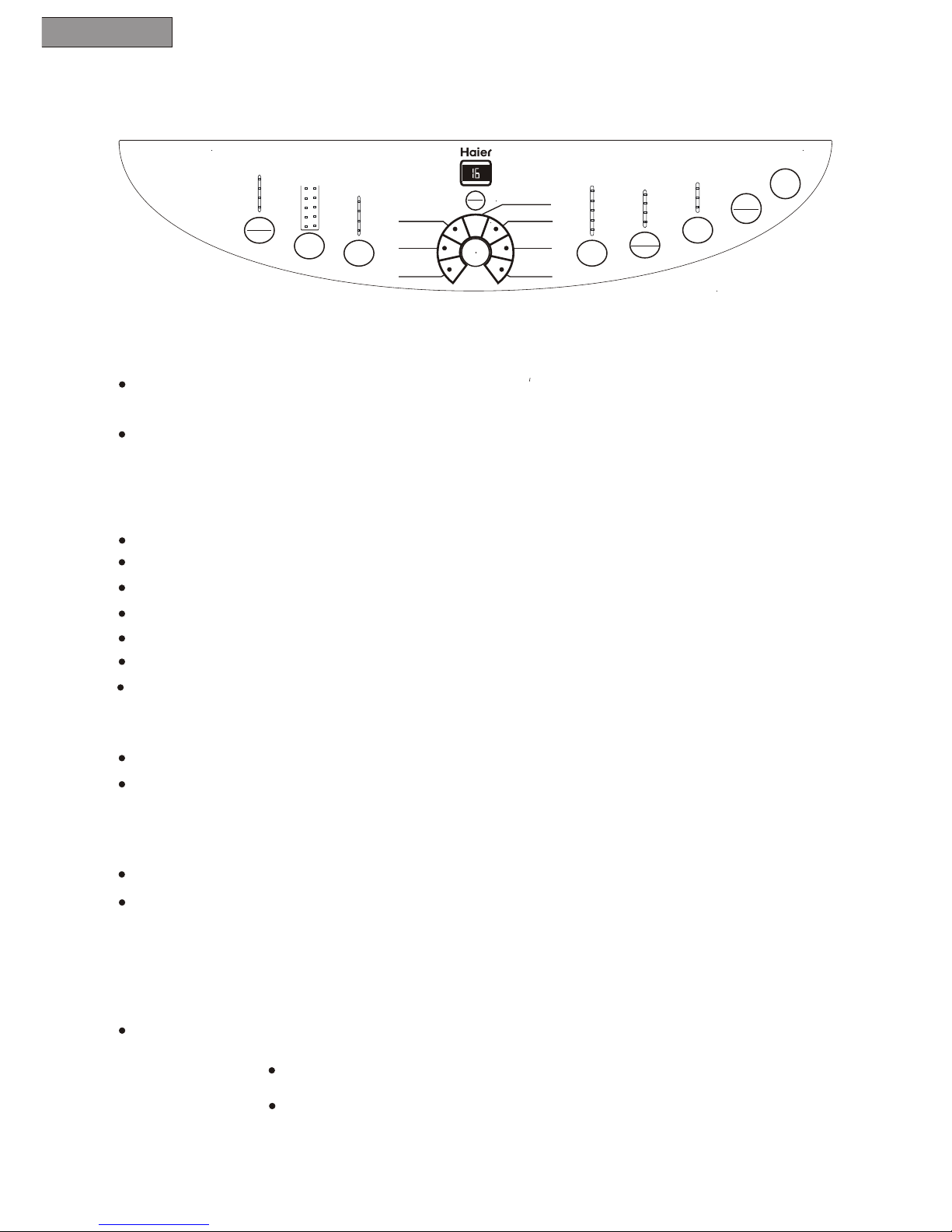
Operations
Note: Features may vary per model.
Delay Start
When not activated, the display shows a cycles remaining time through
the wash process.
When Delay Start is selected, the indicator light will display a minimum delay
of 2 hours. Push button once for every additional 1 hour delay for up to 24
hours.
Cycles
Normal - For regular washing.
Heavy Duty - For washing bigger, thicker and heavily soiled laundry.
Whites - For washing cotton fabrics and whites
Quick Wash - For quick washing of lightly soiled laundry.
Delicate Casual - For washing of delicate fabrics.
Hand Wash - To have hand wash effect on clothes.
Soil level
Selecting clothes soil level.
Wash cycle increases 2 minutes for ever y soil level increased.
Load Size
Water levels may be set at beginning of the wash or pause.
During Pre-wash, Wash or Rinse, press this button to manually replenish water.
Release to stop. Function automatically is inactive when water reaches over-
flow protection level.
Speed Wash/Spin
Select spin speed when program is in Normal or Delicate Casual cycle.
Note: Flashing light indicates the program is running.
Steady light indicates the program is the selected mode or is about
to operate.
5
Cool/Cold
Permanent Press
Permanent Press-This cycle is for heavy-duty fabrics or synthetics.
6
English
Off
Start /Pause
Once washer is powered and selection are chose push this button once
to Start the wash.
While unite is working push this button once to pause it.
If unit is in Pause mode,push this button once to resume operation.
Delay Start Indicator
Indicates remainning minutes when cycle is in progress.
Indicates remainning hours during delay process.
Indicates faults codes or conditions that are not normal.
Push the button once to shut off the power
Cycle Signal
Signal volume can be adjusted soft-loud or off.
Temperature Wash /Rinse
To select inlet water temperature for wash and rinse.
Process Select
This is to select a wash process.
Pre-wash will not work in the Hand Wash, Delicate Casual and Quick Wash Cycles.
Water level indicator will shut off if only Spin is selected.
Once a program is selected press the Process Select button to have Extra Rinse.
The washer will add a . Extra Rinse
7
English
Operating Procedure
If Start/Pause button isn't pressed within 5 minutes after powering on the unit
will automatically switch off and return to stand by mode.
1. Press power on button
The washer will also return to stand by mode immediately after completion of the
wash process.
The washer will now be in the working status in the Normal cycle
Regardless of settings by pressing the Power On/Off button all programs will
stop and the unit enters stand by mode.
The washer has intelligent wash resumption. If the power was interrupted at
the power source and then when the power is resumed the washer will resume
working at the stopped position.
2. Selection of Cycles
When the washer is powered on the Normal cycle is the default cycle. If other
cycle is required press the cycle button for desired program.
3. Process Select
Once the power is switched on t
will Wash, Rinse and Spin. If other selection combinations
are desired, press the Process Select button to choose.
he washing machine will automatically set the
Normal cycle which
Note: Spin shall begin after some time even if there is no water in the tub. Do not use
Pre-wash process for woolen articles. Clothes prone to fade and other clothes shall be
washed separately .
5. Speed Wash/Spin
8
English
Extra Rinse
Wash, Rinse,
Spin
Extra Rinse/
Extra Rinse
Extra Rinse
Extra Rinse
Extra Rinse
Extra Rinse
Extra Rinse
Extra Rinse
Extra Rinse
Pre-wash, Wash
Rinse, Spin
Pre-wash
Pre-wash
Pre-wash
Pre-wash
Pre-wash
Pre-wash
Pre-wash
Pre-wash
For heavily soiled clothes
shirt cuffs and collars,
first Pre-wash and then wash
Times of pressing
Process(Normal,
Heavy Duty and
White
Selected Processes Applications
Times of pressing
Process(Quick Wash,
Delicate Casual or
Hand Wash
Operation (the on indicator
represent the processes to run)
(to spin after drain)
Spin When only spin is needed
after hand wash
(first drain and then spin)
When the clothes
need
Extra Rinse
Rinse, Spin
Wash, rinse(Rinse Water
remains in the tub)
Wash, Rinse, Spin
Wash(Wash water
remains in the tub)
When rinse and spin are
needed after hand wash
Common clothes needing
wash, rinse & spin
Repeatedly use the
wash water
Repeatedly use the
rinse water
0
1
2
3
4
5
6
7
0
1
2
3
/
4
5
/
Wash
Wash
Wash
Wash
Wash
Wash
Wash
Wash
Rinse
Rinse
Rinse
Rinse
Rinse
Rinse
Rinse
Rinse
Spin
Spin
Spin
Spin
Spin
Spin
Spin
Spin
Once the power is switched on the machine will automatically set to
Normal/Fast.Press button to change selection. (See page 5)
6. Soil
Level
7. Temperature Wash/Rinse
8. Cycle Signal
When the washer is powered the machine will automatically set at
Normal. Select different soil levels by pressing button.
Initial setting is Warm/Cold when washer is powered on. Press button to
change selection based on clothes put in the washer.
This is set at Low when washer is started. Press button to adjust.
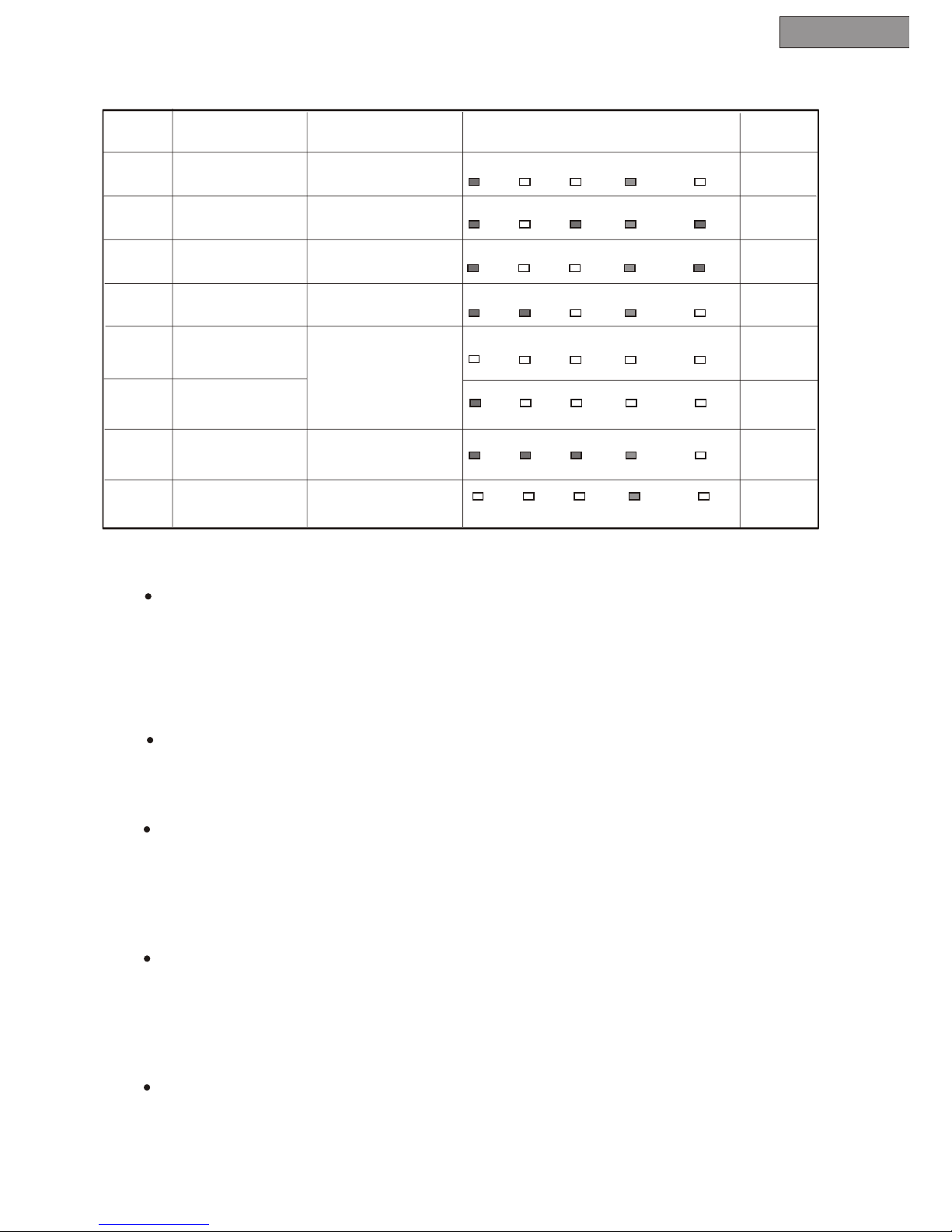
Process Selecting
4. Load Size
After Wash Cycle selection press the Load Size button to select the proper
water level for wash.
Note: See chart below for Load Size selection.
9
9. Delay Start
When the delay timer starts the program select indicator turns off. The indicator
will display The remaining time to turn on the unit. In the lower right corner of the
display, a blinking light will indicate that Delay Start has been activated.
10. Start/Pause
Note:
English
To start the washer at a later lime press the Delay Start button and set the time.
When activated the indicator displays 2. Push button once for ever y
1 hour delay for up to 24 hours
Press Start button to activate Delay Start.
By pressing the Delay/Start button the selected Process programs will be
displayed.
By altering the running program, the washer will have to be reset.
Press this button when you want the machine to start.
During operation press this button to pause and press it again to resume
operation.
By opening the top lid will stop the machine except for water filling or
draining.