manuals.online logo
Brands
  1. Home
  2. •
  3. Brands
  4. •
  5. Honeywell
  6. •
  7. Fan
  8. •
  9. Honeywell 50207 User manual

Honeywell 50207 User manual

This manual suits for next models

2

Other Honeywell Fan manuals

Honeywell HT-800 Series User manual

Honeywell

Honeywell HT-800 Series User manual

Honeywell L4064A-F User manual

Honeywell

Honeywell L4064A-F User manual

Honeywell Turbo Force HYF550 Series User manual

Honeywell

Honeywell Turbo Force HYF550 Series User manual

Honeywell QUIETSET HY-254 Series User manual

Honeywell

Honeywell QUIETSET HY-254 Series User manual

Honeywell HTF337 Series User manual

Honeywell

Honeywell HTF337 Series User manual

Honeywell L6064A Operation manual

Honeywell

Honeywell L6064A Operation manual

Honeywell HFT-114B Series User manual

Honeywell

Honeywell HFT-114B Series User manual

Honeywell MEGA TURBO HF-810 User manual

Honeywell

Honeywell MEGA TURBO HF-810 User manual

Honeywell SUTTON User manual

Honeywell

Honeywell SUTTON User manual

Honeywell QUIETSET HT354E User manual

Honeywell

Honeywell QUIETSET HT354E User manual

Honeywell HT-22 User manual

Honeywell

Honeywell HT-22 User manual

Honeywell HY-047B - Fresh Breeze Tower Fan User manual

Honeywell

Honeywell HY-047B - Fresh Breeze Tower Fan User manual

Honeywell D896 User manual

Honeywell

Honeywell D896 User manual

Honeywell 527HHON001BLK User manual

Honeywell

Honeywell 527HHON001BLK User manual

Honeywell HS-120C Series User manual

Honeywell

Honeywell HS-120C Series User manual

Honeywell HO-5500RE User manual

Honeywell

Honeywell HO-5500RE User manual

Honeywell HT907E User manual

Honeywell

Honeywell HT907E User manual

Honeywell GLEN ALDEN User manual

Honeywell

Honeywell GLEN ALDEN User manual

Honeywell 50206 User manual

Honeywell

Honeywell 50206 User manual

Honeywell HS-160R Series User manual

Honeywell

Honeywell HS-160R Series User manual

Honeywell ST9103A User manual

Honeywell

Honeywell ST9103A User manual
Honeywell 50202 User manual

Honeywell

Honeywell 50202 User manual

Honeywell 51851 User manual

Honeywell

Honeywell 51851 User manual

Honeywell HS-216E User manual

Honeywell

Honeywell HS-216E User manual

Popular Fan manuals by other brands

Minka Group minkaAire Wave F843 instruction manual

Minka Group

Minka Group minkaAire Wave F843 instruction manual

Airflow Adroit DV50 instruction manual

Airflow

Airflow Adroit DV50 instruction manual

Vornado 270 Series owner's guide

Vornado

Vornado 270 Series owner's guide

comfort air TH-10D instruction manual

comfort air

comfort air TH-10D instruction manual

Livoo DOM386 instruction manual

Livoo

Livoo DOM386 instruction manual

Holmes BLIZZARD HAOF-90 owner's guide

Holmes

Holmes BLIZZARD HAOF-90 owner's guide

Taurus GRECO 16 ELEGANCE manual

Taurus

Taurus GRECO 16 ELEGANCE manual

Quorum PINNACLE installation instructions

Quorum

Quorum PINNACLE installation instructions

Monte Carlo Fan Company 3DIR58RBD-V1 Owner's guide and installation manual

Monte Carlo Fan Company

Monte Carlo Fan Company 3DIR58RBD-V1 Owner's guide and installation manual

Craftmade UH52 installation guide

Craftmade

Craftmade UH52 installation guide

Jocel JVA030658 instruction manual

Jocel

Jocel JVA030658 instruction manual

MIKA MFB1211/GR user manual

MIKA

MIKA MFB1211/GR user manual

Harbor Breeze RLG52NWZ5L manual

Harbor Breeze

Harbor Breeze RLG52NWZ5L manual

Allen + Roth L1405 instruction manual

Allen + Roth

Allen + Roth L1405 instruction manual

ViM KUBAIR F400 ECOWATT Technical manual

ViM

ViM KUBAIR F400 ECOWATT Technical manual

HIDRIA R10R-56LPS-ES50B-04C10 user guide

HIDRIA

HIDRIA R10R-56LPS-ES50B-04C10 user guide

BLAUBERG Ventilatoren CENTRO-M 100 L user manual

BLAUBERG Ventilatoren

BLAUBERG Ventilatoren CENTRO-M 100 L user manual

Triangle Engineering HEAT BUSTER SPL Series owner's manual

Triangle Engineering

Triangle Engineering HEAT BUSTER SPL Series owner's manual

manuals.online logo
manuals.online logoBrands
  • About & Mission
  • Contact us
  • Privacy Policy
  • Terms and Conditions

Copyright 2025 Manuals.Online. All Rights Reserved.

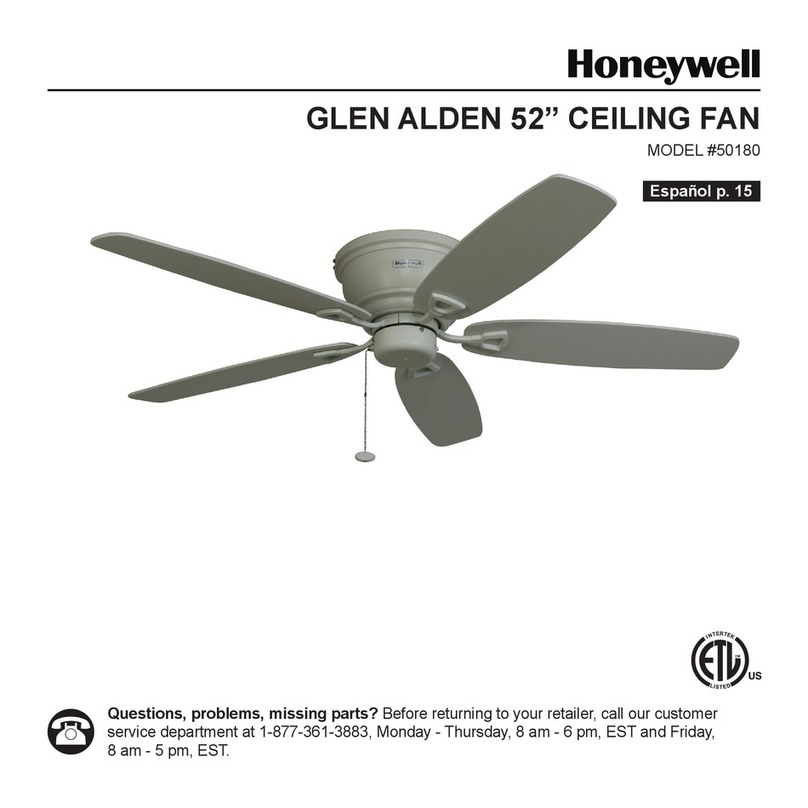
PALM ISLAND 52” CEILING FAN
MODELS #50200, 50207
Questions, problems, missing parts? Before returning to your retailer, call our customer
service department at 1-877-361-3883, Monday - Thursday, 8 am - 6 pm, EST and Friday,
8 am - 5 pm, EST.
Español p. 19
LISTED FOR DAMP
LOCATION
2
WELCOME
PREPARATION
Before beginning the assembly of this product, ensure
that all parts are present. Compare all parts with the
package contents list and hardware contents list. If
any part is missing or damaged, do not attempt to
assemble the product.
After opening the top of the carton, remove the
mounting hardware package from the foam inserts,
then remove the motor from the packaging and
place it on a soft surface, such as a carpet, to avoid
damage to the nish.
Estimated Assembly Time: Under 60 minutes
Tools Required for Assembly (not included): Electrical
Tape, Phillips Screwdriver, Pliers, Safety Glasses,
Step Ladder, and Wire Strippers
Helpful Tools (not included): AC Tester Light, Tape
Measure, Wiring Handbook, and Wire Cutters
CARE AND MAINTENANCE
At least twice each year, lower the canopy to check
the downrod assembly, and then tighten all screws
on the fan. Clean the motor housing with only a soft
brush or lint-free cloth to avoid scratching the nish.
Clean the blades with a lint-free cloth. You may
occasionally apply a light coat of furniture polish to
wood blades for added protection.
Important: Shut off the main power supply before you
begin any maintenance tasks. Do not use water or a
damp cloth to clean the ceiling fan.
FAN WEIGHT
The net weight of this fan is: 18.08 lbs. (8,20 kg).
TABLE OF CONTENTS
ATTACH YOUR RECEIPT HERE
Serial Number
Purchase Date
Care and Maintenance ........................2
Package Contents ...........................3
Safety Information ...........................4
Mounting Options ............................5
Mounting Bracket Installation ...................6
Standard or Angle Mounting Instructions . . . . . . . . . .7
Closemount Instructions......................10
Wiring ....................................11
Canopy Installation..........................12
Blade Installation ...........................13
Switch Housing Installation....................14
Operating Instructions .......................15
Replacement Parts List ......................16
Troubleshooting ............................17
Limited Lifetime Warranty.....................18
3
PACKAGE CONTENTS
Unpack your fan and check the contents. You should
have the following items:
1. Canopy
2. Mounting Bracket
3. Canopy Cover
4. Downrod
5. Yoke Cover
6. Motor Housing
7. Switch Housing
8. Blade Arm (5)
9. Blade (5)
10. Loose parts bags containing (not shown):
Mounting hardware, blade attachment hardware,
electrical hardware, pull chains, wire connectors, etc.
1
2
3
6
4
5
7
8
9
4
SAFETY INFORMATION
Please read and understand this entire manual before attempting to assemble, operate, or install the product.
• Before you begin installing the fan, disconnect the power by removing fuses or turning off the
circuit breakers.
• Make sure that all electrical connections comply with local codes, ordinances, the National Electrical
Code, and ANSI/NFPA 70-199. Hire a qualied electrician or consult a do-it-yourself wiring handbook if
you are unfamiliar with installing electrical wiring.
• Make sure the installation site you choose allows a minimum clearance of 7 ft. (2,14 m) from the blades
to the oor and at least 30 in. (76 cm) from the end of the blades to any obstruction.
DANGER
WARNING
WARNING
When using an existing outlet box, make sure
the outlet box is securely attached to the building
structure and can support the full weight of
the fan. Failure to do this can result in serious
injury or death. The stability of the outlet box is
essential in minimizing wobble and noise in the
fan after installation is complete.
To reduce the risk of re or electric shock, do not
use the fan with any solid-state speed-control
device or control the fan speed with a full-range
dimmer switch.
To reduce the risk of re, electric shock, or personal
injury, mount the fan to an outlet box marked
“ACCEPTABLE FOR FAN SUPPORT” and use the
mounting screws provided with the outlet box. Most
outlet boxes commonly used for the support of
lighting xtures are not acceptable for fan support
and may need to be replaced. Consult a qualied
electrician if in doubt. Secure the outlet box directly
to the building structure. The outlet box and its
support must be able to support the moving weight
of the fan, at least 35 lbs. (15,88 kg).
DANGER
If using the fan in a damp location, the fan must
be connected to a supply circuit that is protected
by a Ground Fault Circuit Interrupter (GFCI) to
reduce the risk of personal injury, electrical shock
or death.
! !
!
!
!
!
! !
WARNING
CAUTION
CAUTION
To reduce the risk of re, electric shock, or
personal injury, do not bend the blade arms
when installing them, balancing the blades, or
cleaning the fan. Do not insert objects between
the rotating fan blades.
Read all instructions and safety information
before installing your new fan. Review the
accompanying assembly diagrams.
Be sure the outlet box is properly grounded or
that a ground (green or bare) wire is present.
!
!
!
!
!
!
5
MOUNTING OPTIONS
DANGER
1. Your fan has 3 mounting options:
• Standard (Fig. 1)
• Angled (Fig. 2)
• Closemount (Fig. 3)
Note: The fans in gures 1 through 3 are not the actual
fan in your package, they are representations of
the 3 different mounting options.
Important: If using the angle mount, check to ensure
the ceiling angle is not steeper than 16°.
Helpful Hint: Downrod style mounting is best suited
for ceilings 8 ft. (2,44 m) or higher. For taller
ceilings you may want to use a longer downrod
(not included). Angle style mounting is best suited
for angled or vaulted ceilings. A longer downrod
is sometimes necessary to ensure proper blade
clearance. Closemount mounting is more suitable
for ceilings lower than 8 ft. (2,44 m) high.
2. Ensure that the blades of the fan are 30 in. (76 cm)
from any obstruction.
3. Check the downrod length to ensure the blades will
be at least 7 ft. (2,14 m) above your oor.
Turn off the circuit breakers and the wall switch to
the fan supply line leads. Failure to disconnect
the power supply prior to installation may result in
serious injury or death.
Fig. 1
Fig. 2
Fig. 3
! !
6
MOUNTING BRACKET INSTALLATION
Fig. 5
Fig. 4
Mounting
Bracket
Screws
Mounting
Bracket
Canopy
Washer
4. Loosen the mounting bracket screws. Remove the
two mounting bracket screws from the round holes
of canopy. Set aside for later use. Detach mounting
bracket from canopy (Fig. 4).
5. Secure the mounting bracket to the outlet box using
screws and washers provided with the outlet box
(not included) (Fig. 5).
Note: It is very important that you use proper hardware
when installing the mounting bracket as it supports
the fan.
Important: If using the angle mount, ensure that the
open end of the mounting bracket is installed facing
the peak of the ceiling.
Mounting Bracket
Screw
Washer
7
STANDARD OR ANGLE MOUNTING INSTRUCTIONS
6. Partially loosen the set screws in the yoke at the
top of the motor housing (Fig. 6).
7. Remove the downrod pin and downrod clip from
the downrod (Fig. 7).
8. Thread the wires from the motor housing through
the yoke cover, canopy, and out the top of the
downrod (Fig. 8).
Downrod
Clip
Downrod
Pin
Fig. 7
Fig. 6
Fig. 8
Set Screws
Downrod
Canopy
Yoke
Cover
Motor
Housing
Downrod Pin
Downrod Clip
8
STANDARD OR ANGLE MOUNTING INSTRUCTIONS
9. Slide the downrod into the yoke of the motor
assembly, align the holes, and re-install the
downrod pin and downrod clip. Then re-tighten the
set screws (Fig. 9).
10. Depending on the length of downrod you use, you
may need to cut the lead wires back to simplify the
wiring. If you decide to cut back the lead wires,
it is suggested that you do so in the following
manner: Take the lead wires and make sure that
you have pulled them all the way through the top
of the downrod and measure 8 in. of lead wire, and
then cut the excess wire off with wire cutters (not
included) (Fig. 10).
11. If you cut back the lead wire in Step 10, strip 1/2
in. of insulation from the end of each wire. Twist
the stripped ends of each strand of wire within the
insulation with pliers (not included) (Fig. 11).
Note: If you did not cut back the lead wires in Step 10,
Step 11 is not necessary and you may proceed to
Step 12 instead.
Downrod
Downrod
Pin
Set Screw
Downrod
Clip
Fig. 9
Fig. 10
Fig. 11
Cut Wires
Stripped
Wires
Downrod Pin
Downrod Clip
9
STANDARD OR ANGLE MOUNTING INSTRUCTIONS
12. Install the downrod ball into the mounting bracket
opening. Align the slot in the ball with the tab in the
mounting bracket. The downrod should not rotate if
installed correctly (Fig. 12).
Mounting
Bracket
Downrod
Ball
Tab
Slot
Fig. 12
10
CLOSEMOUNT INSTRUCTIONS
15. Raise the fan and place the canopy on the
mounting bracket hook for wiring (Fig. 15).
Canopy
Canopy
Hook
Canopy
Cover
Spring
Washer
Fig. 13
Fig. 15
Closemount
Screws
Fig. 14
13. Remove the canopy cover from the bottom of the
canopy (Fig. 13)
Helpful Hint: The downrod, hanging ball, and canopy
cover are not used in this type of installation.
Closemount Screw Spring Washer
14. Align the canopy with the closemount screw
holes in the top of the motor assembly. Secure
the canopy to the top of the motor assembly by
installing three closemount screws and spring
washers into the top of the motor housing (Fig. 14).