6
EN
This product requires an approved Spektrum DSM2®/DSMX®compatible transmitter.
Visit www.bindny.com for a complete list of approved transmitters.
It is possible to bind this model with a bind plug or using the invert to bind method.
General Binding Procedure
1. Refer the Transmitter Setup Table to correctly setup your
transmitter.
2. Lower the throttle stick to the lowest position. Set all
trims to the center position.
3. Power off the transmitter RF and move all switches to
the 0 position. Move the throttle to the low/off position.
4. Insert the bind plug into the receiver BIND/PROG port.
5. Connect the ight battery to the ESC. The LED on the
receiver will ash when it enters bind mode.
6. Put the transmitter into bind mode.
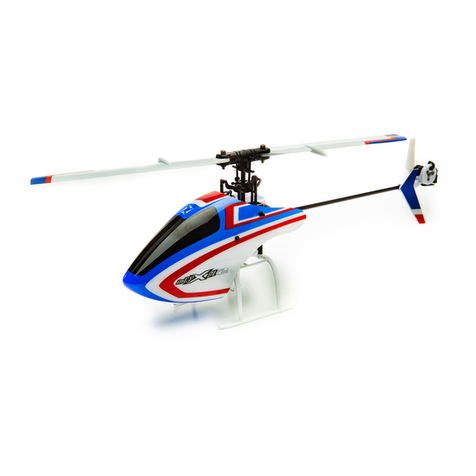
7. Release the bind button/switch after 2–3 seconds. The heli-
copter is bound when the LED on the receiver turns solid.
8. Disconnect the ight battery and remove the bind plug.
Invert to Bind Procedure
1. Refer the Transmitter Setup Table to correctly setup your
transmitter.
2. Lower the throttle stick to the lowest position. Set all
trims to the center position.
3. Power off the transmitter RF and move all switches to
the 0 position. Move the throttle to the low/off position.
4. Connect the ight battery to the ESC.
5. Flip the model upside down and hold for 15s. The LED on
the receiver will ash when it enters bind mode.
6. Put the transmitter into bind mode. Release the bind
button/switch after 2–3 seconds. The helicopter is bound
when the LED on the receiver turns solid.
7. Disconnect the ight battery.
CAUTION: When using a Futaba®transmitter with a Spektrum™ DSM2®module, you must reverse the throttle
channel and re-bind. Refer to your Spektrum module manual for binding and failsafe instructions.
Refer to your Futaba transmitter manual for instructions on reversing the throttle channel.
Transmitter and Receiver Binding
®
Low Voltage Cuto (LVC)
The ESC will continuously lower power to the motor until
complete shutdown when the battery reaches 9V under
load. This helps prevent over-discharge of the Li-Po battery.
Land immediately when the ESC activates LVC. Continuing to
y after LVC can damage the battery, cause a crash or both.
Crash damage and batteries damaged due to over-discharge
are not covered under warranty.
Repeatedly ying the helicopter until LVC activates will damage
the helicopter battery.
Disconnect and remove the Li-Po battery from the aircraft after
use to prevent trickle discharge. During storage, make sure the
battery charge does not fall below 3V per cell.
Smart Throttle
Smart Throttle technology combines the throttle signal with
telemetry data from the ESC on one normal three wire servo
connector.
Smart Throttle ESCs can send current, voltage, ESC temp, and
mAh consumed. Smart Throttle telemetry data shows up on
your transmitter like any other telemetry sensor.
The ESC and receiver combination included with this aircraft
is Smart compatible. An update for your transmitter may be
required for Smart features.
(See www.spektrumrc.com to register and update your
transmitter.)
To activate Smart Telemetry:
1. With the aircraft powered on after binding
2. Select the Telemetry screen; Settings; select Auto Cong
To configure RPM infomation using Smart Telemetry:
3. After doing the initial Smart telemetry conguration keep
the vehicle powered on
4. Select the Telemetry screen
5. Select Smart ESC and double select
6. Scroll down to NEXT
7. Enter the values for the magnetic pole count of the motor
(24 pole) and the gear ratio (1:1)
When your transmitter is connected to a receiver sending
Smart Data, the Smart Logo will appear under the battery logo
on the home page and a signal bar will appear in the top left
corner of the screen. Scrolling down, past the servo monitor,
the Smart screen will appear.
If you encounter problems, obey binding instructions and refer to the troubleshooting guide for other instructions.
If needed, contact the appropriate Horizon Product Support ofce.