manuals.online logo
Brands
  1. Home
  2. •
  3. Brands
  4. •
  5. HTW
  6. •
  7. Remote Control
  8. •
  9. HTW HTW-RG57 User manual

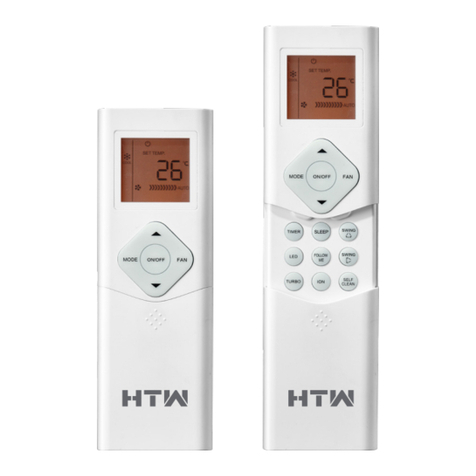
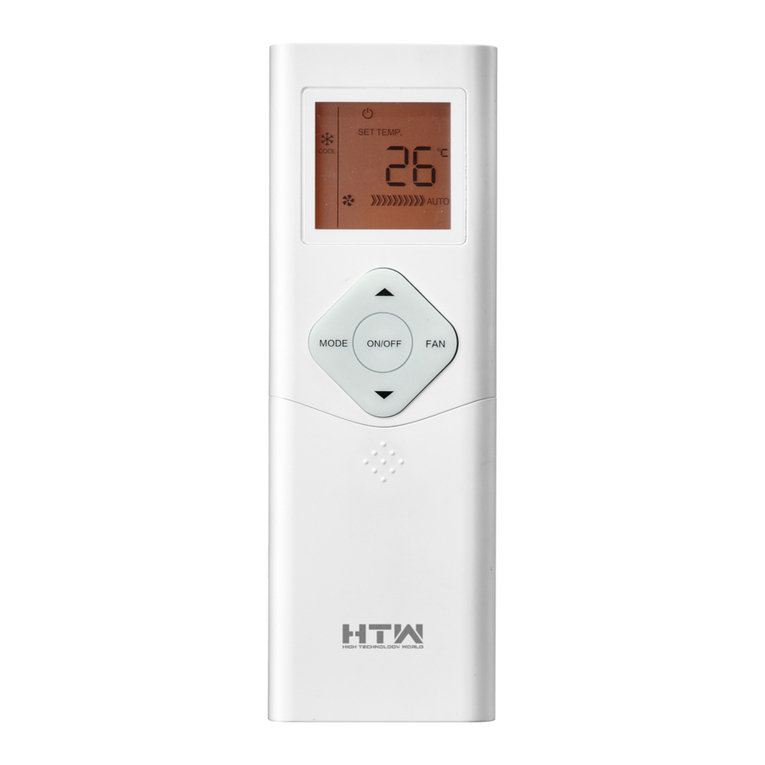
HTW HTW-RG57 User manual

Other HTW Remote Control manuals

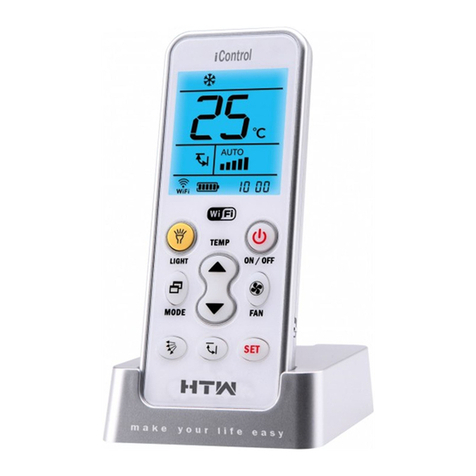
HTW iControl User manual

HTW

HTW iControl User manual

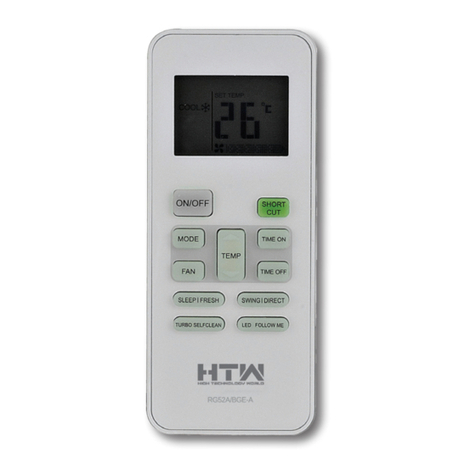
HTW HTW-RG52 User manual

HTW

HTW HTW-RG52 User manual

HTW RG10 Series User manual

HTW

HTW RG10 Series User manual

HTW RG51 User manual

HTW

HTW RG51 User manual

HTW HTW-RG66 User manual

HTW

HTW HTW-RG66 User manual

HTW RG66B User manual

HTW

HTW RG66B User manual

Popular Remote Control manuals by other brands

Bircher Reglomat RC Duo 2 user guide

Bircher Reglomat

Bircher Reglomat RC Duo 2 user guide

Emerson RCBT100 owner's manual

Emerson

Emerson RCBT100 owner's manual

BILDA Element-6 user manual

BILDA

BILDA Element-6 user manual

Absima CR7P manual

Absima

Absima CR7P manual

Mitsubishi Electric PAR-32MAAG Instruction book

Mitsubishi Electric

Mitsubishi Electric PAR-32MAAG Instruction book

RCA RCRTBL08BE1 quick start guide

RCA

RCA RCRTBL08BE1 quick start guide

US Electronics NOVARI user guide

US Electronics

US Electronics NOVARI user guide

Panasonic EUR7622KB0 Operation guide

Panasonic

Panasonic EUR7622KB0 Operation guide

Bang & Olufsen Beo4 user manual

Bang & Olufsen

Bang & Olufsen Beo4 user manual

Marantz RC101 user guide

Marantz

Marantz RC101 user guide

FUTABA 9ZAP - PART2 manual

FUTABA

FUTABA 9ZAP - PART2 manual

HR Matic HR MULTI 3 quick start guide

HR Matic

HR Matic HR MULTI 3 quick start guide

Anritsu MP1777A Operation manual

Anritsu

Anritsu MP1777A Operation manual

Niles WVC100 Installation & operating guide

Niles

Niles WVC100 Installation & operating guide

Bang & Olufsen BEO6 Getting started

Bang & Olufsen

Bang & Olufsen BEO6 Getting started

GE 94901 instruction manual

GE

GE 94901 instruction manual

FUTABA R7108SB Full manual

FUTABA

FUTABA R7108SB Full manual

Invacare G91S user manual

Invacare

Invacare G91S user manual

manuals.online logo
manuals.online logoBrands
  • About & Mission
  • Contact us
  • Privacy Policy
  • Terms and Conditions

Copyright 2025 Manuals.Online. All Rights Reserved.

HTW-RG57
ENGLISH
OWNER’S MANUAL
REMOTE CONTROL
Thanks for choossing our product.
Please, read carefully this manual
before using the product
REMOTE CONTROLLER SPECIFICATIONS
Model
Rated Voltage
8m
3.0V(Dry batteries R03/LR03×2)
RG57A3/BGEF, RG57B/BGERG57A2/BGEF,
RG57A3/BGEF
RG57A2/BGEF
(FRESH function is not available)
Remote Controller Specifications
Environment
Signal Receiving
Range
。。
-5 C 60 C
~
MODE MODE
FAN FAN
TEMP TEMP
SLEEP FRESH SLEEP
TURBO
SWING DIRECT
LED
LED FOLLOW ME
TURBO SELF CLEAN
ON/OFF ON/OFF
SHORT
CUT
SHORT
CUT
TIMER
ON
TIMER
ON
TIMER
OFF
TIMER
OFF
RG57B/BGE
27
OPERATION OF BUTTONS
MODE
FAN
TEMP
SLEEP FRESH
LED FOLLOW ME
TURBO SELF CLEAN
ON/OFF
SHORT
CUT
TIMER
ON
TIMER
OFF
1
2
4
5
3
9
10
8
6
7
11
12
13
14
1
2
Press this button to modify the air conditioner
mode in a sequence of following:
3
MODE Button
4
5
ON/OFF Button
This button turns the air conditioner ON
and OFF.
AUTO
COOL
DRY
HEAT FAN
Used to select the fan speed in four steps:
AUTO LOW MED HIGH
FAN Button
SLEEP Button
FRESH Button(applicable to RG57A3/BGEF)
NOTE: While the unit is running under SLEEP
mode, it would be cancelled if MODE, FAN
SPEED or ON/OFF button is pressed.
Active/Disable sleep function. It can
maintain the most comfortable temperature
and save energy. This function is available
on COOL, HEAT or AUTO mode only .
Active/Disable When the
FRESH function is initiated, the Ionizer/
Plasma Dust Collector(depending on
models) is energized and will help to
remove pollen and impurities from the air.
FRESH function.
For the detail, see sleep operation in
USER S MANUAL.
,
,, ,,
,,
,,
NOTE: You can not switch the fan speed in
AUTO or DRY mode.
7
SELF CLEAN Button(applicable to RG57A3/BGEF)
Active/Disable Self Clean function
Operation of buttons
6
TURBO Button
Active/Disable Turbo function. Turbo function
enables the unit to reach the preset temper-
ature at cooling or heating operation in the
shortest time(if the indoor unit does not
support this function, there is no
corresponding operation happened when
pressing this button.)
RG57A3/BGEF
28
SHORTCUT Button
TIMER ON Button
TIMER OFF Button
Used to restore the current settings or
resume previous settings.
On the first time connecting to the power,
if push the SHORTCUT button, the unit
O
will operate on AUTO mode, 26 C, and fan
speed is Auto.
Push this button when remote controller is
on, the system will automatically revert
back to the previous settings including
operating mode, setting temperature, fan
speed level and sleep feature(if activated).
If pushing more than 2 seconds, the system
will automatically restore the current
operation settings including operating mode,
setting temperature, fan speed level and
sleep feature(if activated ).
UP Button( )
Push this button to decrease the indoor
oo
temperature setting in 1 C increments to 17 C.
DOWN Button( )
8
10
11
9
Press this button to initiate the auto-on
time sequence. Each press will increase
the auto-timed setting in 30 minutes
increments. When the setting time displays
10.0, each press will increase the auto-
timed setting 60 minutes increments.
To cancel the auto-timed program, simply
adjust the auto-on time to 0.0.
Press this button to initiate the auto-off time
sequence. Each press will increase the auto
-timed setting in 30 minutes increments.
When the setting time displays 10.0, each
press will increase the auto-timed setting
60 minutes increments. To cancel the auto-
timed program, simply adjust the auto-off
time to 0.0
Push this button to increase the indoor
oo
temperature setting in 1 C increments to 30 C.
MODE
FAN
TEMP
ON/OFF
SHORT
CUT
TIMER
ON
TIMER
OFF
1
2
4
3
9
10
8
6
11
12
14
NOTE:Temperature contol is not available
in Fan mode.
RG57B/BGE
SLEEP
TURBO
SWING DIRECT
LED
OPERATION OF BUTTONS
29
12
14
13
FOLLOW ME Button(applicable to RG57A3/BGEF)
Push this button to initiate the Follow Me
feature, the remote display is actual
temperature at its location. The remote
control will send this signal to the air
conditioner every 3 minutes interval until
press the Follow Me button again. The air
conditioner will cancel the Follow Me feature
automatically if it does not receive the signal
during any 7 minutes interval.
MODE
FAN
TEMP
SLEEP FRESH
LED FOLLOW ME
TURBO SELF CLEAN
ON/OFF
SHORT
CUT
TIMER
ON
TIMER
OFF
1
2
4
5
3
9
10
8
6
7
11
12
13
14
Swing Button(applicable to RG57A3/BGEF)
Used to stop or start horizontal louver move-
ment or set the desired up/down air flow
direction. The louver changes 6 degree in
angle for each press. If keep pushing more
than 2 seconds, the louver will swing up and
down automatically.
Used to stop or start vertical louver movement
and set the desired left/right air flow direction.
The vertical louver changes 6 degree in angle
for each press. And the temperature display
area of indoor unit displays for one
second. If keep pushing more than 2 seconds,
the vertical louver swing feature is activated.
And the display area of indoor unit displays
, flashes four times, then the tempera-
IIII
ture setting reverts back. If the vertical louver
swing feature is stopped, it displays LC and
remains on for 3 seconds.
,
,
,
,,
,
LED Button
Disable/Active indoor screen Display. When
pushing the button, the indoor screen display
is cleared, press it again to light the display.
SWING Button(applicable to RG57B/BGE)
DIRECT Button(applicable to RG57B/BGE)
Used to change the louver movement and set
the desired up/down air flow direction.
O
The louver changes 6 in angle for each press.
Used to stop or start horizontal louver auto
swing feature.
MODE
FAN
TEMP
ON/OFF
SHORT
CUT
TIMER
ON
TIMER
OFF
1
2
4
3
9
10
8
6
11
12
SLEEP
TURBO
SWING DIRECT
LED
14
RG57B/BGE
RG57A3/BGEF
OPERATION OF BUTTONS
30
INDICATORS ON LCD
Indicators on LCD
Fan speed indication
Mode display
Information are displayed when
the remote controller is powered
up.
Displayed when data transmitted.
Displayed when remote controller is ON.
Battery display(low battery detection)
Not available for this unit
Low speed
Medium speed
High speed
Auto fan speed
Note:
of clear presentation. But during the actual operation
only the relative functional signs are shown on the
display window.
All indicators shown in the figure are for the purpose
Displayed when TIMER ON time is set.
Displayed in Sleep Mode operation.
Indicated that the air conditioner is
operating in Follow me mode
Not available for this unit
Displayed when TIMER OFF time is set.
Show set temperature or room
temperature, or time under TIMER
setting.
AUTO
HEAT FAN
COOL DRY
31
HOW TO USE THE BUTTONS
How to use the buttons
Cooling /Heating/Fan operation
Ensure the unit is plugged in and power is
available.
1. Press the MODE button to select COOL,
HEAT or FAN mode.
2. Press the UP/DOWN buttons to set the
desired temperature. The temperature can
OOO
be set within a range of 17 C~ 30 C in 1 C
increments.
3. Press the FAN button to select the fan speed
in four steps- Auto, Low, Med,or High.
4. Press the ON/OFF button to start the air
conditioner.
In the FAN mode, the setting temperature is not
displayed in the remote controller and you are not
able to control the room temperature either. In this
case, only step 1, 3 and 4 may be performed.
NOTE
Auto operation
Ensure the unit is plugged in and power is
available. The OPERATION indicator on the
display panel of the indoor unit starts flashing.
1. Press the MODE button to select Auto.
2. Press the UP/DOWN button to set the
desired temperature. The temperature can
OOO
be set within a range of 17 C~ 30 C in 1 C
increments.
3. Press the ON/OFFbutton to start the air
conditioner.
1. In the Auto mode, the air conditioner can logically
choose the mode of Cooling, Fan, and Heating
by sensing the difference between the actual
ambient room temperature and the setting
temperature on the remote controller.
2. In the Auto mode, you can not switch the fan speed.
It has already been automatically controlled.
3. If the Auto mode is not comfortable for you , the
desired mode can be selected manually.
NOTE
MODE
FAN
TEMP
SLEEP FRESH
LED FOLLOW ME
TURBO SELF CLEAN
ON/OFF
SHORT
CUT
TIMER
ON
TIMER
OFF
4
1
3
2
MODE
FAN
TEMP
SLEEP FRESH
LED FOLLOW ME
TURBO SELF CLEAN
ON/OFF
SHORT
CUT
TIMER
ON
TIMER
OFF
3
1
2
32
Dehumidifying operation
Ensure the unit is plugged in and power is
available. The OPERATION indicator on the
display panel of the indoor unit starts flashing.
1. Press the MODE button to select DRY mode.
2. Press the UP/DOWN buttons to set the
desired temperature. The temperature
OO
can be set within a range of 17 C~ 30 C
O
in 1 C increments.
3. Press the ON/OFF button to start the air
conditioner.
In the Dehumidifying mode, you can not switch the
fan speed. It has already been automatically controlled.
NOTE
Adjusting air flow direction
Use the SWING & button to adjust
the desired airflow direction.
1. Up/Down direction can be adjusted with the
button on the remote controller. Each
time when you press the button, the louver
moves an angle of 6 degree. If pressing more
than 2 seconds ,the louver will swing up and
down automatically.
2. Left/Right direction can be adjusted with the
button on the remote controller. Each
time when you press the button, the louver
moves an angle of 6 degree. If pressing more
than 2 seconds ,the louver will swing up and
down automatically.
NOTE: When the louver swing or move to a
position which would affect the cooling
or heating effect of the air conditioner,
it would automatically change the
swing/moving direction.
MODE
FAN
TEMP
SLEEP FRESH
LED FOLLOW ME
TURBO SELF CLEAN
ON/OFF
SHORT
CUT
TIMER
ON
TIMER
OFF
3
1
2
HOW TO USE THE BUTTONS
33

2
1
Timer operation
Press the TIMER ON button can set the auto-on
time of the unit. Press the TIMER OFF button
can set the auto-off time of the unit.
1. Press the TIMER ON button. The remote
controller shows TIMER ON, the last Auto-on
setting time and the signal "H" will be shown on
the LCD display area. Now it is ready to reset
the Auto-on time to START the operation.
2. Push the TIMER ON button again to set desired
Auto-on time. Each time you press the button,
the time increases by half an hour between 0
and 10 hours and by one hour between 10 and
24 hours.
3. After setting the TIMER ON ,there will be one
second delay before the remote controller
transmits the signal to the air conditioner. Then,
after approximately another 2 seconds, the
signal "H" will disappear and the set temperature
will re-appear on the LCD display window.
To set the Auto-on time.
To set the Auto-off time.
1. Press the TIMER OFF button. The remote
controller shows TIMER OFF, the last Auto-off
setting time and the signal "H" will be shown on
the LCD display area. Now it is ready to reset
the Auto-off time to stop the operation.
2. Push the TIMER OFF button again to set
desired Auto-off time. Each time you press the
button, the time increases by half an hour
between 0 and 10 hours and by one hour
between 10 and 24 hours.
3. After setting the TIMER OFF ,there will be
one second delay before the remote controller
transmits the signal to the air conditioner. Then,
after approximately another 2 seconds, the
signal "H " will disappear and the set temperature
will re-appear on the LCD display window.
MODE
FAN
TEMP
SLEEP FRESH
LED FOLLOW ME
TURBO SELF CLEAN
ON/OFF
SHORT
CUT
TIMER
ON
TIMER
OFF
HOW TO USE THE BUTTONS
34

When you select the timer operation, the remote controller automatically transmits the
timer signal to the indoor unit for the specified time. Therefore, keep the remote
controller in a location where it can transmit the signal to the indoor unit properly.
The effective operation time set by the remote controller for the timer function
is limited to the following settings: 0.5, 1.0, 1.5, 2.0, 2.5, 3.0, 3.5, 4.0, 4.5, 5.0,
5.5, 6.0, 6.5, 7.0, 7.5, 8.0, 8.5, 9.0, 9.5, 10, 11, 12, 13, 14, 15,16,17, 18, 19, 20,
21, 22, 23 and 24.
CAUTION
!
Example of timer setting
Start
Off
6 hours later
(Auto-on Operation)
The TIMER ON feature is useful when you want
the unit to turn on automatically before you return
home. The air conditioner will automatically start
operating at the set time.
To start the air conditioner in 6 hours.
1. Press the TIMER ON button, the last setting
of starting operation time and the signal "H"
will show on the display area.
2. Press the TIMER ON button to display "6.0H "
on the TIMER ON display of the remote
controller.
3. Wait for 3 seconds and the digital display
area will show the temperature again. The
"TIMER ON" indicator remains on and this
function is activated.
TIMER ON
Example:
Set
Stop
On
Set 10 hours later
(Auto-off Operation)
The TIMER OFF feature is useful when you want the
unit to turn off automatically after you go to bed. The
air conditioner will stop automatically at the set time.
To stop the air conditioner in 10 hours.
1. Press the TIMER OFF button, the last setting of
stopping operation time and the signal "H" will
show on the display area.
2. Press the TIMER OFF button to display "10H " on
the TIMER OFF display of the remote controller.
3. Wait for 3 seconds and the digital display area
will show the temperature again. The "TIMER
OFF" indicator remains on and this function is
activated.
TIMER OFF
Example:
HOW TO USE THE BUTTONS
35