USINGELECTRICPOWER
1. AC APPLICATION
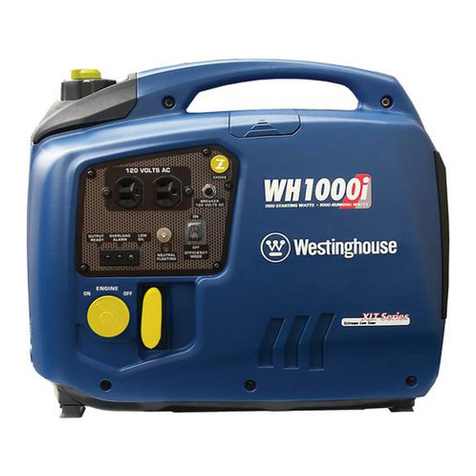
(a) Check theACpilotlampforpropervoltage.
(b) Turn off the switch(es) of the electrical appliance(s) before
connectingtothegenerator.
(c) Inserttheplug(s)oftheelectricalappliance(s)intothereceptacle.
CAUTION:
Besuretheelectricapparatusisturned offbeforepluggingin.
Besurethetotalloadis withingeneratorratedoutput.
Besurethesocketloadcurrentiswithinsocketratedcurrent.
The economy control switch must be turned to OFF when using
electric devices that require a large starting current, such as a
compressororasubmergiblepump.
2
OVERLOADINDICATORLIGHT
The overload indicator light comes on when an overload of a connected
electricaldeviceis detected,theinverter unitoverheats, ortheACoutput
voltagerises.Theelectronicbreakerwill thenactivate,stoppingpowerto
the generation in order to protect the generator and any connected
electric devices. The overload indicator light (red) will turn on, then the
generatorwillstopoutput.Ifsopleasefollowthefollowingsteps:
(a) Turnoffany connectedelectricdevices
(b) Reduce the total wattage of connected electric devices within the
application range.
(c) Check for blockages in the cooling air inlet and around the control
unit. Ifany blockages arefound,remove.
(d) Afterchecking,push outputreset.
CAUTION:
The generatorAC outputautomaticallyresetswhentheengineisstoppedandthenrestarted.
The overload indicator light may come on for a few seconds at first when using electric devices that require a large
startingcurrent, suchasa compressoror asubmergiblepump.However,this isnot amalfunction.
9