manuals.online logo
Brands
  1. Home
  2. •
  3. Brands
  4. •
  5. IBM
  6. •
  7. Laptop
  8. •
  9. IBM ThinkPad 240X Owner's manual

IBM ThinkPad 240X Owner's manual

Other manuals for ThinkPad 240X

1

Other IBM Laptop manuals

IBM ThinkPad X20 Owner's manual

IBM

IBM ThinkPad X20 Owner's manual

IBM ThinkPad X30, ThinkPad X31 (MT 2672 User manual

IBM

IBM ThinkPad X30, ThinkPad X31 (MT 2672 User manual

IBM ThinkPad Dock II Owner's manual

IBM

IBM ThinkPad Dock II Owner's manual

IBM L40 SX User manual

IBM

IBM L40 SX User manual

IBM ThinkPad 240 User manual

IBM

IBM ThinkPad 240 User manual

IBM 600E - ThinkPad 2645 - PII 400 MHz User manual

IBM

IBM 600E - ThinkPad 2645 - PII 400 MHz User manual

IBM ThinkPad 92P1559 User manual

IBM

IBM ThinkPad 92P1559 User manual

IBM ThinkPad 560Z Configuration guide

IBM

IBM ThinkPad 560Z Configuration guide

IBM ThinkPad X20 User manual

IBM

IBM ThinkPad X20 User manual

IBM TransNote Owner's manual

IBM

IBM TransNote Owner's manual

IBM ThinkPad 570E User manual

IBM

IBM ThinkPad 570E User manual

IBM ThinkPad G40 Series User manual

IBM

IBM ThinkPad G40 Series User manual

IBM ThinkPad R30 Owner's manual

IBM

IBM ThinkPad R30 Owner's manual

IBM ThinkPad 770E User manual

IBM

IBM ThinkPad 770E User manual

IBM 600E - ThinkPad 2645 - PII 400 MHz Manual

IBM

IBM 600E - ThinkPad 2645 - PII 400 MHz Manual

IBM ThinkPad 365C Owner's manual

IBM

IBM ThinkPad 365C Owner's manual

IBM ThinkPad i Series 1400 User manual

IBM

IBM ThinkPad i Series 1400 User manual

IBM THINKPAD A20M User manual

IBM

IBM THINKPAD A20M User manual

IBM THINKVANTAGE T60 User manual

IBM

IBM THINKVANTAGE T60 User manual

IBM DISEOTHINKVANTAGE Z60T How to use

IBM

IBM DISEOTHINKVANTAGE Z60T How to use

IBM THINKPAD R50 series User manual

IBM

IBM THINKPAD R50 series User manual

IBM 600E - ThinkPad 2645 - PII 400 MHz Assembly instructions

IBM

IBM 600E - ThinkPad 2645 - PII 400 MHz Assembly instructions

IBM ThinkPad R40e Service manual

IBM

IBM ThinkPad R40e Service manual

IBM 365xX Owner's manual

IBM

IBM 365xX Owner's manual

Popular Laptop manuals by other brands

EUROCOM ARMADILLO 2 W840AU Service manual

EUROCOM

EUROCOM ARMADILLO 2 W840AU Service manual

HP EliteBook 8570p Maintenance and service guide

HP

HP EliteBook 8570p Maintenance and service guide

Toshiba L300-EZ1522 Specifications

Toshiba

Toshiba L300-EZ1522 Specifications

HP Compaq 6520s Maintenance and service guide

HP

HP Compaq 6520s Maintenance and service guide

Lenovo ThinkPad T530 null

Lenovo

Lenovo ThinkPad T530 null

Lenovo ThinkPad X1 Carbon user guide

Lenovo

Lenovo ThinkPad X1 Carbon user guide

Lenovo ThinkPad T400s Ghid de service şi depanare

Lenovo

Lenovo ThinkPad T400s Ghid de service şi depanare

Toshiba TE2000 user manual

Toshiba

Toshiba TE2000 user manual

Acer SP514-51N user manual

Acer

Acer SP514-51N user manual

Fujitsu P1620 - LifeBook - Core 2 Duo 1.2 GHz Getting started

Fujitsu

Fujitsu P1620 - LifeBook - Core 2 Duo 1.2 GHz Getting started

Dell G3 15 Setup and specifications

Dell

Dell G3 15 Setup and specifications

Clevo D400P Service manual

Clevo

Clevo D400P Service manual

HP EliteBook 840r G4 Maintenance and service guide

HP

HP EliteBook 840r G4 Maintenance and service guide

Clevo NL51CU Service manual

Clevo

Clevo NL51CU Service manual

Dell Inspiron 3700 Get started

Dell

Dell Inspiron 3700 Get started

Toshiba R700-S1320 Specifications

Toshiba

Toshiba R700-S1320 Specifications

Lenovo ThinkPad 310D reference guide

Lenovo

Lenovo ThinkPad 310D reference guide

Sony PCG-F801A user guide

Sony

Sony PCG-F801A user guide

manuals.online logo
manuals.online logoBrands
  • About & Mission
  • Contact us
  • Privacy Policy
  • Terms and Conditions

Copyright 2025 Manuals.Online. All Rights Reserved.

S19K-5649-00
IBM Mobile Systems
ThinkPad 240X (2609)
Hardware Maintenance
Manual
May 2000
Before using this information and the product it supports,
be sure to read the general information under “Read This
First” on page 19.
Fourth Edition (May 2000)
The following paragraph does not apply to the United
Kingdom or any country where such provisions are
inconsistent with local law:
INTERNATIONAL BUSINESS MACHINES CORPO-
RATION PROVIDES THIS PUBLICATION "AS IS"
WITHOUT ANY WARRANTY OF ANY KIND, EITHER
EXPRESS OR IMPLIED, INCLUDING, BUT NOT LIMITED
TO, THE LIMITED WARRANTIES OF
MERCHANTABILITY OR FITNESS FOR A PARTICULAR
PURPOSE. Some states do not allow disclaimers or
express or implied warranties in certain transactions; there-
fore, this statement may not apply to you.
This publication could include technical inaccuracies or
typographical errors. Changes are periodically made to the
information herein; these changes will be incorporated in
new editions of the publication. IBM may make improve-
ments or changes in the products or the programs
described in this publication at any time.
It is possible that this publication may contain references
to, or information about, IBM products (machines and pro-
grams), programming, or services that are not announced
in your country. Such references or information must not
be construed to mean that IBM intends to announce such
IBM products, programming, or services in your country.
Requests for technical information about IBM products
should be made to your IBM Authorized Dealer or your
IBM Marketing Representative.
 Copyright International Business Machines Corpo-
ration 1999, 2000. All rights reserved. Note to US Gov-
ernment Users — Documentation related to restricted
rights — Use, duplication, or disclosure is subject to
restrictions set forth in GSA ADP Schedule Contract with
IBM Corp.
About This Manual
This manual contains service and reference information for
IBM ThinkPad 570Z (2644) and ThinkPad Ultrabase pro-
ducts. Use this manual along with the advanced diag-
nostic tests to troubleshoot problems effectively.
The manual is divided into sections as follows:
The Introduction section provides general information,
guidelines, and safety information required to service
computers.
The product-specific section includes service, refer-
ence, and product-specific parts information.
Important
This manual is intended for trained servicers who are
familiar with ThinkPad products. Use this manual
along with the advanced diagnostic tests to trouble-
shoot problems effectively.
Before servicing an IBM ThinkPad product, be sure to
review the safety information under “Safety Notices
(Multi-lingual Translations)” on page 4 and “Safety
Information” on page 11.
iii
iv ThinkPad 240X

Contents
Introduction . . . . . . . . . . . . . . . . . . . 1
Important Service Information ........... 1
How to Use Error Messages .......... 2
How to Read POST Error Messages ...... 2
Drive and Diskette Compatibility Matrix ....... 3
Safety Notices (Multi-lingual Translations) ..... 4
Safety Information . . . . . . . . . . . . . . . . 11
General Safety . . . . . . . . . . . . . . . . 11
Electrical Safety . . . . . . . . . . . . . . . . 12
Safety Inspection Guide ............ 13
Handling Electrostatic Discharge-Sensitive Devices 15
Grounding Requirements . . . . . . . . . . . . 15
Laser compliance statement ............ 16
General Description . . . . . . . . . . . . . . . 19
Read This First .................. 19
What to Do First ................ 20
How to Disable the Password ......... 21
Product Overview . . . . . . . . . . . . . . . . . 22
Fn Key Combinations ............. 22
Status Indicators . . . . . . . . . . . . . . . . 23
Checkout Guide . . . . . . . . . . . . . . . . . 25
Audio Checkout . . . . . . . . . . . . . . . . 25
Fan ASM Checkout .............. 26
Keyboard and Auxiliary Input Device Checkout . 26
Memory Checkout . . . . . . . . . . . . . . . 26
Modem Board Checkout ............ 27
Power System Checkout ............ 27
TrackPoint Checkout . . . . . . . . . . . . . . 29
I/O Ports Checkout .............. 30
Power Management Features ......... 30
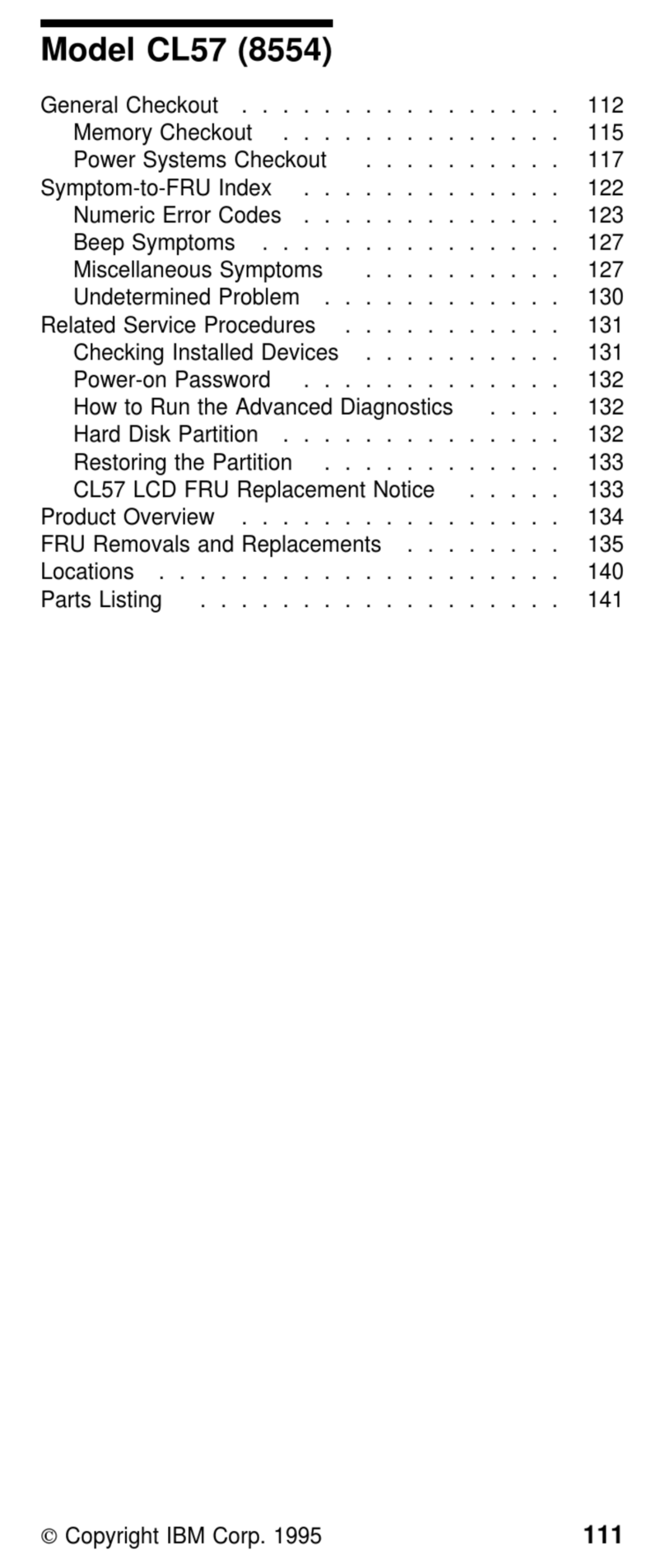
Symptom-to-FRU Index . . . . . . . . . . . . . . 33
Numeric Error Codes .............. 33
Error Messages . . . . . . . . . . . . . . . . 35
No Beep Symptoms .............. 35
LCD-Related Symptoms . . . . . . . . . . . . 36
Keyboard-Related Symptoms . . . . . . . . . . 36
Indicator-Related Symptoms . . . . . . . . . . 36
Power-Related Symptoms . . . . . . . . . . . 37
PC Card (PCMCIA)-Related Symptoms ..... 37
Speaker-Related Symptoms . . . . . . . . . . 37
Power Management-Related Symptoms ..... 37
Peripheral-Device-Related Symptom . . . . . . 38
Intermittent Problems . . . . . . . . . . . . . 38
Undetermined Problems . . . . . . . . . . . . 39
CE Utility Program Diskette ............ 40
Writing the VPD Data ............. 40
Flash UUID . . . . . . . . . . . . . . . . . . 40
Running the Diagnostics .............. 40
FRU Removals and Replacements ......... 41
Contents v
FRU Service Procedures ............ 41
1010 Battery ASM ............... 43
1020 Hard Disk Drive ............. 44
1030 Keyboard . . . . . . . . . . . . . . . . 45
1040 Modem Card ............... 46
1050 DIMM Card ............... 47
1060 LCD Unit ASM .............. 48
1070 Upper Cover ASM ............ 49
1080 Speaker ASM .............. 51
1085 Select Button ASM ............ 52
1090 Cable ASM and Cable ASM LED-R .... 53
1100 Fan ASM ................ 54
1110 Modem Cable ASM ............ 56
1120 Water Channel ASM ........... 57
1130 System Board .............. 58
1135 Rear Bracket ............... 60
1140 PCMCIA Slots .............. 61
1150 LCD Bezel ASM ............. 62
1160 LCD Inverter ASM ............ 63
1170 LCD Panel ASM (LCD Type A and B) . . . 64
1180 LCD FPC ASM (LCD Type A) ....... 66
1185 LCD FPC ASM (LCD Type B) ....... 67
1190 Hinge ASM ............... 68
Computer Parts Listing .............. 69
LCD Unit Parts Listing (LCD Type A) ........ 74
LCD Unit Parts Listing (LCD Type B) ........ 75
Service Tools . . . . . . . . . . . . . . . . . . . 75
Notices . . . . . . . . . . . . . . . . . . . . . . 77
Trademarks . . . . . . . . . . . . . . . . . . . 77
vi ThinkPad 240X
Introduction
Important Service Information
Important
Diskette fixes are customer installable. The diskette
fixes are posted on the IBM Support site
http://www.pc.ibm.com/support
Advise customers to contact the PC Company
HelpCenter at 800-772-2227 if they need assistance in
obtaining or installing any diskette fixes.
FRU Replacement Strategy
Before Replacing Parts
Ensure that all diskette fixes are installed prior to
replacing any FRUs listed in this manual.
Use the following strategy to prevent unnecessary FRU
replacement and service expense:
If you are instructed to replace a FRU and that
does not correct the problem, reinstall the original
FRU before you continue.
Some computers have both a processor board and a
system board. If you are instructed to replace either
the processor board or the system board, and the first
board that you replaced does not correct the problem,
reinstall the original board, then replace the other
(processor or system) board.
If an adapter or device consists of more than one
FRU, an error code may be caused by any of the
FRUs. Before replacing the adapter or device,
remove the FRUs, one by one, to see if the symp-
toms change. Replace only the FRU that changed
the symptoms.
Attention
A customized setup configuration (other than default
settings) may exist on the computer you are servicing.
Running Automatic Configuration may alter those set-
tings. Note the current configuration settings (using
the View Configuration option) and verify that the set-
tings are in place when service is complete.
Hard Disk Drive Replacement Strategy:
Always try to run a low-level format before replacing a hard
disk drive.
Introduction 1
Attention
The drive startup sequence in the computer you are
servicing might have been changed. Be extremely
careful during write operations such as copying,
saving, or formatting. Data or programs can be over-
written if you select an incorrect drive.
How to Use Error Messages
Use the error codes displayed on the screen to diagnose
failures. If more than one error code is displayed, begin
the diagnosis with the first error code. The cause of the
first error code can result in false error codes being dis-
played. If no error code is displayed, see if the error
symptom is listed in the Symptom-to-FRU Index for the
computer you are servicing.
How to Read POST Error Messages
POST error messages are displayed on the screen as
three, four, five, or eight digits. The error messages that
can be displayed as shorter POST messages are high-
lighted in this index. Some digits will represent different
information for SCSI errors versus non-SCSI errors.
The following example shows which digits display the
shorter POST error messages and also defines the SCSI
information in an eight-digit error message.
Shorter POST Messages
┌────┬────┬────┬────┐
│ │ │ │ │
┌────┬────┬────┬────┬────┬────┬────┬────┐
│ ð│ ð│ ð│ ð│ ð│ ð│ ð│ ð│
└────┴────┴────┴────┴────┴────┴────┴────┘
│ │ │ │ │ │ │ │
Reserved ││││││Size (SCSI)
└────┴────┘ │ │ Slot Number (SCSI)
Device Code │ Logical Unit Number (SCSI)
ID (SCSI)
All SCSI devices are set to a different SCSI ID.
Duplicate SCSI ID settings can generate a false error
message. Use the SCSI ID to determine whether the error
message is coming from an internal or an external device.
2ThinkPad 240X
Drive and Diskette Compatibility Matrix
The following table provides identification information for
3.5-inch drives.
Diskette
Drive Identifying
Mark
3.5-Inch - 1.44MB 1.44 on the eject button
3.5-Inch - 2.88MB 2.88 on the eject button
The following table provides compatibility information for
3.5-inch diskettes and 3.5-inch diskette drives.
The following table provides identification information for
5.25-inch diskette drives.
Diskette
Capacity 1.44MB
Drive 2.88MB
Drive
1.0MB Read/Write Read/Write
2.0MB Read/Write Read/Write
4.0MB Not Compatible Read/Write
Diskette
Drive Identifying
Mark
5.25-Inch - 360KB (External) Asterisk on bezel
5.25-Inch - 1.2MB (Internal) 1.2 on the eject button
The following table provides compatibility information for
5.25-inch diskettes and 5.25-inch diskette drives.
Note: A 360KB diskette written to or formatted on a
1.2MB drive can be read reliably only on a 1.2MB
drive.
Diskette
Capacity 360KB
Drive 1.2MB
Drive
360KB Read/Write Read/Write
1.2MB Not Compatible Read/Write
Introduction 3
Safety Notices (Multi-lingual
Translations)
In this manual, safety notices appear in English with a
page number reference to the appropriate multi-lingual,
translated safety notice found in this section.
The following safety notices are provided in English,
French, German, Italian, and Spanish languages.
Safety Notice 1
Before the computer is powered-on after FRU replace-
ment, make sure all screws, springs, or other small
parts are in place and are not left loose inside the
computer. Verify this by shaking the computer and lis-
tening for rattling sounds. Metallic parts or metal
flakes can cause electrical shorts.
Avant de remettre l'ordinateur sous tension après
remplacement d'une unité en clientèle, vérifiez que
tous les ressorts, vis et autres pièces sont bien en
place et bien fixées. Pour ce faire, secouez l'unité et
assurez-vous qu'aucun bruit suspect ne se produit.
Des pièces métalliques ou des copeaux de métal
pourraient causer un court-circuit.
Bevor nach einem FRU-Austausch der Computer
wieder angeschlossen wird, muß sichergestellt
werden, daß keine Schrauben, Federn oder andere
Kleinteile fehlen oder im Gehäuse vergessen wurden.
Der Computer muß geschüttelt und auf
Klappergeräusche geprüft werden. Metallteile oder
-splitter können Kurzschlüsse erzeugen.
Prima di accendere l'elaboratore dopo che é stata
effettuata la sostituzione di una FRU, accertarsi che
tutte le viti, le molle e tutte le altri parti di piccole
dimensioni siano nella corretta posizione e non siano
sparse all'interno dell'elaboratore. Verificare ciò
scuotendo l'elaboratore e prestando attenzione ad
eventuali rumori; eventuali parti o pezzetti metallici
possono provocare cortocircuiti pericolosi.
Antes de encender el sistema despues de sustituir
una FRU, compruebe que todos los tornillos, muelles
y demás piezas pequeñas se encuentran en su sitio y
no se encuentran sueltas dentro del sistema.
Compruébelo agitando el sistema y escuchando los
posibles ruidos que provocarían. Las piezas metálicas
pueden causar cortocircuitos eléctricos.
4ThinkPad 240X