manuals.online logo
Brands
  1. Home
  2. •
  3. Brands
  4. •
  5. IBM
  6. •
  7. Network Hardware
  8. •
  9. IBM 16/4 Token Ring PCI Special NIC User instructions

IBM 16/4 Token Ring PCI Special NIC User instructions

Other IBM Network Hardware manuals

IBM ioMemory VSL 3.2.6 Manual

IBM

IBM ioMemory VSL 3.2.6 Manual

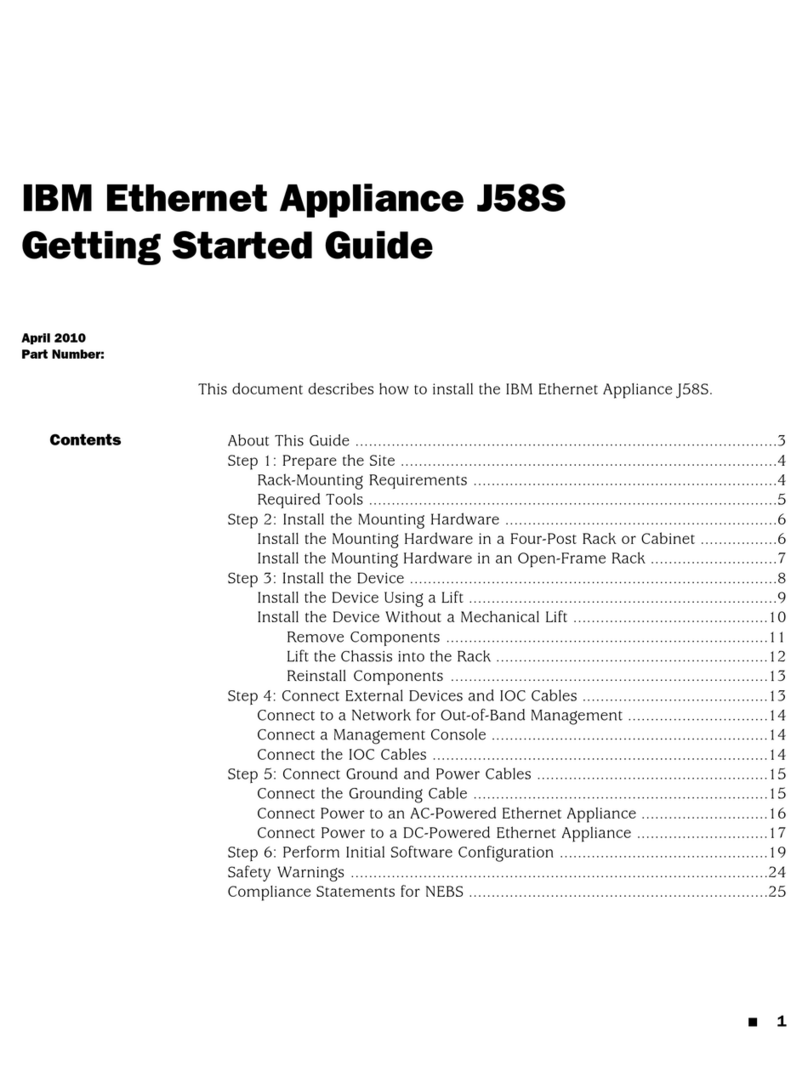
IBM J58S User manual

IBM

IBM J58S User manual

IBM System Storage TS3100 User manual

IBM

IBM System Storage TS3100 User manual

IBM AS/400 Instructions for use

IBM

IBM AS/400 Instructions for use

IBM TotalStorage DS300 User manual

IBM

IBM TotalStorage DS300 User manual

IBM Nways 2216 Installation and user guide

IBM

IBM Nways 2216 Installation and user guide

IBM 8852 - BladeCenter H Rack-mountable User manual

IBM

IBM 8852 - BladeCenter H Rack-mountable User manual

IBM Gigabit Fibre Channel PCI Adapter 4-S Guide

IBM

IBM Gigabit Fibre Channel PCI Adapter 4-S Guide

IBM 16/4 Token Ring PCI Special NIC User instructions

IBM

IBM 16/4 Token Ring PCI Special NIC User instructions

IBM 2078-4F4 User manual

IBM

IBM 2078-4F4 User manual

IBM 8677 - BladeCenter Rack-mountable - Power... Technical manual

IBM

IBM 8677 - BladeCenter Rack-mountable - Power... Technical manual

IBM MDS 9124 - INTEROPERABILITY MATRIX 12-1-2010 User manual

IBM

IBM MDS 9124 - INTEROPERABILITY MATRIX 12-1-2010 User manual

IBM Proventia MX3006 User manual

IBM

IBM Proventia MX3006 User manual
IBM TotalStorage 201 Product information sheet

IBM

IBM TotalStorage 201 Product information sheet

IBM System storage DS6000 Series Technical manual

IBM

IBM System storage DS6000 Series Technical manual

IBM PN 26L0451 User manual

IBM

IBM PN 26L0451 User manual

IBM 084 User manual

IBM

IBM 084 User manual

IBM GX5008C-ROHS Guide

IBM

IBM GX5008C-ROHS Guide

IBM J56S User manual

IBM

IBM J56S User manual

IBM 8677 - BladeCenter Rack-mountable - Power... User manual
IBM

IBM 8677 - BladeCenter Rack-mountable - Power... User manual

IBM Storwize V3500 User manual

IBM

IBM Storwize V3500 User manual

IBM TS4300 User manual

IBM

IBM TS4300 User manual

IBM 39Y9314 Manual

IBM

IBM 39Y9314 Manual

IBM 3192-G Manual

IBM

IBM 3192-G Manual

Popular Network Hardware manuals by other brands

socomec SNMP Card II quick start guide

socomec

socomec SNMP Card II quick start guide

NVR SYSTEMS 4-CH user manual

NVR SYSTEMS

NVR SYSTEMS 4-CH user manual

Draytek VigorSwitch G1240 quick start guide

Draytek

Draytek VigorSwitch G1240 quick start guide

Westermo TD-34 LV installation manual

Westermo

Westermo TD-34 LV installation manual

LaCie Network Space MAX Quick install guide

LaCie

LaCie Network Space MAX Quick install guide

ZoneVu ZSI-450-IP Installation guide & user manual

ZoneVu

ZoneVu ZSI-450-IP Installation guide & user manual

QNAP Turbo NAS Application notes

QNAP

QNAP Turbo NAS Application notes

OpenEye MV Series quick start guide

OpenEye

OpenEye MV Series quick start guide

Huawei SmartAX MT880a quick start guide

Huawei

Huawei SmartAX MT880a quick start guide

Proxim Tsunami QuickBridge 2454-R installation guide

Proxim

Proxim Tsunami QuickBridge 2454-R installation guide

Bay Networks CLAM quick start guide

Bay Networks

Bay Networks CLAM quick start guide

Innodisk SATADOM-SH 3SE Series manual

Innodisk

Innodisk SATADOM-SH 3SE Series manual

Cisco CGR 1000 Series Getting connected guide

Cisco

Cisco CGR 1000 Series Getting connected guide

Matrix Switch Corporation MSC-HD161DEL product manual

Matrix Switch Corporation

Matrix Switch Corporation MSC-HD161DEL product manual

National Instruments NI 653x user manual

National Instruments

National Instruments NI 653x user manual

B&B Electronics ZXT9-IO-222R2 product manual

B&B Electronics

B&B Electronics ZXT9-IO-222R2 product manual

Yudor YDS-16 user manual

Yudor

Yudor YDS-16 user manual

D-Link ShareCenter DNS-320L datasheet

D-Link

D-Link ShareCenter DNS-320L datasheet

manuals.online logo
manuals.online logoBrands
  • About & Mission
  • Contact us
  • Privacy Policy
  • Terms and Conditions

Copyright 2025 Manuals.Online. All Rights Reserved.

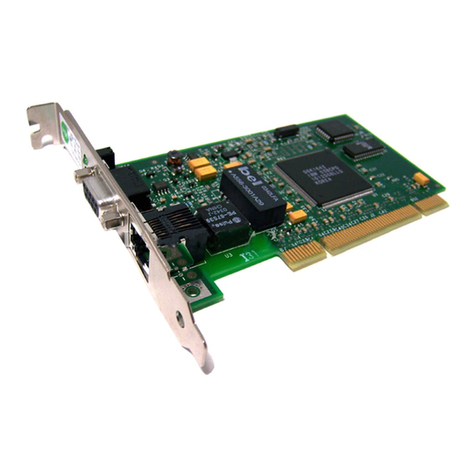
QuickSpecs IBM 16/4 Token Ring PCI Special NIC
DA-10309 Division — Version04 — January 22, 2001 1
MODELS
IBM 16/4 Token Ring PCI Special Adapter
133749-B21
The IBM 16/4 Token Ring PCI Special Adapter provides a Wake on LAN (WOL) feature that enables PCs to be powered up remotely for after hours and
remote site maintenance.
Token Ring Adapter Family
NC4621: Token Ring NIC PCI 4/16 WOL
379956-B21 – Single
379956-B22 – 10 Pack
379956-B23 – 30 Pack
OVERVIEW
The IBM 16/4 Token Ring PCI Special Adapter is built on IBM’s flagship technology and is designed to decrease cost while increasing performance for
customers in a Token Ring environment. The IBM16/4 Token Ring PCI Special NIC has features for both ProLiant Server’s and Deskpro PC’s customers.
PERFORMANCE
Dedicated Token Ring (DTR)
Full bandwidth can be dedicated to a workstation by providing a direct connection between it and a Token Ring switch that supports DTR. Full-duplex
support allows the IBM 16/4 Token Ring PCI Special Adapter to transmit and receive data simultaneously for rates up to 32 Mbps.
SECURITY/RELIABILITY
PCI Hot Plug Support
This feature enables adapters to be replaced or added to a PCI Hot Plug compatible server without having to power off the server. This can reduce
maintenance time and allows for system maintenance during regular business hours. Currently this functionally is only supported on Novell NetWare.
NETWORK MANAGEMENT
Wake On LAN
IBM 16/4 Token Ring PCI Special NIC provides one of the popular methods of Wake on LAN support: using a 3-pin header. A system that supports Wake
on LAN can remain available to a systems administrator during its normal downtime. Once the machine is awakened, the systems administrator can
remotely control, audit, debug or manage the machine.
Manageability
Along with Wake on LAN, the IBM 16/4 Token Ring PCI Special Adapter also provides standard SNMP MIB and DMI 2.0 support.
EASE OF USE
Plug and Play
The IBM 16/4 Token Ring PCI Special Adapter features a robust plug and play capability for conflict-free auto configuration. Compaq’s SmartStart
configuration utility includes diskette images for the IBM 16/4 Token Ring PCI Special NIC so the NIC can be configured easily in server environments.
Driver Support
IBM 16/4 Token Ring PCI Special Adapter drivers are backward compatible with the Compaq 16/4 TR PCI IBM UTP/STP Controller and thus protect
customer’s current investments.
Auto-negotiation
Auto-sensing capabilities enable the IBM 16/4 Token Ring PCI Special Adapter to automatically negotiate between 4 and 16 Mbps to achieve the highest
common speed on the network. As businesses evolve from 4 to 16 Mbps Token Ring networks, there will be no need to buy new Token Ring NICs.
QuickSpecs IBM 16/4 Token Ring PCI Special NIC
DA-10309 Division — Version04 — January 22, 2001 2
EASE OF USE (continued)
MAC Address Labels
IBM 16/4 Token Ring PCI Special Adapter has a MAC address label on the outside of the bracket to make network troubleshooting easier.
Conformance to Industry Standards
The IBM 16/4 Token Ring PCI Special Adapter is fully compatible with Windows NT and Microsoft’s PC98/PC99 networking standards. Additionally, the
IBM 16/4 Token Ring PCI Special NIC is Novell NetWare certified.
SPECIFICATIONS
Compliance Basic Token Ring (IEEE 802.5)
Dedicated Token Ring (IEEE 802.5R)
PCI 2.2 and 2.1
General Specifications Wake on LAN (WOL)
16/4 Mbps
16K transmit & 4K receive buffer memory
PCI Hot Plug for Novell NetWare
5V
DTR for full-duplex support
Bus mastering
Boot ROM socket
UTP/STP support with RJ-45 and DB9 ports
Operating System Support Microsoft Windows 2000
Note: Drivers on Microsoft Windows 2000 Operating System CD
Microsoft Windows NT 4.0
Windows NT 3.51
Novell NetWare 5.x Server
Novell NetWare 4.x Server
Novell NetWare 3.x Server
SCO UnixWare 7.x
SCO OpenServer 5.x
Microsoft Windows 98
Microsoft Windows 95
Microsoft Windows for Workgroups 3.11
NetWare DOS Client
MS DOS Client
OS/2 Warp 4
Operating Temperature 50° to 95°F/10° to 35°C
Power and Environmental
Specifications Humidity 8% to 80% (non-condensing)
Non-operating Temperature –22° to 140°F/–30° to 60°C
Humidity 5% to 90% (non-condensing)
Power Requirements 5V dc/1.5W maximum
Emissions Standard FCC Class A
Safety Compliance FCC Class B
Note: Shielded Power Cord is required to meet this requirement.
Kit Contents IBM 16/4 Token Ring PCI Special NIC
WOL cable for PCI 2.1 WOL systems
CD that includes Drivers, User's Guide, and Installation and Diagnostic Utility
Quick Install Card
Quality Statement
QuickSpecs IBM 16/4 Token Ring PCI Special NIC
DA-10309 Division — Version04 — January 22, 2001 3
SPECIFICATIONS (continued)
Warranty
Maximum: The remaining warranty of the Compaq server product in which it is installed (to a maximum of a three-year limited warranty).
Minimum: One-year, on-site limited warranty.
Note: Certain restrictions and exclusions apply. In North America, call 1-800-OK-COMPAQ; outside of North America, please contact your customer
service center.
See Internet address http://www.compaq.com for overall information on Compaq Computer.
For further information on Compaq networking products, contact Compaq Sales at 1-800-544-5255 or the Compaq Technical Support Center (post sales)
at 1-800-386-2172. For customer support and information about Compaq and its products, call 1-800-OK-COMPAQ.