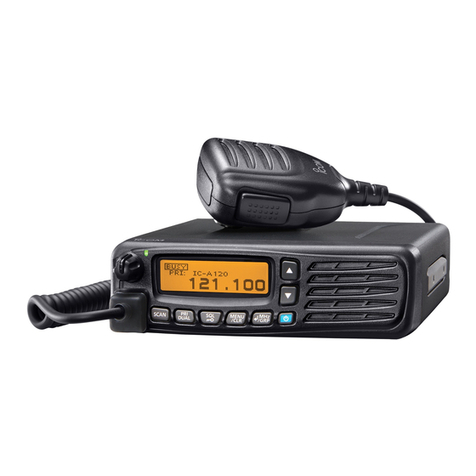
INSTALLATION GUIDE
VHF AIR BAND TRANSCEIVER
iA210
iA210E
Thank you for purchasing the IC-A210/IC-A210E
vhf
air band transceiver
with Icom’s state of the
art technology.
Please read this installation guide and the
transceiver’s instruction manual carefully before
installing and operating.
Icom, Icom Inc. and the Icom logo are registered trademarks of Icom Incorporated (Japan) in the United States, the United Kingdom, Germany, France, Spain,
Russia and/or other countries.
The following accessories are supplied with the IC-
A210/IC-A210E. Inspect the quantity of each part carefully.
qMounting bracket ………………………………………… 1
wCard edge connector (CR7E-30DB-3.96E) …………… 1
eScrews Bind UNC (No. 4 ×12.7) ……………………… 2
rBNC-LP ………………………………………………… 1
tWasher (Icom washer V) ……………………………… 1
yC-shaped ring …………………………………………… 1
uAntenna cable clip ……………………………………… 1
iSelf crimping nut (No. 6) ……………………………… 1
oNut (No. 6) ……………………………………………… 1
Make sure you have received all accessories and that there
is no shipping damage.
!0 Screw (No. 6 ×12.7) …………………………………… 1
!1 Crimp nuts (No. 6) ……………………………………… 6
!2 Screws (No. 6 ×12.7) …………………………………… 6
!3 COMM1 sticker ………………………………………… 1
!4 COMM2 sticker ………………………………………… 1
!5 Polarizing key …………………………………………… 1
!6 Speed nut UNC (No. 6) ………………………………… 4
!7 MB-113* ………………………………………………… 1
!8 Voltage sticker (IC-A210E only)………………………… 1
*Not supplied with some transceiver's versions.
zIC-A210/IC-A210E SUPPLIED ACCESSORIES
qwer ty
uio!0 !1 !2 !3 !4 !5
!6 !7 !8
READ THIS, INSTALLATION GUIDE CAREFULLY
before attempting to install the IC- A210/IC-A210E in
an aircraft. This sheet contains important safety instructions.
NEVER install the transceiver where normal navigation of
the aircraft may be hindered.
NEVER install an antenna near any aircraft projection, en-
gine, or propeller.
INSTALL a circuit breaker between the aircraft battery and
the IC-A210/IC-A210E.
Check operation after installation.
Install the IC-A210/IC-A210E according to the following
proce-dure.
The antenna should also be spaced at least 1m (3.3 feet)
from any position occupied by any person on board of the
aircraft.
qCheck the quantity of parts. Refer to zIC-A210/IC-
A210E SUPPLIED ACCESSORIES.
wPrepare miscellaneous items required for installation.
Refer to Miscellaneous items in vPRECAUTIONS.
ePrepare required wiring. Refer to nCABLE CONNEC-
TIONS, mCONNECTOR INFORMATION and ,
CARD EDGE CONNECTOR ASSEMBLY.
rAssemble supplied mounting bracket and other parts.
Refer to ⁄0 MOUNTING BRACKET ASSEMBLY.
tCut the mounting hole. Refer to ⁄1 MARKING MOUNT-
ING HOLES.
yMount the IC-A210/IC-A210E into the mounting bracket.
Refer to ⁄2 MOUNTING TO THE BRACKET.
uCheck the IC-A210/IC-A210E operation. Refer to .
OPER-ATION CHECK.
xIMPORTANT cINSTALLATION PROCEDURES
D
Miscellaneous items
The following items are required for installation but are NOT
supplied with the IC-A210/IC-A210E.
qVHF air band antenna for the communication band.
wVarious cables.
eAntenna cable with BNC connector (50 Ω).
rSwitches to be mounted on the aircraft yoke.
tHeadphones (500 Ω).
yLow-impedance carbon or dynamic microphone.
uPreamplifier for a dynamic microphone.
D
Transceiver location
Select a location which can support the weight of the trans-
ceiver.
NEVER place the transceiver where normal navigation of the
aircraft may be hindered or where it could cause bodily in-
jury.
NEVER bend the cables sharply or place the cables too near
the aircraft control cables.
DO NOT place the transceiver where hot or cold air blows di-
rectly on it.
AVOID placing the transceiver in areas with temperatures
below –20˚C or above +55˚C (–4˚F to +131˚F).
D
Battery connection
NEVER connect the transceiver to a power source using re-
verse polarity. Reverse polarity will damage the transceiver.
To prevent voltage drops, solder or crimp the cable lug when
connecting the DC power cable to the power supply.
D
Antenna
NEVER install an antenna near any aircraft projection, en-
gine or propeller.
Use a 50 Ω, vertically-polarized, VHF air band antenna.
VSWR should be less than 2.5:1.
Mount the antenna on a flat metal surface or install a ground
plane of at least 120 cm2(18 in2).
D
Intercom
The intercom function is enabled by wiring and installing a
yoke-mounted communications/intercom switch.
This function facilitates swift contact between the pilot and
co-pilot. 2-pairs of headphones and microphones are re-
quired for pilot and co-pilot.
D
Interlock
When 2 transceivers are installed into your aircraft, use the
interlock function to prevent simultaneous transmission.
See "Transmit/receive interlock connections" in 6CABLE
CONNECTIONS for details.
However, when 2 transceivers are installed via a dual audio
panel, the connections are not necessary.
The interlock function can be set in the MENU mode. See
the instruction manual for details.
D
COMM1 and COMM2 stickers
When 2 transceivers are installed, to distinguish them from one
another, attach the supplied COMM1 and COMM2 stickers.
COMM
COMM1 or COMM2 sticker
vPRECAUTIONS
When installing the IC-A210/IC-A210E into your aircraft,
etc., with another connection system using D-sub 15-pin
connec-tor, use the supplied MB-113 as described below.
DAttachment
qUnscrew the 10 bottom screws, then remove the bottom
cover from the transceiver.
wUnscrew the 5 rear plate screws.
eDisconnect the I/O cable connectors and coaxial, J3, J4
and J6, then remove the rear plate from the transceiver.
IC-A210/IC-A210E
Plate
J6
J4
J3
rConnect the I/O cable connectors and coaxial onto the
MB-113 as illustrated below.
tAttach the MB-113 to the transceiver with the 5 rear plate
screws.
yReplace the removed bottom cover and 10 screws.
bUSING THE MB-113
DPower cable wiring
Use 2 pairs of #18 AWG wires for power and power ground-
ing connections.
AF MPRS
1611 13 14 15
For Card edge connector (Front view)
For D-sub 15-pin (Front view)
18
915
Jumpers
Circuit
breaker
(10 A)
+
13.8 V DC
or 27.5 V DC
Circuit
breaker
(10 A)
+
13.8 V DC
or 27.5 V DC
Power ground
_
Power ground
_
• Circuit breaker
To prevent physical damage, a 10 A circuit breaker MUST
be installed in the DC power line in the aircraft. Install the
circuit breaker in the aircraft breaker panel or instrument
panel to ensure easy access during flight.
• Ground
Connect the transceiver power ground to the airframe
ground.
• Jumpers
Pins 11, M, P and 13 MUST be jumped together with AWG
#20 wires or thicker.
DYoke-mounted channel and frequency exchange
switches
NOTE: Channel and frequency selections are available with
the Card edge connector only.
For the yoke-mounted channel switch and frequency ex-
change switch, use a 2-position spring loaded rocker switch
or 2 separate momentary push switches.
DTransmit/receive interlock connections
When 2 transceivers are installed, connect pin N to another
transceiver's pin 9 each other to prevent the simultaneous
transmission for both transceivers.
However, when 2 transceivers are installed via a dual audio
panel, the connections are not necessary.
DAudio line connections
Use #24 AWG wires for connections.
AECD PR S
154
H
78 91015
For Card edge connector (Front view)
For D-sub 15-pin (Front view)
AECD PR S
154
HJ
78 915
14678
914151312
14678
91314
4 Ωspeaker
4 Ω
speaker
Headphone jack 1
(to 500 ΩHeadphones)
Headphone jack 1
(to 500 ΩHeadphones)
To auxiliary audio 1
To auxiliary audio 2
To auxiliary audio 3 Audio control panel
Headphone jack 2
microphone
Jack 1
microphone
Jack 2
To PTT switch
To Intercom switch
Headphone jack 2
4 Ωspeaker
Headphone jack
(to 500 ΩHeadphones)
To auxiliary audio 1
To auxiliary audio 2
To auxiliary audio 3 Audio control panel
microphone
Jack
To PTT switch
To PTT switch
To Intercom switch
4 Ω
speaker
Headphone jack
(to 500 ΩHeadphones)
To PTT switch
microphone
Jack
• Tw o places with intercom
• One place
• One place
• Tw o places with intercom
KJ
3
microphone
Jack 1
microphone
Jack 2
nCABLE CONNECTIONS
Either an intercom or a yoke-mounted channel/frequency
exchange switch can be installed. Both switches cannot be
installed at the same time.
DCard edge connector
DD-sub 15-pin
mCONNECTOR INFORMATION
Pin I/O Description Pin I/O Description
A – No connection 1 Out RS-232 Serial data +(TXD)
B – No connection 2 In RS-232 Serial data +(RXD)
C In Auxiliary audio 2 +3 In Auxiliary audio 3 +
D In Auxiliary audio 1 +4 In Auxiliary audio 1, 2, 3 _
E Out External speaker +(4 Ω/5 W) 5 In External speaker _
F In Aircraft power _6 In Aircraft power _
H Out
Headphones audio +(500 Ω/60 mW)
7 Out Headphones audio _
J In Microphone 1+(600 Ω) 8 In Mic., Inetrcom mic. and PTT _
K In Microphone 2+(600 Ω) 9 In PTT +*
L In Memory channel switch* 10 In Intercom switch*
M In +13.8 V power +11 In +13.8 V power +
N – Transmit/receive interlock 12 In Frequency exchange switch*
P – No connection 13 – No connection
R In Aircraft power +(13.8/27.5 V) 14 In Aircraft power +(13.8/27.5 V)
S In Aircraft power _15 In Aircraft power _
*Ground to activate.
Pin I/O Description Pin I/O Description
1 In Aircraft power +(13.8/27.5 V) 9 In Aircraft power _
2 – No connection (reserved) 10 In RS-232 Serial data +(RXD)
3 Out RS-232 Serial data +(TXD) 11 I/O RS-232 Serial data _
4 In PTT +* 12 In Intercom select switch*
5 In Auxiliary audio +13 Out
External speaker and headphones _
6 Out External speaker +(4 Ω/5 W) 14 Out
Headphones audio
+
(500 Ω/60 mW)
7 In Microphone _15 In Microphone 2 +(600 Ω)
8 In Microphone 1 +(600 Ω)
*Ground to activate.
ABCDEFHJKLMNPRS
12345678910 11 12 13 14 15
Supplied polarizing key
Front view
Front view
12345678
9101112131415
*Ground to activate.
Pin
1
2
3
4
5
Pin
6
7
8
9
10
Pin
11
12
13
14
15
Aircraft power +(13.8/27.5 V)
No connection (reserved)
RS-232 Serial data +(TXD)
PTT +*
Auxiliary audio +
External speaker +(4 Ω/5 W)
Microphone _
Microphone 1 +(600 Ω)
Aircraft power _
RS-232 Serial data +(RXD)
RS-232 Serial data _
Intercom select switch*
External speaker and headphones _
Headphones audio +(500
Ω
/60 mW)
Microphone 2 +(600 Ω)
I/O
In
–
Out
In
In
I/O
Out
In
In
In
In
I/O
I/O
In
Out
Out
In
Description Description Description
About e-marking: Detailed installation notes for Icom mobile transceivers to be fitted into vehicles are available. Please contact your Icom dealer or distributor.
About MB-113 :
Not supplied with some transceiver's versions.