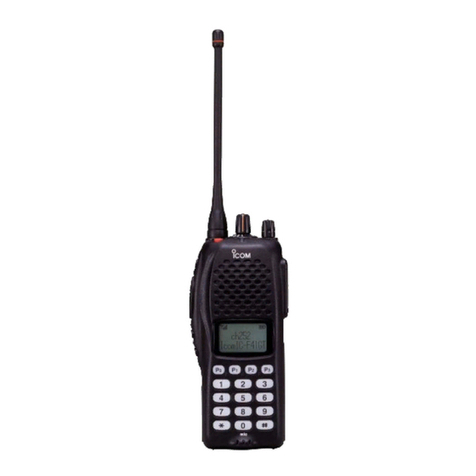
Icom IC-V8 User manual

INSTRUCTION MANUAL
VHF TRANSCEIVER
iV8
This device complies with Part 15 of the FCC rules. Oper-
ation is subject to the following two conditions: (1) This de-
vice may not cause harmful interference, and (2) this
device must accept any interference received, including in-
terference that may cause undesired operation.
IC-V8_New.qxd 02.5.23 10:55 Page A (1,1)

i
FOREWORD
Thank you for purchasing the IC-V8 FM transceiver. This trans-
ceiver is designed for those who require quality, performance
and outstanding reliability under the most demanding conditions.
DD
FEATURES
❍
5.5 W of ample output power
❍
MIL-STD810 grade durability
❍
CTCSS and DTCS encoder/decoder standard
❍
Optional DTMF decoder
IMPORTANT
READ ALL INSTRUCTIONS carefully and completely before
using the transceiver.
SAVE THIS INSTRUCTION MANUAL— This instruction man-
ual contains important operating instructions for the transceiver.
Icom, Icom Inc. and the are registered trademarks of Icom Incor-
porated (Japan) in the United States, the United Kingdom, Germany,
France, Spain, Russia and/or other countries.
IC-V8_New.qxd 02.5.23 10:55 Page i (1,1)

EXPLICIT DEFINITIONS
The explicit definitions below apply to this instruction manual.
PRECAUTIONS
RWARNING! NEVER hold the transceiver so that the
antenna is very close to, or touching exposed parts of the body,
especially the face or eyes, while transmitting. The transceiver
will perform best if the microphone is 5 to 10 cm (2 to 4 inches)
away from the lips and the transceiver is vertical.
RWARNING! NEVER operate the transceiver with a
headset or other audio accessories at high volume levels. Hear-
ing experts advise against continuous high volume operation. If
you experience a ringing in your ears, reduce the volume or dis-
continue use.
NEVER connect the transceiver to a power source that is DC
fused at more than 5 A. Accidental reverse connection will be
protected by this fuse, but higher fuse values will not give any
protection against such accidents and the transceiver will be ru-
ined.
ii
WORD DEFINITION
RWARING Personal injury, fire hazard or electric shock
may occur.
CAUTION Equipment damage may occur.
NOTE If disregarded, inconvenience only. No risk of
personal injury, fire or electric shock.
IC-V8_New.qxd 02.5.23 10:55 Page ii (1,1)

iii
PRECAUTIONS— continued
NEVER attempt to charge alkaline or dry cell batteries. Be
aware that external DC power connections will charge batteries
inside the battery case. This will damage not only the battery
case but also the transceiver.
DO NOT push the PTT when not actually desiring to trans-
mit.
Place the unit in a secure place to avoid inadvertent use by chil-
dren.
DO NOT operate the transceiver near unshielded electrical
blasting caps or in an explosive atmosphere.
AVOID using or placing the transceiver in direct sunlight or in
areas with temperatures below –10°C (+14˚F) or above +60°C
(+140˚F).
The use of non-Icom battery packs/chargers may impair trans-
ceiver performance and invalidate the warranty.
Even when the transceiver power is OFF, a slight current still
flows in the circuits. Remove the battery pack or case from the
transceiver when not using it for a long time. Otherwise, the bat-
tery pack or installed Ni-Cd batteries will become exhausted.
For USA only:
Caution: Changes or modifications to this transceiver, not ex-
pressly approved by Icom Inc., could void your authority to op-
erate this transceiver under FCC regulations.
IC-V8_New.qxd 02.5.23 10:55 Page iii (1,1)

iv
SUPPLIED ACCESSORIES
Accessories included with the transceiver:
qAntenna …………………………………………………… 1
wBelt clip …………………………………………………… 1
e2251 OPT sheet ………………………………………… 1
rAC Adapter* ……………………………………………… 1
tBattery pack*/Battery case* …………………………… 1
yBattery charging stand* ………………………………… 1
*Not supplied with some versions.
r
q
w
e
t
y
IC-V8_New.qxd 02.5.23 10:55 Page iv (1,1)

v
SAFETY TRAINING INFORMATION
CAUTION
To ensure that your exposure to RF electromagnetic en-
ergy is within the FCC allowable limits, always adhere to
the following guidelines:
•DO NOT operate the radio without a proper antenna attached,
as this may damage the radio and may also cause you to ex-
ceed FCC RF exposure limits. A proper antenna is the an-
tenna supplied with this radio by the manufacturer or an
antenna specifically authorized by the manufacturer for use
with this radio.
•DO NOT transmit for more than 50% of total radio use time
(“50% duty cycle”). Transmitting more than 50% of the time
can cause FCC RF exposure compliance requirements to be
exceeded. The radio is transmitting when the “TX indicator” is
lit. You can cause the radio to transmit by pressing the “PTT”
switch.
•ALWAYS use Icom authorized accessories (antennas, batter-
ies, belt clips, speaker/mics, etc.). Use of unauthorized acces-
sories can cause the FCC RF exposure compliance
requirements to be exceeded.
IC-V8_New.qxd 02.5.23 10:55 Page v (1,1)

vi
•ALWAYS keep the antenna at least 2.5 cm (1 inch) away from
the body when transmitting, and only use the Icom belt-clips
which are listed in this manual when attaching the radio to
your belt, etc. To provide the recipients of your transmission
the best sound quality, hold the antenna at least 5 cm (2
inches) from your mouth, and slightly off to one side.
The information listed above provides the user with the in-
formation needed to make him or her aware of RF expo-
sure, and what to do to assure that this radio operates
within the FCC RF exposure limits of this radio. Electro-
magnetic Interference/Compatibility. During transmissions,
your Icom radio generates RF energy that can possibly
cause interference with other devices or systems. To avoid
such interference, turn off the radio in areas where signs
are posted to do so. DO NOT operate the transmitter in
areas that are sensitive to electromagnetic radiation such
as hospitals, aircraft, and blasting sites.
IC-V8_New.qxd 02.5.23 10:55 Page vi (1,1)

vii
TABLE OF CONTENTS
FOREWORD …………………………………………………………………… i
IMPORTANT …………………………………………………………………… i
EXPLICIT DEFINITIONS ……………………………………………………… ii
PRECAUTIONS……………………………………………………………… ii–iii
SUPPLIED ACCESSORIES ………………………………………………… iv
SAFETY TRAINING INFORMATION ………………………………………v–vi
TABLE OF CONTENTS ………………………………………………… vii–viii
QUICK REFERENCE ……………………………………………………… I–VII
■Preparation …………………………………………………………… I–III
■Your first contact……………………………………………………… IV–V
■Repeater operation ……………………………………………………… VI
■Programming memory channels ……………………………………… VII
1 ACCESSORIES …………………………………………………………… 1
■Accessory attachment …………………………………………………… 1
2 PANEL DESCRIPTION ………………………………………………… 2–8
■Switches, controls, keys and connectors …………………………… 2–6
■Function display ……………………………………………………… 7–8
3 BATTERY PACKS ……………………………………………………… 9–15
■Battery pack replacement ……………………………………………… 9
■Battery caution ………………………………………………………… 10
■Battery charging …………………………………………………… 11–13
■Charging NOTE ………………………………………………………… 14
■Battery case (optional for some versions) …………………………… 15
4 BASIC OPERATION ………………………………………………… 16–20
■Power ON ……………………………………………………………… 16
■Setting a frequency ………………………………………………… 16–18
■Setting audio/squelch level …………………………………………… 18
■Receive and transmit …………………………………………………… 19
■Key lock function ……………………………………………………… 19
■Display type……………………………………………………………… 20
5 REPEATER OPERATION …………………………………………… 21–24
■General ………………………………………………………………… 21
■Offset frequency ………………………………………………………… 22
■Subaudible tones …………………………………………………… 22–23
■Auto repeater function (USA versions only) ………………………… 24
IC-V8_New.qxd 02.5.23 10:55 Page vii (1,1)

viii
6 MEMORY/CALL OPERATION ……………………………………… 25–29
■General ………………………………………………………………… 25
■Selecting a memory channel ………………………………………… 25
■Selecting the call channel ……………………………………………… 25
■Programming the memory/call channels …………………………… 26
■Channel name programming ………………………………………… 27
■Memory transferring ……………………………………………… 28–29
7 DTMF MEMORY ……………………………………………………… 30–31
■Programming a DTMF code …………………………………………… 30
■Transmitting a DTMF code …………………………………………… 31
■DTMF transmission speed …………………………………………… 31
8 SCAN OPERATION ………………………………………………… 32–36
■Scan types ……………………………………………………………… 32
■Programmed scan ……………………………………………………… 33
■Memory scan ……………………………………………………………34
■Skip channels …………………………………………………………… 34
■Priority watch …………………………………………………………… 35
■Scan resume condition ………………………………………………… 36
9 SUBAUDIBLE TONES ……………………………………………… 37–40
■Tone squelch ……………………………………………………… 37–38
■Pocket beep operation ………………………………………………… 39
■Tone scan ……………………………………………………………… 40
10 PAGER/CODE SQUELCH…………………………………………… 41–47
■Pager function…………………………………………………………… 41
■Code programming ………………………………………………… 42–44
■Pager operation …………………………………………………… 45–46
■Code squelch …………………………………………………………… 47
11 OTHER FUNCTIONS ………………………………………………… 48–56
■
SET MODE
…………………………………………………………… 48–50
■
INITIAL SET MODE
…………………………………………………… 51–55
■CPU reset ……………………………………………………………… 56
12 CLONING ………………………………………………………………… 57
13 OPTIONAL UNIT ……………………………………………………… 58–60
■Optional UT-108 installation …………………………………………… 58
■Optional MB-87 installation ……………………………………… 59–60
14 SPECIFICATIONS ………………………………………………………… 61
15 OPTIONS ……………………………………………………………… 62–63
1
2
3
4
5
6
7
8
9
10
11
12
13
14
15
IC-V8_New.qxd 02.5.23 10:55 Page viii (1,1)

QUICK REFERENCE
I
■Preparation
DBattery pack replacement
Before replacing the battery pack, push [POWER] for 1 sec. to turn
the power OFF.
• Slide the battery release forward, then pull the battery pack up-
ward with the transceiver facing away from you.
DBattery case—optional for some versions
When using a BP-208
BATTERY CASE
attached to the transceiver, in-
stall 6 AA (R6) size alkaline batteries as illustrated below.
IC-V8_New.qxd 02.5.23 10:55 Page I (1,1)
Other manuals for IC-V8
4
Table of contents
Other Icom Transceiver manuals