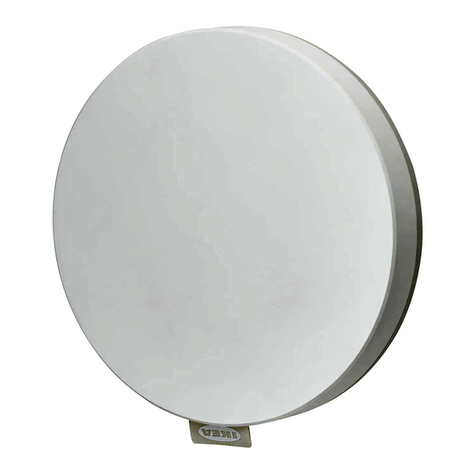
IKEA DIRIGERA User manual

DIRIGERA

2

3
English 4
Deutsch 9
Français 14
Nederlands 19
Dansk 24
Íslenska 29
Norsk 34
Suomi 39
Svenska 44
Česky 49
Español 54
Italiano 59
Magyar 64
Polski 69
Eesti 74
Latviešu 79
Lietuvių 84
Portugues 89
Româna 94
Slovensky 99
Български 104
Hrvatski 109
Ελληνικά 114
Русский 119
Yкраїнська 124
Srpski 129
Slovenščina 134
Türkçe 139
144

4
English
Getting started
Connect the USB cable to the power supply unit and your hub. Then plug
the power supply unit into the wall socket.
IfyouhaveanAppledevice
Go to the App Store and download the IKEA Home smart app. The
app will take you through the process of installing your hub and other
devices.
IfyouhaveanAndroiddevice
Go to the Google Play store and download the IKEA Home smart app. The
app will take you through the process of installing your hub and other
devices.
Your hub’s status lights
Understandingyourhub’sstatuslights
Ring light – loading
Shown when the hub is connected to power and is starting
up. Wait for the light to ll the ring before proceeding with
connecting the hub to the app.
Ring light
Centre light

5
Ringlightsoftlypulsingwhite
This is shown once your hub has nished starting up. You can
now follow the instructions in the app to connect your hub.
Centrelightconstantwhite
Shown when the hub is connected to the internet and
everything is OK.
Centrelightdouble-blinkingwhite
Shown when the hub is disconnected from the internet. You
can continue to control your devices through the app and your
home WiFi network.
Ringlight–spinningwhite
When your hub is updating or busy processing a large
amount of information.
Rebootingyourhub
Disconnect and reconnect the power to your hub to reboot it.
The ring light lls to symbolise loading while starting up. This
will not delete information on your hub.
Factoryresetting
Push a pin into the pinhole on the underside of the hub until
the status lights turn o. The centre light will then blink red 4
times when the hub is ready. Note – this deletes all previous
hub information.
AddingIKEAHomesmartproductstoyourhub
Follow the instructions in the app to add "Works with IKEA Home smart"
devices to the hub.

6
Care instructions
Unplug the power supply unit from the power source before cleaning
and when the hub is not in use.
To clean the hub and the power supply unit, wipe with a soft cloth
moistened with a small amount of mild cleaning agent. Use another soft,
dry cloth to wipe dry.
Never submerge the power supply unit or hub in water.
Never use abrasive cleaners or chemical solvents as this can damage the
products.
IMPORTANT!
• The wall socket must be located near the equipment and must be easily
accessible.
• Storage temperature: -20 °C to 25 °C.
• Operating temperature: 0 °C to 40 °C.
• Do not leave the hub in direct sunlight or near any heat source, as it
may overheat.
• Do not subject the hub or power supply unit to wet, damp or
excessively dusty environments, as this may cause damage.
• The range between the hub and the receiver is measured in open air.
• Dierent building materials and placement of the units can aect the
wireless connectivity range.
• Children should be supervised to ensure that they do not play with the
product.
• This equipment is only suitable for mounting at heights up to 2 m.
• Recommended precautionary measures and technical data, see the
back of the power supply unit.
Product servicing
Do not attempt to repair this product yourself. If you open or remove
parts, you may expose yourself to dangerous voltage points or other
risks.
Save these instructions for future use.

7
Technical data
Model: DIRIGERA hub for smart products
Type: E2003
Input: 5.0V DC
Range: 10 m in open air
Operatingfrequency: Outputpower:
2400 - 2483.5 MHz 11.8 dBm
2412 - 2472 MHz 17.7 dBm
5180 – 5700 MHz 14.9 dBm
Powersupplyunit:
Type:ICPSW5-10EU-1
ICPSW5-10GB-1
Input: 100-240 VAC, 50/60 Hz, 0.3A
Output: 5.0 V DC
Max total load: 2.0 A, 10.0W
Averageactiveeciency: 87.0%
Eciencyatlowload(10%):79.6%
Noloadpowerconsumption: 0.03 W
Indooruseonly
Manufacturer:IKEAofSwedenAB
(commercial registration number: 556074-7551)
Address:
Box702,SE-34381Älmhult,SWEDEN

8
The Bluetooth® word mark and logos are registered trademarks owned
by Bluetooth SIG, Inc. and any use of such marks by IKEA is under license.
Other trademarks and trade names are those of their respective owners.
RF EXPOSURE INFORMATION
According to RF exposure regulations, under normal operations the end
user shall refrain from being closer than 20 cm from the device.
The crossed-out wheeled bin symbol indicates that the item should
be disposed of separately from household waste. The item should
be handed in for recycling in accordance with local environmental
regulations for waste disposal. By separating a marked item from
household waste, you will help reduce the volume of waste sent to
incinerators or land-ll and minimize any potential negative impact
on human health and the environment. For more information, please
contact your IKEA store.
For indoor use on,
in the following countries:
UK
For indoor use on,
in the following countries:
BE SK PT NL LU
DE BG FI RO AT
ES EE CZ SE SI
CY FR IE DK UK(NI)
HU LV HR EL TR
PL MT LT IT
NO CH IS LI

9
Deutsch
Erste Schritte
Zuerst das USB-Kabel an das Netzteil und den Hub anschließen. Dann
das Netzteil in die Steckdose stecken.
BeieinemAppleGerät
Als Erstes im App Store die IKEA Home smart App herunterladen. Die App
führt durch den Installationsprozess des Hubs und anderer Geräte.
BeieinemAndroid-Gerät
Als Erstes im Google Play Store die IKEA Home smart App herunterladen.
Die App führt durch den Installationsprozess des Hubs und anderer
Geräte.
Die Statusleuchten des Hubs:
Die Statusleuchten des Hubs
Ringlicht – Ladevorgang
Wird angezeigt, wenn das Hub an Strom angeschlossen ist
und hochfährt. Wenn das Licht den Ring ausfüllt, mit dem
Verbinden des Hubs mit der App fortfahren.
Ringlicht
Zentrales Licht

10
Ringlichtblinktleichtweißauf
Wird angezeigt, wenn das Hochfahren des Hubs abgeschlossen
ist. Jetzt den Anweisungen in der App folgen, um das Hub zu
verbinden.
ZentralesLichtleuchtetkonstantweiß
Wird angezeigt, wenn das Hub mit dem Internet verbunden
und alles okay ist.
ZentralesLichtblinktzweimalweißauf
Wird angezeigt, wenn das Hub nicht mit dem Internet
verbunden ist. Es ist möglich, die Geräte über die App und das
WLAN-Netz zu steuern.
Ringlicht–leuchtetkreisförmigweißauf
Wird angezeigt, wenn sich das Hub aktualisiert oder eine
große Datenmenge verarbeitet.
Das Hub erneut hochfahren
Das Hub vom Stromnetz nehmen und wieder damit
verbinden, um es erneut hochzufahren. Das Ringlicht füllt
sich, um anzuzeigen, dass das Hub hochfährt. Dadurch
werden keinen Informationen im Hub gelöscht.
Werkseinstellungen
Eine Nadel in die Stiftönung auf der Rückseite des Hubs
stecken, bis die Statusleuchten ausgeschaltet sind. Das zentrale
Licht wird viermal rot aueuchten, wenn das Hub auf die
Werkseinstellungen zurückgesetzt ist. Bitte beachten: Dadurch
werden alle vorherigen Hubinformationen gelöscht.
IKEA Home smart dem Hub hinzufügen
Den Anweisungen in der App folgen, um dem Hub für IKEA Home smart
geeignete Geräte hinzuzufügen.
Other manuals for DIRIGERA
4
This manual suits for next models
1
Table of contents
Languages:
Other IKEA Switch manuals