2
IN3252 OPERATION MANUAL - REV. 2.2 02/19/00 ©1995-1997 - INLINE, INC.
COMPATIBILITY
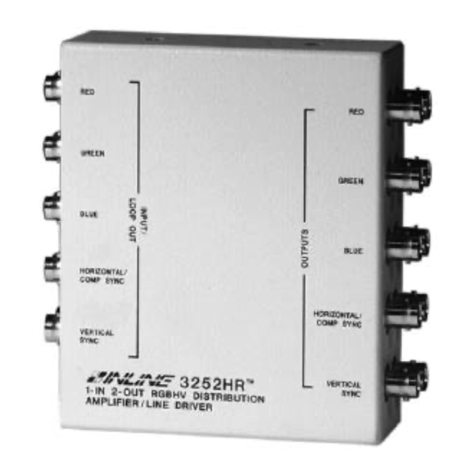
The IN3252 will operate with RGBHV, RGBS, RGsB, and RsGsBs analog video input signals. When
amplifying RGsB signals (sync on green) and RsGsBs signals (sync on all) only use the red, green, and
blue channels (i.e.: leave the sync channels open). The red, green, and blue channels may also be used to
amplify or split composite NTSC video signals.
OPERATION
The IN3252 has internal jumpers and gain pots which may be used to customize the IN3252 for specific
needs (see diagram on page 3). While the internal controls need not be changed from the factory default
settings for most installations, this section describes how to change the jumper settings for unique
applications. For all jumper/gain settings in this section, orient the unit so the RGBHV / POWER input
side is facing towards you and the output side is facing away.
RGB Gain Controls
The IN3252 features internal gain pots which may be used to adjusted the Red, Green, and Blue output
signal voltage over a gain range of 0.7 to 1.2. These controls may be used to calibrate the color balance
or to increase the signal voltage, compensating for signal losses due to long cable runs. The following
procedure is recommended to adjust the RGB gain pots:
1. Remove power from the unit.
2. Remove the screw from the top of the unit and slide the top cover off.
3. Locate jumpers JMP2, JMP4, & JMP6 and set them to closed (enables gain pots).
4. Apply power to the unit. Electric Shock Risk: Avoid touching the circuits.
5. Identify the gain controls and gently adjust as needed using a small plastic tweeker tool.
Turn the control pots counter-clockwise to decrease the gain setting, and clockwise to
increase the gain. The entire adjustment range is less than three quarters of a rotation
from stop to stop. Take care not to force or over-rotate the controls.
6. Replace the top cover and tighten the case screw.
Default Jumper Settings
Gain Control Enable/Disable
JMP2, JMP4, and JMP6 are used to enable or disable the red, green, and blue gain controls. Closed
makes the gain controls active and Open disables the gain pots, setting the IN3252 to unity gain. Factory
default is Open (gain pots disabled, unity gain). See RGB Gain Controls for more information.
AC/DC Coupling
JMP1, JMP3, and JMP5 are used to set the red, green and blue channels for AC or DC coupling. Closed
is AC coupled and open is DC coupled. Factory setting is closed (AC coupled).
Sync Level Select
JMP8 is to set the horizontal and vertical sync output level to 1 volt or 5 volts. Open is 5 volts and
closed is 1 volt. Factory default is open (5 volt output for H and V syncs).
Note: Power must be removed from the unit before making any jumper changes.