manuals.online logo
Brands
  1. Home
  2. •
  3. Brands
  4. •
  5. Insignia
  6. •
  7. Kitchen Appliance
  8. •
  9. Insignia NS-BC2ZSS8 User manual

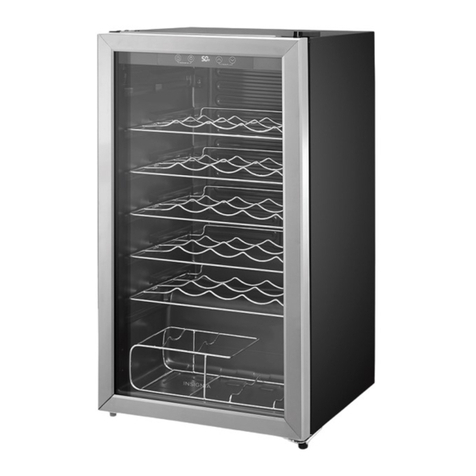
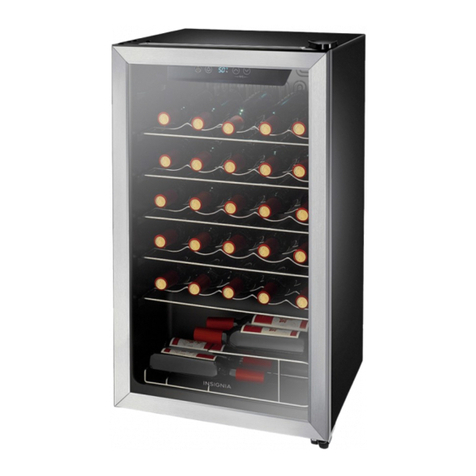
Insignia NS-BC2ZSS8 User manual

Other Insignia Kitchen Appliance manuals

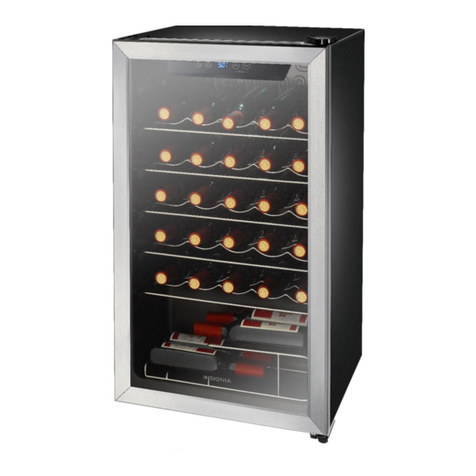
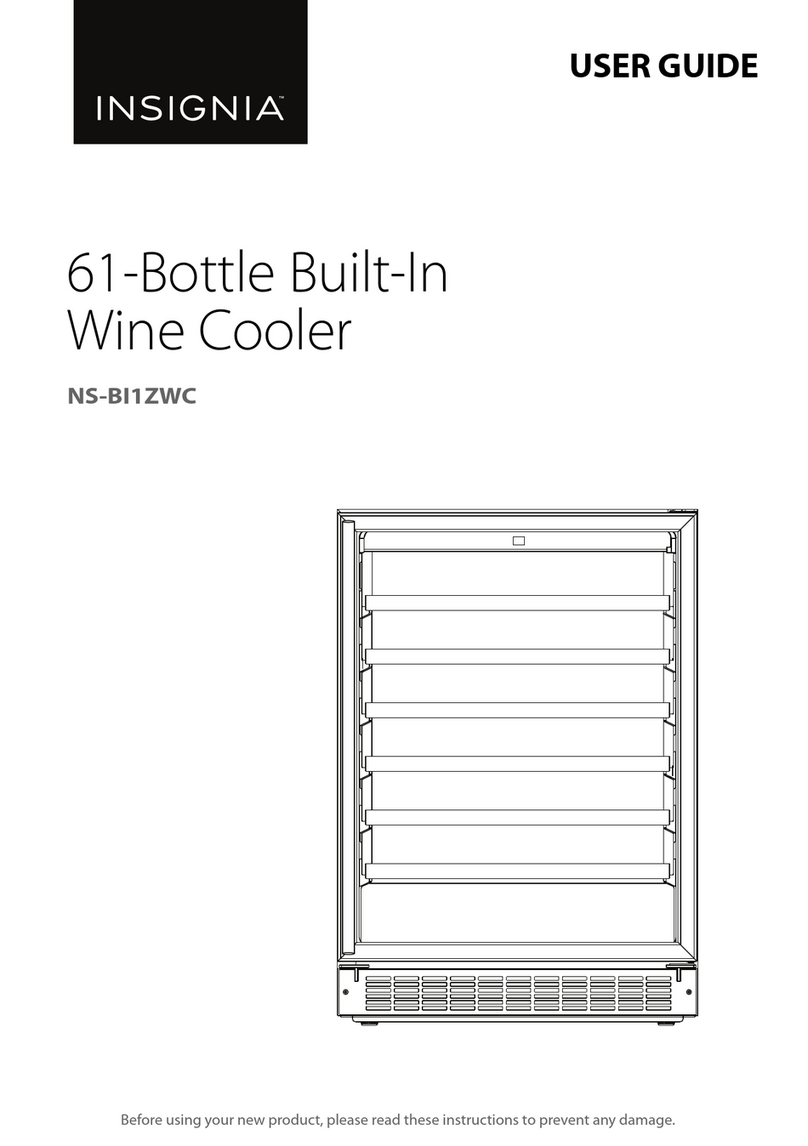
Insignia NS-BI1ZWC User manual

Insignia

Insignia NS-BI1ZWC User manual

Insignia NS-MC60SS8 User manual

Insignia

Insignia NS-MC60SS8 User manual

Insignia NS-BC2ZSS1 User manual

Insignia

Insignia NS-BC2ZSS1 User manual

Insignia NS-SM2CPK7 User manual

Insignia

Insignia NS-SM2CPK7 User manual

Insignia NS-WC14SS3 User manual

Insignia

Insignia NS-WC14SS3 User manual

Insignia NS-WC29SS9-C User manual

Insignia

Insignia NS-WC29SS9-C User manual

Insignia NS-SM2CBK6 User manual

Insignia

Insignia NS-SM2CBK6 User manual

Insignia NS-WC29SS3 User manual

Insignia

Insignia NS-WC29SS3 User manual

Insignia NS-WC29SS9 User manual

Insignia

Insignia NS-WC29SS9 User manual

Insignia NS-WC8BK6 User manual

Insignia

Insignia NS-WC8BK6 User manual

Insignia NB-SAND15 User manual

Insignia

Insignia NB-SAND15 User manual

Insignia NS-WB44SS8 User manual

Insignia

Insignia NS-WB44SS8 User manual

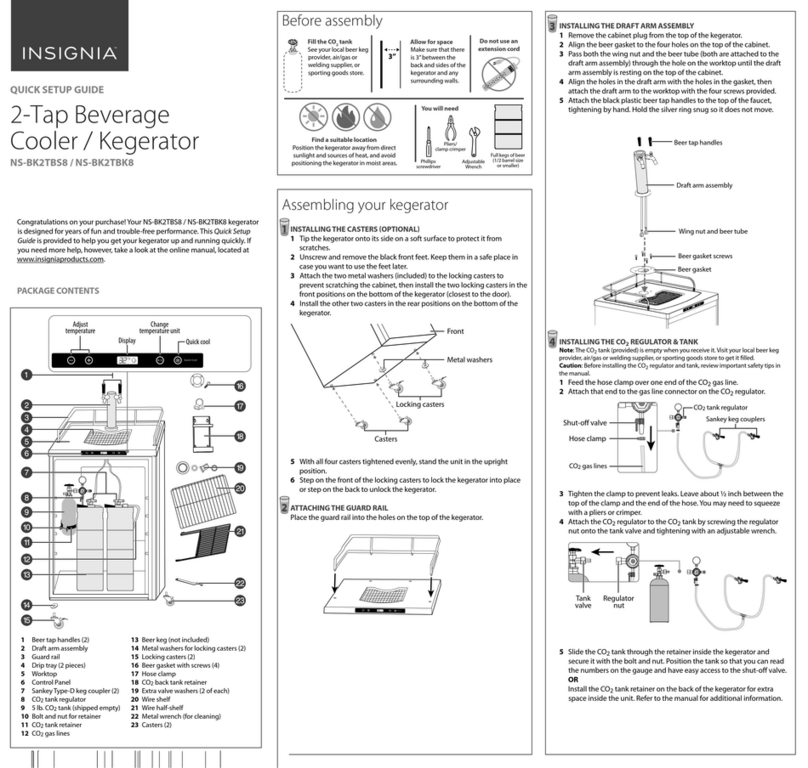
Insignia NS-BK2TBK8 User manual

Insignia

Insignia NS-BK2TBK8 User manual

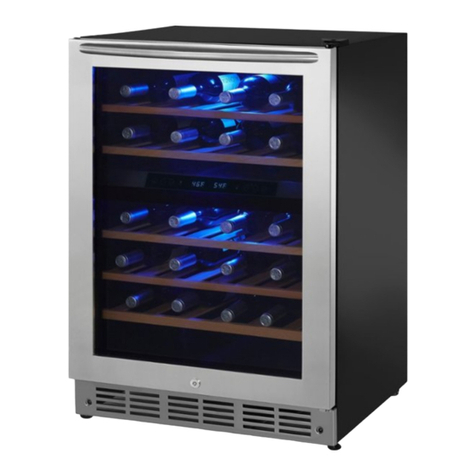
Insignia NS-WC45BK7 User manual

Insignia

Insignia NS-WC45BK7 User manual

Insignia NS-BK1TBK8 User manual

Insignia

Insignia NS-BK1TBK8 User manual

Popular Kitchen Appliance manuals by other brands

Saturn ST-EK8037 manual

Saturn

Saturn ST-EK8037 manual

BOSKA Pro 853560 instruction manual

BOSKA

BOSKA Pro 853560 instruction manual

Enders 7909 instruction manual

Enders

Enders 7909 instruction manual

Kalorik USK PPG 37241 operating instructions

Kalorik

Kalorik USK PPG 37241 operating instructions

Scarlett SC-FD421001 instruction manual

Scarlett

Scarlett SC-FD421001 instruction manual

FoodSaver V4925 owner's manual

FoodSaver

FoodSaver V4925 owner's manual

Course	Housewares B416144 quick start guide

Course Housewares

Course Housewares B416144 quick start guide

AEG SANTO Series operating instructions

AEG

AEG SANTO Series operating instructions

Melissa 643-036 instruction manual

Melissa

Melissa 643-036 instruction manual

cecotec ROCK'NTOAST 3IN1 instruction manual

cecotec

cecotec ROCK'NTOAST 3IN1 instruction manual

Gourmia GMF225 instructions

Gourmia

Gourmia GMF225 instructions

Electrolux EKM7 Series Instruction book

Electrolux

Electrolux EKM7 Series Instruction book

Magio MG-965 instruction manual

Magio

Magio MG-965 instruction manual

Keimling Naturkost Excalibur 56301WH Operation manual

Keimling Naturkost

Keimling Naturkost Excalibur 56301WH Operation manual

Beper 90.071 use instructions

Beper

Beper 90.071 use instructions

Geryon E2900-M user manual

Geryon

Geryon E2900-M user manual

Morphy Richards 46718 owner's manual

Morphy Richards

Morphy Richards 46718 owner's manual

Kenwood A995 manual

Kenwood

Kenwood A995 manual

manuals.online logo
manuals.online logoBrands
  • About & Mission
  • Contact us
  • Privacy Policy
  • Terms and Conditions

Copyright 2025 Manuals.Online. All Rights Reserved.

Before using your new product, please read these instructions to prevent any damage.
USER GUIDE
Dual-Zone Wine and
Beverage Center
NS-BC2ZSS8
NS-BC2ZSS8_17-0590_MAN_V1_ENG.fm Page 1 Friday, July 28, 2017 8:34 AM
www.insigniaproducts.com
2
Contents
Introduction . . . . . . . . . . . . . . . . . . . . . . . . . . . . . . . . . . . . . . . . . . . . . . . . . . . . .2
IMPORTANT SAFETY INSTRUCTIONS . . . . . . . . . . . . . . . . . . . . . . . . . . . . . .3
Features . . . . . . . . . . . . . . . . . . . . . . . . . . . . . . . . . . . . . . . . . . . . . . . . . . . . . . . . .5
Package contents . . . . . . . . . . . . . . . . . . . . . . . . . . . . . . . . . . . . . . . . . . .5
Components. . . . . . . . . . . . . . . . . . . . . . . . . . . . . . . . . . . . . . . . . . . . . . . .6
Control and display panels (both) . . . . . . . . . . . . . . . . . . . . . . . . . . .7
Setting up your wine cooler . . . . . . . . . . . . . . . . . . . . . . . . . . . . . . . . . . . . . .7
Before using your cooler . . . . . . . . . . . . . . . . . . . . . . . . . . . . . . . . . . . .7
Finding a suitable location . . . . . . . . . . . . . . . . . . . . . . . . . . . . . . . . . .7
Building in your wine cooler. . . . . . . . . . . . . . . . . . . . . . . . . . . . . . . . .8
Leveling your cooler . . . . . . . . . . . . . . . . . . . . . . . . . . . . . . . . . . . . . . . .9
Grounding requirement . . . . . . . . . . . . . . . . . . . . . . . . . . . . . . . . . . . . .9
Connecting to power . . . . . . . . . . . . . . . . . . . . . . . . . . . . . . . . . . . . . . .9
Using your wine and beverage center. . . . . . . . . . . . . . . . . . . . . . . . . . . .10
Turning on your cooler . . . . . . . . . . . . . . . . . . . . . . . . . . . . . . . . . . . . .10
Setting the temperature . . . . . . . . . . . . . . . . . . . . . . . . . . . . . . . . . . .10
Lighting your cooler . . . . . . . . . . . . . . . . . . . . . . . . . . . . . . . . . . . . . . .11
Memory function . . . . . . . . . . . . . . . . . . . . . . . . . . . . . . . . . . . . . . . . . .11
Understanding the dual temperature zones . . . . . . . . . . . . . . . .11
Using the wine shelves . . . . . . . . . . . . . . . . . . . . . . . . . . . . . . . . . . . . .11
Serving and storage tips . . . . . . . . . . . . . . . . . . . . . . . . . . . . . . . . . . .12
Maintaining your wine cooler. . . . . . . . . . . . . . . . . . . . . . . . . . . . . . . . . . . .13
Defrosting your cooler . . . . . . . . . . . . . . . . . . . . . . . . . . . . . . . . . . . . .13
Storing your cooler. . . . . . . . . . . . . . . . . . . . . . . . . . . . . . . . . . . . . . . . . . . . . .14
Moving your wine cooler . . . . . . . . . . . . . . . . . . . . . . . . . . . . . . . . . . . . . . . .14
Tips on saving energy . . . . . . . . . . . . . . . . . . . . . . . . . . . . . . . . . . . . . . . . . . .14
Troubleshooting . . . . . . . . . . . . . . . . . . . . . . . . . . . . . . . . . . . . . . . . . . . . . . . .15
Error codes . . . . . . . . . . . . . . . . . . . . . . . . . . . . . . . . . . . . . . . . . . . . . . . .15
Specifications . . . . . . . . . . . . . . . . . . . . . . . . . . . . . . . . . . . . . . . . . . . . . . . . . . .16
ONE-YEAR LIMITED WARRANTY. . . . . . . . . . . . . . . . . . . . . . . . . . . . . . . . . .17
Introduction
Congratulations on your purchase of a high-quality Insignia product. Your
NS-BC2ZSS8 represents the state of the art in wine and beverage center
design and is designed for reliable and trouble-free performance.
NS-BC2ZSS8_17-0590_MAN_V1_ENG.fm Page 2 Friday, July 28, 2017 8:34 AM

3
Dual-Zone Wine and Beverage Center
www.insigniaproducts.com
IMPORTANT SAFETY INSTRUCTIONS
WARNING
To reduce the risk of fire, electrical shock, or injury follow these basic
precautions when using your refrigerator.
• Read all instructions before using the wine and beverage center.
•DANGER or WARNING: Risk of child entrapment.
• To avoid the possibility of child entrapment, please take the following
precautions before throwing out the appliance:
• Remove all doors from the unit.
• Leave the shelves in place so that children may not easily climb inside.
• Never allow children to operate, play with, or crawl inside the appliance.
•Refrigerants: All refrigeration products contain refrigerants. Under the
guidelines of federal law, refrigerants must be removed before the disposal
of the product. It is the consumer’s responsibility to comply with federal
and local regulations when disposing of this product.
• Never clean the appliance parts with flammable fluids. The fumes can
create a fire hazard or explosion.
• Do not store or use gasoline or any other flammable vapors and liquids in
the vicinity of this or any other appliance. The fumes can create a fire
hazard or explosion.
SAVE THESE INSTRUCTIONS
CAUTION
RISK OF ELECTRIC SHOCK
DO NOT OPEN
This symbol indicates that dangerous voltage
constituting a risk of electric shock is present
within your cooler.
This symbol indicates that there are important
operating and maintenance instructions in the
literature accompanying your cooler.
NS-BC2ZSS8_17-0590_MAN_V1_ENG.fm Page 3 Friday, July 28, 2017 8:34 AM
4
NS-BC2ZSS8
www.insigniaproducts.com
WARNING
Electric Shock Hazard
Failure to follow these instructions can result in
electric shock, fire, or death.
1WARNING–Keep ventilation openings in the
appliance enclosure or in the built-in structure
clear of obstruction.
2WARNING–Do not touch the interior of the chiller
compartment with wet hands. This could result in
frost bite.
3WARNING–Do not use mechanical devices or other means to
accelerate the defrosting process, other than those recommended by
the manufacturer.
4WARNING–Do not damage the refrigerant circuit when handling,
moving, or using the cooler.
5WARNING–Do not use electrical appliances inside the storage
compartment of the cooler, unless they are of the type recommended
by the manufacturer.
6WARNING–DANGER—Never allow children to play with, operate, or
crawl inside the cooler.
Risk of child entrapment. Before you throw away your old cooler:
1) Take off the door
2) Leave the shelves in place so that children may not easily climb
inside
7Unplug the cooler before carrying out user maintenance on it.
8This appliance is not intended for use by persons (including children)
with reduced physical, sensory, or mental capabilities, or lack of
experience and knowledge, unless they have been given supervision
or instruction concerning use of the appliance by a person responsible
for their safety. Children should be supervised to ensure that they do
not play with the appliance.
9If the power cord is damaged, it must be replaced by the
manufacturer, its service agent, or similar qualified persons in order to
avoid a hazard.
10 Please dispose of the refrigerator according to local regulations as the
refrigerator contains flammable gas and refrigerant.
11 Follow local regulations regarding disposal of the cooler due to
flammable refrigerant and gas. All refrigeration products contain
refrigerants, which under the guidelines of federal law must be
removed before disposal. It is the consumer's responsibility to comply
with federal and local regulations when disposing of this product.
NS-BC2ZSS8_17-0590_MAN_V1_ENG.fm Page 4 Friday, July 28, 2017 8:34 AM
5
Dual-Zone Wine and Beverage Center
www.insigniaproducts.com
12 This cooler is intended to be used in household and similar
environments.
13 Do not store or use gasoline or any flammable liquids inside or in the
vicinity of this cooler.
14 Do not use extension cords or ungrounded (two prong) adapters with
this refrigerator. If the power cord is too short, have a qualified
electrician install an outlet near the refrigerator.
15 Use of an extension cord can negatively affect the refrigerator’s
performance. If the supply cord is damaged, it must be replaced by the
manufacturer, its service agent or similarly qualified person in order to
avoid a hazard.
Features
• 42 bottle or 114 can capacity
• Dual-zone cooling
• Electronic temperature control with LED display
• Glass door with single layer Low-E and lock
•InteriorLEDlight
• Adjustable leveling feet (2)
Package contents
• Dual-zone wine and beverage center
•Keys
• Wire shelves
• Wood shelves
•UserGuide
NS-BC2ZSS8_17-0590_MAN_V1_ENG.fm Page 5 Friday, July 28, 2017 8:34 AM
6
NS-BC2ZSS8
www.insigniaproducts.com
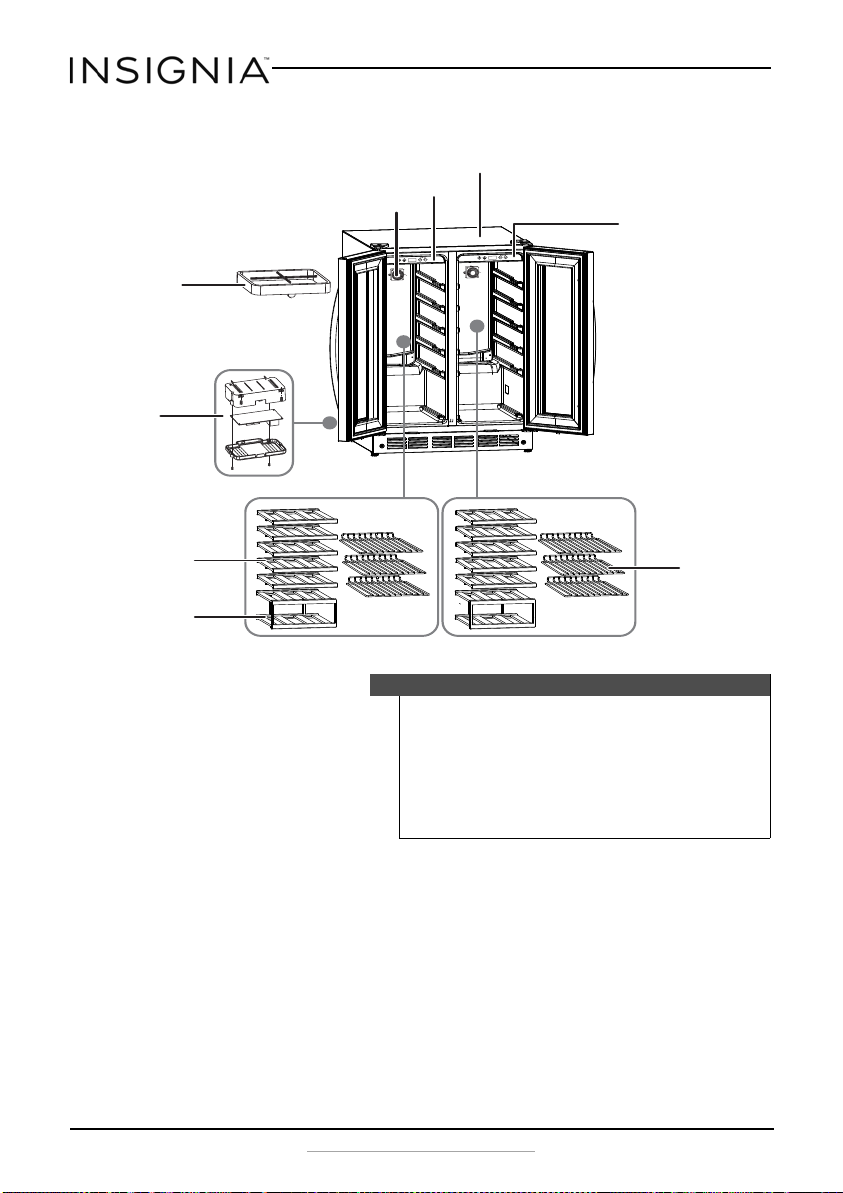
Components
Notes
• For your cooler to operate normally, avoid placing it in areas
with high magnetic fields or high humidity.
• When you put a lot of wine bottles in the cooler at one time,
the temperature in the cooler may rise temporarily.
• To prolong the service life of the compressor, wait for at
least five minutes before plugging the unit back in, after
unplugging it.
C
F
C
F
Flat chrome
shelves for
cans (6)
Tempered glass
door
Control panel
and display
Interior
light
Circulation
fan
Drip pan
Wood shelves (10)
Cabinet
Wood shelves (2)
Thermostat
NS-BC2ZSS8_17-0590_MAN_V1_ENG.fm Page 6 Friday, July 28, 2017 8:34 AM
7
Dual-Zone Wine and Beverage Center
www.insigniaproducts.com
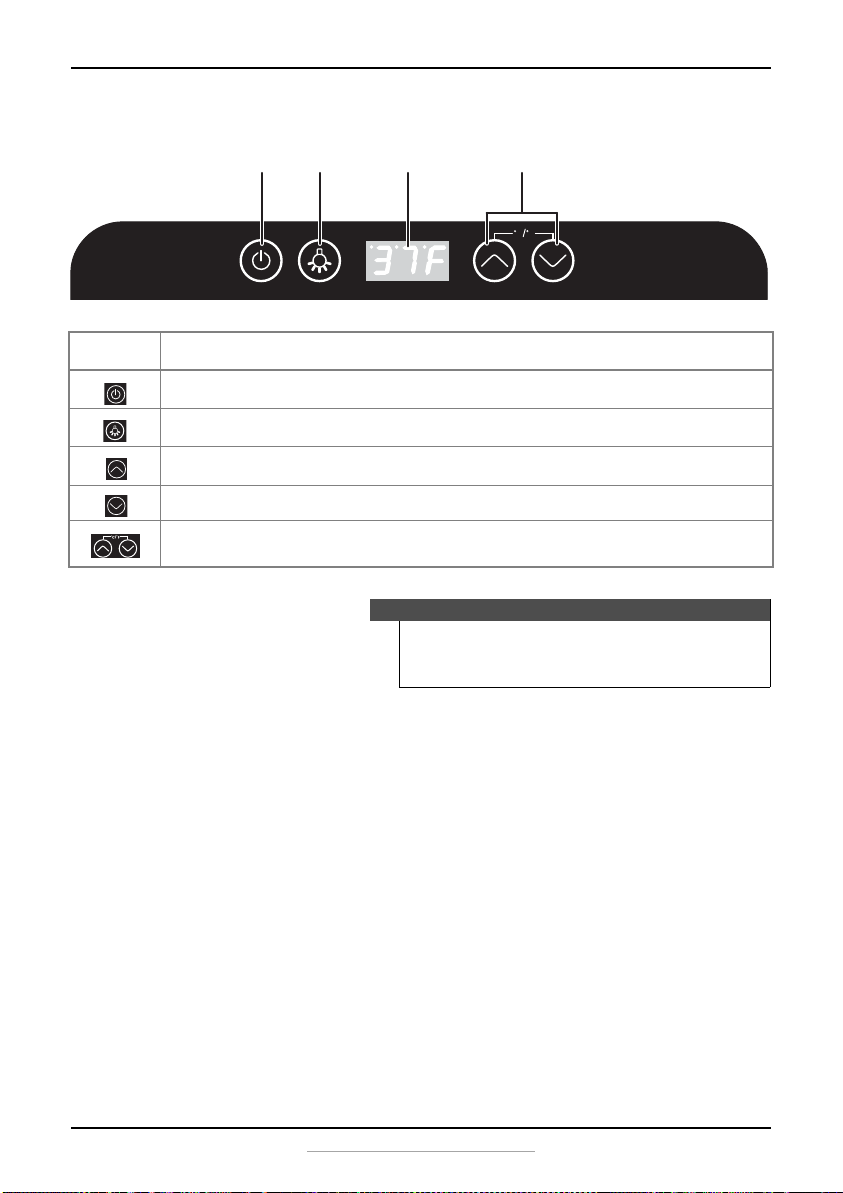
Control and display panels (both)
Setting up your wine cooler
Before using your cooler
• Remove the exterior and interior packing.
• Let the cooler stand upright for approximately four hours before
connecting it to power. This reduces the possibility of a malfunction in
the cooling system from improper handling during transportation.
• Clean the interior surface with lukewarm water using a soft cloth.
Finding a suitable location
• This cooler is designed to be built-in or free standing.
• Place your cooler on a floor, countertop, or cabinet that is strong
enough to support the cooler when it is fully loaded.
• Locate the cooler away from direct sunlight and sources of heat (stove,
heater, radiator, and so on). Direct sunlight may affect the acrylic
coating and heat sources may increase electrical consumption.
BUTTON FUNCTION
Press to turn the power on or off.
Press to turn the interior light on or off.
Press to raise the temperature in the selected zone.
Press to lower the temperature in the selected zone.
Press both buttons simultaneously to change the display from F° to C° or back
again.
Notes
• Touch the control panel lightly when pressing the keys.
• To avoid scratching the control panel, do not touch it with
sharp objects.
C F
Up and down buttons
Light button DisplayPower button
NS-BC2ZSS8_17-0590_MAN_V1_ENG.fm Page 7 Friday, July 28, 2017 8:34 AM
8
NS-BC2ZSS8
www.insigniaproducts.com
Ambient temperature below 68°F (20°C) or above 90°F (32°C) will
hinder the performance of this cooler. This cooler is not designed for
use in a garage or any other outside installation.
• Avoid locating the cooler in moist areas.
• This unit is not designed to be installed in an RV or used with an
inverter.
•Donotstackbeveragecoolers.
Building in your wine cooler
The cutout dimensions shown in the following graphic allow the door to
swing open and provides access to the pull-out shelves when installed as
a built-in unit.
If you are installing the unit between frameless cabinets, a ½” wide filler
strip or side panel may be needed on the hinge side. The filler strip will act
as a spacer between the appliance case and the adjacent cabinet door
swing. The width of the opening must include the filler panels. The door
should extend at least one inch beyond the surrounding cabinets.
Power outlet
6” (15.2 cm) max.
24” (61 cm) min.
24”(61cm)
min.
34-1/2” to 35”
(87.6 to 88.9 cm)
20-4/5” (52.8 cm) Cabinet only
34-2/5” (87.4 cm)
24-7/10” (62.7 cm)
(including door) 23-2/5”
(59.4 cm)
NS-BC2ZSS8_17-0590_MAN_V1_ENG.fm Page 8 Friday, July 28, 2017 8:34 AM
9
Dual-Zone Wine and Beverage Center
www.insigniaproducts.com
Leveling your cooler
• It is very important for the cooler to be level in order to function
properly. If the cooler is not leveled during installation, the door may
not close or seal properly, causing cooling, frost, or moisture problems.
• To level your cooler, you may either turn the leveling foot clockwise to
raise that side to the cooler or turn it counter-clockwise to lower that
side.
Grounding requirement
This cooler must be grounded. This cooler is equipped with a cord having
a grounding wire with a grounding plug. The plug must be inserted into
an outlet that is properly installed and grounded.
Consult a qualified electrician or service person if the grounding
instructions are not completely understood, or if doubt exists as to
whether the cooler is properly grounded.
Connecting to power
• Plug the appliance into a dedicated, properly installed grounded wall
outlet. This appliance should be operated on a separate electrical circuit
from other operating appliances. Do not under any circumstances cut or
remove the third (ground) prong from the power cord. Any questions
concerning power and/or grounding should be directed toward a
certified electrician or an authorized service center.
• Plug in and run your cooler for three to four hours before making any
temperature adjustments and before adding wine. This allows your cooler
to reach a stable temperature.
Warning
• Improper use of the grounding plug can result in a risk of
electric shock.
• Do not, under any circumstances, cut or remove the third
ground prong from the supplied power cord.
Caution
This unit is not designed to be installed in an RV or used with an
inverter.
Notes
• Check your local power source. This cooler requires a
110V-120V, 60 Hz power supply.
• Use a receptacle that accepts the grounding prong. The
power cord is equipped with a 3-prong (grounding) plug
which mates with a standard 3-prong (grounding) wall
outlet to minimize the possibility of electric shock hazard
from this cooler.
NS-BC2ZSS8_17-0590_MAN_V1_ENG.fm Page 9 Friday, July 28, 2017 8:34 AM
10
NS-BC2ZSS8
www.insigniaproducts.com
• Do not use an extension cord with this cooler. If the power cord is too
short, have a qualified electrician install an outlet near the cooler. Use of
an extension cord can negatively affect the cooler’s performance.
Using your wine and beverage center
Turning on your cooler
Press the button to turn your cooler on. The display screen and
indicators blink for three seconds and an audible beep will be heard, then
the compressor starts working.
You can manually set your unit to “Standby” mode by touching the
button for approximately three seconds, provided that no other setting is
in effect (the display is not blinking). Repeating this action restarts the
unit.
Setting the temperature
Under normal conditions, the temperature always shows the set
temperature. When adjusting the temperature, the temperature display
blinks to indicate that the temperature is being adjusted.
The temperature in the left and right zones can be set independently by
using the control panel located in each zone. The temperature range of
both zones can be set between 37° F to 64° F (3° C to 18° C) ± 5° F (± 3° C).
When the or buttons are pressed, the temperature will increase or
decrease in increments of one degree. If the or buttons are pressed
and held for two seconds, the temperature will increase or decrease at a
speed of one degree per half second.
After you have adjusted the left and/or right zone to the temperature you
want, release the button. The temperature display will blink for
approximately three seconds to confirm the selected temperature. After
the display stops blinking, the temperature display will indicate the set
temperature of that zone.
Changing the temperature display
The temperature display can be exchanged between Celsius and
Fahrenheit by simultaneously pressing and holding the buttons for
approximately three seconds.
Notes
• A large number of bottles will lower the cooling efficiency
of the cooler.
• Adjust the thermostat setting by one increment at a time.
Allow several hours for the temperature to stabilize
between adjustments.
NS-BC2ZSS8_17-0590_MAN_V1_ENG.fm Page 10 Friday, July 28, 2017 8:34 AM