manuals.online logo
Brands
  1. Home
  2. •
  3. Brands
  4. •
  5. Interquartz
  6. •
  7. Telephone
  8. •
  9. Interquartz 98380 User manual

Interquartz 98380 User manual

Other Interquartz Telephone manuals

Interquartz IQ560E User manual

Interquartz

Interquartz IQ560E User manual

Interquartz Enterprise 98390 User manual

Interquartz

Interquartz Enterprise 98390 User manual

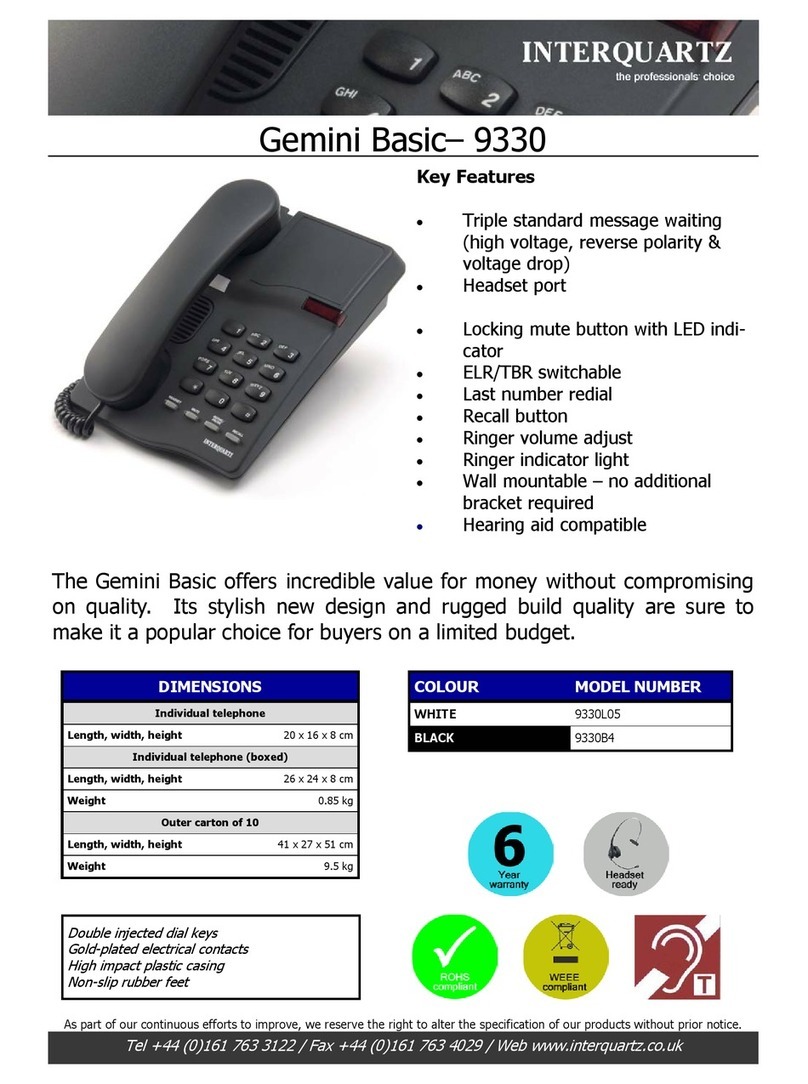
Interquartz Gemini 9330 User manual

Interquartz

Interquartz Gemini 9330 User manual

Interquartz IQ250 User manual

Interquartz

Interquartz IQ250 User manual

Interquartz Voyager 9283 User manual

Interquartz

Interquartz Voyager 9283 User manual

Interquartz Enterprise 98393 HS User manual

Interquartz

Interquartz Enterprise 98393 HS User manual

Interquartz IQ283 User manual

Interquartz

Interquartz IQ283 User manual

Interquartz Enterprise 98393 HS User manual

Interquartz

Interquartz Enterprise 98393 HS User manual

Interquartz Enterprise 98390 User manual

Interquartz

Interquartz Enterprise 98390 User manual

Interquartz Gemini 9335 User manual

Interquartz

Interquartz Gemini 9335 User manual

Interquartz Hotline 9826N User manual

Interquartz

Interquartz Hotline 9826N User manual

Interquartz Gemini IQ333 User manual

Interquartz

Interquartz Gemini IQ333 User manual
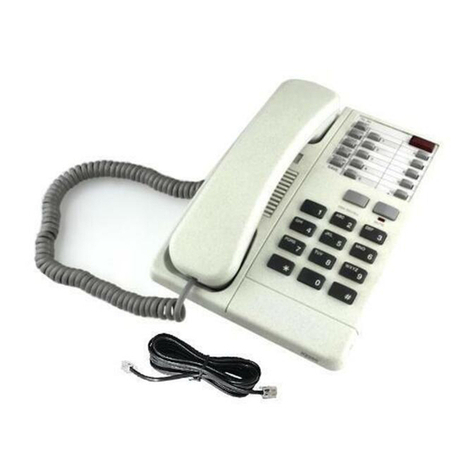
Interquartz Voyager 9281P User manual

Interquartz

Interquartz Voyager 9281P User manual

Interquartz Basic Phone 98380 XWA User manual

Interquartz

Interquartz Basic Phone 98380 XWA User manual

Interquartz 9310 User manual

Interquartz

Interquartz 9310 User manual

Interquartz Voyager 9281P Owner's manual

Interquartz

Interquartz Voyager 9281P Owner's manual

Interquartz IQ350 User manual

Interquartz

Interquartz IQ350 User manual
Interquartz Gemini 9335 User manual

Interquartz

Interquartz Gemini 9335 User manual

Interquartz IQ750 User manual

Interquartz

Interquartz IQ750 User manual

Interquartz IQ560E User manual

Interquartz

Interquartz IQ560E User manual

Interquartz Voyager 9281 User manual

Interquartz

Interquartz Voyager 9281 User manual

Interquartz IQ50N User manual
Interquartz

Interquartz IQ50N User manual
Interquartz Gemini IQ333 User manual

Interquartz

Interquartz Gemini IQ333 User manual

Interquartz Hotline 9826N User manual

Interquartz

Interquartz Hotline 9826N User manual

Popular Telephone manuals by other brands

Philips BaseLine Pro manual

Philips

Philips BaseLine Pro manual

V-tech i6772 user guide

V-tech

V-tech i6772 user guide

BT FREELANCE XD 5100 quick start guide

BT

BT FREELANCE XD 5100 quick start guide

Uniden 1360 user guide

Uniden

Uniden 1360 user guide

Fanvil D800 user manual

Fanvil

Fanvil D800 user manual

Avaya IP500 user guide

Avaya

Avaya IP500 user guide

NEC Univerge SV9100 installation manual

NEC

NEC Univerge SV9100 installation manual

Amanda MiniSOHO Installation and programming manual

Amanda

Amanda MiniSOHO Installation and programming manual

Hitachi SelecSet 900 Series user guide

Hitachi

Hitachi SelecSet 900 Series user guide

mPTech HAMMER BS21 quick start guide

mPTech

mPTech HAMMER BS21 quick start guide

NEC 2000IVX user guide

NEC

NEC 2000IVX user guide

ooma Phone Genie quick start guide

ooma

ooma Phone Genie quick start guide

Siemens Gigaset S450 user guide

Siemens

Siemens Gigaset S450 user guide

Clarity RC100 operating instructions

Clarity

Clarity RC100 operating instructions

GE 2-9480 user guide

GE

GE 2-9480 user guide

Geemarc PHOTOPHONE 155 user guide

Geemarc

Geemarc PHOTOPHONE 155 user guide

SSS Siedle HT 840-0 operating instructions

SSS Siedle

SSS Siedle HT 840-0 operating instructions

Motorola TITANIUM manual

Motorola

Motorola TITANIUM manual

manuals.online logo
manuals.online logoBrands
  • About & Mission
  • Contact us
  • Privacy Policy
  • Terms and Conditions

Copyright 2025 Manuals.Online. All Rights Reserved.

BASIC PHONE
Model 98380
OPERATING INSTRUCTIONS
1
This Interquartz telephone has been manufactured to very high standards and
is very easy to use. Please read this manual carefully to find out how to use the
features.
Contents
1. Important Notes ..................................................................................... 2
Intended use ........................................................................................ 2
Telephone facilities ................................................................................ 2
R N number ........................................................................................ 3
mergency calls ................................................................................... 3
2. Installation ............................................................................................... 4
Connection ........................................................................................... 4
Wall mounting ........................................................................................ 4
3. Telephone Features .............................................................................. 5
4. Operating Instructions ....................................................................... 7
5. PABX an System Usage .................................................................... 8
6. Maintenance an Problem Solving .................................................. 9
7. Warranty an Service ....................................................................... 10
Figure 1 General Appearance ............................................................. 3
Figure 2 Wall Mounting ....................................................................... 4
Figure 3 Handset Retainer for Wall Mount .......................................... 5
Figure 4 Switch Location ..................................................................... 6
Figure 5 Recall Switch ........................................................................ 8
2
1. Important Notes
Inten e use
This apparatus is intended for use on 2 wire analogue PSTN and PABX circuits
within the United Kingdom.
Declaration of Conformity
I
nterquartz (UK) Limited declares under its sole responsibility that this product
Model: BASIC PHON
98380 XWA
Is in conformity with the following relevant harmonised standards
Health & Safety 73/23/ C
lectromagnetic Compatibility 89/336/ C
Following the provisions of Council Directive 1999/5/ C on radio equipment and
telecommunications terminal equipment.
A J Roberts April 2000
Director
Telephone facilities
This telephone has been designed for the use of the following facilities:
- operation in the absence of proceed indication
- recall ( earth or timed break selectable )
- selectable pulse or tone signalling
- access pause insertion
- ringer volume control
- ringer pitch control
- ringing indicator
3
REN number
The Ren number of this telephone is 1.
If you wish to connect any other equipment to the line, simply add the
R N numbers of each piece together and ensure that the total does not
exceed 4. If too many phones are connected to the line, the circuit may
be overloaded any your telephone may not ring.
Not all telephones have the same R N.
If a British Telecom phone is supplied unmarked, you can assume that it
has a R N of 1
Emergency calls
"999" calls can be made on this telephone, for the purpose of making
calls to the emergency service. An access code may also be required, if
the phone is connected to a PABX.
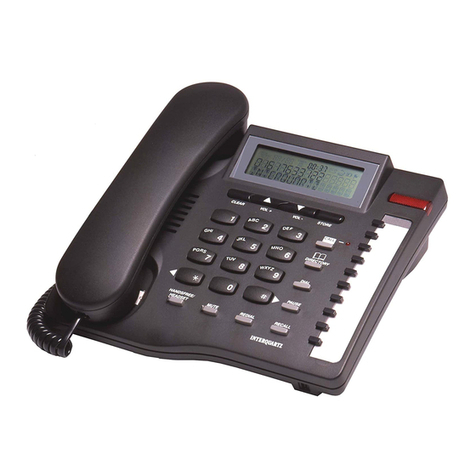
Figure 1 General Appearance
RING R
INDICATOR
K YPAD
MUT BUTTON
HANDS T
HANDS T
CORD
R DIAL
BUTTON
R CALL
BUTTON
IN THE FRONT
OF THE HANDSET
4
2. Insta ation
This telephone is designed to plug straight into a modular style socket. If
you do not have one of these sockets, they can be obtained from your
Network Supplier.
Connection
Insert the line cord into the socket. Set the tone / pulse switch to the
appropriate position. If you are unsure as to whether your exchange is
pulse or tone, call the Network Supplier and they will advise you.
Set the ringer volume and ringer pitch control, as desired.
Wall mounting
Using the template supplied, position it where you want to fix your
telephone. Drill two holes and fix roundheaded screws, leaving them
slightly proud of the surface. Position the telephone over the screws and
slide downwards into place.
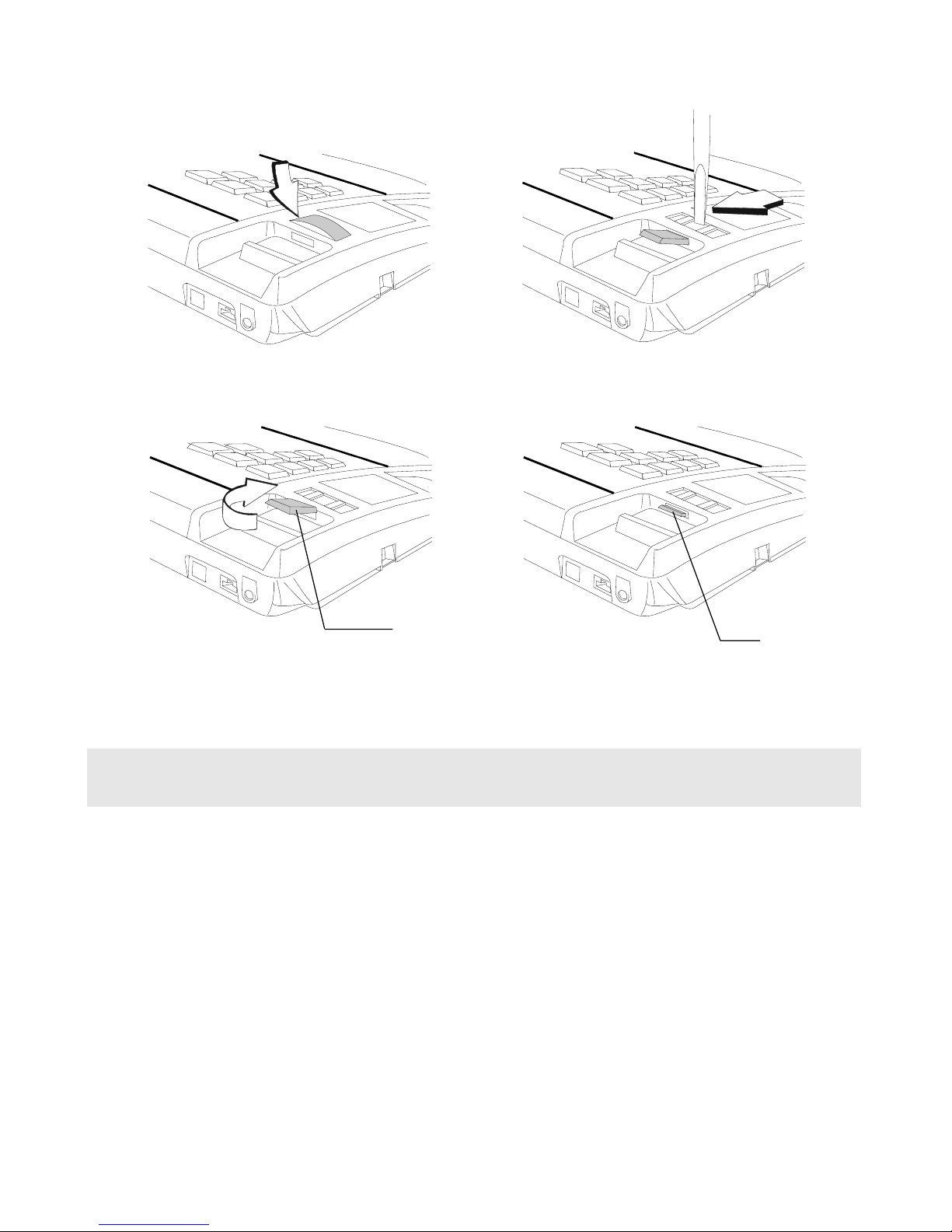
Figure 2 Wall Mounting
FOR
WALL
MOUNT
5
1. Release
phone number plate
2. Insert screw driver into slot
and then pry to release
HANDS T R TAIN R
3. Insert the
HANDS T R TAIN R
for wall mount
4. HANDS T R TAIN R
HANDS T
R TAIN R for wall mount
Figure 3 Handset Retainer for Wall Mounting
3. Te ephone Features
Ringer In icator
Flashes when the telephone rings with an incoming call.
Ringer Volume Switch
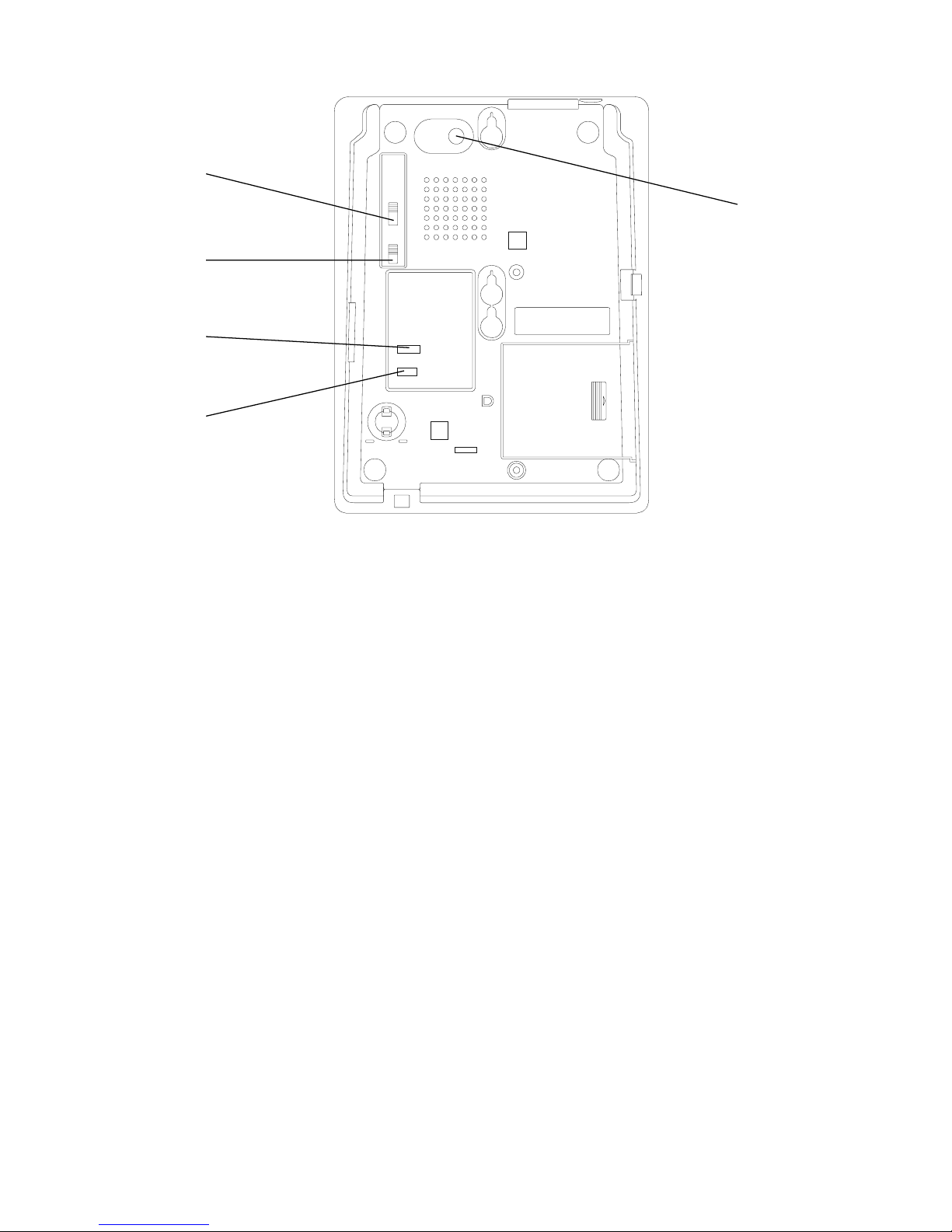
Located on the base of the unit ( see Figure 4 ). Move switch to select no
sound (OFF), muted sound (LOW) or full sound (HIGH) for ringing on
incoming call.
6
RING R
HI / LO / OFF
SWITCH
TON / PULS
SWITCH
RING R PITCH
CONTROL
Ringer Pitch Control
Located on the base of the unit ( see Figure 4 ). Rotating this knob alters
the pitch of the ringing signal.
Tone / Pulse Switch
Located on the base of the unit ( see Figure 4 ). Used to select the
correct dialling mode, either TON or PULS . If you have any doubt
about the system supplied to your phone, contact your Network Supplier.
Re ial / Pause Button
Press to redial the last number dialled when entered as the first key.
Serves as a pause button when there is a preceding digit(s) entered.
Mute Button
Located on the underside of the handset. Press to cut off speech
transmission during a conversation. Release to resume.
Figure 4 Switch Location
TIM D BR AK /
ARTH R CALL
SWITCH
VOIC
M SSAGING
( S1/ S2 / N )
SWITCH
7
4. Operating Instructions
To dial a number, lift the handset, wait for the tone and then key in the
number required.
Re ial / Pause Function
Depending on its use, this button either acts as a redial button or as a
pause inserting button
Redia
1. Lift handset
2. Press R DIAL / PAUS button
3. Telephone automatically redials the last number called ( up to 32
digits)
Pause
The Pause command may be needed if the phone is connected to certain
types of PABX or to any network where a pause is required.
Note: not more than three pauses should be inserted consecutively,
otherwise the telephone may not function properly. ( Any other
usage will invalidate the design of the apparatus ).
1. Lift handset
2. Dial any digits required before the pause
3. Press R DIAL / PAUS button
4. Press remaining digits
8
5. PABX and System Usage
This telephone can be used behind a PABX or on a network system that
utilises the recall function. There are many such systems and whilst it is
likely that no problems will be encountered, it cannot be guaranteed that
the telephone will operate correctly under all circumstances and any cases
of difficulty should be referred to your supplier.
Recall
Before you attempt to change the recall switch ( see Figure 4 and 5 ),
you should disconnect the phone from the network.
You will need a screwdriver, or similar tool to remove the cover plate over
the switch. With a fine pointed instrument you can then adjust the switch
to the setting required. This telephone can be set for earth recall or timed
break recall. If you are unsure of which setting is applicable, please consult
your PABX manager or supplier.
Replace the cover, plug the phone back into the socket and it is ready for
use.
PABX access
Where a PABX access digit is required to obtain a direct outside line, it
may be necessary to insert a pause after dialling the access digit ( see
Redia / Pause section of this manual ).
Figure 5 Recall Switch
TIM D
BR AK
ARTH
R CALL
S1 S2 N
F
9
Voice messaging
When used behind a PABX, this telephone will respond to voice messaging
systems on many PABX types, giving a visual signal of a message waiting.
Your telephone manager will be aware of which system is relevant to your
organisation and will adjust or advise you on the adjustment of your
telephone accordingly.
This adjustment is carried out by means of a switch, labelled S1 / S2 / N,
located next to the recall switch, mentioned above. As su lied, the switch
is set to the N ( normal ) osition. Under no circumstances should the
switch be set to S1 or S2 without the a roval of your telecoms manager.
In either of the S ositions, the tele hone must NOT be connected directly
to a ublic network line.
( Technical note : S1 and S2 are for reverse olarity messaging systems.
With such a system in use, if the tele hone does not res ond in the S1
osition, switch it to the S2 osition and it should then res ond.
Some switches require a certain level of software and / or hardware within
the switch. If your tele hone a ears not to work, make sure that you
have the correct software / hareware installed ).
6. Maintenance and Prob em So ving
Your telephone is a precision electronic instrument. Avoid rough handling
and extreme temperatures.
Use a mild detergent and a damp cloth when cleaning. Never use a
stronger cleaner.
If your telephone does not appear to be working correctly, please check
the following :
No Dialling tone - Is phone cord properly connected to the wall socket?
Will not dial - Pulse / Tone switch may be set to wrong position.