manuals.online logo
Brands
  1. Home
  2. •
  3. Brands
  4. •
  5. Iridium
  6. •
  7. Wireless Access Point
  8. •
  9. Iridium IRDM-PHS300IC User manual

Iridium IRDM-PHS300IC User manual

Other Iridium Wireless Access Point manuals

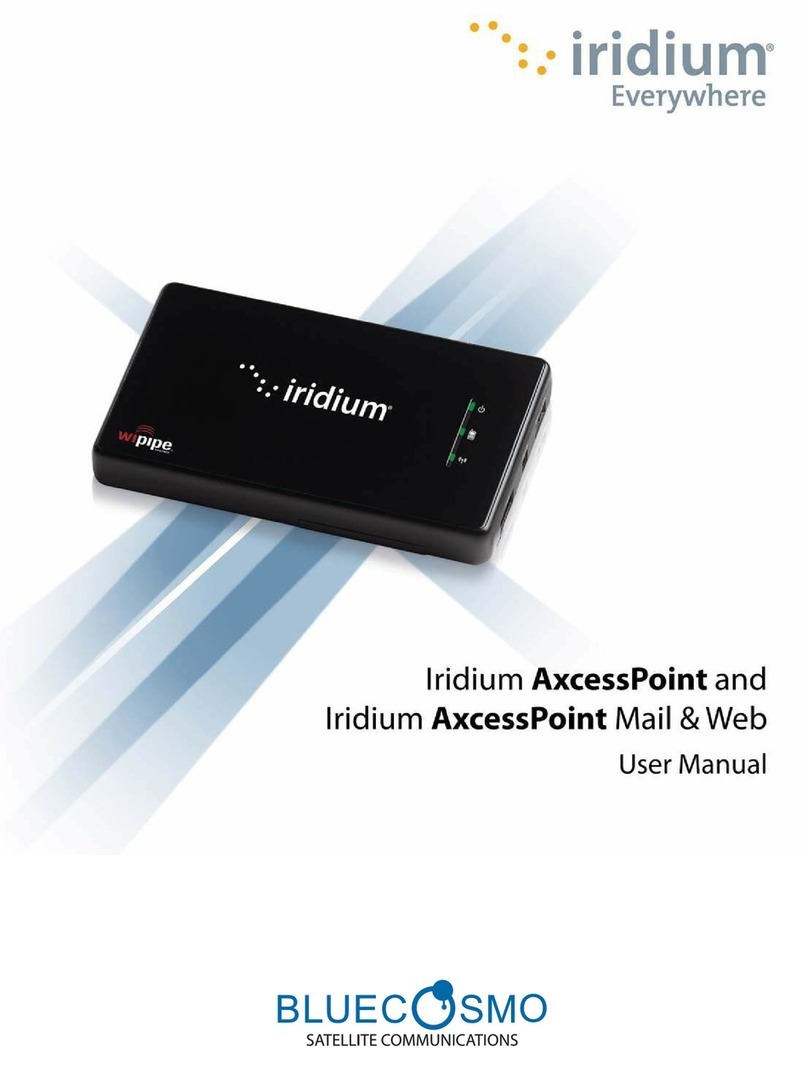
Iridium Axcess Point User manual

Iridium

Iridium Axcess Point User manual

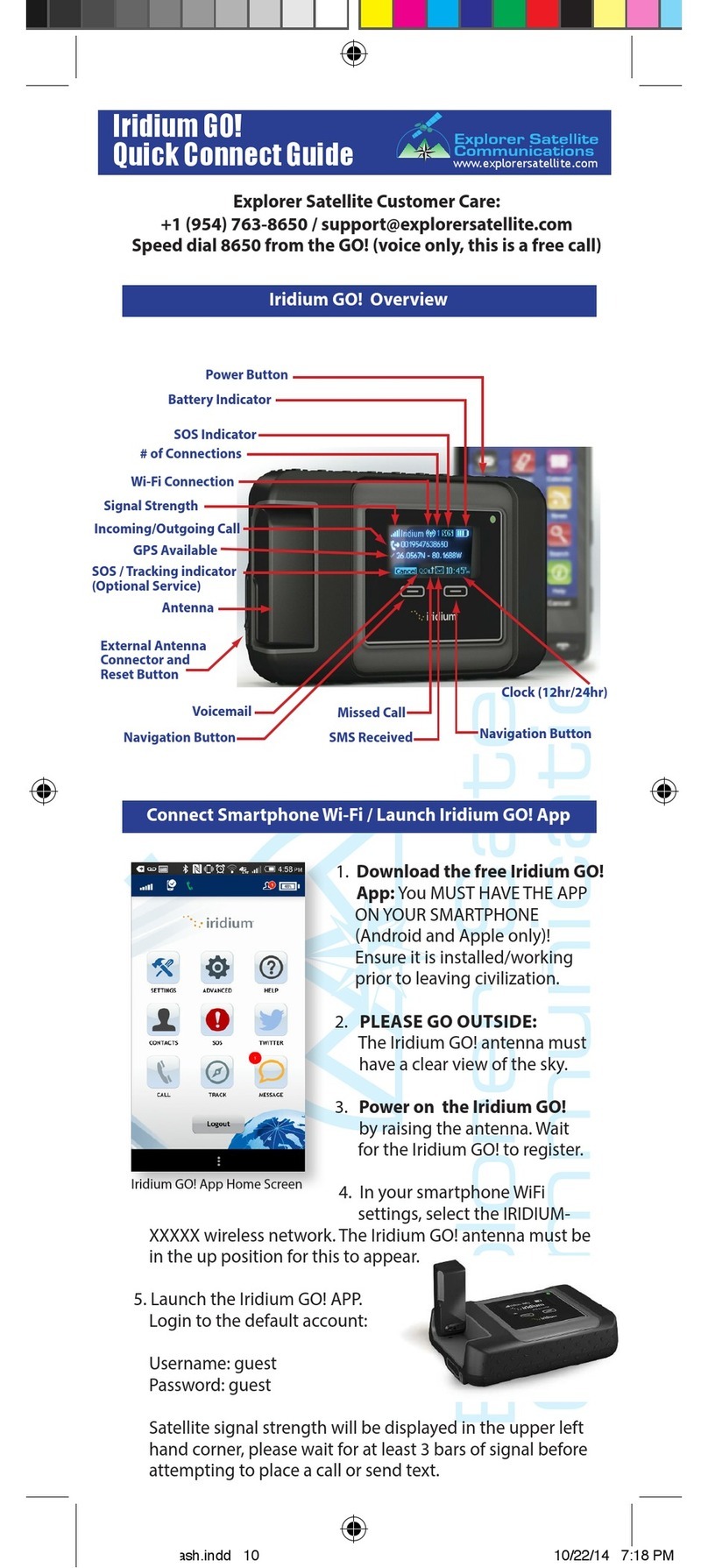
Iridium GO! Assembly instructions

Iridium

Iridium GO! Assembly instructions

Iridium GO! exec User manual

Iridium

Iridium GO! exec User manual

Popular Wireless Access Point manuals by other brands

TRENDnet TPL-410AP user guide

TRENDnet

TRENDnet TPL-410AP user guide

EnGenius EWS377-FIT quick start guide

EnGenius

EnGenius EWS377-FIT quick start guide

D-Link DWL-6700AP Quick installation guide

D-Link

D-Link DWL-6700AP Quick installation guide

Aerohive Networks Aerohive AP121 Hardware reference guide

Aerohive Networks

Aerohive Networks Aerohive AP121 Hardware reference guide

Vonets VAP11G Step-by-step guide

Vonets

Vonets VAP11G Step-by-step guide

Ubiquiti UniFi AP AC Outdoor quick start guide

Ubiquiti

Ubiquiti UniFi AP AC Outdoor quick start guide

Monoprice MW301A user guide

Monoprice

Monoprice MW301A user guide

D-Link DWL-2700AP - AirPremier Outdoor Wireless Access... user manual

D-Link

D-Link DWL-2700AP - AirPremier Outdoor Wireless Access... user manual

D-Link DWL-2100AP - AirPlus Xtreme G Quick installation guide

D-Link

D-Link DWL-2100AP - AirPlus Xtreme G Quick installation guide

TP-Link Auranet EAP225 Quick installation guide

TP-Link

TP-Link Auranet EAP225 Quick installation guide

D-Link DWL-2100AP - AirPlus Xtreme G Quick installation guide

D-Link

D-Link DWL-2100AP - AirPlus Xtreme G Quick installation guide

Ubiquiti NanoStation NSM2 quick start guide

Ubiquiti

Ubiquiti NanoStation NSM2 quick start guide

Aruba IAP-335 user guide

Aruba

Aruba IAP-335 user guide

Advantek Networks AWN-AP-54MR user manual

Advantek Networks

Advantek Networks AWN-AP-54MR user manual

IP-COM AP355 user guide

IP-COM

IP-COM AP355 user guide

Buffalo AirStation WLA-L11G user manual

Buffalo

Buffalo AirStation WLA-L11G user manual

EnGenius EnStationACv2 user manual

EnGenius

EnGenius EnStationACv2 user manual

D-Link DAP-3662 Quick installation guide

D-Link

D-Link DAP-3662 Quick installation guide

manuals.online logo
manuals.online logoBrands
  • About & Mission
  • Contact us
  • Privacy Policy
  • Terms and Conditions

Copyright 2025 Manuals.Online. All Rights Reserved.

Prontomize Communication Services, 5811 Gullstrand St., San Diego, CA 92122
Call: US: 916.290.8649 E-mail: eduardo@prontomize.com Web: www.prontomize.com
1
KEY FEATURES
 Plug and play functionality—users simply connect their Iridium AxcessPoint via
USB cable to an Iridium Extreme or Iridium 9555 and locate the specified network
connection on their device.
 Small, light, and portable–Iridium AxcessPoint offers a mobile Wi-Fi range of 600
to 100 feet, allowing users to move around.
 Multiple connections—Iridium AxessPoint can connect multiple smartphones
(Blackberry, iOS or Android), tablets and laptops for emailing and lightweight web
browsing.
People everywhere are moving beyond the reach of traditional networks, and they expect
their connected experience to travel with them. Iridium’s ongoing innovation in real
mobile, real global communication is helping make more of these connections that matter
across the entire surface of the planet,
in ways never thought possible.
Iridium has a unique vision for using the
power of the world’s furthest reaching
network to bring extended and
enhanced personal communications to
people and organizations, everywhere.
IRIDIUM AXCESS POINT
Iridium has developed a new suite of Wi
-Fi enabling accessory and software
solutions giving people the ability to use
smartphones, tablets, and laptops far
beyond the reach of existing terrestrial
networks. Designed to connect to your
Iridium satellite phone and establish an
Internet connection wherever you are
Iridium AxcessPoint
Beyond Satellite Phones: the smartphone
experience everywhere
Extending Personal Communication
IRDM-PHS300IC
Prontomize Communication Services, 5811 Gullstrand St., San Diego, CA 92122
Call: US: 916.290.8649 E-mail: eduardo@prontomize.com Web: www.prontomize.com
2
SPECIFICATIONS
Dimensions 4.7” x 2.8”x 8” (122mm x 73mm x 18.5mm)
Certifications FCC, CE, IC, Wi-Fi
Operating Temp: 0ºC to 50ºC
in the world., these products are ex-
tending communications capability like
never before.
IRIDIUM AXCESS POINT MAIL &
WEB
Offers customers an enhanced user
experience. The Iridium AxcessPoint
Mail & Web software is included with
the Iridium AxcessPoint accessory or
can be downloaded from Iridium.com
and optimizes the connection to enable
up to 15x faster email connections and
up to 5x faster web browsing than using
the Iridium AxcessPoint accessory
alone.
IRIDIUM AXCESSPOINT CON-
NECT
Using Direct Internet compression soft-
ware, Iridium AxcessPoint Connect
allows you to use your Windows laptop
in combination with your Iridium 9555
or Iridium Extreme satellite phone to
establish an Internet connection, every-
where. Enabling your own applications
and other trusted devices, the software
is ideal for customers wanting to create
a cost-effective Wi-Fi hotspot with
smartphones or tablets.
Extending Personal Communication
Iridium AxcessPoint
1Prontomize Communication Services, 5811 Gullstrand St., San Diego, CA 92122
Call: US: 916.290.8649 E-mail: eduardo@prontomize.com Web: www.prontomize.com
FEATURES:
 Value for money
 Privacy Handset
 Fully Molded Cradle
 Easy fitting options
 No Wires on phone
 Nothing to ROTATE
 Just click and go
 RS232 Data Port
 Antenna out back
 Access to charge plug
 Sturdy RAM bracket
ACCESSORIES FOR 9505A / 9555
Beam Basic Cradle Bundle
RST075PHB
The Beam SatDOCK (RST980) in-vehicle hands-free kit for
the 9505A Iridium satellite phones provides you with a high
quality semi-permanent installation into your vehicle. The
antenna, microphone and speaker are easily installed in
convenient locations inside your vehicle; then simply place
the privacy handset in the cradle when you need it. RST980
also supports a compact user handset that can be installed
close to the driver for convenient access.
IRDM-9505A-RST980
Beam RST 980
1Prontomize Communication Services, 5811 Gullstrand St., San Diego, CA 92122
Call: US: 916.290.8649 E-mail: eduardo@prontomize.com Web: www.prontomize.com
The Beam Satdock provides a high quality semi-permanent in-vehicle
docking station with hands-free operation. Perfect for the Iridium 9555
satellite phone, the docking station has built in echo cancelling, superior
voice quality and professional hands-free or privacy capabilities so you can
make calls in any vehicle, boat or aircraft. Designed specifically for the
Iridium 9555 satellite phone the dock features USB and serial data
connectivity, phone charging capability, integrated antenna, data and power
connection. This means you can keep all of your antenna cables and power
lines permanently connected to the Satdock so they are ready for use. The
Iridium 9555 phone is easily inserted and removed by pressing a button on
top of the unit. This makes for easy removal. You'll know your 9555 will
always be fully charged. Satdock also supports the use of an optional
Intelligent Privacy Handset, RST970 that replicates the full functionality of
the 9555 handset in another location.
IRDM-B9555Dock
ACCESSORIES FOR 9505A / 9555
The Intellidock from Beam provides the ideal docking station for using the Iridium 9555
phone for various maritime, transport or fixed site applications. The Intellidock was
designed specifically for the Iridium 9555 satellite phone so it fits securely into the
Intellidock. The Intellidock features built-in Bluetooth connectivity, a USB data port, a
separate ringer, continuous phone charging and integrated antenna, data and power
connection. All of this functionality makes it possible to keep all of your antenna cables
and power lines permanently connected to the docking station, so you are always
ready to go. Dock and un-dock the Iridium 9555 handset with the press of a button on
top of the Intellidock making it easy to remove the 9555, knowing it will always be fully
charged. The Intellidock also supports an optional compact Beam Privacy Handset for
added convenience
IRDM-9555Intldock
Beam Intellidock
Beam SatDOCK

1Prontomize Communication Services, 5811 Gullstrand St., San Diego, CA 92122
Call: US: 916.290.8649 E-mail: eduardo@prontomize.com Web: www.prontomize.com
The IntelliDOCK 9555 is the ideal low cost accessory for
using the Iridium 9555 handset for various maritime, transport
or fixed site applications.
Iridium IntelliDOCK 9555
The purpose built cradle simply docks the 9555 handset securely,
providing an integrated antenna, data and power connection that
makes it possible to keep all antenna cables and power
permanently connected to the dock ready for use. The 9555
handset is easily inserted and removed by the press of a button on
the top of the dock making it very easy to remove the 9555 for
use out of the dock at any time.
IntelliDOCK 9555 also supports the use of an optional compact
Beam Privacy Handset RST755 that can be located next to the
IntelliDOCK 9555 for added convenience if required.
KEY FEATURES / BENEFITS
 Integrated Bluetooth Voice and Data technology
 USB data Port
 Integrated antenna connection
 Inbuilt Ringer
 9 - 32V DC Input
 Charges 9555 Handset
 Mute Button
 Supports Voice & Data services
 Easy & Convenient Installation
 Optional Handset - Privacy mode
 Universal Mounting Bracket
 Fully Certified –Including ROHS
 Easy to install
2Prontomize Communication Services, 5811 Gullstrand St., San Diego, CA 92122
Call: US: 916.290.8649 E-mail: eduardo@prontomize.com Web: www.prontomize.com
Iridium IntelliDOCK 9555
NETWORK ACCESS FEATURES
 Global coverage –pole to pole
 Low cost airtime rates
 Support all data services
 Support all Voice services
ACCESSORIES
RST755 Basic Privacy Handset
RST710 Beam Mast Antenna
RST714 Beam Whip Antenna
RST715 Magnetic Antenna
RST720 Bolt Mount Antenna
RST932 Antenna Cable 6m / 18f
RST933 Antenna Cable 12m / 36f
All Iridium voice services are easily
accessible using the IntelliDOCK 9555
in the following ways:
 Bluetooth Connectivity
 Optional Privacy Handset
 Portable Hands-free from 9555
BLUETOOTH TECHNOLOGY
Voice and Data services can be easily accessed
using a Bluetooth receiver paired with the Beam
IntelliDOCK this makes a very convenient way of
integrating Bluetooth to the 9555 handset for
various hands-free applications.
COMPACT PRIVACY HANDSET
Voice and Data services can be easily accessed
using a Bluetooth receiver paired with the Beam
IntelliDOCK this makes a very convenient way of
integrating Bluetooth to the 9555 handset for
various hands-free applications.
DATA / INTERNET / SMS / FAX
All data services are easily accessible using either
the USB connector on the cradle or the inbuilt
wireless Bluetooth interface.
POWER INPUT
The IntelliDOCK 9555 supports a 9 - 32V DC
power input which can be a direct DC input or
from the optional AC 110/240 plug-pack
ROBUST MOUNTING OPTIONS
The IntelliDOCK 9555 is supplied with a high
quality RAM-Mount fixing system to adapt to
various installations. It is however also possible to
mount the IntelliDOCK 9555 BasicDOCK directly
APPLICATIONS
Boating Transport 4WD
Fixed Site In-building Large Vessel
1Prontomize Communication Services, 5811 Gullstrand St., San Diego, CA 92122
Call: US: 916.290.8649 E-mail: eduardo@prontomize.com Web: www.prontomize.com
US-made Iridium 9505A
complete kit
(For GSA contracts)
The Iridium 9505A satellite
phone is the workhorse, the
rugged satellite phone that
militaries and governments
worldwide rely on for dependable
service. The standard 9505A
went out of production in May of
2009 but the US-made phone is
still available for agencies with
special requirements. Keep in
mind this is a complete kit:
 The satellite phone
 A rechargeable battery
 A wall charger
 The international plug
adapters
 A car charger
 The auxiliary magnetic mount
antenna
 The antenna adapter
 A phone case
 The user guide
Iridium 9505A
With the Iridium 9505A portable handheld satellite
phone, you can stay in touch across seas and time zones,
in remote locations and on-the-go with one telephone
number. Small, light and resistant to water, dust and
shock, this phone is ideal for any explorer, ship captain,
business traveler or emergency management team.
The 9505A allows its users to stay in touch virtually anywhere in the
world, especially in places where landlines and cellular are non-
existent.
The rugged workhorse
Other providers will deliver your Iridium satellite phone to you in the original
box - that means you have to unpack it and out it all together. What a hassle!
Want to save yourself hours of time and aggravation? Buy your 9505A
satellite phone from GlobaFone and use it straight of the shipping box. We'll
do all the set-up for you:
 Unpacking the phone
 Charging the phone
 Inserting the SIM card
 Removing the PIN code
 Cleaning the phone
 Making a test call
 Packing it with all accessories in our padded nylon case
This is our value-add for you, saving you time and headache. This is critical
when you have to deploy rapidly - there is no time to set up your phone.
IRDM-9505A
2Prontomize Communication Services, 5811 Gullstrand St., San Diego, CA 92122
Call: US: 916.290.8649 E-mail: eduardo@prontomize.com Web: www.prontomize.com
KEY FEATURES
Once you select a service plan, you enjoy the convenience of one
phone number world-wide. No roaming. No long-distance fees. No
coverage maps. Simplified dialing, hands-free capability, two-way
text messaging and optional Windows-based data capabilities, make
this a tool users can rely on.
FLEXIBILITY
An array of optional accessories provides users with the flexibility
to operate at maximum efficiency. Handsets, SIM card readers,
Docking Stations and data kits can expand the voice and data
functionality to multiple users.
INCLUDED
 SIM Card (choice of prepaid or post-paid platform)
 High Capacity Lithium-ion Battery
 AC Wall Adaptor
 International Plug Set
 DC Cigarette Lighter Adaptor
 Leather Holster
 Antenna Adapter
 Portable Auxiliary Antenna
 Hands Free Headset
 User Guide
Iridium 9505A
The rugged workhorse
3Prontomize Communication Services, 5811 Gullstrand St., San Diego, CA 92122
Call: US: 916.290.8649 E-mail: eduardo@prontomize.com Web: www.prontomize.com
FEATURES
 Two-way SMS Capability
 Unanswered Call Indicator
 Volume Adjustment (earpiece or ringer)
 Quick Access Interface
 21 Language Choices for Prompts
 Phone Book Capacity —Up to 32-Digit Numbers
 Name Tag —Up to 16-Digits
 Alpha and Numeric Memory Storage
 Stores 100 Names and Numbers
 Memory Scroll by Location
 Last 10 Numbers Dialed
 One-Touch Dialing
 Keypad Disable
 Automatic Lock
 Call Restriction
 Subscriber Identity Module (SIM) Card
 Call Barring/Blocking
 Call Forwarding
 Fixed Dialing
 International Access Key Sequence (+ key)
 Mailbox for Numeric & Text Messages
 Selection of Keypad and Ringer Tones
 4 x 16 mm Character Illuminated Graphic Display
 Illuminated Keypad
 Subscriber Identity Module (SIM) PIN Availability
 Signal Strength Meter
 Battery Meter
 Low Battery Warning
 Display Call Timers (last call/total calls)
 Automatic Display Call Timer
 Programmable Audible Call Timer
 IrDA Port (infrared data port)
Iridium 9505A
SPECIFICATIONS
Dimensions 158L x 62W x 59D mm (LxWx D)
Weight Under 375g (13.2 ounces)
Volume Under 375cc (22.9 ci)
Duration Standby time: Up to 30 hours
Continuous Talk time: Up to 3.2 hours
Charging Time Up to 3 hrs., 100% capacity
SIM Card Slot Mini SIM chip
Data Capable Yes
Operating Frequency 1616–1626.5 MHz, L-Band
Operating Temperature -30/+60 degrees Celsius
Duplexing Method Time Division Duplex (TDD)
Multiplexing Method TDMA/FDMA (GSM)
Link Margin 15.5 dB average
Power 0.57 Watts average
EIRP Average -1.9 dBW
Sensitivity -117.9 dBm
TX Spurs General EIRP -60 dBW
The rugged workhorse
4Prontomize Communication Services, 5811 Gullstrand St., San Diego, CA 92122
Call: US: 916.290.8649 E-mail: eduardo@prontomize.com Web: www.prontomize.com
Iridium 9505A
The unique geometry of Iridium’s low-earth
orbiting (LEO) satellites provides global
coverage, including the extreme Polar Regions
that are not covered by geostationary satellite
systems. The low satellite orbits permit
communications using compact handheld
satellite phones or fixed installations with very
small external antennas. The voice quality is
sharp and clear, without the delays and echoes
commonly experienced with higher-orbit
satellites. The Iridium satellite constellation
consists of 66 operational satellites and 11
spares, which the company can activate to
replace an unserviceable satellite at any time.
The 66 satellites are organized into six orbital
planes. They are in near-polar orbits at an
altitude of 485 miles (780 km) above the earth.
They circle the earth once every 100 minutes
traveling at a rate of 16,832 miles per hour
(27,070 kph). Each satellite has a footprint of
about 2,800 miles.
PREVALENT ACCESSORIES
Docking Station
External
Antennas
Data Kit
Solar Chargers Pelican Cases
The rugged workhorse