Table of contents
1General..........................................................................................................................4
1.1 Symbols / abbreviations used ....................................................................................................4
1.2 Brief description.............................................................................................................................4
2Preparation ...................................................................................................................5
2.1 Equipment required ......................................................................................................................5
2.2 Overview of the necessary steps of work ...............................................................................6
3Checking the settings in the network architecture.....................................................6
4Making the IP settings (PC) ..........................................................................................6
4.1 Changing (setting) the IP address of your PC network adapter ........................................7
4.2 Setting as a second IP address ...................................................................................................8
5Switching off the WLAN .............................................................................................10
6Connecting the sensor................................................................................................11
6.1 PC connection with a standard connector of the type sCON-S-CAN-ETH-23-Kq-x-y11
6.2 PC connection with a standard connector of the sCON-S-ETH-22-Kq-x-y type........ 12
7Starting the service software.....................................................................................13
7.1 Before the first run of the service software program....................................................... 13
7.2 Important at each start of the software............................................................................... 14
7.2.1 DIST500-Configuration_3.3.1.142 (or higher) .................................................................... 14
7.2.2 DIST500-Visualization_4.2.0.112 (or higher) ...................................................................... 14
7.2.3 IRMA TestRide 2.8.1.37 (or higher)......................................................................................... 14
8Restoring the initial state at the PC ...........................................................................15
Table of illustrations
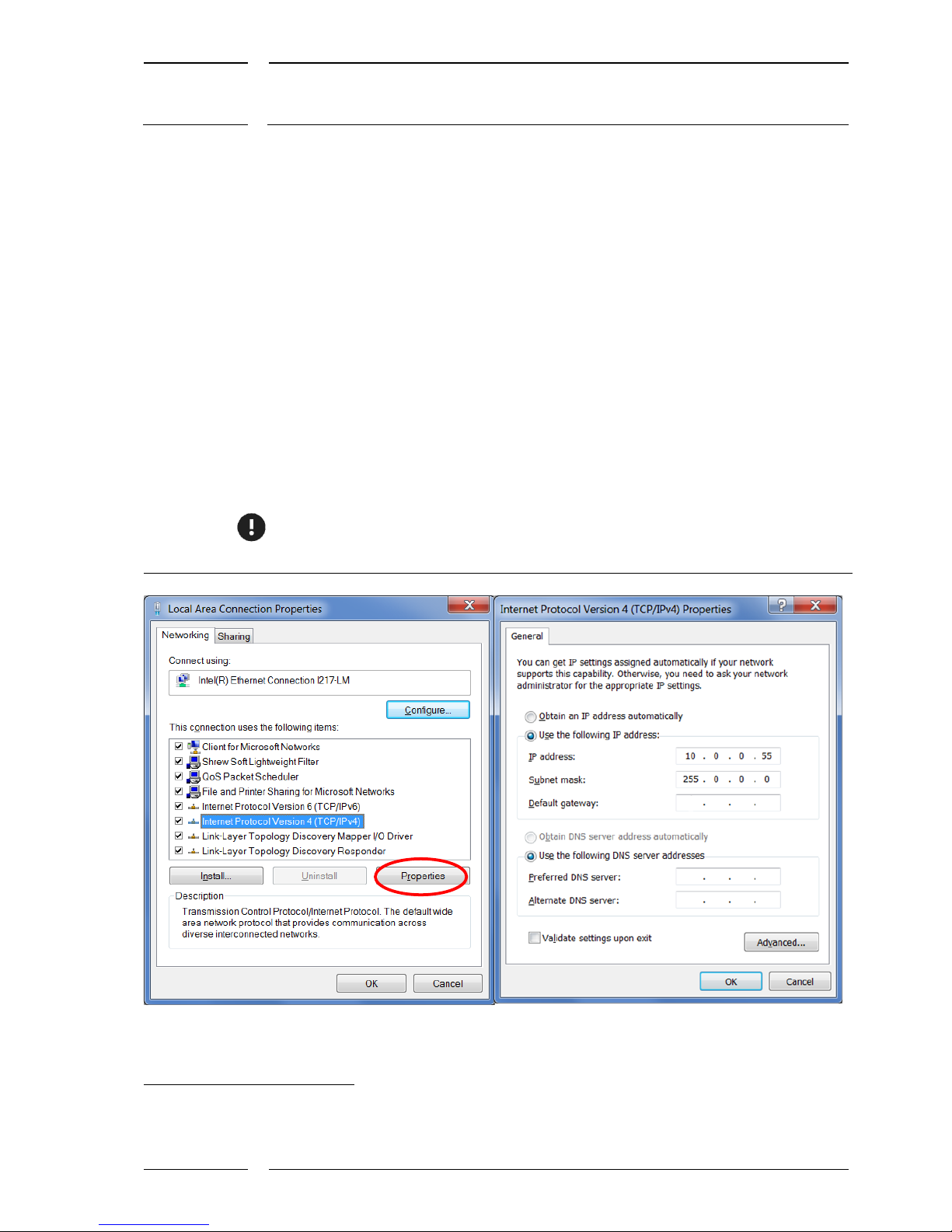
Figure 1: Select Internet protocol type 4(TCP/IPv4), right: Enter IP address ........................7
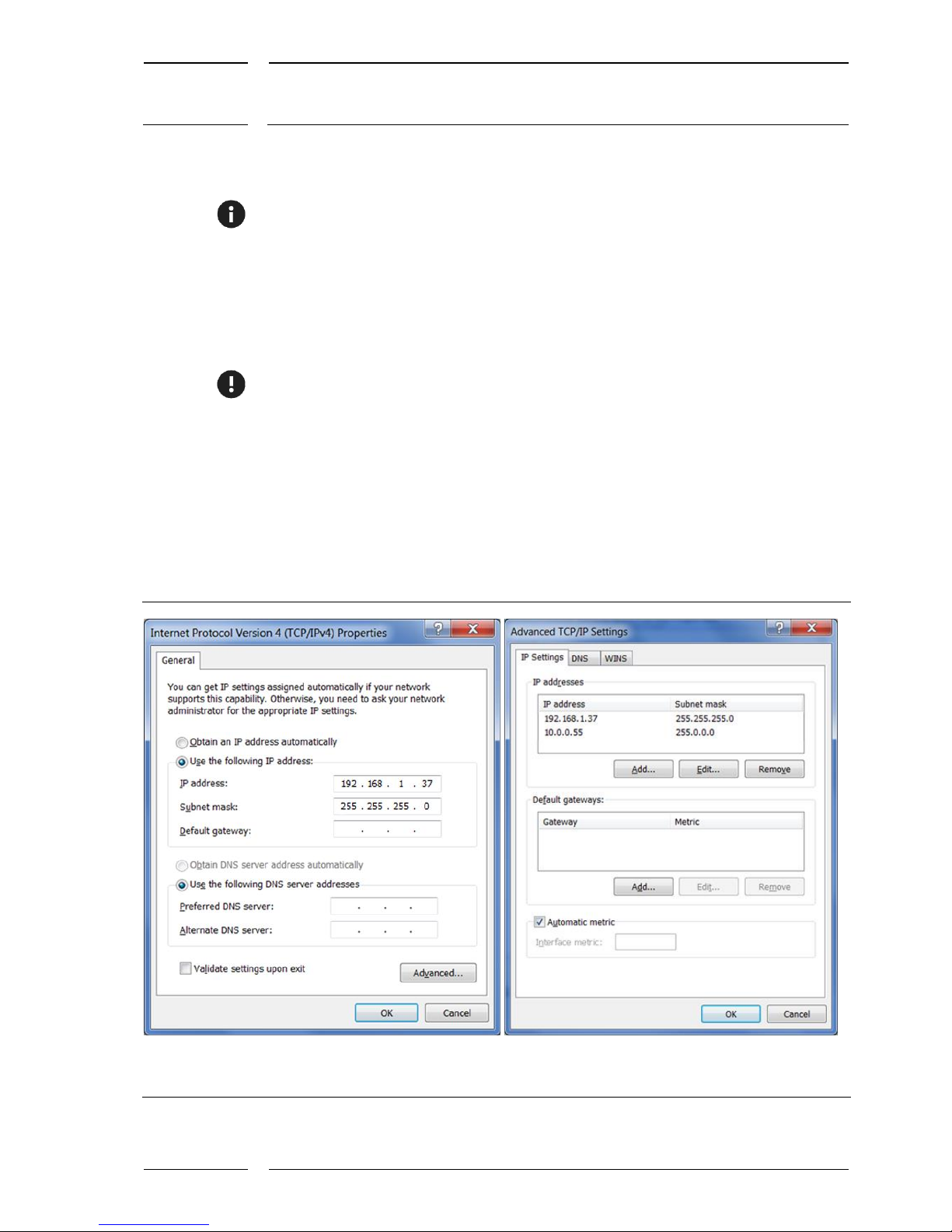
Figure 2: How to enter the extended PCP/IP settings................................................................8
Figure 3: Entering the IP address for IRMA MATRIX as a second entry..................................9
Figure 4: PC connection with sCON-S-CAN-ETH-23-Kq-x-y standard................................. 11
Figure 5: PC connection with sCON-S-ETH-22-Kq-x-y............................................................. 12
Figure 7: Entry in the "Properties" window of a service software tool ............................... 13