Page 7
www.ironlogic.me
HEuroLock Tnet,dd=0,72,85,92E
Programming using a master card
1. Adding standard cards 1 l M 1...5 - the number of contacts
l - long contact
( hold the card for
approximately 6 seconds)
s - short contact
(hold the card for less than 1
second)
M - master card
S - standard card
B - blocking card
2. Adding blocking cards 1 l M
3. Adding master cards 1 s M, 1 l M
4. Erasing individual cards 2 s M, 1 l M
5 Erasing all cards (lock controller memory) 3 s M, 1 l M
6. Setting the door opening time 4 s M
7. Transfer to the Blocking mode 1 l B
8. Transfer to the Accept mode 5 s M
9 Transfer to the Free access mode handle down, 1 l B
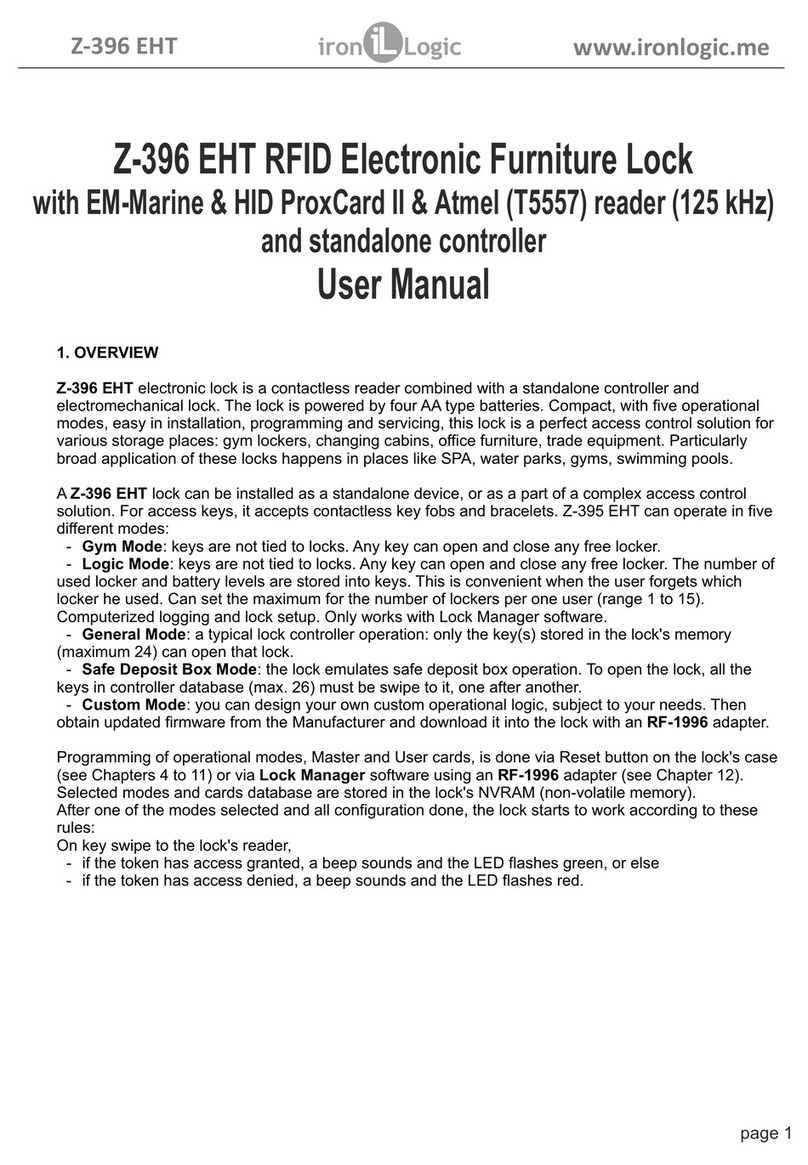
7 1. Adding standard cards (1 l M)
Touch the reader with the master card and hold it (long contact) At the moment of contact, the reader will give a short sound signal confirming the master card rec-
ognition, and after 6 seconds it will give a second signal indicating that the reader is now in the mode for adding standard cards. After that, remove the master card.
In order to add new cards, touch them to the reader one by one, with a less than 16 second interval between the contacts. The reader will give a short confirmation
signal at each contact with a new card. If the card is already in the memory, there will be two short signals. Exiting the mode is either automatic, 16 seconds after the
last contact, or when touched with the master card. The reader will notify you of exiting the mode with a series of 5 short signals.
7.2. Adding blocking cards (1 l M)
In the mode for adding standard cards, touch the reader with the selected card and hold for approximately 3 seconds, until a long signal sound (that is, first a short
signal will be given, and then a long signal indicating that a blocking card was added). If no more cards are added, a series of short signals indicating the exit from
the programming mode will be given.
A blocking card opens the lock when the card is removed from the reader.
7.3. Adding master cards (1 s M, 1 l M)
Briefly touch the reader with a master card (short contact). At the moment of contact, the controller will give a short signal confirming the master card recognition;
within 6 seconds, touch the reader with the master card and hold (long contact). At the moment of contact, the reader will give two short signals indicating the second
contact with the master card in the programming mode, and after 6 seconds there will be a single signal indicating that the lock has transitioned to the master card
assignment mode. After that, remove the master card. In order to add new master cards, place them to the reader one by one, with an interval between the contacts
no longer than 16 seconds. The reader will give a short confirmation signal at each contact with a new card. If the card is already entered into the memory as a master
card, no signal will be given. The exit from the master card assignment mode takes place automatically 16 seconds after the last contact. The controller will notify you
of exiting the mode with a series of 5 short signals.
7.4. Erasing standard cards using the master card (2 s M, 1 l M)
Briefly touch the reader with a master card twice (short contacts). At the moment of the first contact, the reader will give a short signal confirming the master card
recognition. At the moment of the second contact, the reader will give two short signals indicating the second touch with the master card in the programming mode;
within no more than 6 seconds place the master key to the reader and hold (long contact). At the moment of the third contact, the reader will give three short sound
signals, and after 6 seconds a single signal indicating that the reader is now in the standard card erasure mode. After that, remove the master card. In order to erase
cards, place them to the reader one by one, with an interval between the contacts no longer than 16 seconds. The reader will give a short confirmation signal at each
contact with a card being erased. If the card has not been recorded in the memory, there will be two short signals. Exiting the mode is either automatic, 16 seconds
after the last contact, or when touched with the master card. The reader will notify you of exiting the mode by a series of 5 short signals.
7.5. Erasing reader memory (3 s M, 1 l M)
Briefly touch the reader with a master card three times (short contacts). At the moment of the first contact, the reader will give a short signal confirming the master
card recognition. At the moment of the second contact, the reader will give two short signals indicating the second touch with the master card in the programming
mode. At the moment of the third contact, the reader will give three short signals indicating the third touch with the master card in the programming mode; within no
more than 6 seconds place the master key to the reader and hold (long contact). At the moment of the fourth contact, the reader will give four short signals, and after
6 seconds a series of short signals indicating that the reader memory is erased and the reader has exited from the programming mode. After that, remove the master
card. Transition to the programming mode will take place automatically after powering up.
* - At the moment when the entire base is erased using a master card, the programmed opening time is not erased.
7.6. Programming the opening time (4 s M)
Briefly bring the master card to the reader four times. At the moment of each touch, the controller will give signals confirming the master card recognition, and their
number will correspond to the number of contacts. At the moment of the fourth contact, the controller will give four signals correspondingly, and transfer to the opening
time programming mode. Within 6 seconds from the last contact, turn the interior lock handle downward for a period of time you wish to program as the opening time.
A green LED will blink at the moment when the opening time is programmed. After the handle is released, the controller will emit a signal and record the time into
memory.
7.7. The Blocking mode (1 l B)
In the Blocking mode, entry is allowed using blocking cards, and blocked for standard cards. The Blocking mode is set using a blocking card (Adding blocking cards,
see c. 6.2).
In order to transit to the blocking mode, hold the blocking card to the reader for approximately 3 seconds, until a long continuous signal sounds, which indicates
activation of the blocking mode. All standard cards are blocked in this mode. When using a standard card, the lock does not open and gives a series of short signals.
The exit from the blocking mode to the standard mode is performed as follows:
A) similarly to transition to the blocking mode using a blocking card (hold until a series of short signals)
B) brief touch with a master card (a series of short signals)
* In the event of power loss, a previously set Blocking mode is maintained even after power is restored.
7.8. The Accept mode (5 s M)
The Accept mode is used to record all the cards brought into contact.
In this mode, a card brought to the reader triggers opening the door and, simultaneously, it is recorded into the reader memory. The mode is used to recover user
database without collecting customers’ cards.
In order to activate this mode, a master card is necessary. Briefly bring the master card to the reader five times. At the moment of each touch, the reader will give
signals confirming the master card recognition, and their number will correspond to the number of contacts. At the moment of the fifth contact, the reader will give five
signals correspondingly, and another long signal confirming a transition to the Accept mode. In order to exit this mode, bring the master card to the reader; the exit
from the mode is indicated by a series of short signals.
* In the event of power loss, a previously set Accept mode is maintained even after power is restored.