User‘s Guide
EN
GDP-04.i.ENG.MAN.User_Manual.16.A
INDEX
Getting Started – first using
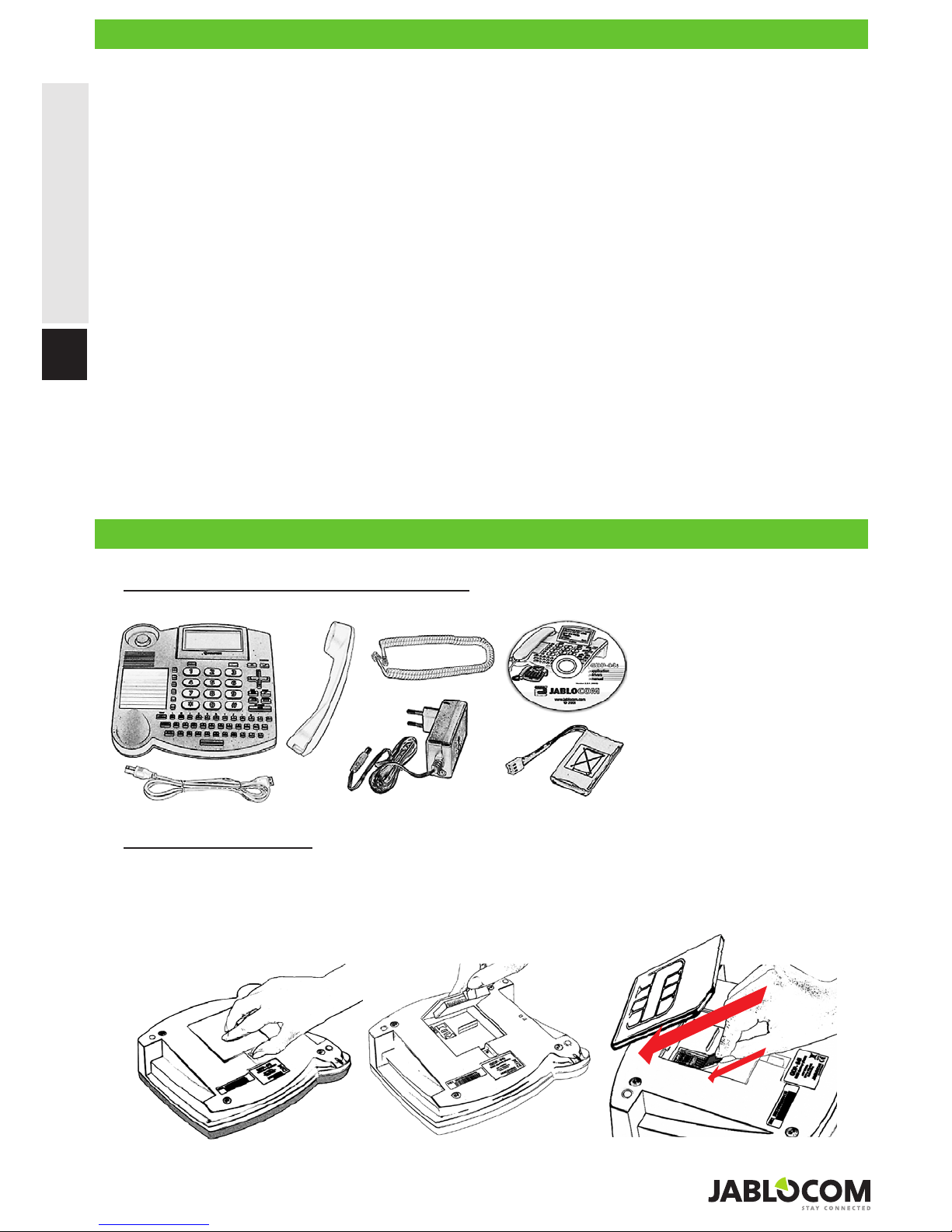
Check the contents of the package
Insert the SIM card
Open the battery cover at the bottom of the phone, open the SIM holder by sliding it out along the arrow marked
“OPEN”. Insert the SIM card into the SIM holder with the golden contact area facing upwards and the cut corner up on
the left. Close the SIM holder and secure it by sliding it back until you feel a click.
If you want to remove the SIM card, open the SIM holder in the same way and take out your SIM card.
SIM card detail
Check the contents of the package .......................2
Insert the SIM card ................................................ 2
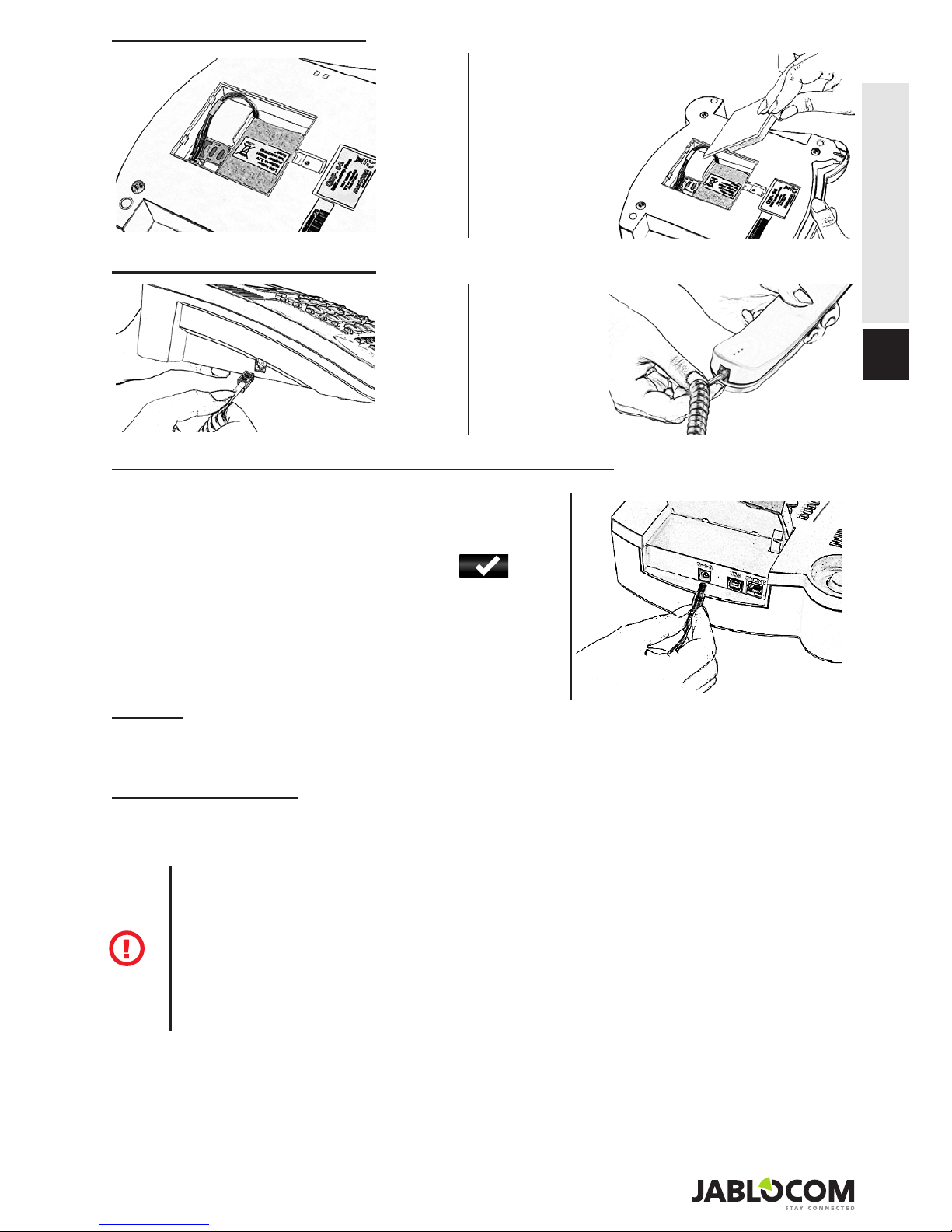
Install the backup battery ......................................3
Connect the receiver cord ....................................3
Connect the power adaptor
– switch the phone ON......................................3
Charge the battery .................................................3
Making a call ..........................................................5
Adding a new contact into the phonebook ............5
Dialing a number from the phonebook .................. 5
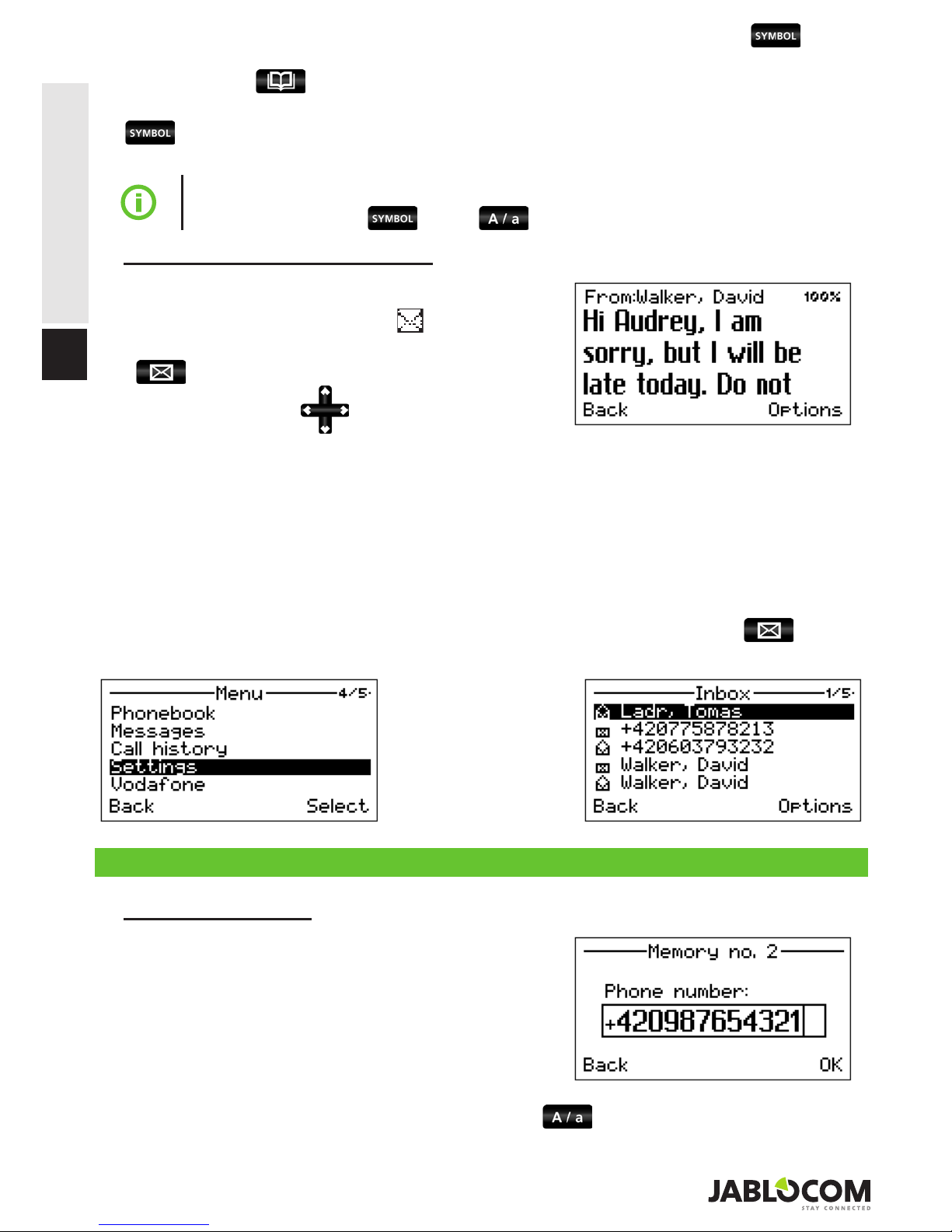
Sending a text message ........................................5
Opening an incoming message ............................ 6
Speed dial buttons ................................................. 6
Options................................................................... 7
Call Waiting ............................................................7
Conference Call ..................................................... 7
Call Transfer ..........................................................8
Call Register ..........................................................8
Mute .......................................................................8
Headset Mode ....................................................... 8
Phone settings .......................................................9
Call settings ...........................................................9
Message settings ................................................10
Sound settings ....................................................10
Security ................................................................10
Service .................................................................10
JabloTool call management software.................. 11
Connection with PC via USB ............................... 11
Connecting PC ....................................................12
Firmware update .................................................. 12
PC-fax .................................................................. 13
Connecting an analog phone
(GDP-04Ai only) .............................................. 13