TROUBLESHOOTING Problem: Possible Cause: Solution:
Charmander is not functioning • Loose battery connection
• Switch is not in the ON position
• Batteries have been exhausted
• Check battery connection
• Set switch to ON
• Replace batteries
2 MODES OF PLAY
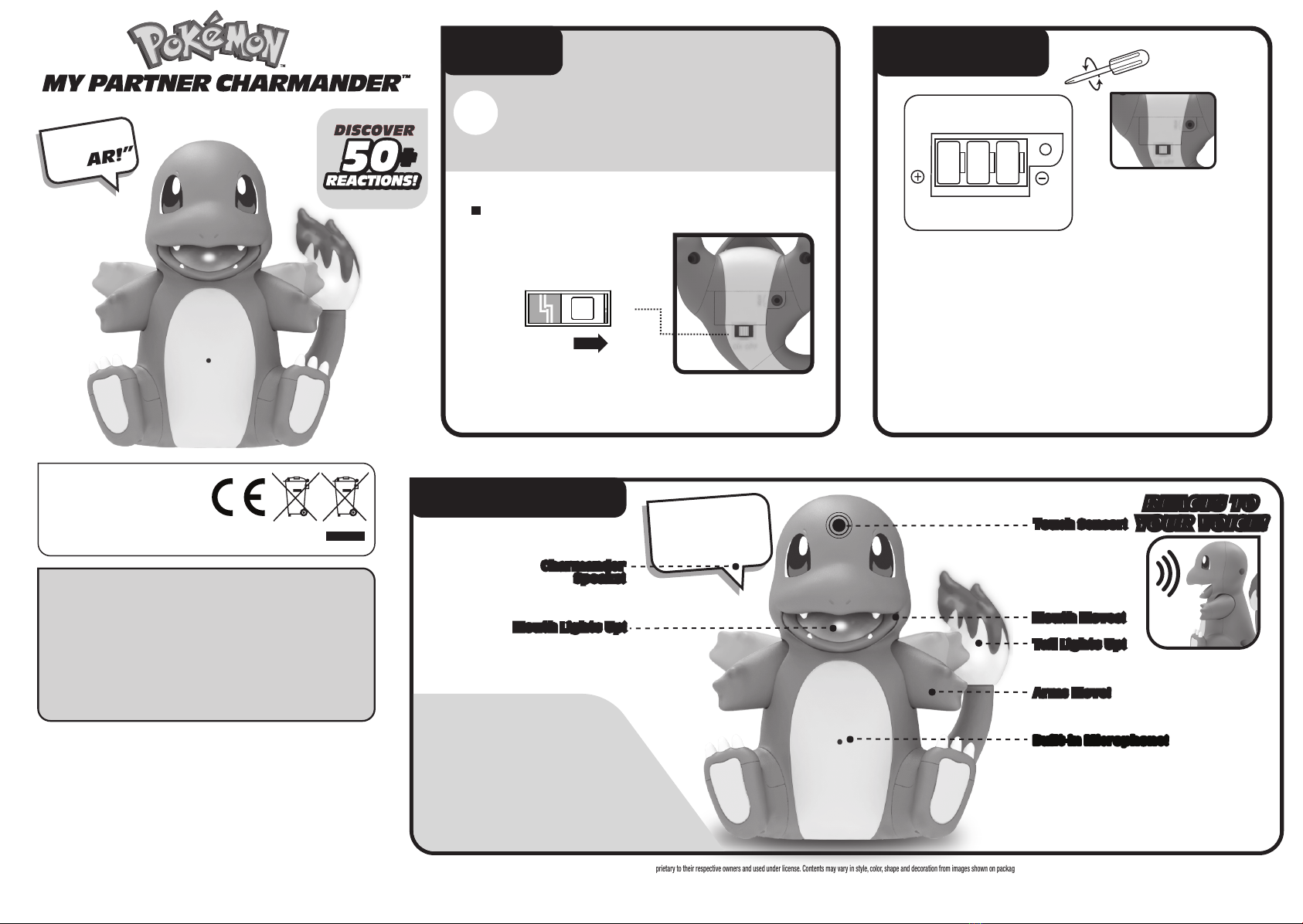
1Make sure Charmander is turned ON.
Make sure Charmander is turned ON.
2Press the head touch sensor in touch or
petting movements.
Place Charmander near any source of music
where the sound can be picked up by the
microphone located in Charmander’s chest.
After 15 seconds, Charmander will react with
dancing sounds, motion, and lights!
Hold your nger to Charmander’s head touch
sensor for too long and Charmander may
become dazed after attacking!
3Watch Charmander react with
sounds, light, and motion!
4Discover tons of different reactions in
every combination!
Touch Charmander’s head touch sensor
Charmander will respond with one of many
different Happy responses.
Touch Charmander’s head touch sensor
too many times in a row,
and Charmander may
become annoyed!
Make sure Charmander is turned ON.
1Make sure Charmander is turned ON.
1
Press and hold a nger on Charmander’s head
touch sensor for at least 3 seconds and
Charmander will respond with a sound.
2
Charmander will signal that it is ready when it
plays a charging sound and its tail light
ickers slowly.
3
Lift the nger from Charmander’s head touch
sensor at any point after the rst charging
sound to release an attack!
4
The longer the nger is held on Charmander’s
head touch sensor, the more powerful the
attack is when the nger is lifted.
5
6
1
2
3
Speak to Charmander for as long as you’d like
into the microphone located in
Charmander’s chest.
2
Watch Charmander react with
sounds and motion!
3
Sometimes when Charmander reacts,
its tail light glows brighter for a
few seconds!
4
Speak into Charmander’s microphone for less
than 4 seconds and Charmander will respond
with one of many different short responses
and its tail light will icker slowly.
Speak into Charmander’s microphone for
longer than 4 seconds and
Charmander will respond
with one of many different
long responses with
arm movements.
Discover tons of different reactions that
change depending on how long you talk
to Charmander!
5
1
2
1
Pet (Held touch) Charmander’s head touch
sensor Charmander will respond with one of
many different Sleepy responses.
2
3
TOUCH PLAY
EXAMPLES
PLAY WITH CHARMANDER
THROUGH SOUND!
TRAIN WITH
CHARMANDER!
DANCE WITH
CHARMANDER!
SPEAKING PLAY
EXAMPLES
PLAY WITH CHARMANDER
THROUGH TOUCH!
SLEEP MODE If Charmander is not interacted with for 45 seconds, Charmander will go into sleep mode. To wake up Charmander, touch any sensor or turn
Charmander OFF then ON.
HOW TO CLEAN YOUR MY PARTNER CHARMANDER™
• To Clean, wipe with a dry cloth.
• Do not submerge in water.
• Do not use chemical or abrasive cleaners.
Used with permission. Manufactured and Distributed by:
Jazwares, LLC, Sunrise, FL 33326, USA
Jazwares, 16A Crane Grove, London, N7 8LE, United Kingdom
Jazwares GmbH, Mina-Rees-Str. 8, 64295 Darmstadt, Germany
www.jazwares.com/www.jazwares.de
WARNING! Not suitable for children under 36 months. Small parts. Choking Hazard.
WARNING! All of the packaging, such as tape, plastic sheets, wire ties, stickers and tags is not part of this product, please discard for your child’s safety.
Retain package for future reference as it contains important information. Conforms to toy safety standards CPSIA, ASTM-F963 and EN71.
Product appearance and colors may vary from shown. Made in China .