8
USB connectors
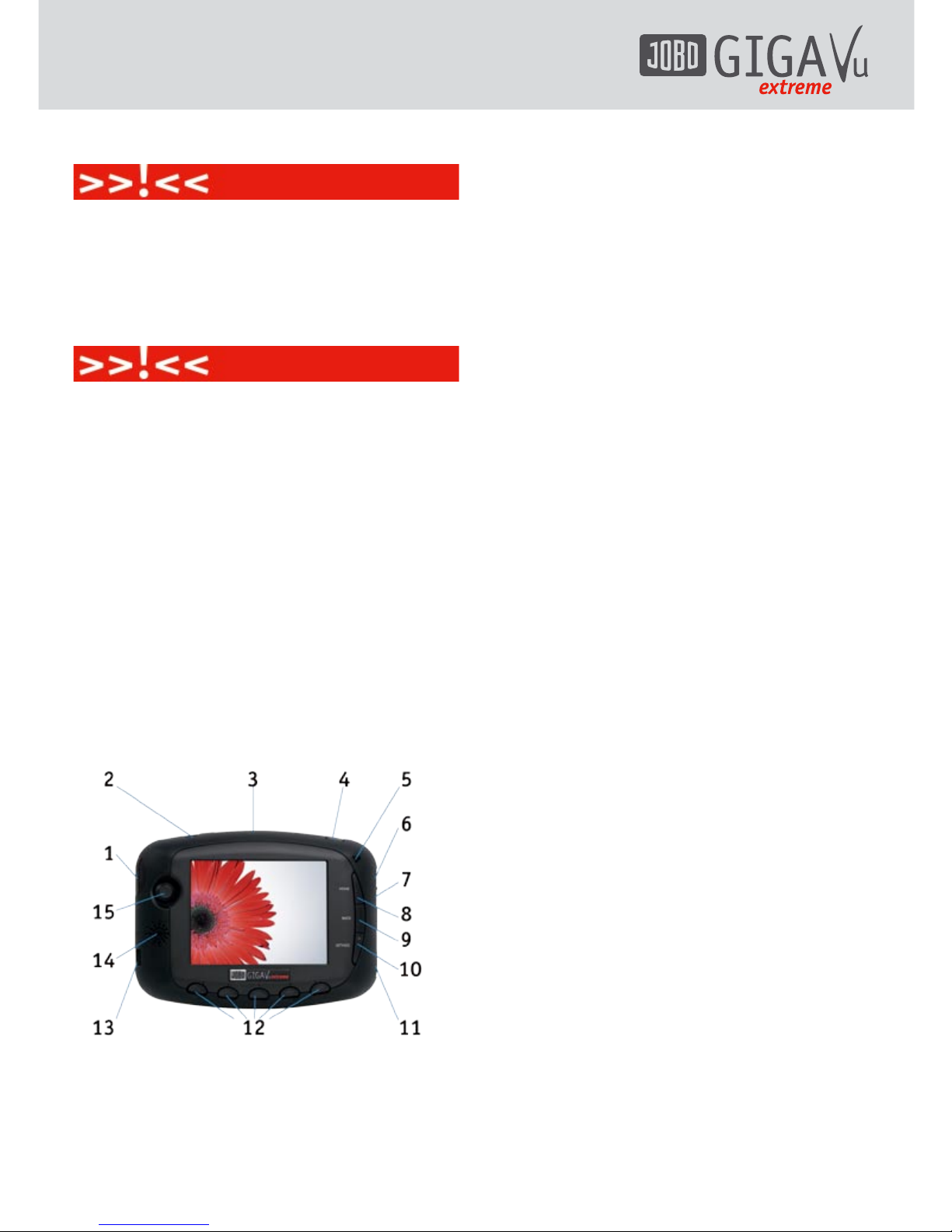
The GVX features two USB connectors.
The upper USB connector is a high speed USB
2 mass storage interface. Use this one for
fast communication between the GVX and a
computer. Copying is done from PC to GVX‘s
hard disk directly without involvement of the
GVX‘s main microprocessor. Transfer speed can
reach 20 MBytes/s in this way, provided the
PC‘s interface is as fast.
For best operation, connect the GVX directly
to your computer and do not route it through
a hub. Using a hub may sometimes lead to
operational conflict and data loss.
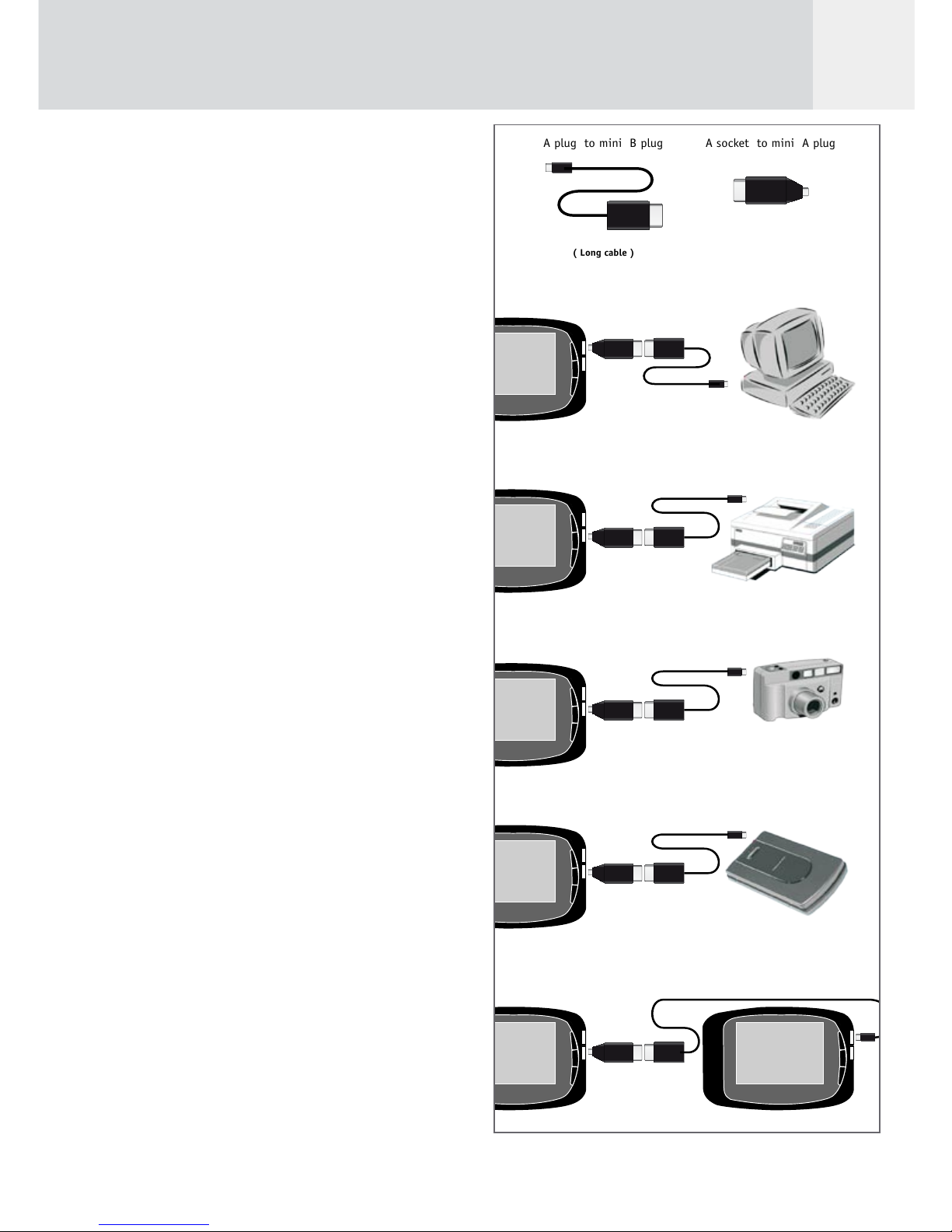
The lower USB connector is a USB 2 OTG (On
The Go) interface. This interface is handled by
the main processor. This port is used for
- connecting the GVX directly to a camera. In
this way you can download pictures from
the camera to the GVX without having to
remove the memory card from the camera.
The camera‘s USB interface must be set to
“Mass Storage Device” and NOT to “PTP”
(Picture Transfer Protocol).
- connecting GVX to external USB hard disk.
Use this to backup all files stored in your
GVX. In this case the GVX is the “Master”
and the external USB hard disk is a “mass
storage device”. If you want to make a
backup from one GVX to a second unit you
must connect the cable between the first
GVX lower USB port (Master) to the second
GVX upper USB port (mass storage device).
Socket “Analogue audio/video out”
This socket can be either used to connect the
GVX to a TV set or to use the earphones.
Use the supplied audio/video cable to connect
the GVX to a TV set. This is convenient for
watching slide shows and movies. See chapter
5.3, “Screen & Video Settings” for selecting
either the NTSC (mainly North America) or the
PAL (e.g. most European countries) TV standard.
Use the supplied headphones to listen to music
via the GVX.
Socket “Digital video out”
The digital video output has a fixed resolution
of 640 x 480 pixels (VGA, 60 Hz), i.e. the
connected device has to support this setting.
Infra-red interface
The infra-red receiver gets signals from the
remote control. This will be used for music
playback, video playback and photo slide shows.
The remote control has 7 buttons in total with
the following functions:
- Play
- Pause
- Stop
- Next
- Previous
- Volume Up
- Volume Down