1
7
6
89 10
2 3 4 5
Super Slim Portable
Stereo Speaker
MANUAL
www.ItsJumbl.com
JUMBL is a trademark of C&A IP Holdings, LLC
©2013 All Rights Reserved
MADE IN CHINA
A. Introduction
Thank you for purchasing our Super Slim Portable Stereo
Speaker, and welcome to the Jumbl™ family. This user manual
is meant to offer you a brief walkthrough of the device’s features
and usage protocols. We hope you nd this manual helpful. For
additional information and technical support, please feel
encouraged to contact our help team at 1-866-849-3049.
E. Operation
E.1. Basics
1 To listen to music/radio using headphones, insert a 3.5mm
headphone cable into the designated jack. When headphones
are in use, built-in loudspeaker will be muted for
discrete listening.
2 To charge the included lithium ion battery, connect a
standard mini USB cable to designated port. Plug other end
into computer USB port, or connect to AC adapter and plug
into wall outlet.
E.2. FM Radio
- Switch power toggle to On position
- By default, Clock will turn on upon device startup
- Press Setup button to access Menu
- Scroll through Menu list using Back/Vol- and Forward/
Vol+ buttons
- Press Setup button to select FM Radio
Auto Search starts the FM Tuner scan
Save Channel stores your current radio station for future recall
FM Record digitally records the current station
- Ensure SD card has enough available memory. To nish
recording and save le, long-press Setup button. Recordings
are stored on microSD card under “Voice” folder.
Delete Channel erases current saved channel preset
Delete All clears your entire list of saved channels
E.3. Music Player
- Switch power toggle to On position
- Press Mode button to change from Clock to Music Player
- Press Setup button to access Menu
- Scroll through Menu list using Back/Vol- and Forward/
Vol+ buttons
- Press Setup button to select your microSD card
- Scroll through song list using Back/Vol- and Forward/
Vol+ buttons
- Press Setup to select song, then press Play/Pause to
begin playback
Repeat Mode allows you to quickly record a particular piece of
music and set it to continuous repeat playback.
- Press Setup button and choose “Repeat Mode”. The letter
“A” will blink on the built-in display. To begin recording current
playback, press Forward/Vol+ button. The letter “B” will then
blink on the built-in display. To nish recording, press
Forward/Vol+ button again. Your recorded piece (the portion
between “A” and “B”) will then play repeatedly. To exit this
mode, press Setup button.
Delete Files erases music les.
- Scroll through song list using Back/Vol- and Forward/Vol+
buttons. Select item by pressing Setup button. Press Setup
button again to conrm delete.
E.4. System Settings
- Switch power toggle to On position
- Press Setup button to access Menu
- Scroll through Menu list using Back/Vol- and Forward/
Vol+ buttons
- Select System Settings by pressing Setup button
System Time adjusts the device’s time and date information.
Backlight controls the amount of time, in seconds, until
backlight auto-shuts.
Language toggles system display language between English
and Chinese.
Tool gives you control over auto-off battery saving feature;
Alarm Clock settings; complete FM Radio settings; and contrast
levels of built-in display screen.
D. Parts & Controls
B. Features
- Alarm Clock w/Calendar
- FM Radio
- MicroSD Card Slot
- Radio Recording to Card
- 2 RMS Watt Speaker
- Built-In Display
- 3.5mm Headphone Jack
- Mini USB Port
- Rechargeable 600mAh Lithium Ion Battery (Included)
- Wrist/Hanging Strap
C. Box Contents
1 x Portable Stereo Speaker
1 x USB-to-Mini USB Cable
1 x Wrist Strap
1 x User Manual
F. Technical Specications
Dimensions: 5.5” x 2.5” x 1.0”
Weight: 4.6 Ounces
Audio Format: Mp3, WMA, WAV
Lyric Display: LRC Format
Display Size: 0.96”
Card Reader: MicroSD, 32GB Max
Battery-Saving: Auto-Off Features
Radio Tuner Range: 87.5-108MHz
Channel Save: 40 Presets
Power Requirements: 600mAh Lithium Ion Battery (Included)
Speaker Cone: 40mm Diameter
Output Power: 2 RMS Watts
Signal-to-Noise Ratio: <80db
Frequency Range: 150Hz-20Hz
G. Troubleshooting
Blank Display:
- Ensure power toggle is set to On position
- Check for adequate battery charge level
- Press any button on top of device
No Sound:
- Ensure power toggle is set to On position
- Check for adequate battery charge level
- Increase volume level by pressing Forward/Volume+ button
- If connected, unplug headphones from device
- Press Play/Pause button
White Noise or Feedback:
- Look for interference e.g. brick walls, nearby mobile devices
- Try another radio channel
- Check integrity of music les on card
H. FCC Statement
This device complies with Part 15 of the FCC Rules. Operation
is subject to the following two conditions:
1. This device may not cause harmful interference
2. This device must accept any interference received,
including interference that may cause undesired operation.
Important: Changes or modication to this product are not
authorized and could void the FCC compliance as well as negate
your authority to operate this product.
Warning: Changes or modications to unit other than those
expressly approved by party responsible for compliance could
void user’s authority to operate this equipment.
Note: Clean device with dry, soft, lint-free cloth. Never use
chemical agents or abrasive cleaners on unit.
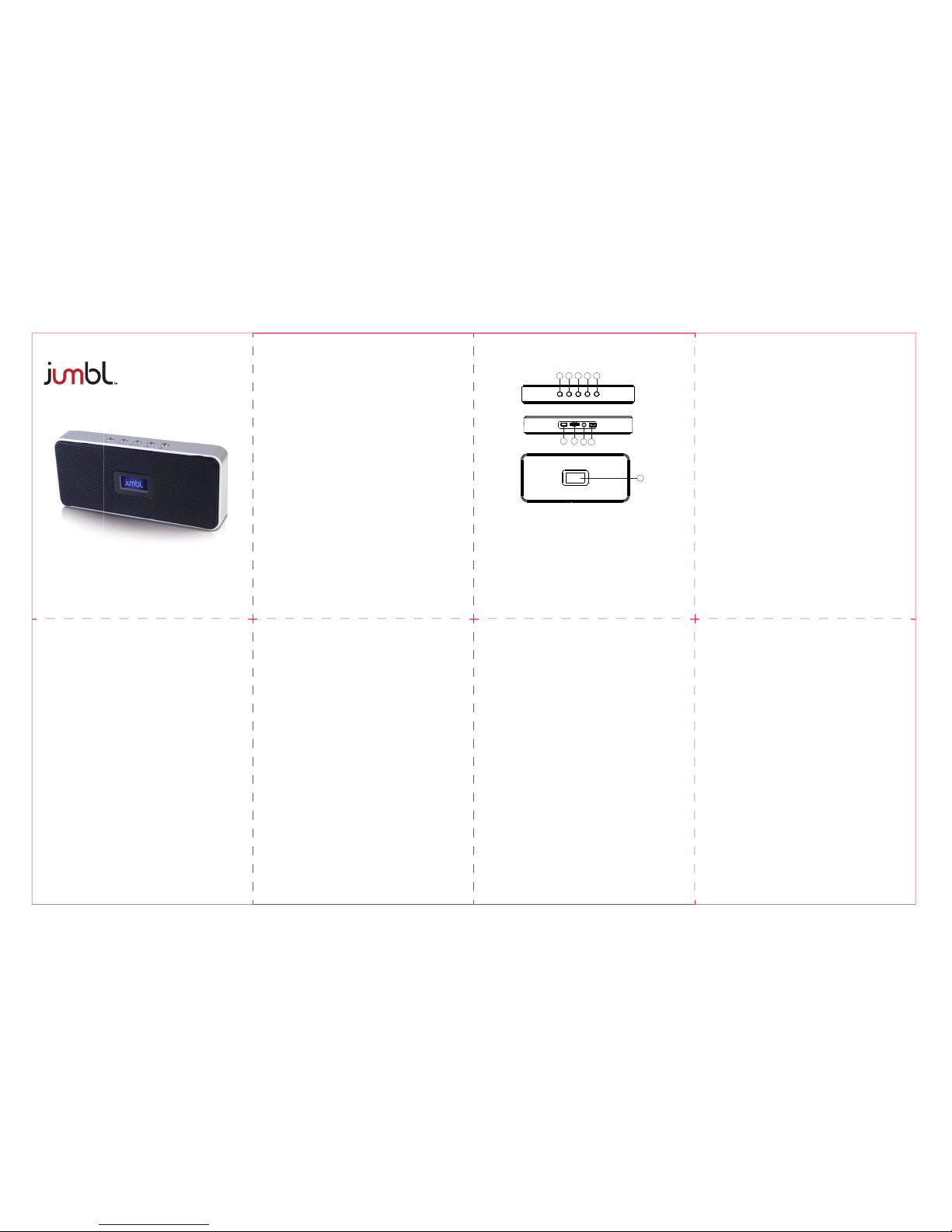
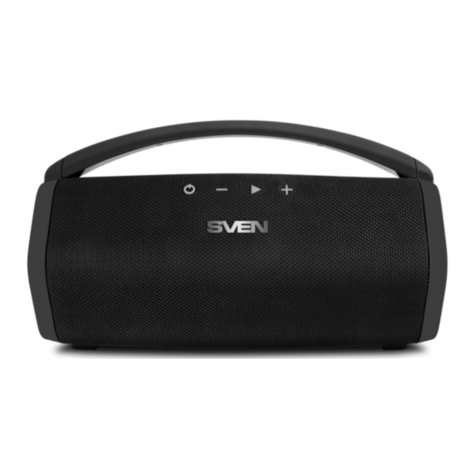
1. Play/Pause Button
2. Mode Button
3. Setup/Enter Button
4. Back (Short Press)/Volume- (Long Press)
5. Forward (Short Press/Volume+ (Long Press)
6. Built-In Display Screen
7. Mini USB Port
8. MicroSD Card Slot
9. 3.5mm Headphone Jack
10. Power On/Off Toggle
Distributed by C&A Marketing, Inc.
2 Bergen Turnpike, Ridgeeld Park
NJ 07660
1-866-849-3049