– 4 –
Continued
Display Window
See pages in the parentheses for details.
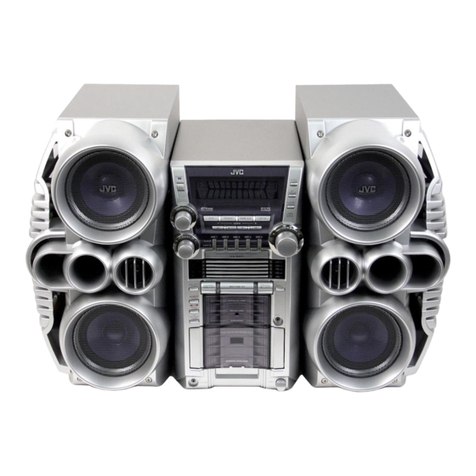
Front Panel
1Disc trays
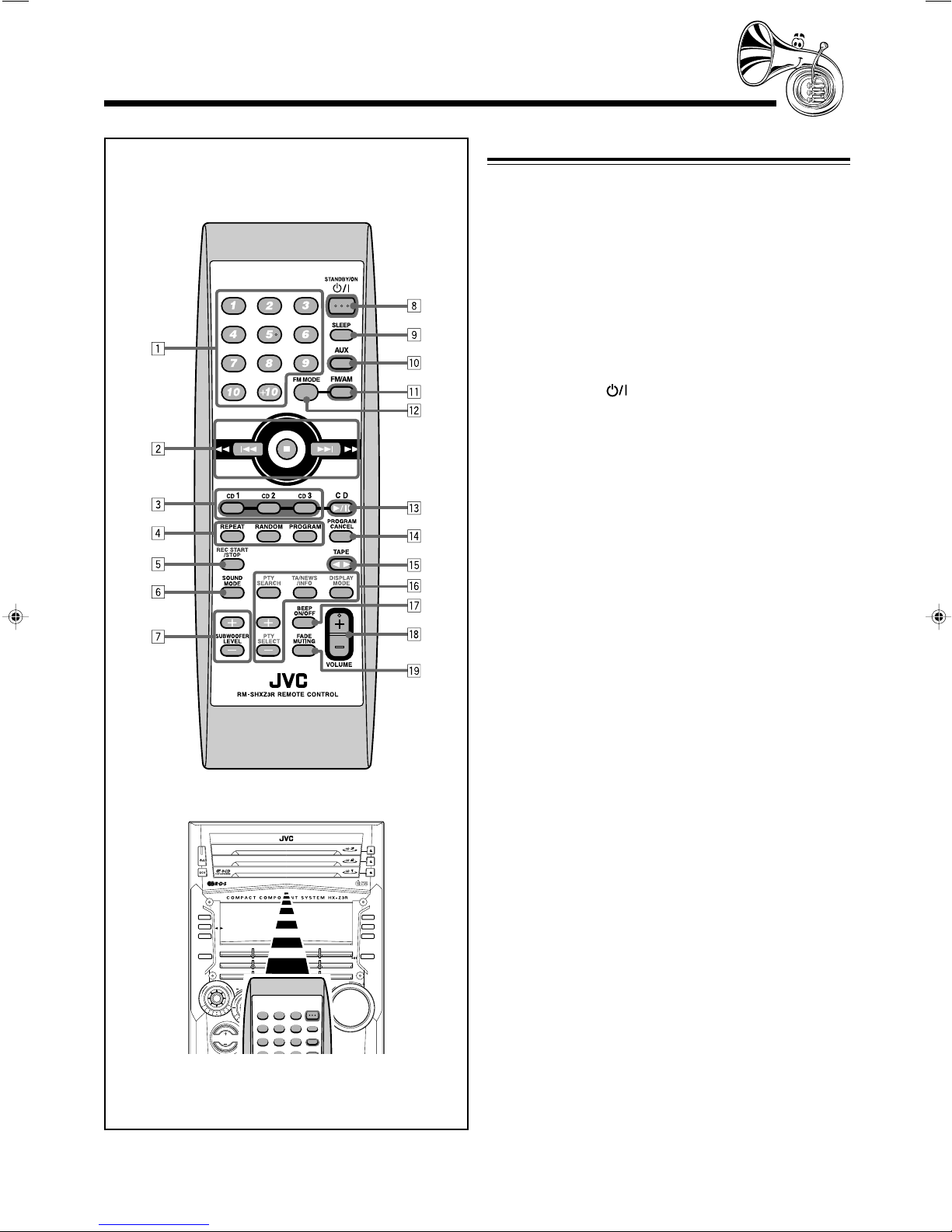
2(standby/on) button and lamp (9, 28, 29)
3ECO (Ecology) button (9)
4Remote sensor
5Display window
6FM/AM button (9, 13)
Pressing this button also turns on the unit.
7TAPE 23button (9, 23, 24)
Pressing this button also turns on the unit.
8AUX button (9)
Pressing this button also turns on the unit.
9CLOCK/TIMER button (10, 27 – 30)
pIndication-lamp panel
ÅSOUND MODE lamp (11)
ıSUBWOOFER lamp (11)
ÇREC (recording) lamp (24 – 26)
ÎSEA (Sound Effect Amplifier) mode lamps (11)
• ROCK, POP, and CLASSIC lamps
‰Surround mode lamps (11)
• DANCE, HALL, and STADIUM lamps
ÏCD ready lamps (16)
• CD1 READY, CD2 READY, and CD3 READY lamps
qSOUND MODE control (11)
wPRESET + / – control (13)
4/ ¢(reverse skip/forward skip) control
(10, 12, 19 – 21, 25 – 29)
eSUBWOOFER LEVEL + / – buttons (11)
rSetting buttons (8, 10, 12, 13, 20, 21, 26 – 30, 33)
• CANCEL/DEMO and SET/DISPLAY buttons
tREVERSE MODE button (23 – 26)
yCassette holder (23 – 26)
uPHONES ( ) jack (10)
i0(Disc tray open/close) (CD1, CD2, and CD3) buttons
(16, 18, 19, 22)
Pressing one of these buttons also turns on the unit.
oDisc number (CD1, CD2, and CD3) buttons
(18 – 21, 25, 26)
Pressing one of these buttons also turns on the unit.
;CD 3/8button (9, 19 – 21, 25)
Pressing this button also turns on the unit.
aVOLUME + / – control (10)
sTUNING + / – buttons (13)
1/ ¡(reverse search/forward search) buttons
(12, 19, 23)
7(stop) button (19 – 26, 29)
dDisc play mode buttons (20 – 22)
• REPEAT and CD PLAY MODE buttons
fRecording buttons (24 – 26, 29)
• REC START/STOP, CD REC START, and EDIT buttons
g0EJECT button for cassette deck (23 – 25)
Display Window
1Timer indicators
• DAILY (Daily Timer), SLEEP (Sleep Timer),
REC (Recording Timer), and (Timer) indicators
2TITLE indicator
3GROUP indicator
4TRACK indicator
5Main display
• Shows the source name, frequency, etc.
6RDS operation indicators
RDS, TA, NEWS, and INFO indicators
7PRGM (program) indicator
8Disc track number (1 – 16) indicators
9RANDOM indicator
pREPEAT (ALL/1/DISC) indicators
qMP3 indicator
wAudio level indicator
When one of the 6 preset sound modes is activated, these
will function as illumination display. For details, see
“Selecting the Sound Modes” on page 11.
eTuner operation indicators
• MONO and ST (stereo) indicators
rTape operation indicators
•23(tape direction) and (reverse mode) indicators
TITLE GROUP TRACK
RDS TA NEWS INFO
MP
3
EN01-08.CA-HXZ3R[B]f.p65 5/21/02, 2:10 PM4