6
ENGLISH
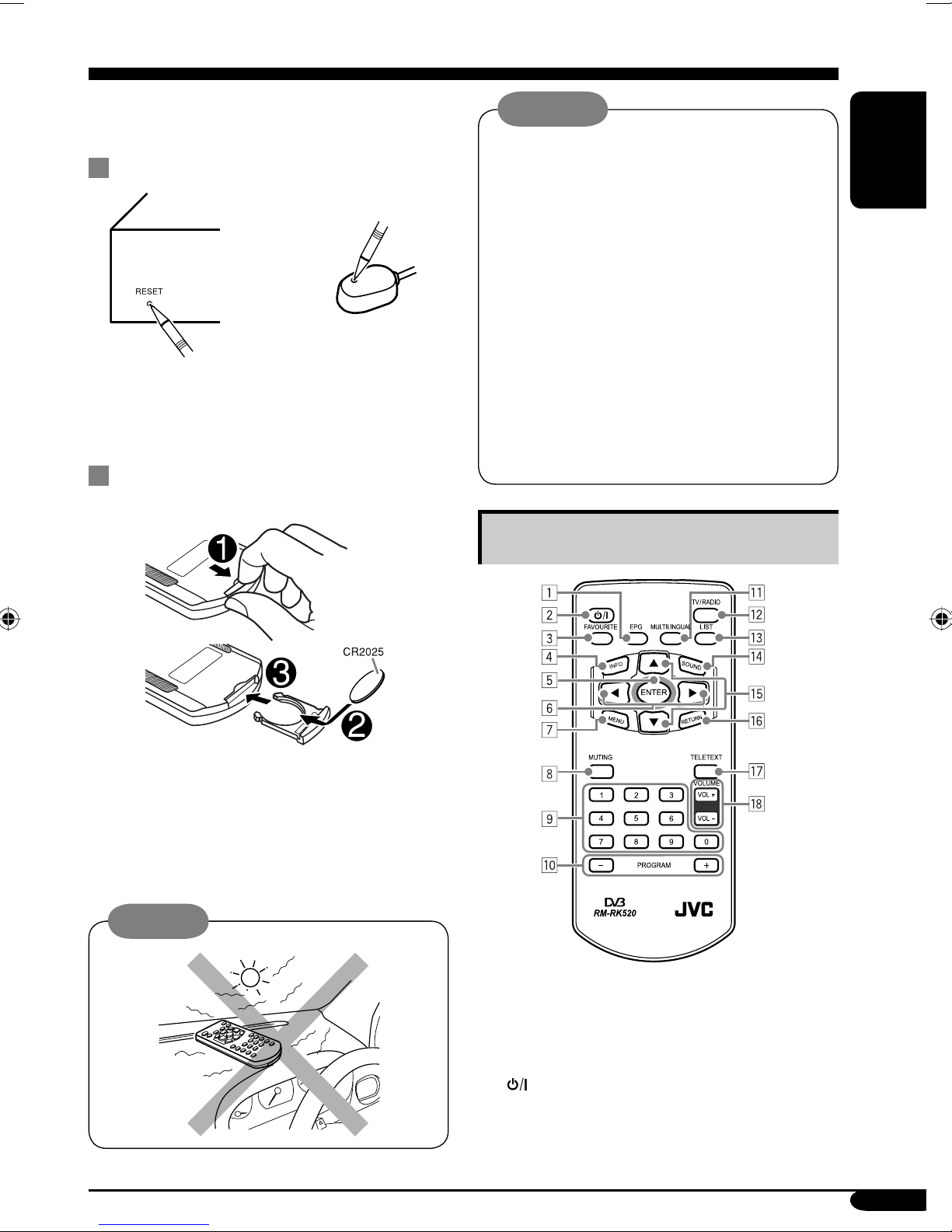
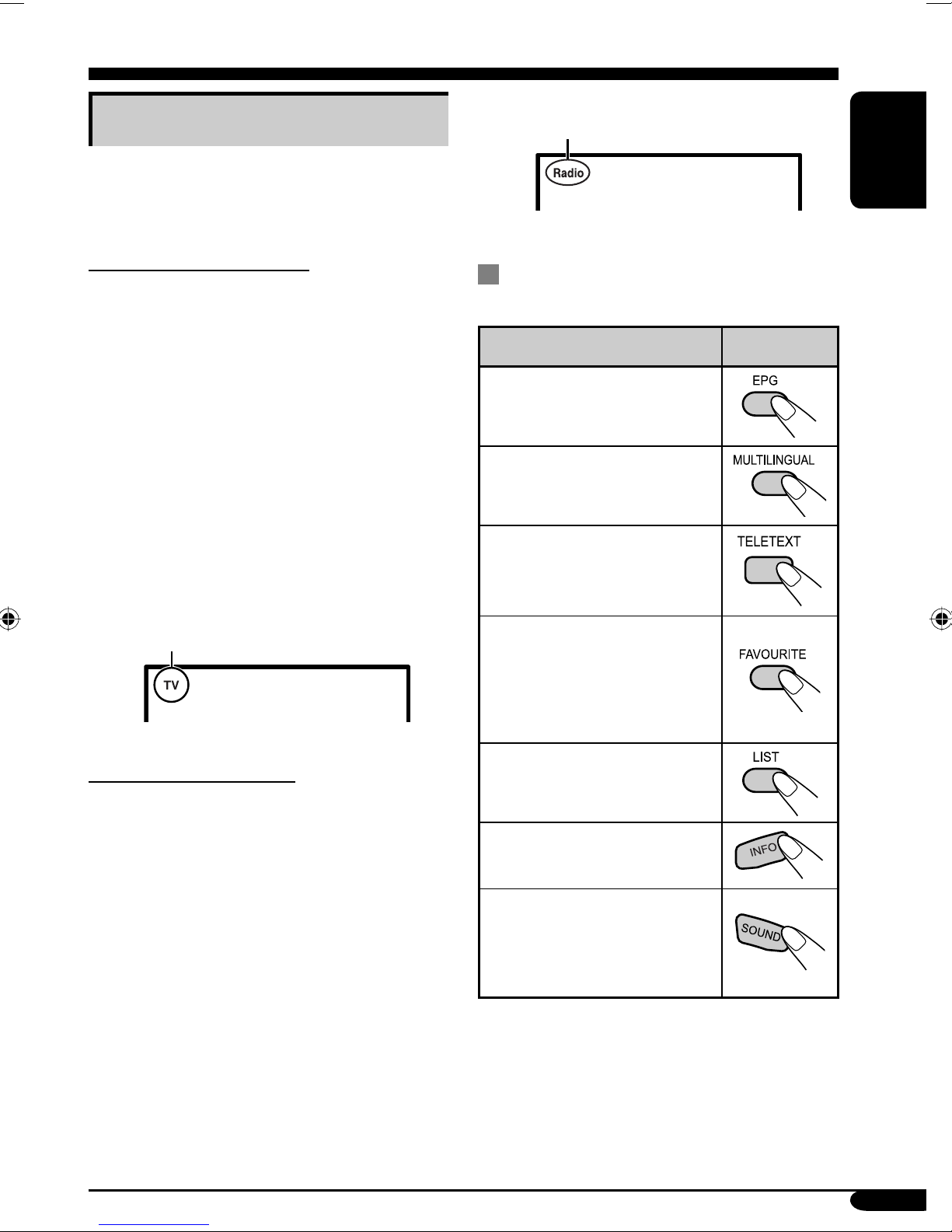
3FAVOURITE button*
• Shows the Favourite CH (CHannel) list
(see Category grouping on page 10). Press
5/∞to scroll to the desired channel, then
press ENTER.
• Resets to factory default setting if pressed
and held while in the Main Menu screen.
4INFO button
• Shows the present/following program
information, and clock.
5ENTER button
• While in setting mode, selects the
highlighted function.
• While in TV mode, displays the CH
(CHannel) List.
62(left) / 3(right) buttons
• While in setting mode:
3(right): Scroll to the right.
2(left): Scroll to the left.
• While in TV mode, adjusts the volume
level.
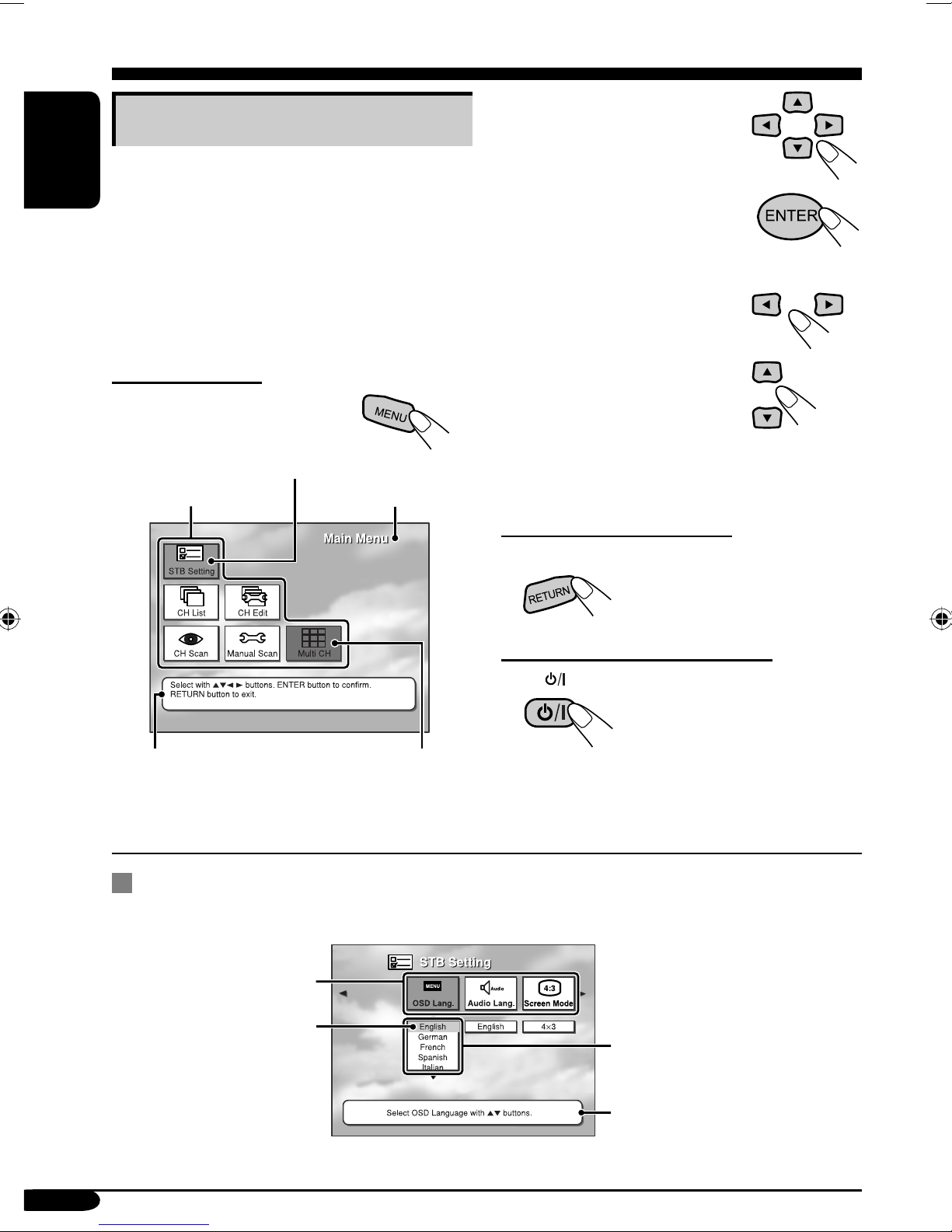
7MENU button
• Shows the main menu. Press 5/∞/2/3to
scroll to the desired submenu, then press
ENTER.
8MUTING button
• Mutes the sound.
9Number (0 – 9) buttons
• Use for numeric entries, eg. program
numbers, teletext page numbers, etc.
pPROGRAM +/– buttons
• While in TV mode, selects the TV
programs.
• While in radio mode, selects the radio
programs.
• While in teletext page, moves the teletext
page up and down.
qMULTILINGUAL button*
• Selects the broadcast language if the
selected program is broadcast in multi-
language. Press 2/3to scroll to the
desired option, then press ENTER.
wTV/RADIO button
• Changes between the TV mode and radio
mode. When radio mode is selected, only
radio channels can be tuned in.
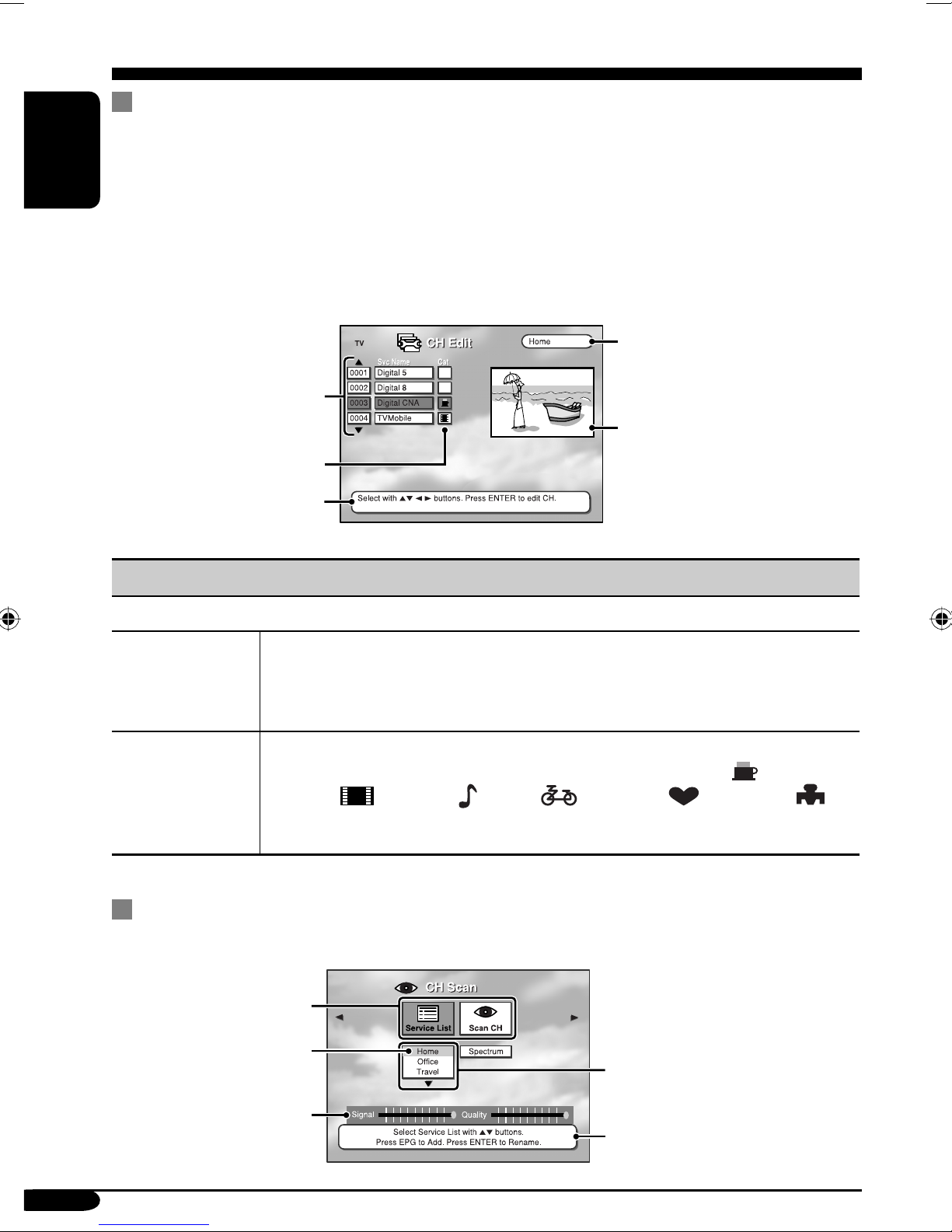
eLIST button*
• Selects the desired Service List (see page
11). Press 2/3to scroll to the desired
option, then press ENTER.
rSOUND button
• Select the appropriate sound system
(AUTO, STEREO, MONO, Right-Both,
Left-Both) for listening. Press SOUND
repeatedly or 2/3to scroll to the desired
option, then press ENTER.
t5(up) / ∞(down) buttons • While in setting mode, scrolls the
selection menu up and down.
• While in TV mode, selects the TV
programs.
• While in radio mode, selects the radio
programs.
• While in teletext page, moves the teletext
page up and down.
yRETURN button
• While in setting mode, returns to the
previous menu level.
uTELETEXT button
• Shows the teletext page if the TV station
sends teletext signals. Press the number
buttons to enter the desired teletext page.
iVOL +/– buttons
• Adjusts the volume level.
* Also functions as the color buttons (red,
green, yellow, and blue) to navigate within
the teletext page.
The availability of some functions depends
on:
• Services provided by the local
broadcasters.
• Compatibilities of the monitor/display
units used.
EN02-13_KV-DT2000[E]f.indd 6EN02-13_KV-DT2000[E]f.indd 6 9/27/05 5:50:42 PM9/27/05 5:50:42 PM