CONTENTS / ACCESSORIES / CAUTIONS...............2
EXTERNAL VIEW ........................................................3
ADJUSTMENT .............................................................4
PC BOARD ..................................................................9
SCHEMATIC DIAGRAM ............................................13
EXPLODED VIEW .....................................................19
SPECIFICATIONS..................................BACK COVER
Remote control unit (1)
(A70-1692-08)
AM loop antenna (1)
(T90-0908-08)
ANT TERMI CVR
(F07-2029-08)
Batteries (R6/AA) (2)
(–)
Plug in the AC power cord to the wall out-
let, and within 5 seconds, press and hold
down the button and press CD button.
The marking of products using lasers
The marking this product has been classified as Class 1. It
means that there is no danger of hazardous radiation out-
side the product.
Location: Bottom
CLASS 1 LASER PRODUCT
LASER KLASSE 1
APPAREIL A LASER DE CLASSE 1
LUOKAN 1 LASERLAITE
KLASS 1 LASERAPPARAT
Resetting the Microcomputer
The microcomputer may malfunction (unit can-
not be operated, or shows an erroneous dis-
play)if the power cord is unplugged while the
power is ON, or due to some other external
factor. If this happens, execute the following
procedure to reset the microcomputer and re-
turn the unit to its normal operating condition.
Please note that resetting the microcomputer
will clear the contents of the memory and
return the unit to the state it was in when it
left the factory.
RXD-M47MP
2
CONTENTS / ACCESSORIES / CAUTIONS
Accessories
Cautions
System configuration
SYSTEM RECEIVER SPEAKER
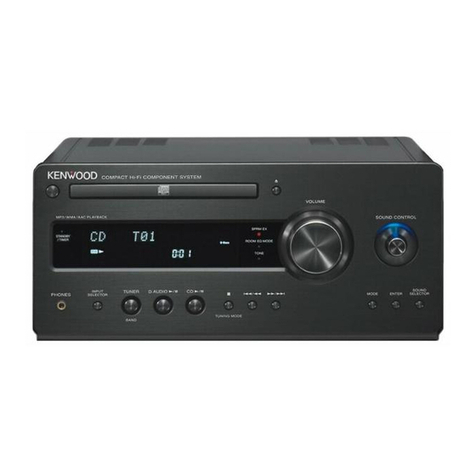
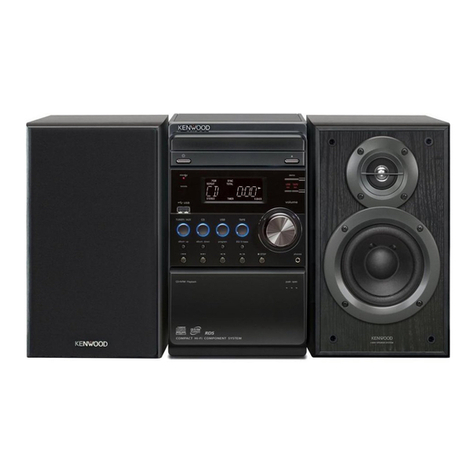
HM-437MP RXD-M47MP LS-M47
Contents
w
w
w
.
x
i
a
o
y
u
1
6
3
.
c
o
m
Q
Q
3
7
6
3
1
5
1
5
0
9
9
2
8
9
4
2
9
8
T
E
L
1
3
9
4
2
2
9
6
5
1
3
9
9
2
8
9
4
2
9
8
0
5
1
5
1
3
6
7
3
Q
Q
TEL 13942296513 QQ 376315150 892498299
TEL 13942296513 QQ 376315150 892498299