manuals.online logo
Brands
  1. Home
  2. •
  3. Brands
  4. •
  5. Kenwood
  6. •
  7. Tuner
  8. •
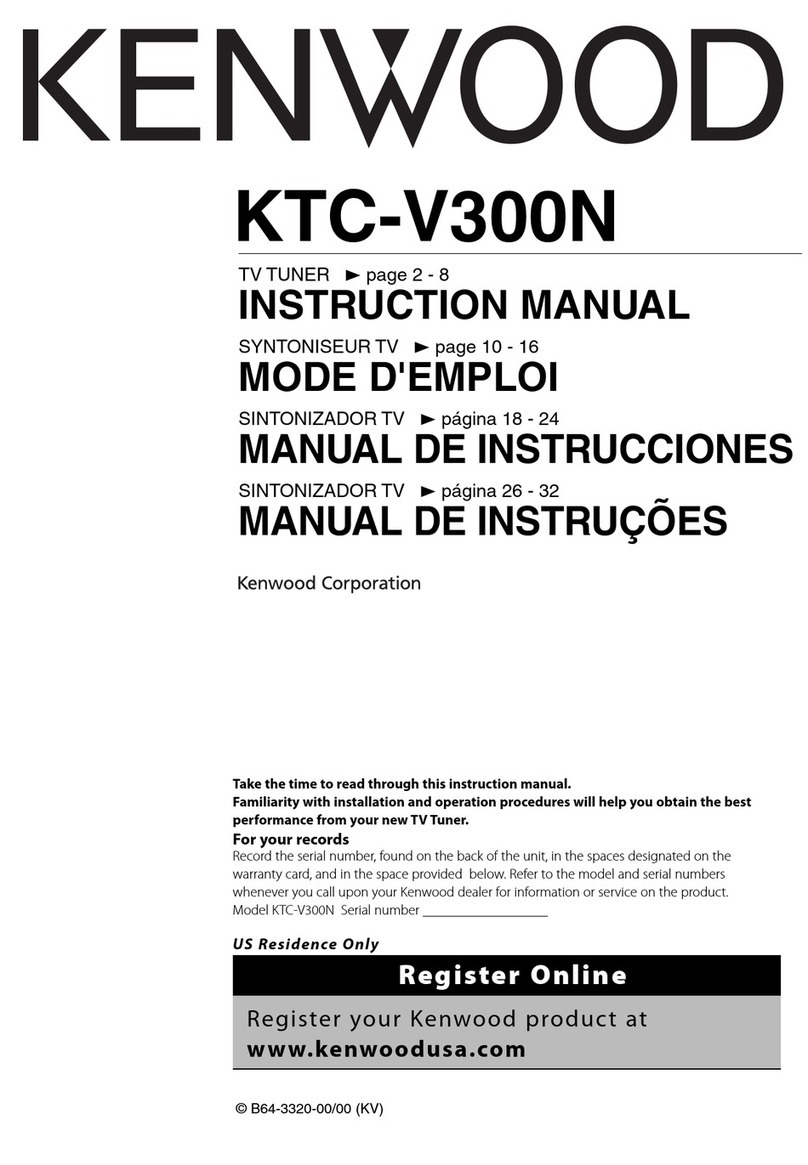
  9. Kenwood T-93 User manual

Kenwood T-93 User manual

This manual suits for next models

1

Other Kenwood Tuner manuals

Kenwood KT-7500 User manual

Kenwood

Kenwood KT-7500 User manual

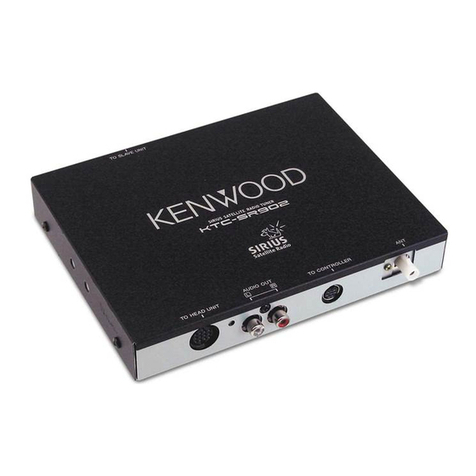
Kenwood KTC-SRSOI User manual

Kenwood

Kenwood KTC-SRSOI User manual

Kenwood KTC-9090DAB User manual

Kenwood

Kenwood KTC-9090DAB User manual

Kenwood KTC-SR901 - Digital Satellite Tuner User manual

Kenwood

Kenwood KTC-SR901 - Digital Satellite Tuner User manual

Kenwood KRC-929 User manual

Kenwood

Kenwood KRC-929 User manual

Kenwood KT-8300 User manual

Kenwood

Kenwood KT-8300 User manual

Kenwood KT-615 User manual

Kenwood

Kenwood KT-615 User manual

Kenwood TU-79 User manual

Kenwood

Kenwood TU-79 User manual

Kenwood KTC-SR901 - Digital Satellite Tuner Operating and maintenance instructions

Kenwood

Kenwood KTC-SR901 - Digital Satellite Tuner Operating and maintenance instructions

Kenwood KT-815 User manual

Kenwood

Kenwood KT-815 User manual

Kenwood KT-592 User manual

Kenwood

Kenwood KT-592 User manual

Kenwood KT-7500 User manual

Kenwood

Kenwood KT-7500 User manual

Kenwood KTC-WB100 User manual

Kenwood

Kenwood KTC-WB100 User manual
Kenwood KT-595 User manual

Kenwood

Kenwood KT-595 User manual

Kenwood KTC-SR901 - Digital Satellite Tuner User manual

Kenwood

Kenwood KTC-SR901 - Digital Satellite Tuner User manual

Kenwood KT-5020 User manual

Kenwood

Kenwood KT-5020 User manual

Kenwood KTC-H2A1 - Here2Anywhere Sirius Radio User manual

Kenwood

Kenwood KTC-H2A1 - Here2Anywhere Sirius Radio User manual

Kenwood KTC-V300N User manual

Kenwood

Kenwood KTC-V300N User manual

Kenwood AT-50 User manual

Kenwood

Kenwood AT-50 User manual

Kenwood KT-80 User manual

Kenwood

Kenwood KT-80 User manual

Kenwood H2EV User manual

Kenwood

Kenwood H2EV User manual

Kenwood Z-838W User manual

Kenwood

Kenwood Z-838W User manual

Kenwood KT-80 User manual

Kenwood

Kenwood KT-80 User manual

Kenwood KT-2010 User manual

Kenwood

Kenwood KT-2010 User manual
Popular Tuner manuals by other brands

Technics ST-HD55 Service manual

Technics

Technics ST-HD55 Service manual

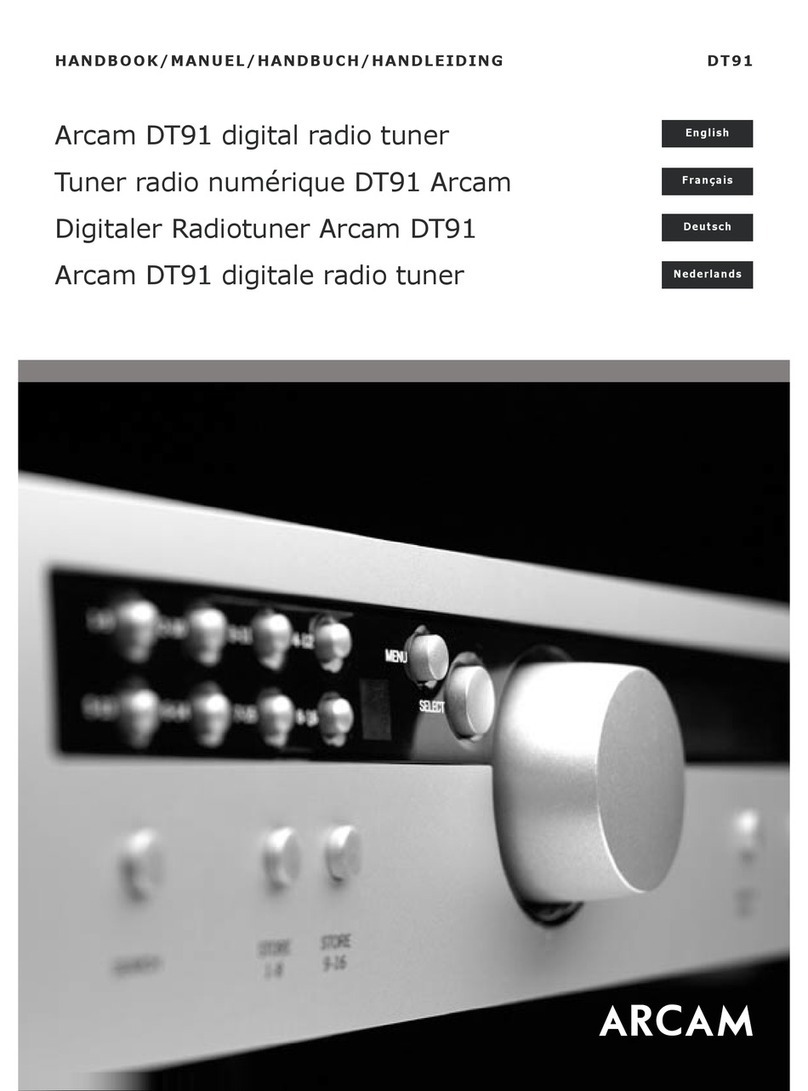
Arcam DT91 Handbook

Arcam

Arcam DT91 Handbook

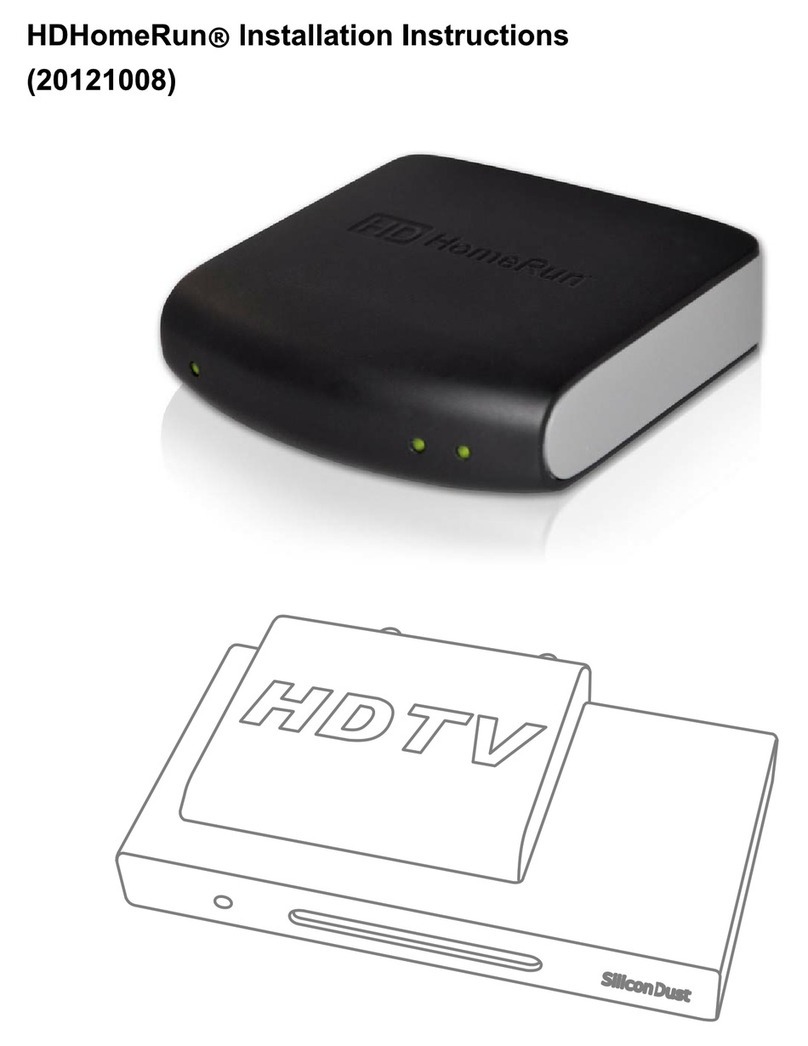
HDHomeRun 20121008 installation instructions

HDHomeRun

HDHomeRun 20121008 installation instructions

Eico HFT-92 instruction manual

Eico

Eico HFT-92 instruction manual

MFJ MFJ-928 instruction manual

MFJ

MFJ MFJ-928 instruction manual
Teac T-1D Service manual

Teac

Teac T-1D Service manual

NAD C 445 owner's manual

NAD

NAD C 445 owner's manual

Sony ST-SA5ES operating instructions

Sony

Sony ST-SA5ES operating instructions
Pioneer GEX-P700DAB Operation manual

Pioneer

Pioneer GEX-P700DAB Operation manual

Sirius Satellite Radio SC-FM1 user guide

Sirius Satellite Radio

Sirius Satellite Radio SC-FM1 user guide

Antique Automobile Radio 283501B Installation and operating instructions

Antique Automobile Radio

Antique Automobile Radio 283501B Installation and operating instructions
Sanyo FMT M15L Service manual

Sanyo

Sanyo FMT M15L Service manual

Monacor PA-1200R instruction manual

Monacor

Monacor PA-1200R instruction manual
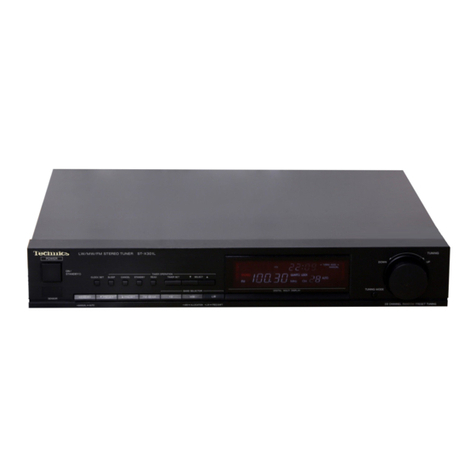
Technics ST-X301L Service manual

Technics

Technics ST-X301L Service manual

Manhattan 176156 user manual

Manhattan

Manhattan 176156 user manual

Marantz ST-15S1 user guide

Marantz

Marantz ST-15S1 user guide

Korg HA-40 owner's manual

Korg

Korg HA-40 owner's manual

Pioneer XC-IS21T Service manual

Pioneer

Pioneer XC-IS21T Service manual

manuals.online logo
manuals.online logoBrands
  • About & Mission
  • Contact us
  • Privacy Policy
  • Terms and Conditions

Copyright 2025 Manuals.Online. All Rights Reserved.

FM/AM
STEREO
SYNTHESIZER
TUNER
T-93/93L
KENWOOD
SERVICE
MANUAL
(©1989-8
PRINTED
IN
JAPAN
B51-3958-00(T)
1702
Metallic
cabinet
(AQ1-)*
Panel
(A20-)*
Front
glass
Foot
(Front)
(B10-1033-03)
(JO2-1040-05)
x
2
Power
cord
bushing
(J42-0083-05)
Miniature
phone
jack
(SYSTEM
CONTROL)
(E11-0188-05)
Phono
jack
(OUTPUT)
(E13-0249-05)
CAUTION.
ATTENTION
KENWOOD
CORPORATION
BOOK
MAE
2S
JAPAN
Foot
(Rear)
pa
a
a
cord
(JO2-0366-15)
x
2
Lock
terminal
board
(ANTENNA)
(E20-)*
*
Refer
to
Parts
List
on
page
44.
Photo
is
T-93L
POWER
TRANSFORMER
(L01)
PHONT
END
NEC!
MODEL
NAME
TUNER
UNIT
(X05)
DISPLAY
UNIT
(X14)
T-93
(J)
X05-3780-20
X14-2620-21
LO1-5454-15
X86-1040-10
T-93
(J)
X05-3780-71
X14-2620-71
LO1-65452-05
X86-1040-10
T-93L
(J)
X05-3782-71
X14-2622-71
LO1-5452-05
X86-1052-70
T-93L
(J)
X05-3782-72
X14-2622-72
LO1-5452-05
X86-1052-70
T-93
(S)
X05-3780-21
X14-2630-20
LO1-9004-05
X86-1130-10
T-93
(S)
X05-3780-72
X14-2630-71
LO1-9002-05
X86-1130-10
T-93L
(S)
X05-3782-73
X14-2632-71
LO1-9002-05
X86-1122-70
T-93/93L
CONTENTS
CONTROLS
AND
INDICATORS..............
0.0.0:
0c:eeeeeeee
ees
3
REGLAGES
se
isices
adie
td
cocat
acdecsatoncaea
teat
Seoegute
cake
odebiate
16
ANTENNA
CONNECTION
.............cc0
cece
eee
ec ee ee
eeeeee
eee
ees
4
ABGLEIGH
2255
foc
iste:
cesses
teeny
fives
deceit
bide
dtie
Re
Bataan
eens
17
BLOCK
DIAGRAM
2u..cccccscccncrscsedveceonsesseeceessbadetedeaenes
5
VOLTAGE:
FABEES
.fo.3s
sand
sonorsnnivate
sshd
etebe
ut
tance
bans
18
FUNCTION
OF
EACH
IC’S..........0.cccc
cee
ececee
ee
ee
nee
ee
earns
6
PG::BOARD:
(1-93)
cccvid
ices
eergreea
ed
tae
Ge
evic
sa
cgacdeiineey.
19
CIRCUIT
DESCRIPTION
0.00.0...
c
cece cece
ec
ea
eee
enenennens
7
P@BOARD:(T-98E)
cca
teecacn
ies
gavePeaivns
ontlaasietdies
adosaw
27
Operation
specification............0.c
cece
cece
cee
e
eee
s
eee
eneees
7
SCHEMATIC
DIAGRAM
(1-93)
.......0
cc
ccee
cece
eee
ee
eee
n
eee
35
IC1:
CXP50112-0100
(X14-)
SCHEMATIC
DIAGRAM
(T-931L)..........cccc
ccc
ec
eee
e
eee
ee
eens
39
MICROPROCESSOR
..............cccescceee
nsec
eeeeeenes
8
EXPLODED:
VIEW
waitin,
cocndeates
ber
daiwisiewes
teak
caves
die
mae
ee
43
IC1:
LM7001
(X05-378X-XxX)
PARTS
1S
Vessco
Sia
seetoule
tacts
atheist
aan
cuban
deta
tea
44
PLL.
CONTROL
DATA
s.
eccccih
ted
ive
aie
neces
12
SPECIFICATIONS.
jscsei
sa
vaneeeatele
io
ievniy
aoncanee
Back
cover
ADJUSTMENT
wicicciised.besloaaseas
sda
teeecisades
Saakace
15
T-93/93L
CONTROLS
AND
INDICATORS
Tuner
Numeric
keys
(1
to
10/0,
Preset
channels,
program
Nos.)
BAND
key
(T-93:
FM1, FM2,
AM/
CHECK
key
T-93L:
FM1,
FM2,
MW,
LW)
CLEAR
key
TUNING/CHARACTER
UP/DOWN
keys
ENTER
key
(OOD)
Fam
sTerReo
SYNTHESIZER
TUNER
T-93
a
DOWN
TUNING/CHARACTER
UP
TSUN
Z/MON
it
SWED
FRU
procram
=
{i}
Oo
a
AUTO
STEREO
TUNED.
—|
——
—
oT
FM
MW
LW
AY
Wi.
Ma NA
Pb
te
Ce
we
PT
wt
IAI
aN
la
!
Pie
CF
OF
kee
fF
Eten
(SON)
(ON)
TUE)
eo)
Feo}
[exxa]
SLEEP
gE
G/FRI
JISAT
a
9
10/0
CoICICICICI
EVERY
WEEK
1
_
WEEK
2
ADJUST
SLEEP
EXE.
PROG.
_OISPLAY
DIRECT
P.SCAN
AUTO
DIGIT
CHARACTER
oa
ee
ed
ee
DISPLAY
key
DIRECT
key
PROG.
key
P.SCAN
key
EXE.
key
AUTO
key
(Auto
tuning/manual
tuning)
SLEEP
key
DIGIT
key
ADJUST
key
CHARACTER
key
Display
panel
BAND
indicators
(T-93:
FM,
AM/T-93L:
FM,
MW,
LW)
AUTO
indicator
STEREO
indicator
PROGRAM
indicators
(
[1]
to
[6])
TUNED
indicator
Year/Station
name
display
AUTO
STEREO
TUNED
~
CI Cl
ma
1
te
LI
Lt
kez
§
Ltr
SLEEP
MEMORY
Preset
channel
Day-of-the-week
indicators
display
MEMORY
Month/Day/Present
time/Frequency
display
pina
indicator
SLEEP
timer
indicator
T-93/93L
ANTENNA
CONNECTION
Antenna
connections
FM
outdoor
antenna
T-93
AM
loop
antenna
ANTENNA
LOOP
ANTENNA
BAM
(MW,
LW)
loop
antenna
Install
the
AM
(MW,
LW)
loop
antenna
on
the
supplied
loop
antenna
stand
and
place
it
on
a
shelf,
etc.,
or
install
it
on
the
rack
or
wall
with
screws.
Rotate
the
AM
(MW,
LW}
loop
antenna
to
the
right
or
left
for
best
reception.
Ge
Keep
the
speaker
leads
and
AC
cords
away
from
the
AM
loop
antenna.
Note:
:
ae
Do
not
place
the
AM
(MW,
LW)
loop
antenna
on
the
unit.
As
this
unit
employs
a
computing
device,
placing
the
AM
(MW,
LW)
loop
antenna
on
the
unit
may
result
in
noise
generation.
Place
the
AM
(MW,
LW)
loop
antenna
away
from
the
unit.
@
AM
(MW,
LW)
outdoor
antenna
In
steel
buildings
or
at
a
great
distance
from
the
transmitter,
it
may
be
necessary
to
install
an
outside
longwire
antenna.
The
end
of
this
wire
should
be
stripped
of
insulation
and
con-
nected
to
the
AM
terminal.
At
this
time,
keep
the
loop
anten-
na
connected.
AM
(MW/LW)
outdoor
antenna
\--O§
FM
indoor
antenna
|
ea
T-93L
Antenna
adaptor
HFM
outdoor
antenna
It
is
recommended
to
install
an
exclusive
FM
outdoor
antenna
to
capture
FM
broadcasts
with
high
sound
quality.
Use
a
coaxial
cable
for
the
connection
between
the
outdoor
antenna
and
FM
ANTENNA
terminal
on
the
rear
panel.
For
the
connection
between
the
coaxial
cable
and
FM
ANTENNA
ter-
minal,
please
refer
to
the
illustration
above.
@
FM
indoor
antenna
In
areas
where
FM
waves
are
strong,
FM
broadcasts
can
be
received
by
connecting
the
supplied
T-shaped
antenna
as
shown
in
the
illustration
above.
However,
as
FM
waves
are
susceptible
to
external
radio
interference
causing
distortion,
it
is
recommended
to
use
an
exclusive
FM
outdoor
antenna.
®
To
minimize
auto-ignition
noise,
locate
the
antenna
i
as
far
from
heavy
traffic
as
possible.
|
@
Keep
the
feeder
or
coaxial
cable
as
short
as
possible.
Do
not
bundle
or
roll
up
excess
cable.
@
The
antenna
should
be
at
least
two
meters
(6.6
feet)
from
reinforced
concrete
walls,
or
metal
structures.
FM
outdoor
antenna
setting
T-93/93L
BLOCK
DIAGRAM
ve
|
AQZz
JO
AOZIOV
“IOHLNOOD
W3LSAS
“LNOD
SIO}
Sinw
LNdino
Tio
peal
il@
11G
€2Vl20
910
(IX)
vO
“934
G2
‘pe'sld
yold313aS
=
ONVA
NOILO3S
WV
NOILO3S
Wa
ee
©)|
INV
Wy;
©)|
INV
‘a
©)|
ano
©)|
Lnv
ws
x
cob
T-93/93L
FUNCTION
OF
EACH
IC's
TUNER
UNIT
(X05-378X-XX)
Components
Use/Function
Operation/Condition/Compatibility
LM7001
PLL
IC
Electronic
tuning
PLL
LA1265
FM/AM
system
IC
FM
IF
amplification,
detection,
and
AM
MIX,
IF
amplification,
detection,
control
AN7470
FM
MPX
IC
MPX
demodulation
Q1
28C1923
FM
IF
amplifier
10.7
MHz
amplification
Q2
2SC1740S
E:P.E.
PLL
low-pass
filter
JC501/2SC945(A)
Q3
2801845
L.P.F.
PLL
low-pass
filter
Q4
(T-93L)
2SK163
L.P.F.
switch
Time
constant
selection
for
LW
mode
2SK364
Q6
(T-93L)
2SC1740S
L.P.F.
control
I
Control!
over
04.
LW
position
with
switch
ON
JC501/2SC945(A)
Q7
(T-93L)
28C1740S
Q8
(T-93L)
2SC1740S
Antenna
coil
selection
LW/MW
electronic
selectionz
JC501/2SC945(A)
Q11
(T-93L)
28C1740S
Buffer
Impedance
change
JC501/2SC945(A)
Q13
[|
2SA733(A)
Q24
2SA733(A)
Q25
2SA733(A)
Tuner
band
selection
FM/MW/LW
power
selection
JA101/2SA933S
Q15
2SA733(A)
Mute
control
Q16
2S8C2003
Q17
2$D1302
2801302
Constant
voltage
Mute
switch
Mute
ON
with
signal
‘’L’’
from
microprocessor
2SA933S
+5.6
V
regulated
ON
in
function
selection
Q19
{T-93)
28C1740S
Q20
(T-93)
28C1740S
Q21
2SD1266
Q22
2SA733(A)
023
28C1740S
Deemphasis
selection
Constant
voltage
Power
switch
Control
DISPLAY
UNIT
(X14-262X-XX)
JAPAN
MADE
(X14-263X-XX)
SINGAPORE
MADE
Components
Use/Function
Deemphasis
time
constant
selection
for
FM
mode
2SC945(A)
+13
V
regulated
Power
ON/OFF
operation
2SA933S/JA101
Power
ON
with
signal
‘‘H’’
from
microprocessor
JC501/2SC945(A)
Operation/Condition/Compatibility
CXP50112-0100
4-bit
microprocessor
Controller
for
PLL
and
display,
etc.
2SC1740S
FIP
Driver
FIP
Indication
(STEREO,
TUNED,
ch
etc.)
JC501/2SC945(A)
28C1740S
FIP
Driver
FIP
Indication
(FM,
AM,
etc.)
JC501/2SC945(A)
2SA733(A)
Tr.
SW
CHANNEL
SPACE
select
2SA933S
2SA733(A)
Constant
voltage
For
+5
V
JA101/2SA933S
2SC1740S
Microprocessor
Reset
Suplies
reset
pulse
to
microprocessor
JC501/2SC945{(A)
T-93/93L
CIRCUIT
DESCRIPTION
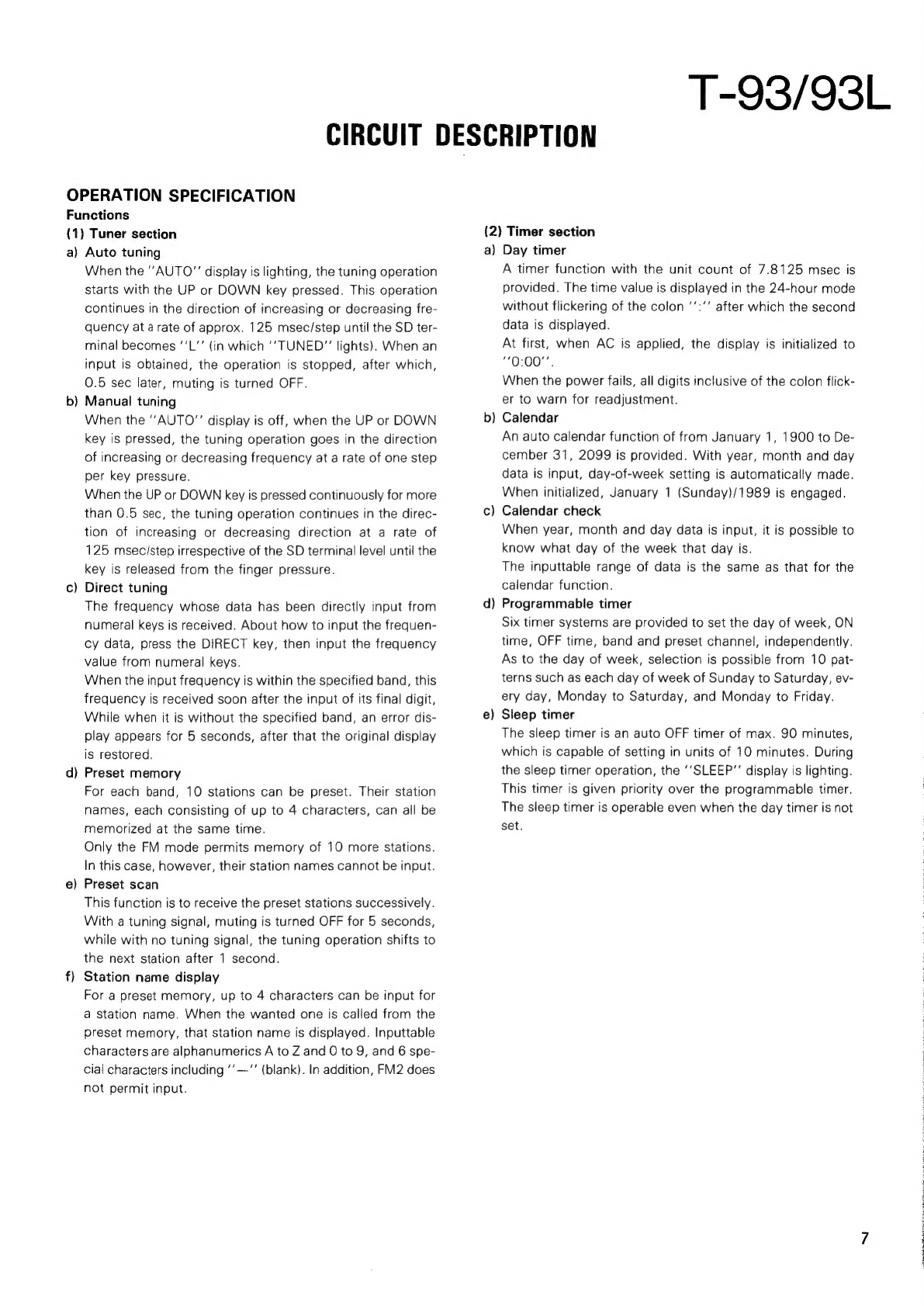
OPERATION
SPECIFICATION
Functions
(1)
Tuner
section
a)
b
=
—
c
d
=>
~~
e
f)
Auto
tuning
When
the
“AUTO”
display
is
lighting,
the
tuning
operation
starts
with
the
UP
or
DOWN
key
pressed.
This
operation
continues
in
the
direction
of
increasing
or
decreasing
fre-
quency
at
arate
of
approx.
125
msec/step
until
the
SD
ter-
minal
becomes
‘‘L"’
(in
which
‘‘
TUNED”
lights).
When
an
input
is
obtained,
the
operation
is
stopped,
after
which,
0.5
sec
later,
muting
is
turned
OFF.
Manual
tuning
When
the
AUTO”
display
is
off,
when
the
UP
or
DOWN
key
is
pressed,
the
tuning
operation
goes
in
the
direction
of
increasing
or
decreasing
frequency
at
a
rate
of
one
step
per
key
pressure.
When
the
UP
or
DOWN
key
is
pressed
continuously
for
more
than
0.5
sec,
the
tuning
operation
continues
in
the
direc-
tion
of
increasing
or
decreasing
direction
at
a
rate
of
125
msec/step
irrespective
of
the
SD
terminal
level
until
the
key
is
released
from
the
finger
pressure.
Direct
tuning
The
frequency
whose
data
has
been
directly
input
from
numeral
keys
is
received.
About
how
to
input
the
frequen-
cy
data,
press
the
DIRECT
key,
then
input
the
frequency
value
from
numeral
keys.
When
the
input
frequency
is
within
the
specified
band,
this
frequency
is
received
soon
after
the
input
of
its
final
digit,
While
when
it
is
without
the
specified
band,
an
error
dis-
play
appears
for
5
seconds,
after
that
the
original
display
is
restored,
Preset
memory
For
each
band,
10
stations
can
be
preset.
Their
station
names,
each
consisting
of
up
to
4
characters,
can
all
be
memorized
at
the
same
time.
Only
the
FM
mode
permits
memory
of
10
more
stations.
In
this
case,
however,
their
station
names
cannot
be
input.
Preset
scan
This
function
is
to
receive
the
preset
stations
successively.
With
a
tuning
signal,
muting
is
turned
OFF
for
5
seconds,
while
with
no
tuning
signal,
the
tuning
operation
shifts
to
the
next
station
after
1
second.
Station
name
display
For
a
preset
memory,
up
to
4
characters
can
be
input
for
a
station
name.
When
the
wanted
one
is
called
from
the
preset
memory,
that
station
name
is
displayed.
Inputtable
characters
are
alphanumerics
A
to
Z
and
0
to
9,
and
6
spe-
cial
characters
including
‘’—‘’
(blank).
In
addition,
FM2
does
not
permit
input.
(2)
Timer
section
a)
Day
timer
A
timer
function
with
the
unit
count
of
7.8125
msec
is
provided.
The
time
value
is
displayed
in
the
24-hour
mode
without
flickering
of
the
colon
‘’:’’
after
which
the
second
data
is
displayed.
At
first,
when
AC
is
applied,
the
display
is
initialized
to
“0:00”.
When
the
power
fails,
all
digits
inclusive
of
the
colon
flick-
er
to
warn
for
readjustment.
b)
Calendar
An
auto
calendar
function
of
from
January
1,
1900
to
De-
cember
31,
2099
is
provided.
With
year,
month
and
day
data
is
input,
day-of-week
setting
is
automatically
made.
When
initialized,
January
1
(Sunday)/1989
is
engaged.
c)
Calendar
check
When
year,
month
and
day
data
is
input,
it
is
possible
to
know
what
day
of
the
week
that
day
is.
The
inputtable
range
of
data
is
the
same
as
that
for
the
calendar
function.
d)
Programmable
timer
Six
timer
systems
are
provided
to
set
the
day
of
week,
ON
time,
OFF
time,
band
and
preset
channel,
independently.
As
to
the
day
of
week,
selection
is
possible
from
10
pat-
terns
such
as
each
day
of
week
of
Sunday
to
Saturday,
ev-
ery
day,
Monday
to
Saturday,
and
Monday
to
Friday.
e)
Sleep
timer
The
sleep
timer
is
an
auto
OFF
timer
of
max.
90
minutes,
which
is
capable
of
setting
in
units
of
10
minutes.
During
the
sleep
timer
operation,
the
‘‘SLEEP”’
display
is
lighting.
This
timer
is
given
priority
over
the
programmable
timer.
The
sleep
timer
is
operable
even
when
the
day
timer
is
not
set.
T-93/93L
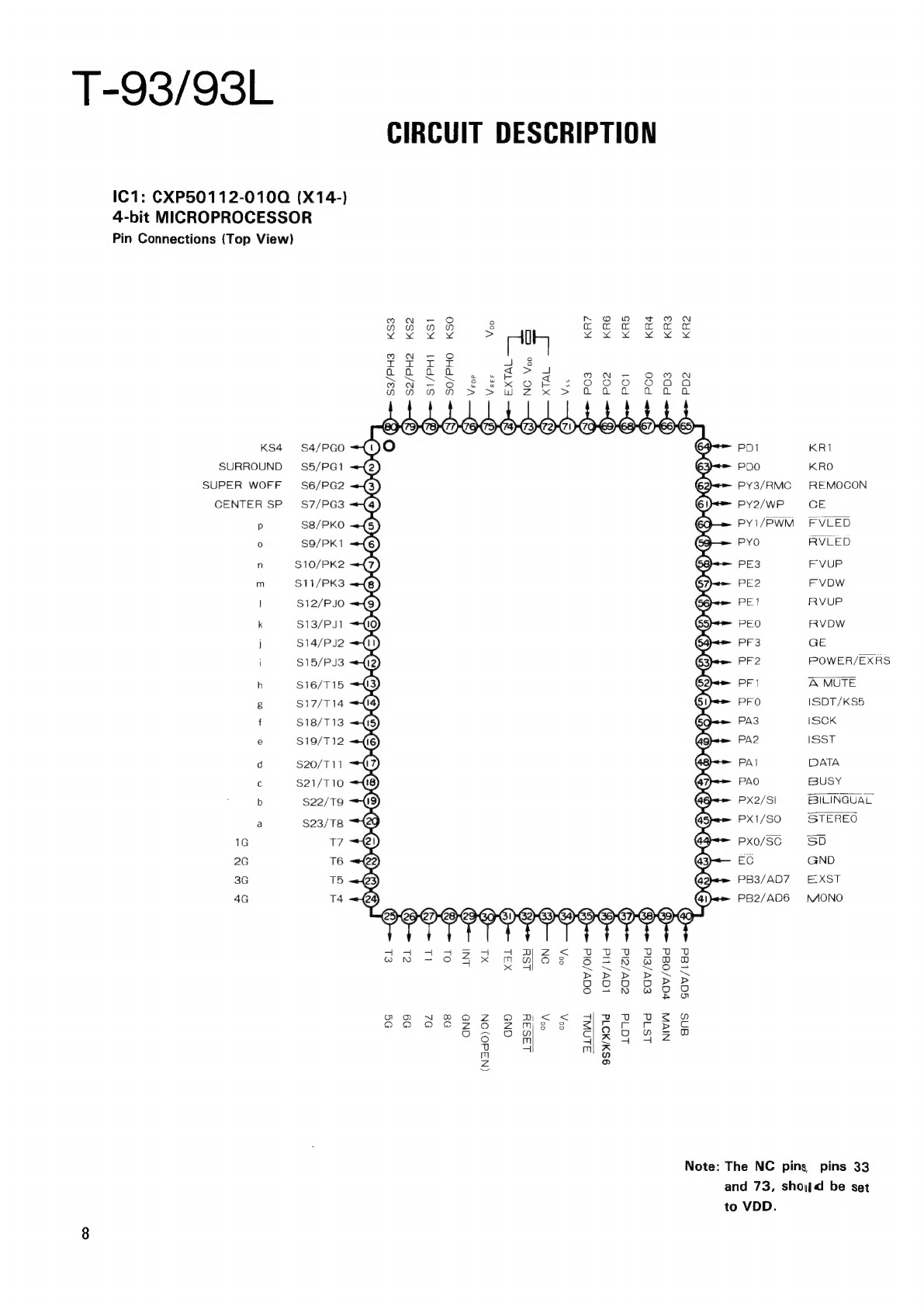
IC1:
CXP50112-0100
(X14-)
4-bit
MICROPROCESSOR
Pin
Connections
(Top
View)
KS4
SURROUND
SUPER
WOFF
CENTER
SP
p
fe)
1G
2G
3G
4G
$4/PGO
S5/PG1
$6/PG2
$7/PG3
S8/PKO
S$9/PK1
S10/PK2
S11/PK3
$12/PJO
$13/PJ1
$14/PJ2
$15/PJ3
$16/T15
$17/T14
$18/T13
$19/T12
$20/T11
S$21/T10
$22/T9
S$23/T8
17
T6
T5
T4
CIRCUIT
DESCRIPTION
QVO@OOD-OOOOOOOOMOOOOOMOO)
S3/PH3
KS3
OOBYO
el
OG
S2/PH2
KS2
S1/PH1
59
KS1
bal
OL
SO/PHO
KSO
08
CNS
(N3d0)
ON
XL
XSL
GND
LaSay
aay
ag
O0V/Old
SLAWL
9SWAD
Id
KR6 KR5
PC2
LOV/LId
cav/eld
101d
KR4
KR3 KR2
PCO
@)
@)
8)
€qv/eld
NIVN
vaQVv/08d
Ls
qd
PD2
ans
sdav/lad
Note:
The
NC
pins
PD1
PDO
PY3/RMC
PY2/WP
PY1/PWM
PYO
PE3
PE2
PE1
PEO
PF3
PF2
PFI
PFO
PA3
PA2
PAI
PAO
PX2/SI
PX1/SO
PXx0/SC
EC
PB3/AD7
PB2/AD6
KRI1
KRO
RREEMOCON
CE
FVLED
RVLED
FVUP
FVDW
RVUP
RVDW
GE
FPOWER/EXRS
A
MUTE
SDT/KS5
SCK
SST
DATA
BUSY
BILINGUAL
STEREO
SD
GND
E-XST
MONO
pins
33
and
73,
shod
be
set
to
VDD.
T-93/93L
CIRCUIT
DESCRIPTION
Pin
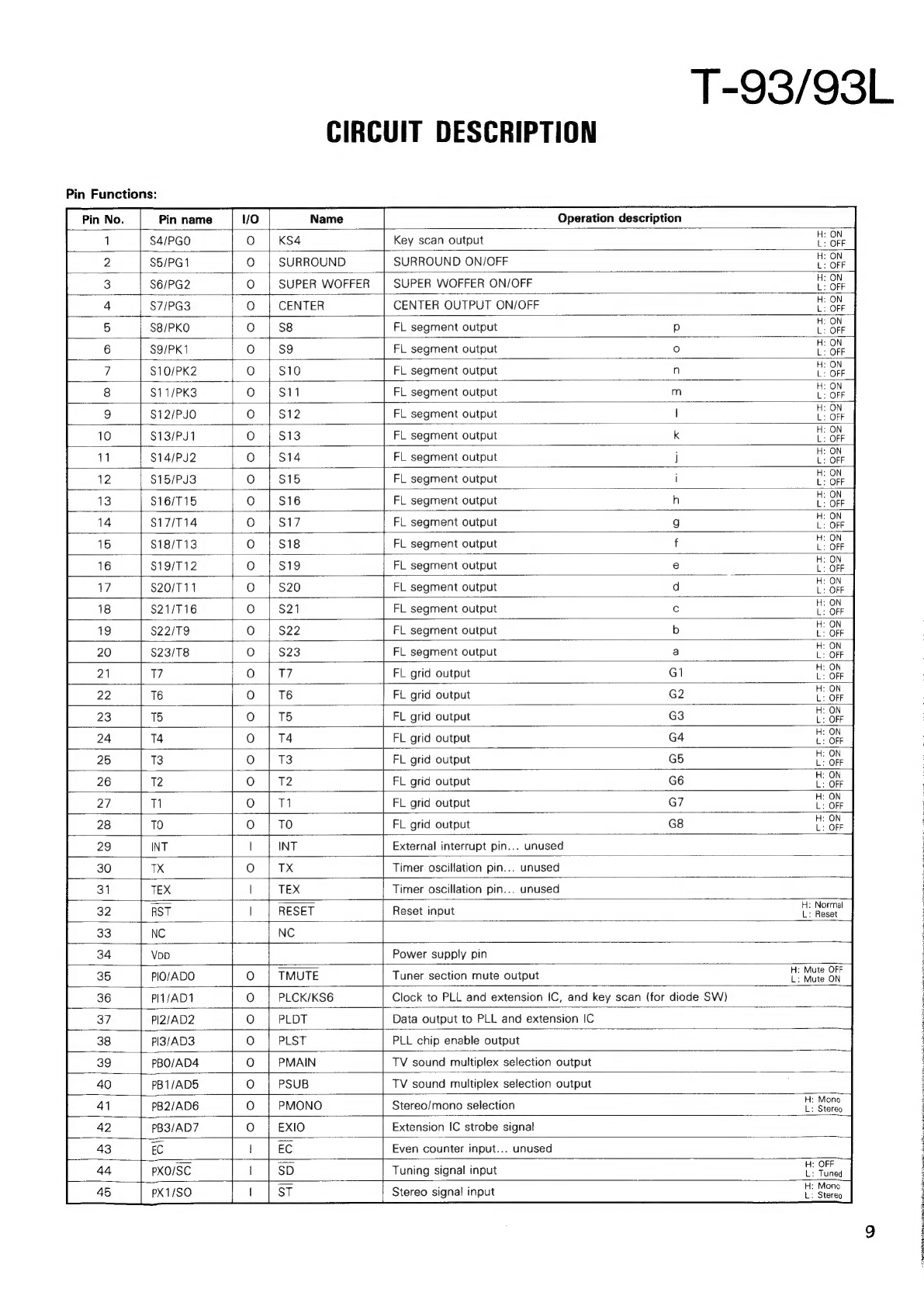
Functions:
Name
Operation
description
6
Pin
name
S4/PGO
S5/PG1
$6/PG2
$7/PG3
$8/PKO
S9/PK1
$10/PK2
$11/PK3
$12/PJO
$13/PJ1
$14/PJ2
$15/PJ3
S16/T15
$17/T14
$18/T13
$19/T12
$20/T11
$21/T16
$22/T9
$23/T8
KS4
Key
scan
output
SURROUND
SURROUND
ON/OFF
SUPER
WOFFER
|
SUPER
WOFFER
ON/OFF
CENTER
CENTER
OUTPUT
ON/OFF
S8
FL
segment
output
S9
FL
segment
output
FL
segment
output
FL
segment
output
O!OI
NIA!
ASA!
WihM
FL
segment
output
FL
segment
output
FL
segment
output
FL
segment
output
FL
segment
output
FL
segment
output
FL
segment
output
FL
segment
output
FL
segment
output
FL
segment
output
FL
segment
output
FL
segment
output
T7
FL
grid
output
T6
FL
grid
output
TS
FL
grid
output
T4
FL
grid
output
T3
FL
grid
output
T2
FL
grid
output
det
FL
grid
output
OLOSOLOSLOLOlOLlOlLOSlOlOlLOlLOlLO;LOLOJSOJSOlLOLOS/O!LIOsS/IOlL|OjJO;O};oO/];o
cHlcziczjozira|cz|[czjrz|czpez[os|razjoz|ozjoziraz|es|ea|cs|eaziczjoziczjoziczjoszica[os
TO
FL
grid
output
External
interrupt
pin...
unused
;
TX
Timer
oscillation
pin...
unused
TEX
Timer
oscillation
pin...
unused
RESET
Reset
input
i
Noe
NC
Power
supply
pin
TMUTE
Tuner
section
mute
output
:
vie
a
PLCK/KS6
Clock
to
PLL
and
extension
IC,
and
key
scan
(for
diode
SW)
PLDT
Data
output
to
PLL
and
extension
IC
PLST
PLL
chip
enable
output
PMAIN
TV
sound
multiplex
selection
output
PIO/ADO
PIT/AD1
PI2/AD2
PI3/AD3
PBO/AD4
PB1/ADS
PB2/AD6
PB3/AD7
PSUB
TV
sound
multiplex
selection
output
PMONO
Stereo/mono
selection
pier
O}OJ;/O}/O};O}]O};O]/O
EXIO
Extension
IC
strobe
signal
EC
EC
Even
counter
input...
unused
Be
a
es
ty
HN
eB
tee
PXO/SC
|
SD
Tuning
signal
input
ed
:
Mono
PX1/SO
ST
Stereo
signal
input
°
Stereo
a
a
T-93/93L
CIRCUIT
DESCRIPTION
Pin
name
Name
Operation
description
H:
Normal
++
——
PX2/S|
BIL
Bilingual
signal
input
L:
Bilingual
PAO
BUSY
System
control
busy
PA1
DATA
System
control
data
PA2
PA3
PFO
PF1
PF2
PF3
PEO
PE1
PE2
PE3
ISST
Input
selector
IC
strobe
output
ISCK
Input
selector
IC
clock
output
ISDT/KS5
Input
selector
IC
data/key
scan
AMUTE
Amplifier
section
mute
output
a
prec
POWER/EXRS
Power
control/extension
IC
reset
output
ie
oft
Nees
ON}
. “ .
H:
Graphic
equalizer
ON
GE
Graphic
equalizer
display
output
L:
Graphic
equalizer
OFF
RVDW
Rear
volume
down
He
Down
RVUP
Rear
volume
up
i
Up
FVDW
Master
volume
down
i
Bow
H:
Up
L:—
al
FVUP
Master
volume
up
L.
>
OFF
PYO
RVLED
Rear
volume
LED
ON
PY1/PWM
FVLED
Master
volume
LED
uote
mae
Ua
:
ON
PY2/WP
CE
AC
ON/OFF
detection
input
OFF
OJOJOLOLO;L/O;SOLOLO/]O/S]OlO
PY3/RMC
;
RMCN
Remote
control
input
:
With
input
;
Without
input
:
With
input
:
Without
input
:
With
input
Without
input
With
input
Without
input
+
With
input
Without
input
With
input
:
Without
input
:
With
input
:
Without
input
:
With
input
:
Without
input
PDO
KRO
Key
return
input
KR1
Key
return
input
KR2
Key
return
input
KR3
Key
return
input
KR4
Key
return
input
KR5
Key
return
input
KR6
Key
return
input
THCLIHLTOHLTiCTi-“LTiCLTic_co
Key
return
input
GND
pin
Oscillator
pin
NC
EXTAL
Oscillator
pin
VREF
Voltage
detection
reset
pin...
unused
VFDP
FL
pin
pull-down
resistor
power
SO/PHO
Key
scan
output
S1/PH1
Key
scan
output
S2/PH2
Key
scan
output
ee
ee
S3/PH3
Key
scan
output