Kodak Professional 8650 Release note

Printing
Guide
CONTENTS INDEX SEARCH HELP
Overview
Installing the Driver
Using Color
Management
Using the Printer
Driver
CONTENTS
Overview
About the Printer Driver
Features of the Printer Driver
About the On-Line Documentation
Getting Help or Additional Information
Getting Help from Outside the United States and Canada
Getting Information from the Kodak Home Page
Installing the Driver
Using the Printer Driver
Hardware and Software Requirements
Getting Started Using the Printer Driver
Using the Print Options
Accessing the Printer Properties Dialog Box
Using Package Printing
Using Preformatted Packages
Adding a Logo
Color Management Options
Using the Color Management Options
Option Descriptions
Options on the Media Tab

Printing
Guide
CONTENTS INDEX SEARCH HELP
Overview
Installing the Driver
Using Color
Management
Using the Printer
Driver
CONTENTS
Options on the Layout Tab
Options on the Logo Tab
Options on the Color Mode Tab
Options on the Advanced Color Dialog Box
Color Management Options
Color Connector
Creating Color Connector Files
Using Color Connector
System Requirements
Windows Systems
ICC Profiles
Steps to Create Color Connector Files
Color Connector Window
Getting Ready to Use Color Connector
Creating a Color Connector File
Matching Your Monitor to Your Printer’s Output
Color Managing Multiple Sources
Simulating Another Output Device
Using Gamut Alarm
To set gamut alarm:
Setting Rendering Intents

Printing
Guide
CONTENTS INDEX SEARCH HELP
Overview
Installing the Driver
Using Color
Management
Using the Printer
Driver
CONTENTS
Automatic Rendering
Custom Rendering
Setting Automatic Rendering
Setting Custom Rendering
Sending a Color Connector to the Printer as a Default (8660 Printer only)
Color Connector Memory Locations in Printers
Exporting a Color Connector File to be a Printer Default
Selecting a Printer
Deleting Color Connector Files (8660 printer only)
Exporting a Color Connector File as an ICC DeviceLink Profile

Printing
Guide
CONTENTS INDEX SEARCH HELP
Overview
Installing
Using Color
Management
Using the Printer
Driver
Overview
Welcome to the on-line manual for the Kodak Professional 8650/8660
raster driver for Windows 95/98. You can use this printer driver with the
Kodak Professional 8660 thermal printer (8660 printer) and the Kodak
Digital ScienceTM 8650 color printer (8650 printer). The printer driver
provides access to the printers’features through the raster path.
Previously, you could only use the export module to send Photoshop jobs
to the printers. With this printer driver, you can send jobs to the printers
from most applications.
About the Printer Driver
The printer driver is software that allows the software applications you
use to access the printer’s features. For example, your application
determines the page breaks, font selection, and page setup for your print
job. The printer driver translates this information into a printer language
such as Adobe PostScript or Kodak raster language and sends the job to
the printer. The printer driver’s graphical user interface gives you access
to additional printing options that are not available from your software
application.
You can access the features for the printer driver from the print and page
setup commands in the application you are using. You can also access
the features from the Start menu using the Settings>Printers command.

Printing
Guide
CONTENTS INDEX SEARCH HELP
Overview
Installing
Using Color
Management
Using the Printer
Driver
Features of the Printer Driver
The printer driver gives you the following printing options that are not
available directly from your software application:
Print Preview
The printer driver’s interface includes a preview window that displays a
proportional model of the last image you sent to the printer. The image in
the preview window changes as you change the settings for features such
as package printing or custom color adjustments.
Adding a Logo
You can add a logo of your choice to your document page and adjust its
placement on the page.
Package Printing
Package printing was previously available only through the export module
for the 8660 printer and is now available to both printers through the
printer driver. With package printing, you send a single document page to
the printer and get multiple sizes on your print. You can select from
several preformatted packages.
Color Management
The printer driver lets you choose how to manage the color in your
document pages. You can make prints using the printer’s default color and
then adjust the color settings in the Advanced Color dialog box. You can
also use the Kodak ColorFlow color connector software to apply color

Printing
Guide
CONTENTS INDEX SEARCH HELP
Overview
Installing
Using Color
Management
Using the Printer
Driver
management to your prints. The Microsoft Windows image color
management option that is included with Microsoft Windows 95/98 is also
a color management option.
Installation CD
The printer driver is included on the installation CD. The software is easily
installed by using the CD’s browser. In addition to the software and
documentation, the CD contains the tutorial for the color connector
application.
System Level Support
The printer driver includes system level support for Windows 95 OS
release 2 and Windows 98 operating systems.
About the On-Line Documentation
This user’s guide is comprised of the following sections:
•Installing the Software—gives you instructions on how to install and
remove the printer driver on your PC.
•Using the Printer Driver—describes how to use the printer driver with
the 8650 and 8660 printers.
•Using Color Management—describes how to use the color connector
application.
Click on HELP at the bottom of the screen for more information on using
and printing this manual, or click on any one of the sections to the right to
learn more about using the printer driver.

Printing
Guide
CONTENTS INDEX SEARCH HELP
Overview
Installing
Using Color
Management
Using the Printer
Driver
Getting Help or Additional Information
Your Kodak dealer is the best source for information about setting up,
operating, and obtaining accessories and supplies for your printer.
Contact your dealer with any questions you have.
The operator’s guide for the printer can help you with problems you may
occasionally have with the printers. For more information, refer to the
troubleshooting sections in these guides.
For technical support in the US, call 1-800-23KODAK (1-800-235-6325)
between 9:00 a.m.and 8:00 p.m. Eastern Standard Time on regular
business days.Call this number:
•for help setting up or operating the printer.
•to obtain supplies.
•for service.
•for warranty information.
•for information about other Kodak products.
The FAX back number for product literature is 1-800-508-1531.You may
call this number 7 days a week, 24 hours a day.
Printing
Guide
CONTENTS INDEX SEARCH HELP
Overview
Installing
Using Color
Management
Using the Printer
Driver
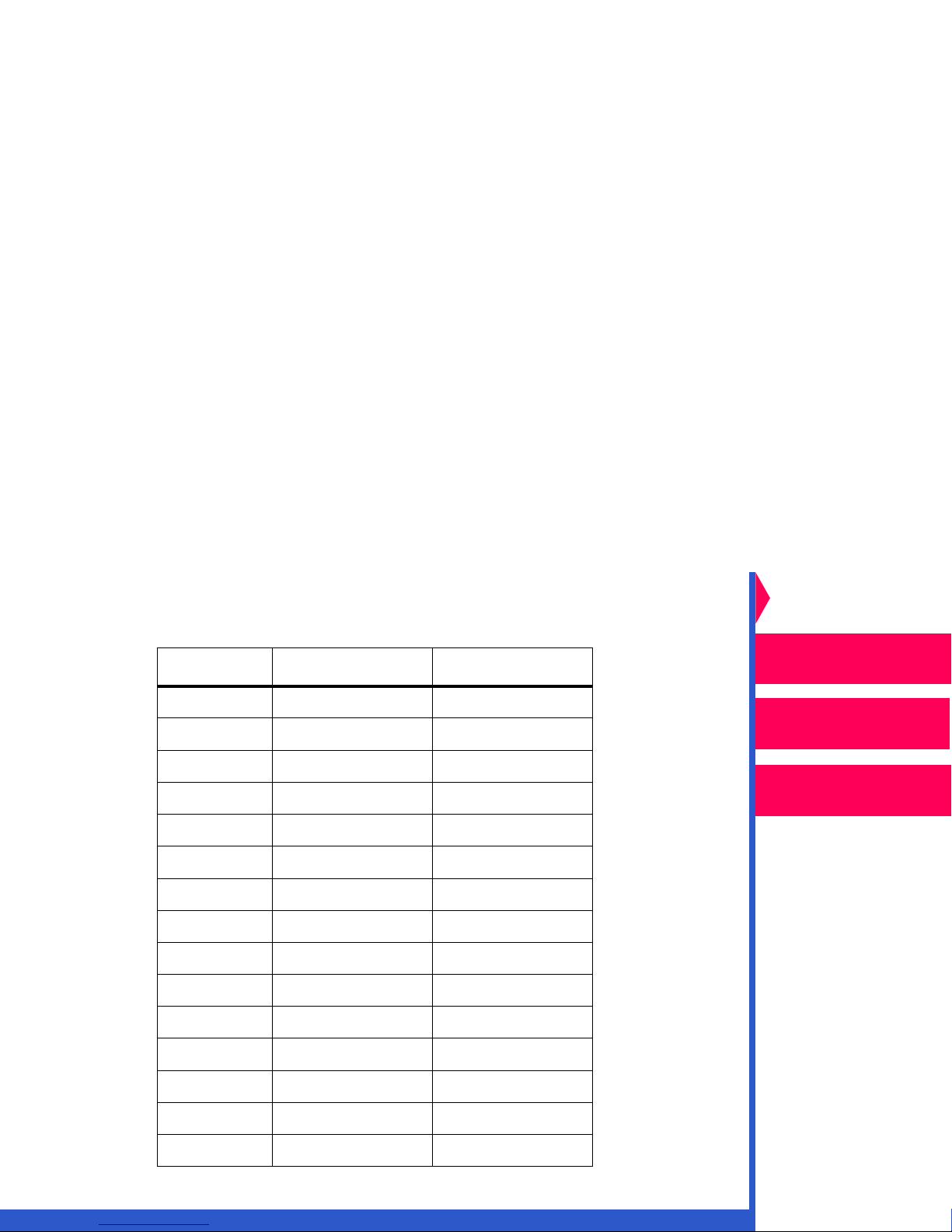
Getting Help from Outside the United States and Canada
Help numbers for the Asia/Pacific and European regions are listed below.
Country Country code Helpline number
Australia 61 3 9350-1222
Hong Kong 85 2-2564-9333
Indonesia 81 3 5488-2001
Korea 82 2 708-5400
Malaysia 60 3 757 2722
Philippines 63 2 815-8851
Singapore 65 473-6611
Thailand 66 2 271-3040
Taiwan 88 6 2 895-1580
Belgium 32 2 263-2211
Denmark 45 70 157000
Finland 358 9 584-071
France 33 1 400-13000
Germany 49 711 406-0000
Italy 39 2 660-28710

Printing
Guide
CONTENTS INDEX SEARCH HELP
Overview
Installing
Using Color
Management
Using the Printer
Driver
Getting Information from the Kodak Home Page
To download the most recent printing software for the printers, access the
Kodak home page on the World Wide Web at http:\\www.kodak.com and
click on Service and Support. Click on Drivers, Software, and
Firmware, and select your printer type from the drop-down list.
Netherlands 31 3065-99911
Norway 47 66-81-81-81
Spain 34 1 626-7101
Sweden 46 8 580-23500
UK 44 2 845122
Country Country code Helpline number

Printing
Guide
CONTENTS INDEX SEARCH HELP
Overview
Installing the Driver
Using Color
Management
Using the Printer
Driver
Installing the Driver
The printer driver is a Kodak raster driver customized for use with the
Kodak Digital ScienceTM 8650 color printer (8650 printer) and the Kodak
Professional 8660 thermal printer (8660 printer). The following installation
instructions assume that you are familiar with Microsoft Windows
operation and terminology.
To install the driver:
1. Install the CD in the CD drive on your PC.
2. Open the Windows Explorer.
3. Browse to the drive containing the CD.
4. Double-click on Setup32.exe to launch the CD’s browser.
5. Click anywhere in the CD’s splash screen to begin.
6. Click on your language.
7. Click on Printing Software in the Software Installations window.
8. Follow the prompts to install the appropriate driver for your printer.
To remove the driver:
1. Click Start.
2. Select Settings>Printers.
3. Select the icon for the printer.
4. Select Delete from the File menu.
This manual suits for next models
2
Table of contents
Other Kodak Printer Accessories manuals
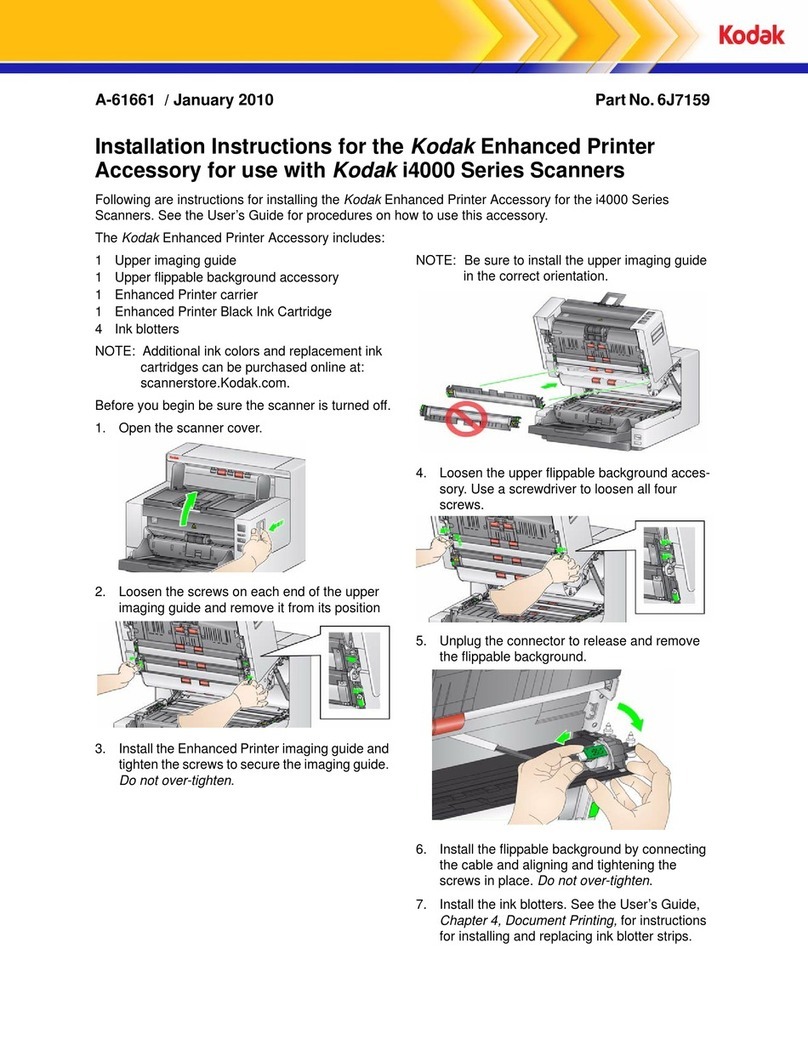
Kodak
Kodak 6J7159 User manual
Kodak
Kodak A-1671 User manual
Kodak
Kodak M315DP Instruction manual
Kodak
Kodak XLS 8600 PS User manual
Kodak
Kodak CP-48S Owner's manual
Kodak
Kodak E2635 Instruction manual
Kodak
Kodak FC1 Owner's manual
Kodak
Kodak 8660 - EXPORT MODULE GUIDE User manual

Kodak
Kodak Printer Accessories User manual