TIPS
Only use 1 ELD per truck. Always leave the
ELD plugged in. If you need to move an ELD,
notifiy My20 support before moving.
1
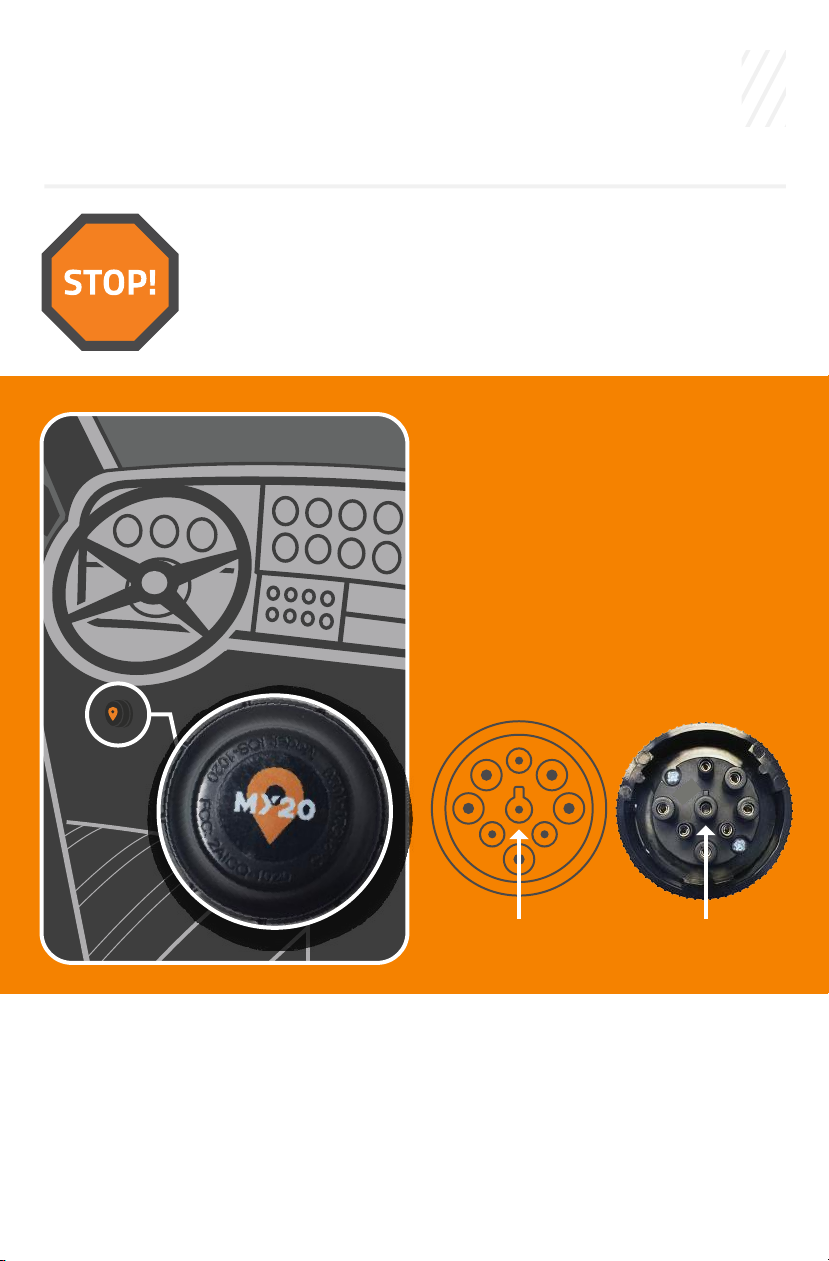
Check for a GREEN light on the ELD. Do
not remove the ELD from the ECM port.
2
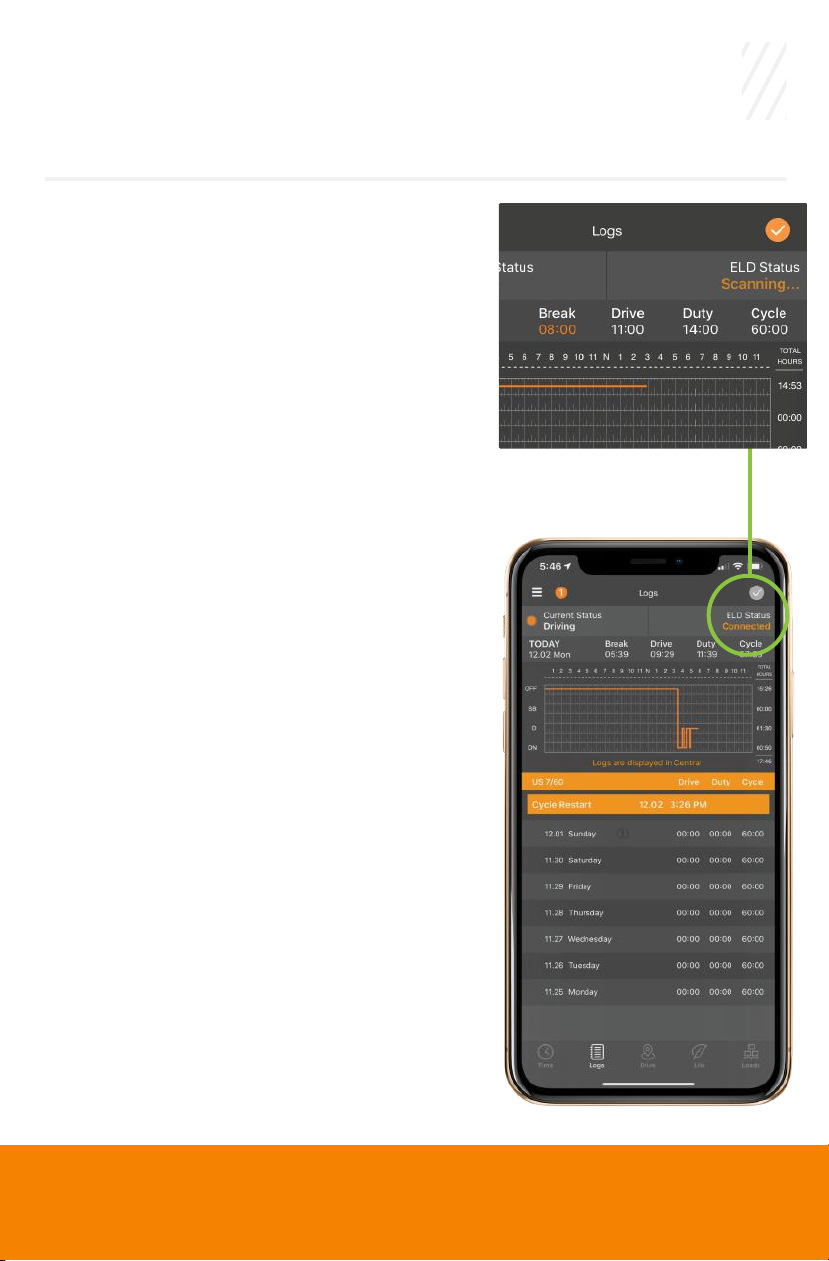
Your My20 ELD app must be connected to the ELD to be
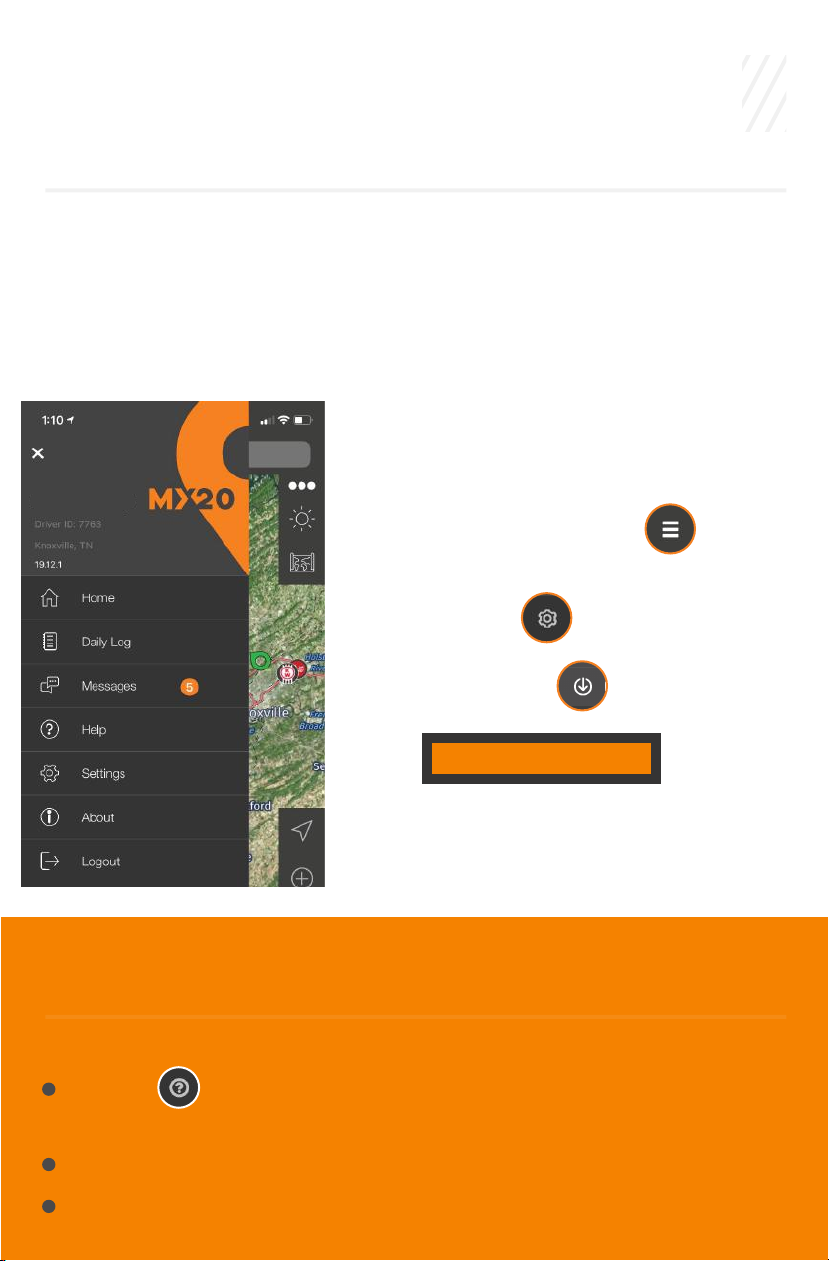
compliant. Verify it is connected on the ELD status page.
Menu >> Settings >> ELD Status
3
Make sure you are logged into the My20 app & connected to the
ELD device before you start your engine or turn off your engine. This
data has to be tracked, otherwise’ it will come back later for you to
accept as Unidentified Non-Driving Records (UDRs).
4
In On Duty status make sure you are connected to the ELD before
and after you drive to do your Pre-trip and Post-trip each day. This
is required and it will make sure all your records are current before
you start driving that day and at the end of the day.
5
If the pre-trip button is grayed out, the truck has already been
moved or the pre-trip inspection has been completed. You can
delete the trip and create another to complete a pre-trip inspec-
tion. If the post-trip button is grayed out, the post-trip inspection
has already been completed.
6
The My20 app must be kept visible on the front of your phone or
tablet. Otherwise, your phone may cause the app to “hibernate”
and your Bluetooth connection may be lost.
7
If your mechanic does not have an ELD subscription, remove the
ELD from the truck while he/she completes their work. The next
time you connect, you will annotate the milage difference.
8
Drivers should certify their RODS as correct and accurate by signing
their logs on the SIGN screen in the app at the end of every shift.
9
My20 Tower subscription includes IFTA. IFTA reports will not be
complete or accurate if the miles and location are not recorded
accurately. Remember to upload your fuel receipts either
individually or with .csv file upload.
10