correction levels will be saved into the transmitter handset automatically when it
quits the menu mode.
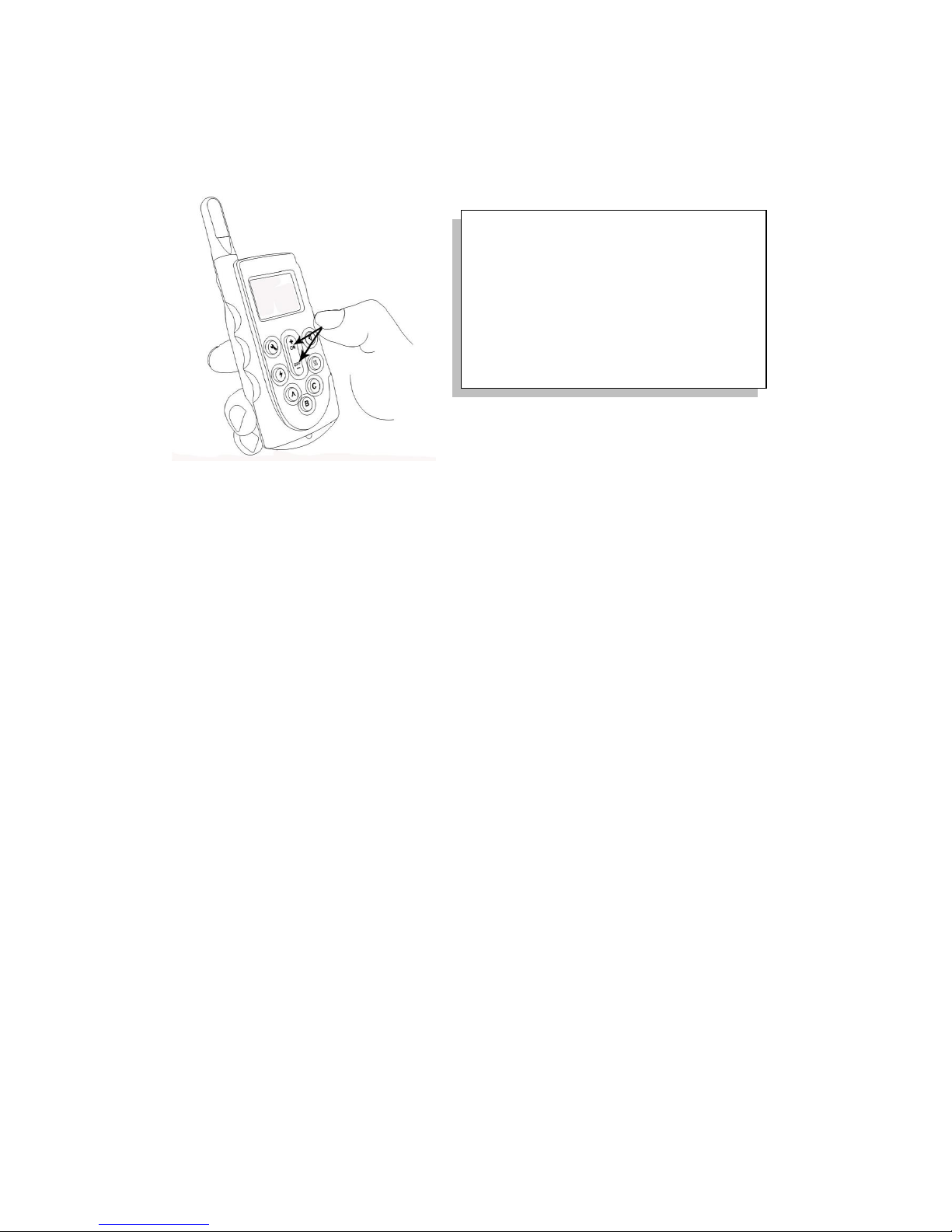
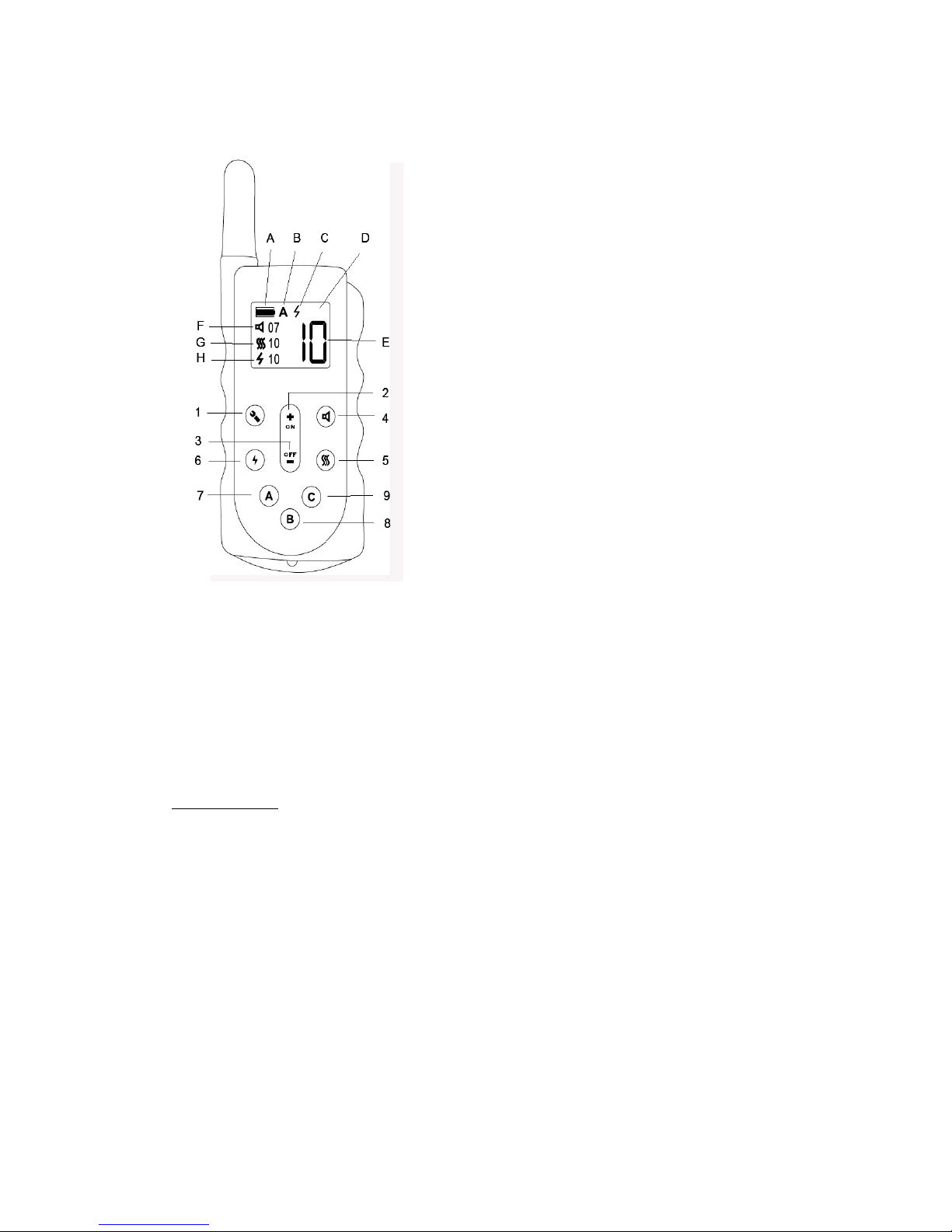
On/Off (+/–) Button(s): Press and hold down ON button for 3 seconds, this will turn
on the transmitter handset. Press and hold down the OFF button for 3 seconds, this
will turn off the transmitter handset. When in menu mode, short press "+" or "–"
button will adjust the correction level setting on selected mode.
Temporary Level Adjustment Feature *: when in working mode, short press the "+"
or "–" button will quickly adjust the correction level setting on the current correction
mode temporarily. This will allow owner to change the level setting in a timely
manner and send a command in the newly-chosen level quickly to your dog
(normally a booster correction with higher level setting to reinforce the command).
*The temporary level setting (adjusted by quickly pressing "+" or "–" button in
working mode) will not be saved into the transmitter handset. It will only be
effective until the background light on the LCD display goes off - normally within
about 30 seconds if no button is pressed on the transmitter. The level setting will
then be reset back to the original saved levels when the background light goes off.
When a temporary correction (normally a booster correction with higher level) is
completed, if owner does not wish to wait for 30 seconds to let the system reload its
original saved levels, owner can short press the menu button twice ( i.e. go into the
menu mode and then quit the menu mode), this will enforce the system to reload
the original saved levels back onto LCD display manually.
Beep Tone Button: Short press on the beep tone button, the selected collar receiver
will emit a short beep tone at selected level. If you keep holding down the beep tone
button, the selected collar receiver will bleep at the selected level continuously for
maximum 8 seconds* (safety setting) until the button is released.
In Menu mode, short press on the beep tone button, the beep tone level setting on
the left hand side of the LCD screen will start flashing, you can then short press the
"+" or "–" button to set the desired level of beep tone for the selected collar receiver.
Vibration Button: Short press on the vibration button, the selected collar receiver
will vibrate shortly at selected level. If you keep holding down the vibration button,
the selected collar receiver will start vibrating at the selected level continuously for
maximum 8 seconds* (safety setting) until the button is released.
In Menu mode, short press on the vibration button, the vibration setting on the left
hand side of the LCD screen will start flashing, you can then short press the "+" or"–"
button to set the desired level of vibration for the selected collar receiver.