4Issue 01 MAR.19
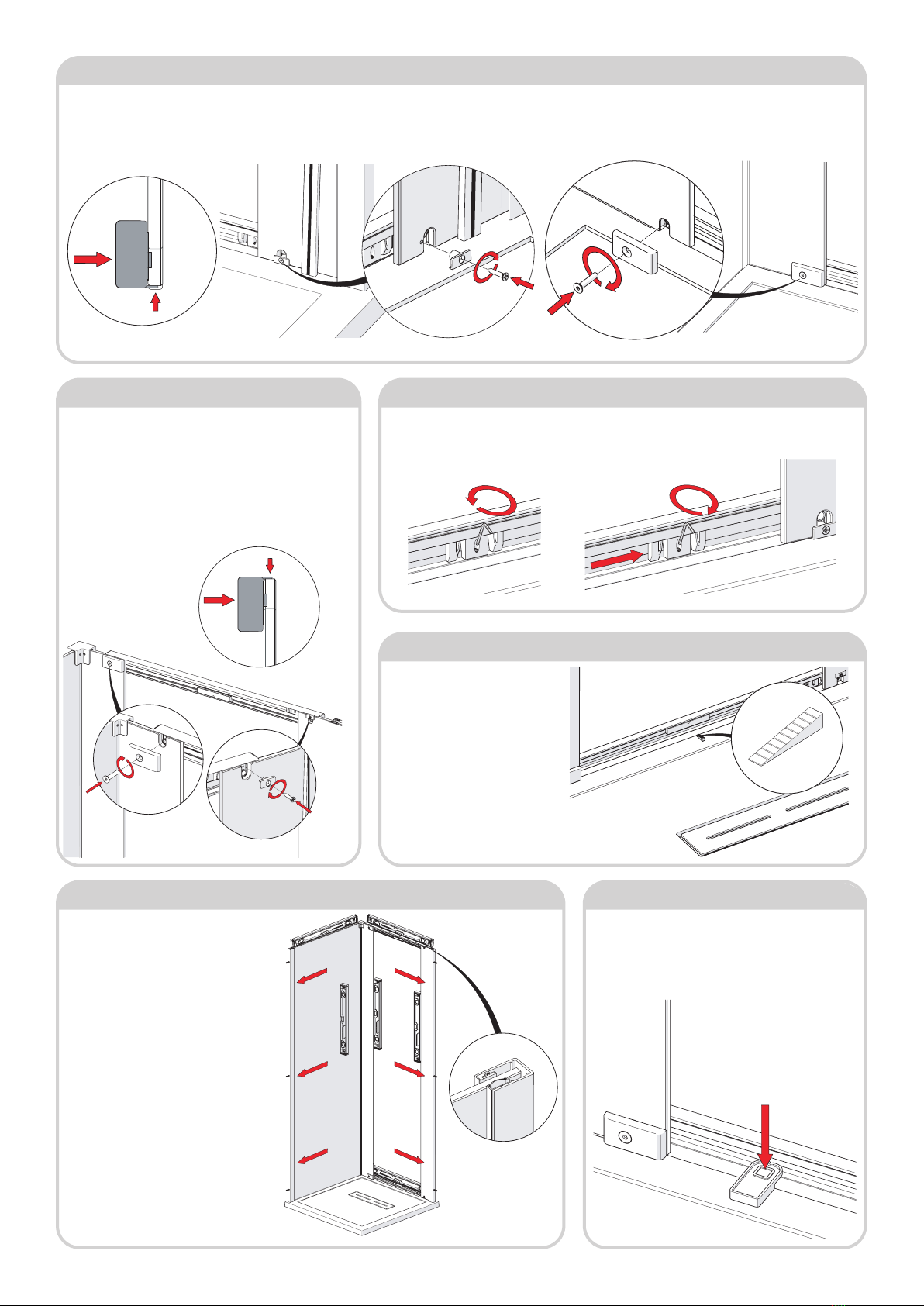
Step 8 - Fit Second Panel Glass
1. Like step 4, carefully t glass panel
into slot in wall post, ensuring panel
is parallel to tray edge.
2. Secure Panel using the remaining
Push-in channel. Remove the
protective sleeve on the push-in
channel extrusion. From inside the
enclosure, place the push-in channel
(black strip towards glass) against the
glass. Again don’t need to fully insert.
Insert 1/4 at the top to secure glass
panel whilst installing.
Push-in channel can be removed, if
necessary, by inserting tool (M305-
01) supplied to pull the channel out
at top.
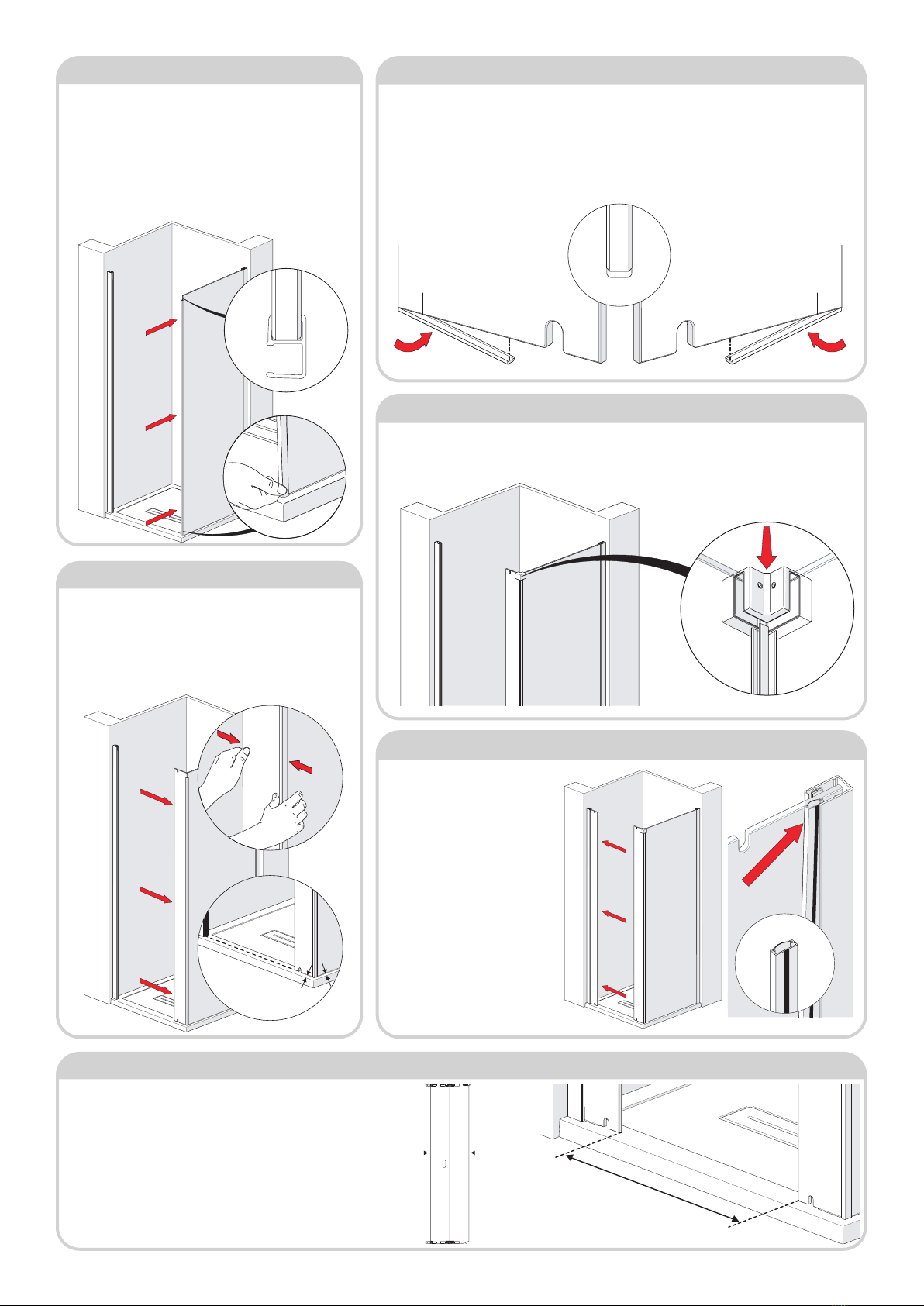
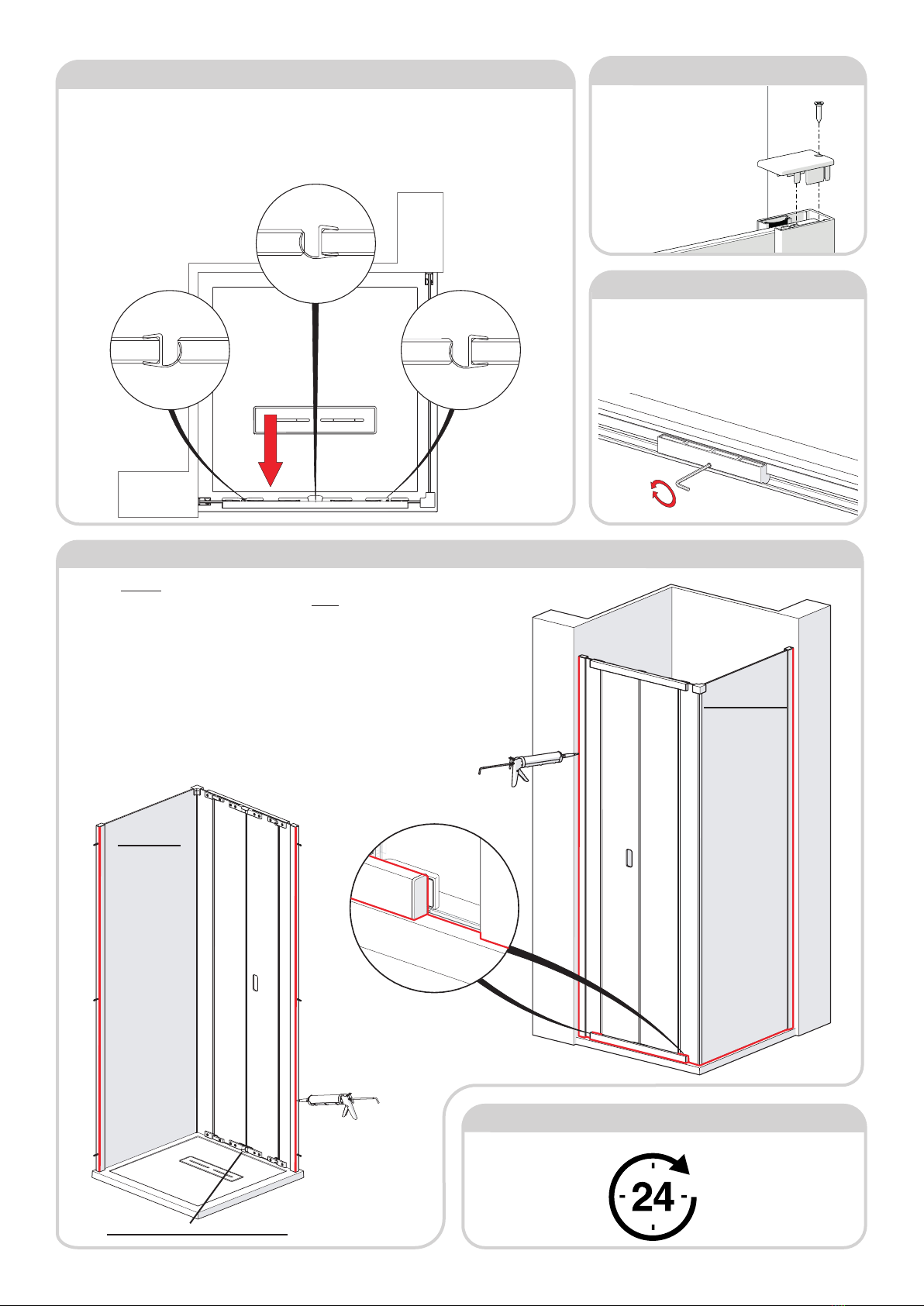
Step 5 - Add Trim to Both Fixed Panels
1. Take note of label on glass ‘This surface to outside’ this will determine which is the bottom
edge of your installation.
2a. For 800 Unit acquire 2 X 73mm Trim Seals.
2b. For 900, 1000 Units acquire 2 X 98mm Trim Seals.
3. Peel off a small length of the bottom trim adhesive tape and apply to bottom of glass panel from
the edge as shown. Continue along length of trim, peeling away the tape as you go, until the full trim
length is adhered to the panel.
Step 7 - Add Corner Bracket
1. Acquire Corner Bracket (DCM41-01) from the Side Panel Pack. As indicated place this over the
top of the two adjoining glass panels. Use the 3mm Allen key to remove/tighten the grub screws to
the xed panels.
Step 4 - Fit Corner Joint Seal
1. Acquire the PlexRF-018-06 from the Side Panel Pack.
From starting at the bottom, press this over the glass edge
ensuring that it is fully seated over the entire length. Position
as shown. If tight, lubricate corner seal and glass edges with a
damp clean cloth to ease tment - the water will evaporate
over a short period. Do not use silicone spray or any other
substance other than water, these will not fully dry out and
will compromise the grip and rigidity of the joint.
parallel
parallel
Step 6 - Fit Fixed Panel
1. Add xed panel to the Corner Joint seal, make sure it’s the
correct panel. Starting from the top use both hands push the
xed panel into the seal channel. Make sure the panel is fully
inserted all the way though. Adjust side panel/in-line panel
to ensure side panel is parallel to tray edge and the outside
surface of in-line panel is aligned with the surface of gripper
seal in the adjacent ‘door’ wallpost.
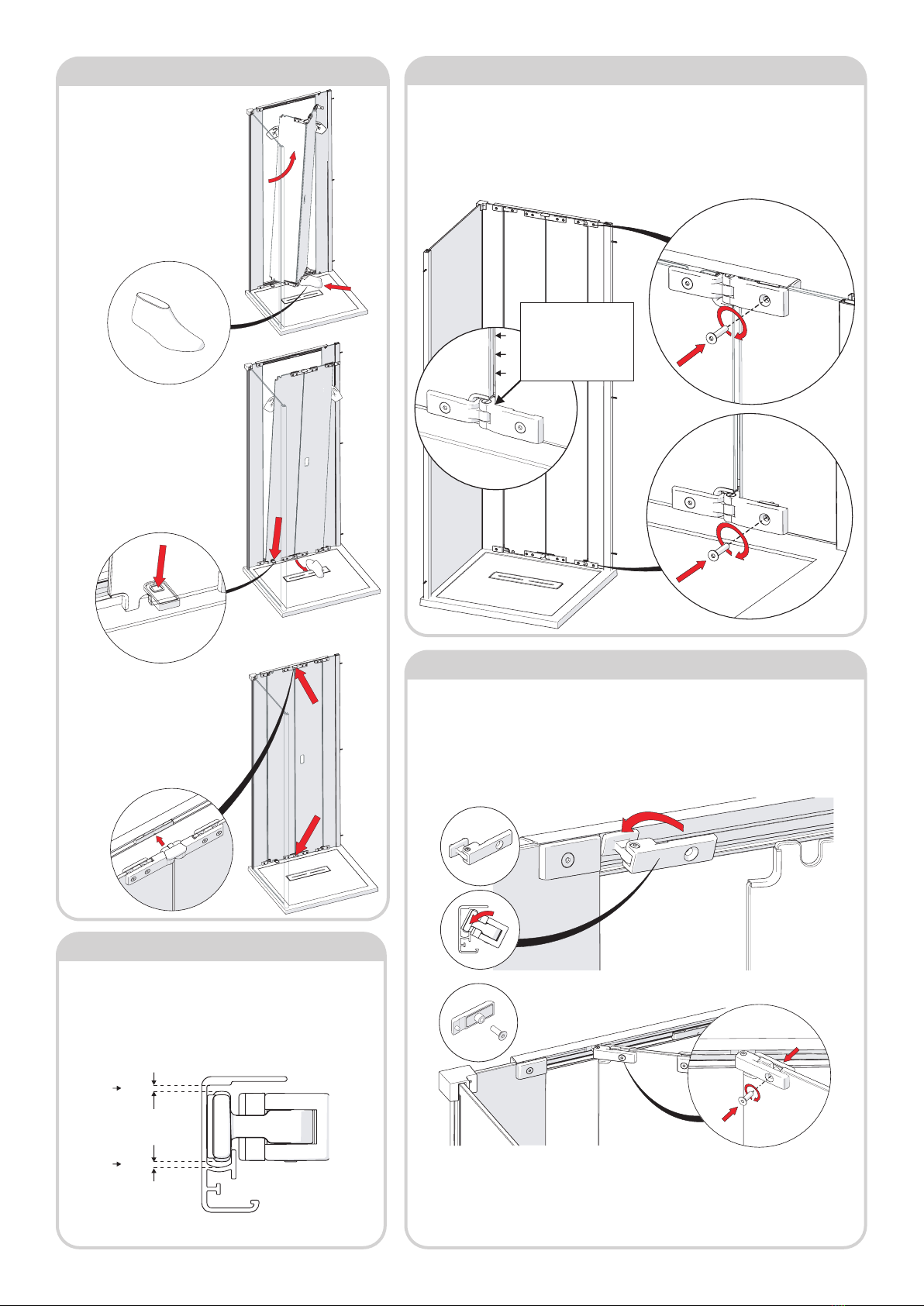
Step 9 - Adjust In-line Glass Panels
Xmm
1. Carefully unpack the folding door assembly pack. Unfold the
panels into a straight line and measure the overall width of the
panels then add 11mm to this to give ’X’ dimension.
For example: folding panel width = 631mm + 11mm =
642mm
2. Adjust the xed panel inserted into the wallpost to achieve
the correct ’X’ dimension between both panels. Will need to
remove and re-insert the push-in channel to achieve this. Use
level to ensure xed panel is vertical.
measure
Inside Outside
Inside view
Inside view