manuals.online logo
Brands
  1. Home
  2. •
  3. Brands
  4. •
  5. Lanner
  6. •
  7. Desktop
  8. •
  9. Lanner LEC-2290H User manual

Lanner LEC-2290H User manual

Other Lanner Desktop manuals

Lanner FW-7526 User manual

Lanner

Lanner FW-7526 User manual

Lanner NVA-3000 Series User manual

Lanner

Lanner NVA-3000 Series User manual

Lanner LEC-2530 User manual

Lanner

Lanner LEC-2530 User manual

Lanner NCA-1020 Series User manual

Lanner

Lanner NCA-1020 Series User manual

Lanner LEC-6021A User manual

Lanner

Lanner LEC-6021A User manual

Lanner LEC-2250 User manual

Lanner

Lanner LEC-2250 User manual

Lanner LEC-6040 User manual

Lanner

Lanner LEC-6040 User manual

Lanner LEC-6032C User manual

Lanner

Lanner LEC-6032C User manual

Lanner LVC-5000-B0 User manual

Lanner

Lanner LVC-5000-B0 User manual

Lanner LEC-2055 User manual

Lanner

Lanner LEC-2055 User manual

Lanner LVC-5550S User manual

Lanner

Lanner LVC-5550S User manual

Popular Desktop manuals by other brands

StarTech.com ARMSTSL manual

StarTech.com

StarTech.com ARMSTSL manual

Dell Inspiron 5720 quick start guide

Dell

Dell Inspiron 5720 quick start guide

GÜDE WERKBANK GW 6/2 XL Translation of the original instructions

GÜDE

GÜDE WERKBANK GW 6/2 XL Translation of the original instructions

Lenovo ThinkCentre M62z Vodič za uporabnika

Lenovo

Lenovo ThinkCentre M62z Vodič za uporabnika

Lenovo ThinkCentre M71z user guide

Lenovo

Lenovo ThinkCentre M71z user guide

Fujitsu ESPRIMO C7xx operating manual

Fujitsu

Fujitsu ESPRIMO C7xx operating manual

Bosch DCU 130 operating instructions

Bosch

Bosch DCU 130 operating instructions

Zotac VR GO quick start guide

Zotac

Zotac VR GO quick start guide

HP 260 G2 DM Product End-of-Life Disassembly Instructions

HP

HP 260 G2 DM Product End-of-Life Disassembly Instructions

Sony VAIO VGC-LS21 Specifications

Sony

Sony VAIO VGC-LS21 Specifications

HP ProOne 400 G1 specification

HP

HP ProOne 400 G1 specification

IBM PS/2 60 Hardware maintenance service

IBM

IBM PS/2 60 Hardware maintenance service

Acer Aspire SA60 Service guide

Acer

Acer Aspire SA60 Service guide

Lenovo ThinkCentre M71z Uživatelská příručka

Lenovo

Lenovo ThinkCentre M71z Uživatelská příručka

IBM Aptiva 2198 reference guide

IBM

IBM Aptiva 2198 reference guide

Sony PCV-LX810 - Vaio Slimtop Computer System reference manual

Sony

Sony PCV-LX810 - Vaio Slimtop Computer System reference manual

Dell Precision U3525 Quick reference guide

Dell

Dell Precision U3525 Quick reference guide

MicroTouch IC-215P-AW2 user guide

MicroTouch

MicroTouch IC-215P-AW2 user guide

manuals.online logo
manuals.online logoBrands
  • About & Mission
  • Contact us
  • Privacy Policy
  • Terms and Conditions

Copyright 2025 Manuals.Online. All Rights Reserved.

LEC-2290H User Manual
1
LEC-2290H
User Manual
Version: 1.3
Date of Release: 2023-07-24
Embedded Computing Platform
LEC-2290H User Manual
2
This manual describes the overview of the various functionalities of this product, and the information you need
to get it ready for operation. It is intended for those who are:
-responsible for installing, administering and troubleshooting this system or Information Technology
professionals.
-assumed to be qualified in the servicing of computer equipment, such as professional system integrators, or
service personnel and technicians.
The icons are used in the manual to serve as an indication of interest topics or important messages. Below is a
description of these icons:
Note or Information: This mark indicates that there is a note of interest and is something that you
should pay special attention to while using the product.
Warning or Important: This mark indicates that there is a caution or warning and it is something
that could damage your property or product.
To obtain additional documentation resources and software updates for your system, please visit the Lanner
Download Center. As certain categories of documents are only available to users who are logged in, please be
registered for a Lanner Account at http://www.lannerinc.com/ to access published documents and
downloadable resources.
In addition to contacting your distributor or sales representative, if there are any technical queries, you could
submit a support ticket to our Lanner Technical Support department.
Your feedback is valuable to us, as it will help us continue to provide you with more accurate and relevant
documentation. To provide any feedback, comments or to report an error, please email to
[email protected]m. Thank you for your time.
This document is copyrighted © 2023. All rights are reserved. The original manufacturer reserves the right to
make improvements to the products described in this manual at any time without notice.
No part of this manual may be reproduced, copied, translated or transmitted in any form or by any means
without the prior written permission of the original manufacturer. Information provided in this manual is
intended to be accurate and reliable. However, the original manufacturer assumes no responsibility for its use,
nor for any infringements upon the rights of third parties that may result from such use.
LEC-2290H User Manual
3
Taiwan Corporate Headquarters
Lanner Electronics Inc.
7F, No.173, Sec.2, Datong Rd.
Xizhi District, New Taipei City 22184,
Taiwan
立端科技股份有限公司
221 新北市汐止區
大同路二段 173 號7樓
T: +886-2-8692-6060
F: +886-2-8692-6101
E: [email protected]m
China
Beijing L&S Lancom Platform Tech. Co., Ltd.
Guodong LOFT 9 Layer No. 9 Huinan Road,
Huilongguan Town, Changping District, Beijing
102208 China
T: +86 010-82795600
F: +86 010-62963250
E: service@ls-china.com.cn
USA
Lanner Electronics Inc.
47790 Westinghouse Drive
Fremont, CA 94539
T: +1-855-852-6637
F: +1-510-979-0689
E: sales_us@lannerinc.com
Canada
Lanner Electronics Canada Ltd
3160A Orlando Drive
Mississauga, ON
L4V 1R5 Canada
T: +1 877-813-2132
F: +1 905-362-2369
E: sales_ca@lannerinc.com
Europe
Lanner Europe B.V.
Wilhelmina van Pruisenweg 104
2595 AN The Hague
The Netherlands
T: +31 70 701 3256
E: sales_eu@lannerinc.com
LEC-2290H User Manual
4
Intel® and Intel® CoreTM are trademarks of Intel Corporation or its subsidiaries in the U.S. and/or other countries.
Microsoft Windows and MS-DOS are registered trademarks of Microsoft Corp.
All other product names or trademarks are properties of their respective owners.
Follow these guidelines to ensure general safety:
Keep the chassis area clear and dust-free during and after installation.
Do not wear loose clothing or jewelry that could get caught in the chassis. Fasten your tie or scarf and roll
up your sleeves.
Wear safety glasses if you are working under any conditions that might be hazardous to your eyes.
Do not perform any action that creates a potential hazard to people or makes the equipment unsafe.
Disconnect all power by turning off the power and unplugging the power cord before installing or removing
a chassis or working near power supplies
Do not work alone if potentially hazardous conditions exist.
Never assume that power is disconnected from a circuit; always check the circuit.
Suivez ces consignes pour assurer la sécurité générale :
Laissez la zone du châssis propre et sans poussière pendant et après l’installation.
Ne portez pas de vêtements amples ou de bijoux qui pourraient être pris dans le châssis. Attachez votre
cravate ou écharpe et remontez vos manches.
Portez des lunettes de sécurité pour protéger vos yeux.
N’effectuez aucune action qui pourrait créer un danger pour d’autres ou rendre l’équipement dangereux.
Coupez complètement l’alimentation en éteignant l’alimentation et en débranchant le cordon d’alimentation
avant d’installer ou de retirer un châssis ou de travailler à proximité de sources d’alimentation.
Ne travaillez pas seul si des conditions dangereuses sont présentes.
Ne considérez jamais que l’alimentation est coupée d’un circuit, vérifiez toujours le circuit. Cet appareil
génère, utilise et émet une énergie radiofréquence et, s’il n’est pas installé et utilisé conformément aux
instructions des fournisseurs de composants sans fil, il risque de provoquer des interférences dans les
communications radio.
There is risk of Explosion if Battery is replaced by an incorrect type.
Dispose of used batteries according to the instructions.
Installation only by a skilled person who knows all Installation and Device Specifications which are to be
applied.
Do not carry the handle of power supplies when moving to another place.
Please conform to your local laws and regulations regarding safe disposal of lithium BATTERY.
Disposal of a battery into fire or a hot oven, or mechanically crushing or cutting of a battery can result in an
explosion.
Leaving a battery in an extremely high temperature surrounding environment can result in an explosion or
the leakage of flammable liquid or gas.
A battery subjected to extremely low air pressure that may result in an explosion or the leakage of flammable
liquid or gas.
LEC-2290H User Manual
5
Risque d’explosion si la pile est remplacée par une autre d’un mauvais type.
Jetez les piles usagées conformément aux instructions.
L’installation doit être effectuée par un électricien formé ou une personne formée à l’électricité connaissant
toutes les spécifications d’installation et d’appareil du produit.
Ne transportez pas l’unité en la tenant par le câble d’alimentation lorsque vous déplacez l’appareil.
Electrical equipment generates heat. Ambient air temperature may not be adequate to cool equipment to
acceptable operating temperatures without adequate circulation. Be sure that the room in which you choose
to operate your system has adequate air circulation.
Ensure that the chassis cover is secure. The chassis design allows cooling air to circulate effectively. An open
chassis permits air leaks, which may interrupt and redirect the flow of cooling air from internal components.
Electrostatic discharge (ESD) can damage equipment and impair electrical circuitry. ESD damage occurs when
electronic components are improperly handled and can result in complete or intermittent failures. Be sure to
follow ESD-prevention procedures when removing and replacing components to avoid these problems.
Wear an ESD-preventive wrist strap, ensuring that it makes good skin contact. If no wrist strap is available,
ground yourself by touching the metal part of the chassis.
Periodically check the resistance value of the antistatic strap, which should be between 1 and 10 megohms
(Mohms).
L’équipement électrique génère de la chaleur. La température ambiante peut ne pas être adéquate pour
refroidir l’équipement à une température de fonctionnement acceptable sans circulation adaptée. Vérifiez
que votre site propose une circulation d’air adéquate.
Vérifiez que le couvercle du châssis est bien fixé. La conception du châssis permet à l’air de refroidissement
de bien circuler. Un châssis ouvert laisse l’air s’échapper, ce qui peut interrompre et rediriger le flux d’air frais
destiné aux composants internes.
Les décharges électrostatiques (ESD) peuvent endommager l’équipement et gêner les circuits électriques.
Des dégâts d’ESD surviennent lorsque des composants électroniques sont mal manipulés et peuvent causer
des pannes totales ou intermittentes. Suivez les procédures de prévention d’ESD lors du retrait et du
remplacement de composants.
Portez un bracelet anti-ESD et veillez à ce qu’il soit bien au contact de la peau. Si aucun bracelet n’est
disponible, reliez votre corps àla terre en touchant la partie métallique du châssis.
Vérifiez régulièrement la valeur de résistance du bracelet antistatique, qui doit être comprise entre 1 et 10
mégohms (Mohms).
Mounting Installation Precaution
The following should be put into consideration for rackmount or similar mounting installations:
Do not install and/or operate this unit in any place that flammable objects are stored or used in.
The installation of this product must be performed by trained specialists; otherwise, a non-specialist might
create the risk of the system’s falling to the ground or other damages.
Lanner Electronics Inc. shall not be held liable for any losses resulting from insufficient strength for
supporting the system or use of inappropriate installation components.
Elevated Operating Ambient - If installed in a closed or multi-unit rack assembly, the operating ambient
temperature of the rack environment may be greater than room ambient. Therefore, consideration should
be given to installing the equipment in an environment compatible with the maximum ambient
temperature (Tma) specified by the manufacturer.

LEC-2290H User Manual
6
Reduced Air Flow - Installation of the equipment in a rack should be such that the amount of airflow
required for safe operation of the equipment is not compromised.
Mechanical Loading - Mounting of the equipment in the rack should be such that a hazardous condition is
not achieved due to uneven mechanical loading.
Circuit Overloading - Consideration should be given to the connection of the equipment to the supply
circuit and the effect that overloading of the circuits might have on overcurrent protection and supply
wiring. Appropriate consideration of equipment nameplate ratings should be used when addressing this
concern.
Reliable Grounding - Reliable grounding of rack mounted equipment should be maintained. Particular
attention should be given to supply connections other than direct connections to the branch circuit (e.g.
use of power strips).
Installation & Operation:
This equipment must be grounded. The power cord for product should be connected to a socket-outlet with
earthing connection.
Cet équipement doit être mis à la terre. La fiche d'alimentation doit être connectée à une prise de terre
correctement câblée
Suitable for installation in Information Technology Rooms in accordance with Article 645 of the National
Electrical Code and NFPA 75.
Peut être installé dans des salles de matériel de traitement de l'information conformément à l'article 645 du
National Electrical Code et à la NFPA 75.
The machine can only be used in a restricted access location and must be installed by a skilled person.
Les matériels sont destinés àêtre installés dans des EMPLACEMENTS À ACCÈS RESTREINT.
This product is intended to be supplied by a Listed Power Adapter or DC power source, rated 12-24Vdc, 17.5-
8A minimum, Tma = 70°C, and the altitude of operation = 5000m.
Before turning on the device, ground the grounding cable of the equipment. Proper grounding (grounding) is
very important to protect the equipment against the harmful effects of external noise and to reduce the risk of
electrocution in the event of a lightning strike. To uninstall the equipment, disconnect the ground wire after
turning off the power. A ground wire is required and the part connecting the conductor must be greater than
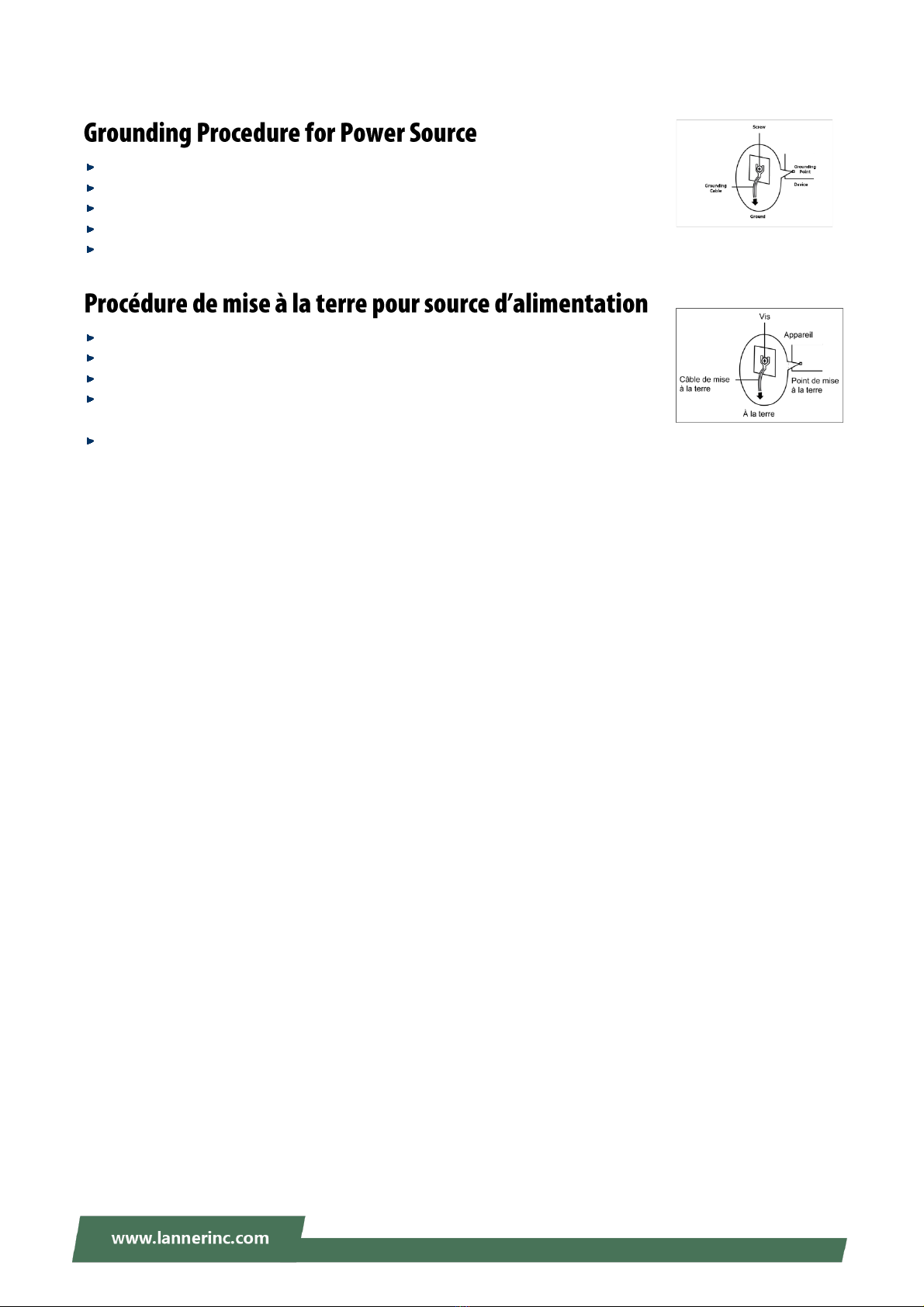
4 mm2 or 10 AWG.
Avant d’allumer l’appareil, reliez le câble de mise à la terre de l’équipement àla terre.
Une bonne mise à la terre (connexion à la terre) est très importante pour protéger l’équipement contre les
effets néfastes du bruit externe et réduire les risques d’électrocution en cas de foudre.
Pour désinstaller l’équipement, débranchez le câble de mise à la terre après avoir éteint l’appareil.
Un câble de mise à la terre est requis et la zone reliant les sections du conducteur doit faire plus de 4 mm2
ou 10 AWG.
LEC-2290H User Manual
7
Loosen the screw of the earthing point.
Connect the grounding cable to the ground.
The protection device for the power source must provide 30 A current.
This protection device must be connected to the power source before power.
The cable hould 16 AWG
Desserrez la vis du terminal de mise àla terre.
Branchez le câble de mise à la terre à la terre.
L’appareil de protection pour la source d’alimentation doit fournir 30 A de courant.
Cet appareil de protection doit être branché à la source d’alimentation avant
l’alimentation.
Le câble doit 16 AWG
LEC-2290H User Manual
8
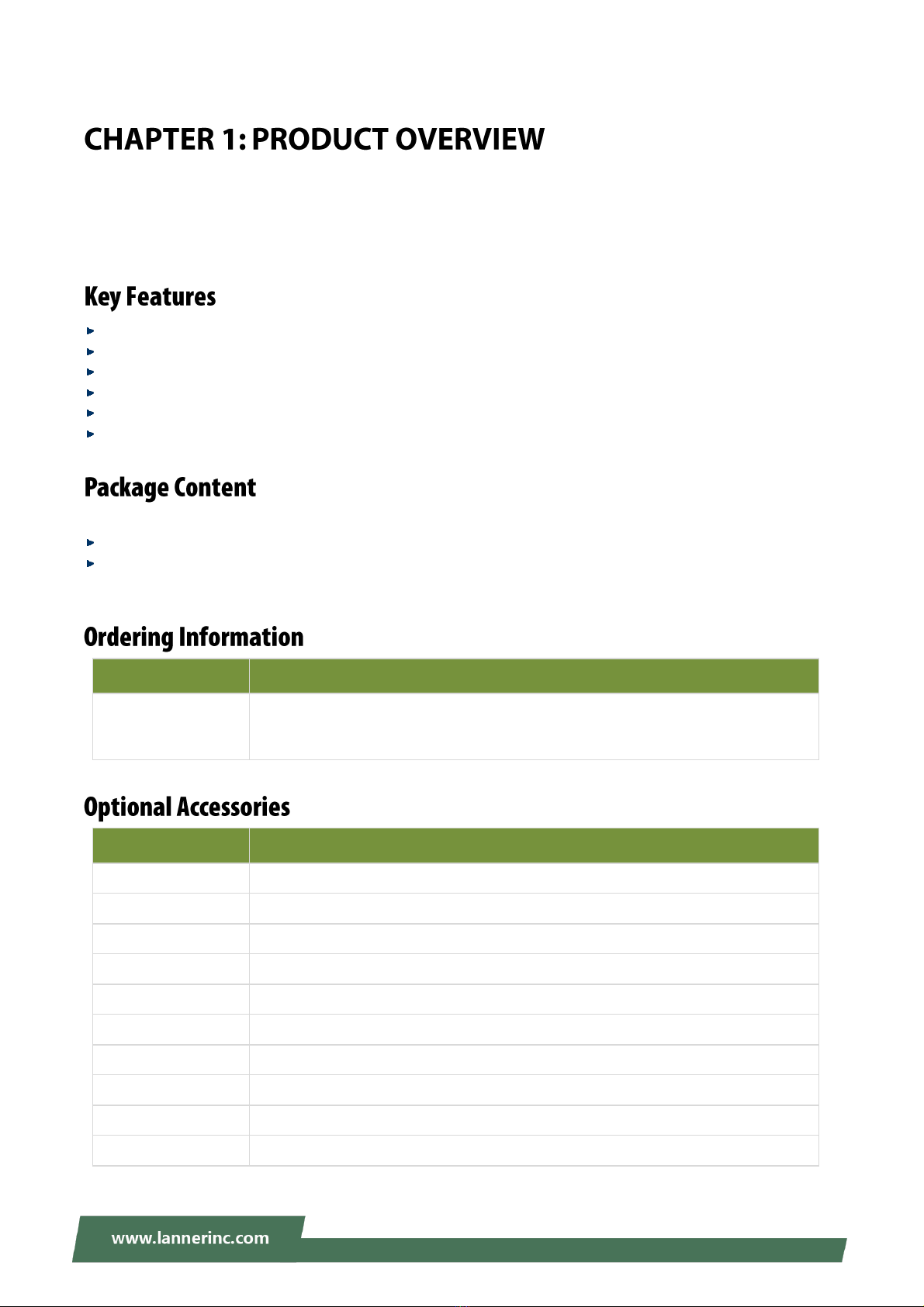
Key Features.....................................................................................................................................10
Package Content...............................................................................................................................10
Ordering Information .......................................................................................................................10
Optional Accessories........................................................................................................................10
System Specifications.......................................................................................................................12
Front Panel .......................................................................................................................................14
Rear Panel ........................................................................................................................................15
Motherboard Information................................................................................................................16
Internal Jumpers and Connector......................................................................................................19
Open the Chassis..............................................................................................................................34
Installing System Memory................................................................................................................35
Installing mSATA Storage Card.........................................................................................................36
Installing 4G Module (Optional).......................................................................................................37
Install IPMI BMC Card (Optional) .....................................................................................................38
Installing Falcon-H8 AI Accelerator Card (Optional).........................................................................40
Installing the Disk Drive....................................................................................................................45
Wall Mounting..................................................................................................................................46
BIOS Setup........................................................................................................................................48
Main Page.........................................................................................................................................49
Advanced Page.................................................................................................................................50
Chipset..............................................................................................................................................78
Security.............................................................................................................................................94
Boot Menu........................................................................................................................................97
Save and Exit Menu..........................................................................................................................98
Command Line Configuration ........................................................................................................100
LEC-2290H User Manual
9
Warranty Policy..............................................................................................................................106
LEC-2290H User Manual
10
The LEC-2290H, when configured with Falcon-H8, makes available an easily deployable solution for engineers
looking to offload CPU loading for low-latency deep learning inference given that the Falcon-H8 (SKU A)
accommodates 6 Hailo-8™ AI processors, making it a modular, cost-effective Edge AI solution with high
processing capabilities and power efficiency.
Intel® CoreTM i7-9700TE
Falcon-H8 AI Accelerator Card Support
2x DDR4 2133/2400 SO-DIMM, Max 32GB
2x RJ45 GbE LAN, 4x PoE, 4x USB 3.0, 6x COM Ports, 8x DI & 8x DO
2x Removable HDD/SSD External Slot w/ RAID, 1x mSATA
Built-in TPM 2.0 & IPMI Support
Your package contains the following items:
1x LEC-2290H System Unit
4x Rubber Foot
SKU No.
Description
LEC-2290H
Intelligent Edge Computing Box PC with Intel® CoreTM i7-9700TE, 32GB System
Memory, mSATA128GB, 2.5” SSD/HDD storage, 240W AC/DC Adapter with
Falcon-H8 AI Accelerator Card Support
Model No.
Description
FALCON-H8A
IEK-AI0001A, Commercial Grade, Onboard 6x Hailo-8TM AI Processor
FALCON-H8B
IEK-AI0001B, Commercial Grade, Onboard 5x Hailo-8TM AI Processor
FALCON-H8C
IEK-AI0001C, Commercial Grade, Onboard 4x Hailo-8TM AI Processor
FALCON-H8D
IEK-AI0001D, Industrial Grade, Onboard 6x Hailo-8TM AI Processor
FALCON-H8E
IEK-AI0001E, Industrial Grade, Onboard 5x Hailo-8TM AI Processor
FALCON-H8F
IEK-AI0001F, Industrial Grade, Onboard 4x Hailo-8TM AI Processor
IAC-AST2500I
IPMI BMC Card
0TAW000234000
EG25GGB-MiniPCIe-S Quectel IoT/M2M-optimized LTE Cat 4
0TAW000165000
WPEQ-261ACN(BT) Sparklan WI-FI Card 2T2R Wi-Fi+Bluetooth 4.1 Combo
090W000791100
Extending Bracket for half-size mini-card in full-size miniPCIe