Chapter2.InstallingtheirelessWANadapter
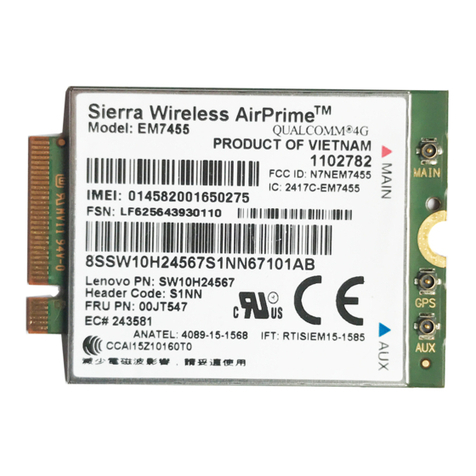
ThischapterprovidesinformationaboutinstallingthewirelessWANadapterintoyourcomputerandusing
itontheMicrosoft®Windows®operatingsystem.
Beforeyoustart
BeforeinstallingthewirelessWANadapter,carefullyreadthefollowinginformation.
DANGER
Duringelectricalstorms,donotconnectthecabletoordisconnectitfromthetelephoneoutlet
ontheall.
DANGER
Electriccurrentfrompoer,telephone,andcommunicationcablesishazardous.Toavoidshock
hazard,disconnectthecablesbeforeopeningthecoverofthePCIExpressM.2cardslot.
Attention:ThewirelessWANadapterisshippedinastatic-protectivebag.Whenhandling,takethe
followingprecautionstoavoidstatic-electricitydamagetothewirelessWANadapter:
•Donotopenthestatic-protectivebaguntilyouarereadytoinstallthewirelessWANadapter.
•BeforeremovingthewirelessWANadapterfromthestatic-protectivebag,touchthebagtoametaltable
oragroundedmetalobject.Thisactionreducesstaticelectricityinthebagandyourbody.
InstallingandusingtheirelessWANadapter
ToinstallthewirelessWANadapter,refertothestep-by-stepinstructionsintheuserguideforyourThinkPad
computer.ThelatestThinkPadcomputeruserguideisavailableat:
http:www.lenovo.comsupport
TousethewirelessWANadapterontheWindows7,Windows8,Windows8.1,orWindows10operating
system,dothefollowing:
ForWindos7:
1.DownloadandinstallthedevicedriverforthewirelessWANadapterbydoingoneofthefollowing:
•Gotohttp:www.lenovo.comsupport.Thenfollowtheinstructionsonthescreentodownload
andinstallthedevicedriver.
•UsetheSystemUpdateprogram:
a.ClickStartandsearchSystemUpdateinthesearchbox.
b.LaunchSystemUpdateonthescreen.
c.ClickGetneupdates.
d.SelectthenameofthewirelessWANadapter.Thenfollowtheinstructionsonthescreento
downloadandinstallthedevicedriver.
2.LaunchtheLenovoMobileBroadbandActivation(LMBA)programtoactivatethewirelessWANadapter.
AnaccountwithamobilebroadbandServiceProviderisrequired.
©CopyrightLenovo20163