manuals.online logo
Brands
  1. Home
  2. •
  3. Brands
  4. •
  5. Lenovo
  6. •
  7. Wireless Module
  8. •
  9. Lenovo TginkPad EM160R-GL Operation and maintenance manual

Lenovo TginkPad EM160R-GL Operation and maintenance manual

This manual suits for next models

1

Popular Wireless Module manuals by other brands

Silex technology OkiLAN520w user manual

Silex technology

Silex technology OkiLAN520w user manual

Samsung WISP30 manual

Samsung

Samsung WISP30 manual

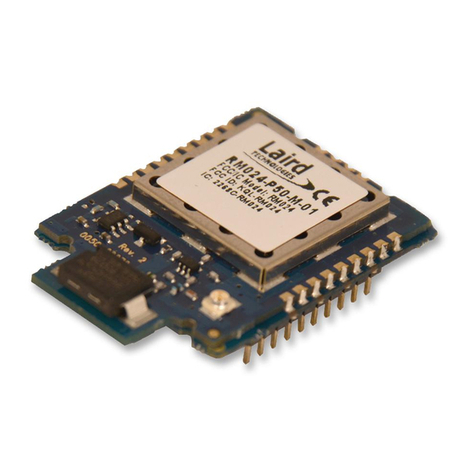
Laird RM024 user manual

Laird

Laird RM024 user manual

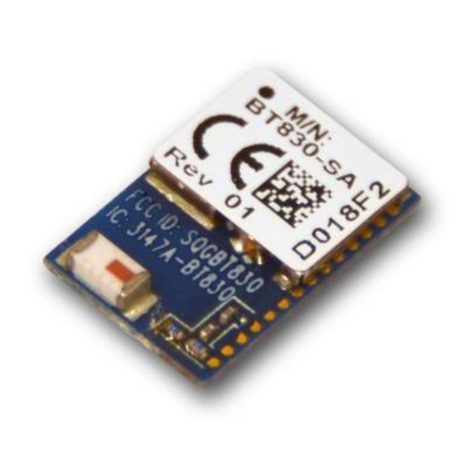
Laird BT830-SA Hardware integration guide

Laird

Laird BT830-SA Hardware integration guide

Smartech LBT-1.DO4 user manual

Smartech

Smartech LBT-1.DO4 user manual

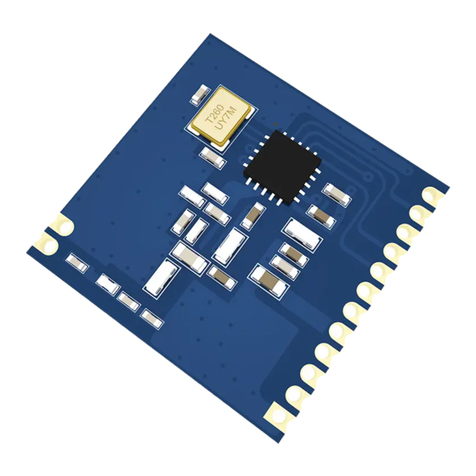
Ebyte E49-400T20S user manual

Ebyte

Ebyte E49-400T20S user manual

Waldmann EnOcean TALK MODUL G2 operating manual

Waldmann

Waldmann EnOcean TALK MODUL G2 operating manual

Yuga CLM920 user manual

Yuga

Yuga CLM920 user manual

Waldmann TALK Bluetooth operating manual

Waldmann

Waldmann TALK Bluetooth operating manual

Telit Wireless Solutions UC864-G Hardware user's guide

Telit Wireless Solutions

Telit Wireless Solutions UC864-G Hardware user's guide

Ebyte E07-900M10S manual

Ebyte

Ebyte E07-900M10S manual

Fibocom FM101-NA-20 Hardware guide

Fibocom

Fibocom FM101-NA-20 Hardware guide

Ebyte E30 Series user manual

Ebyte

Ebyte E30 Series user manual

ICT PRT-IVO-IF installation manual

ICT

ICT PRT-IVO-IF installation manual

Quectel SC690A Series Hardware design

Quectel

Quectel SC690A Series Hardware design

Wistron NeWeb DNUR-S2 user manual

Wistron NeWeb

Wistron NeWeb DNUR-S2 user manual

Ebyte E22-400M30S user manual

Ebyte

Ebyte E22-400M30S user manual

Sengled ZM001 user guide

Sengled

Sengled ZM001 user guide

manuals.online logo
manuals.online logoBrands
  • About & Mission
  • Contact us
  • Privacy Policy
  • Terms and Conditions

Copyright 2025 Manuals.Online. All Rights Reserved.

Wireless WAN module EM160R-GL
Regulatory Notice
First Edition (February 2021)
© Copyright Lenovo 2021.
LIMITED AND RESTRI TED RIGHTS NOTI E: If data or software is delivered pursuant to a General Services
Administration “GSA” contract, use, reproduction, or disclosure is subject to restrictions set forth in ontract No. GS-
35F-05925.
Contents
About this manual . . . . . . . . . . . . iii
Chapter 1. ead first — regulatory
information for USA and Canada . . . . 1
USA — Federal ommunications ommission
(F ) . . . . . . . . . . . . . . . . . . . . 1
anada — Industry anada (I ) . . . . . . . . . 2
Electromagnetic emission notices. . . . . . . . . 4
Usage environment and your health . . . . . . . . 4
Precautions against electrostatic discharges (ESD)
in inserting or removing the SIM card . . . . . . . 5
Chapter 2. European Union (EU) /
United Kingdom (UK) Compliance. . . . 7
UK declaration of conformity. . . . . . . . . . . 7
EU declaration of conformity . . . . . . . . . . . 7
Bulgarian . . . . . . . . . . . . . . . . . . 7
roatian. . . . . . . . . . . . . . . . . . . 8
zech . . . . . . . . . . . . . . . . . . . 8
Danish . . . . . . . . . . . . . . . . . . . 9
Dutch. . . . . . . . . . . . . . . . . . . . 9
Estonian. . . . . . . . . . . . . . . . . . . 9
Finnish . . . . . . . . . . . . . . . . . . 10
French . . . . . . . . . . . . . . . . . . 10
German . . . . . . . . . . . . . . . . . . 10
Greek. . . . . . . . . . . . . . . . . . . 11
Hungarian . . . . . . . . . . . . . . . . . 11
Italian . . . . . . . . . . . . . . . . . . . 11
Latvian . . . . . . . . . . . . . . . . . . 12
Lithuanian . . . . . . . . . . . . . . . . . 12
Norwegian . . . . . . . . . . . . . . . . . 13
Polish. . . . . . . . . . . . . . . . . . . 13
Portuguese . . . . . . . . . . . . . . . . 13
Romanian . . . . . . . . . . . . . . . . . 14
Slovakian . . . . . . . . . . . . . . . . . 14
Slovenian . . . . . . . . . . . . . . . . . 14
Spanish . . . . . . . . . . . . . . . . . . 15
Swedish. . . . . . . . . . . . . . . . . . 15
Turkish . . . . . . . . . . . . . . . . . . 16
Chapter 3. 日本国内で無線 WAN アダ
プターをご使用になる場合の注意 . . . . 17
使用環境および快適に使用するために . . . . . . 17
Chapter 4. egulatory notices for
other countries/regions . . . . . . . . 19
Notice for users in Argentina (Nota para uso en
Argentina) . . . . . . . . . . . . . . . . . 19
Notice for users in Brazil (Aviso para usuarios no
Brasil). . . . . . . . . . . . . . . . . . . 19
Notice for Users in hile (Nota para Uso en
hile) . . . . . . . . . . . . . . . . . . . 19
Notice for users in Mexico (Nota para uso en
Mexico) . . . . . . . . . . . . . . . . . . 19
Notice for users in Pakistan . . . . . . . . . . 20
Notice for users in Saudi Arabia . . . . . . . . 21
Notice for users in Serbia . . . . . . . . . . . 22
Notice for users in South Africa. . . . . . . . . 22
Notice for users in Taiwan . . . . . . . . . . . 22
Notice for users in the United Arab Emirates
(UAE) . . . . . . . . . . . . . . . . . . . 22
Trademarks . . . . . . . . . . . . . . . . xxiii
© opyright Lenovo 2021 i

ii Wireless WAN module EM160R-GL Regulatory Notice
About this manual
This manual contains regulatory information for the wireless WAN module EM160R-GL used on the following
ThinkPad products:
• ThinkPad T14 Gen 2 (Intel models) and ThinkPad P14s Gen 2 (Intel models) (compliance ID TP00103J)
• ThinkPad T15 Gen 2 and ThinkPad P15s Gen 2 (compliance ID TP00104E)
© opyright Lenovo 2021 iii
iv Wireless WAN module EM160R-GL Regulatory Notice
Chapter 1. ead first — regulatory information for USA and
Canada
Read this document before using your computer. This computer complies with the radio frequency and
safety standards of any country or region in which it has been approved for wireless use. Install and use your
computer according to the following instructions.
The latest Regulatory Notice manual is available on the Lenovo Web site. To download the manual, go to
https://support.lenovo.com and then follow the on-screen instructions.
Lisez ce document avant d'utiliser votre ordinateur. et ordinateur est conforme aux normes de fréquence
radioélectrique et de sécurité du pays ou de la région où son utilisation sans fil est autorisée. Installez et
utilisez votre ordinateur en vous conformant aux instructions ci-dessous.
La dernière version du manuel Regulatory Notice est disponible sur le site Web de Lenovo. Pour télécharger
le document, rendez-vous sur https://support.lenovo.com et suivez les instructions à l'écran.
USA — Federal Communications Commission (FCC)
FCC ID of the wireless WAN module
• F ID: XMR2020EM160RGL (Model: EM160R-GL)
For pre-installed wireless WAN module
The wireless WAN module is preinstalled in your computer by Lenovo, and it is prohibited for the customer to
replace or remove the preinstalled wireless WAN module. If the wireless WAN module requires replacement
or repair during warranty, Lenovo will request you to send your computer with the preinstalled module to
Lenovo so that a Lenovo authorized servicer will repair it.
Depending on your country or region, you can find the government-required regulatory information through
one of the following methods:
• On a physical label attached to the outside of your computer shipping carton
• On a physical label attached to your computer
• Through an electronic-label screen (E-label screen) preinstalled on your computer
To access the E-label screen, do one of the following:
• Restart the computer. When the logo screen is displayed, press F9. The E-label screen is displayed.
• Restart the computer. When the logo screen is displayed, press Enter or tap the prompt to enter the
Startup Interrupt menu. Then press F9 or tap the Regulatory Information option. The E-label screen is
displayed.
For user-installable wireless WAN module
If no integrated wireless WAN module has been preinstalled in your computer, you can install one, provided
by Lenovo as an option. Plug the wireless WAN module into the corresponding card slot. For the installation
procedure, see “Replacing the wireless WAN card” in User Guide.
Attention: This computer contains an authentication mechanism. If you install an unauthorized wireless
WAN module that is not approved for use in your computer, the computer will not start, but only displays an
error message and emits audible beeps.
© opyright Lenovo 2021 1
FCC F exposure compliance
The radiated output power of the wireless modules authorized to use for your computer is far below the F
radio frequency exposure limits. Nevertheless, it shall be used in such a manner that the potential for human
contact during normal operation is minimized as follows:
CAUTION:
To comply with FCC F exposure compliance requirements, a separation distance of at least 20 cm (8
inches) must be maintained between the antennas connected to the wireless modules and all
persons. If the distance may not be maintained while the computer is closed, you must select sleep as
the power mode when closing the display.
The transmission antennas for the wireless module are located in the L D cover. See “Locating the
Ultra onnect™ wireless antennas” in User Guide.
Emergency Calls
The wireless WAN module embedded in this computer does not support voice calls, therefore their use for
essential communication is not possible, including emergency calls regarding the E911 rule.
Simultaneous use of F transmitters
The wireless WAN module is approved for simultaneous use with certain wireless transmitters. For a list of
those transmitters, refer to the latest ThinkPad Regulatory Notice, which has been uploaded on the Web site
at:
https://support.lenovo.com
Make sure of the following conditions when you use any other external RF option device:
1. When you use any other RF option device, you are requested to confirm that the device conforms to the
RF Safety requirement and is approved to use for your computer.
2. You must follow the RF Safety instructions of the RF option device that are included in the user manual
of the RF option device.
3. If the RF option device is prohibited to use in conjunction with another transmitters, you must turn off all
other wireless features in your computer.
Canada — Industry Canada (IC)
IC Certification number
• I : 10224A-2020EM160GL (model: EM160R-GL)
For pre-installed wireless WAN module
The wireless WAN module is preinstalled in your computer by Lenovo, and it is prohibited for the customer to
replace or remove the preinstalled wireless WAN module. If the wireless WAN module requires replacement
or repair during warranty, Lenovo will request you to send your computer with the preinstalled module to
Lenovo so that a Lenovo authorized servicer will repair it.
Depending on your country or region, you can find the government-required regulatory information through
one of the following methods:
• On a physical label attached to the outside of your computer shipping carton
• On a physical label attached to your computer
• Through an electronic-label screen (E-label screen) preinstalled on your computer
To access the E-label screen, do one of the following:
2Wireless WAN module EM160R-GL Regulatory Notice
• Restart the computer. When the logo screen is displayed, press F9. The E-label screen is displayed.
• Restart the computer. When the logo screen is displayed, press Enter or tap the prompt to enter the
Startup Interrupt menu. Then press F9 or tap the Regulatory Information option. The E-label screen is
displayed.
For user-installable wireless WAN module
If no integrated wireless WAN module has been preinstalled in your computer, you can install one, provided
by Lenovo as an option. Plug the wireless WAN module into the corresponding card slot. For the installation
procedure, see “Replace a RU” in User Guide.
The I certification number is affixed on the approved wireless WAN module installed in the corresponding
slot, and the I certification number is visible prior to installation.
Attention: This computer contains an authentication mechanism. If you install an unauthorized wireless
WAN module that is not approved for use in your computer, the computer will not start, but only displays an
error message and emits audible beeps.
Exposure of humans to F fields ( SS-102)
The computers employ low gain integral antennas that do not emit RF field in excess of Health anada limits
for the general population; consult Safety ode 6, obtainable from Health anada's Web site at http://
www.hc-sc.gc.ca/.
The radiated energy from the antennas connected to the wireless modules conforms to the anada Portable
RF exposure limit regarding I RSS-102, Issue 5, Section 4, set forth for an uncontrolled environment, and
are safe for intended operation in the conventional setting. The further RF exposure reduction can be
achieved if the product can be kept as far as possible from the user body or set the device to lower output
power if such function is available.
Numéro de certification IC
• I : 10224A-2020EM160GL (modèle: EM160R-GL)
Pour le module réseau étendu sans fil préinstallé
e module réseau local sans fil est préinstallé sur votre ordinateur par Lenovo et il est interdit au client de le
remplacer ou de le supprimer. Si votre module réseau étendu sans fil doit être remplacé ou réparé pendant la
période de garantie, il vous sera demandé d'envoyer à Lenovo votre ordinateur avec le module préinstallé
pour qu'il soit réparé par un service agréé Lenovo.
Selon votre pays ou votre région, des informations réglementaires requises par votre juridiction peuvent être
obtenues via l'une des méthodes suivantes:
• Sur une étiquette physique apposée à l'extérieur du carton d'emballage de l'ordinateur
• Sur une étiquette physique apposée à votre ordinateur
• Via un écran d'étiquette électronique (écran de l'E-label) préinstallé sur votre ordinateur
Pour accéder à l'écran de l'E-label, procédez comme suit :
• Redémarrez l'ordinateur. Lorsque l'écran d'accueil du logiciel s'affiche, appuyez sur la touche F9. L'écran
de l'E-label s'affiche.
• Redémarrez l'ordinateur. Lorsque le logo s'affiche, appuyez sur Entrée ou touchez l'invite pour entrer
dans le menu Startup Interrupt. Appuyez ensuite sur F9 ou touchez l'option Informations réglementaires.
L'écran de l'E-label s'affiche.
hapter 1.Read first — regulatory information for USA and anada 3
Pour le module réseau étendu sans fil installable par l'utilisateur
Si aucun module réseau étendu sans fil intégré n'est préinstallé sur votre ordinateur, vous pouvez en installer
un, fourni par Lenovo, en tant qu'option. onnectez le module réseau étendu sans fil dans le logement pour
carte correspondant. Pour connaître la procédure d'installation, voir « Remplacer une RU » dans le Guide
d'utilisation.
Le numéro de certification I est situé sur le module réseau étendu sans fil homologué installé dans le
logement correspondant ; ce numéro est visible avant l'installation.
Attention: l'ordinateur contient un mécanisme d'authentification. Si vous installez une carte sans fil non
autorisée qui n'est pas homologuée pour votre ordinateur, celui-ci ne démarrera pas. Il affichera uniquement
un message d'erreur et émettra des signaux sonores.
Conformité des appareils de radiocommunication aux limites d'exposition humaine aux
radiofréquences (CN -102)
Les ordinateurs utilisent des antennes intégrales à faible gain qui n'émettent pas un champ
électromagnétique supérieur aux normes imposées par Santé anada pour la population. onsultez le ode
de sécurité 6 sur le site Web de Santé anada à l'adresse http://www.hc-sc.gc.ca/.
L'énergie émise par les antennes reliées aux modules sans fil respecte la limite d'exposition aux
radiofréquences émises par les appareils portables au anada telle que définie par Industrie anada dans la
section 4 du document NR-102, version 5 pour un environnement non contrôlé et permet d'affecter sans
danger le produit à l'usage auquel il est destiné. La réduction de l'exposition aux radiofréquences est
possible si le produit peut être conservé aussi loin que possible du corps de l'utilisateur ou en définissant
une puissance de sortie plus faible si une telle fonction est disponible.
Electromagnetic emission notices
Refer to your product User Guide for information regarding the F compliance statement and other
compliance statements.
Usage environment and your health
The wireless device installed in the computer operates within the guidelines identified by radio frequency (RF)
safety standards and recommendations; therefore, Lenovo believes this product is safe for use by
consumers. These standards and recommendations reflect the consensus of the worldwide scientific
community, and result from deliberations of panels and committees of scientists, who continually review and
interpret the extensive research literature.
In some situations or environments, the use of wireless devices might be restricted by the proprietor of a
building or responsible representatives of an organization. For example, these situations and areas might
include the following:
• On board of airplanes, in hospitals, or near petrol stations, blasting areas (with electro-explosive devices),
medical implants, or body-worn electronic medical devices, such as pace makers.
• In any other environment where the risk of interference to other devices or services is perceived or
identified as harmful.
If you are uncertain of the policy that applies to the use of wireless devices in a specific area (such as an
airport or hospital), you are encouraged to ask for authorization to use a wireless device prior to turning on
the computer.
4Wireless WAN module EM160R-GL Regulatory Notice