manuals.online logo
Brands
  1. Home
  2. •
  3. Brands
  4. •
  5. LG
  6. •
  7. Security Sensor
  8. •
  9. LG 10HQ701G-B User manual

LG 10HQ701G-B User manual

This manual suits for next models

1

Other LG Security Sensor manuals

LG 14HK701G-W.AUB User manual

LG

LG 14HK701G-W.AUB User manual

LG 17HK701G-WV User manual

LG

LG 17HK701G-WV User manual

LG 14HQ901G-B User manual

LG

LG 14HQ901G-B User manual

LG 17HQ701G-BP.AEU User manual

LG

LG 17HQ701G-BP.AEU User manual

LG 17HK701G-W User manual

LG

LG 17HK701G-W User manual

LG 14HQ701G-B User manual

LG

LG 14HQ701G-B User manual

LG 17HK700G-WP User manual

LG

LG 17HK700G-WP User manual

LG 14HK701G-W User manual

LG

LG 14HK701G-W User manual

Popular Security Sensor manuals by other brands

Honeywell Home PROSiXCOCN Installation and setup guide

Honeywell Home

Honeywell Home PROSiXCOCN Installation and setup guide

Duevi SIRPZ-RB-868 Operation

Duevi

Duevi SIRPZ-RB-868 Operation

RKI 65-2483RK Operator's manual

RKI

RKI 65-2483RK Operator's manual

Nortech PD160 Enhanced Series user manual

Nortech

Nortech PD160 Enhanced Series user manual

Omron K8AC-H2 manual

Omron

Omron K8AC-H2 manual

Agilent Technologies G8610 Series Quick reference card

Agilent Technologies

Agilent Technologies G8610 Series Quick reference card

Shinko SE2EA-1-0-0 instruction manual

Shinko

Shinko SE2EA-1-0-0 instruction manual

Det-Tronics X Series instructions

Det-Tronics

Det-Tronics X Series instructions

ACR Electronics COBHAM RCL-300A Product support manual

ACR Electronics

ACR Electronics COBHAM RCL-300A Product support manual

TOOLCRAFT 1712612 operating instructions

TOOLCRAFT

TOOLCRAFT 1712612 operating instructions

Elkron IM600 Installation, programming and functions manual

Elkron

Elkron IM600 Installation, programming and functions manual

Bosch WEU PDO 6 Original instructions

Bosch

Bosch WEU PDO 6 Original instructions

THORLABS PDA10JT user guide

THORLABS

THORLABS PDA10JT user guide

Waeco UV-DETECT operating manual

Waeco

Waeco UV-DETECT operating manual

Intermatic IOS-DSIMF manual

Intermatic

Intermatic IOS-DSIMF manual

Siemens AZL66 Series manual

Siemens

Siemens AZL66 Series manual

BTI Profiline Multi Finder operating instructions

BTI

BTI Profiline Multi Finder operating instructions

Challenger SL01 instruction manual

Challenger

Challenger SL01 instruction manual

manuals.online logo
manuals.online logoBrands
  • About & Mission
  • Contact us
  • Privacy Policy
  • Terms and Conditions

Copyright 2025 Manuals.Online. All Rights Reserved.

Please read this manual carefully before operating your set and retain it for future reference.
10HQ701G-B
www.lg.com
Copyright © 2022 LG Electronics Inc. All Rights Reserved.
0197
0123
OWNER’S MANUAL
Flat Panel Digital X-ray Detector
2
ENGLISH
CONTENTS
OPEN SOURCE SOFTWARE NOTICE INFORMATION..........3
ON CLEANING ...........................................................3
GENERAL DESCRIPTION .............................................4
NAMES AND FUNCTIONS OF COMPONENTS...................7
ASSEMBLING BATTERY ............................................15
REMOVING BATTERY ...............................................16
HOW TO USE MAIN CABLE HOLDER............................ 18
SPECIFICATION AND DIMENSION OF EACH PART..........19
ENVIRONMENTAL REQUIREMENT..............................23
INSTALLING CALIBRATION SOFTWARE .......................24
CONNECTION TYPE ..................................................25
3
ENGLISH
OPEN SOURCE SOFTWARE NOTICE INFORMATION
To obtain the source code that is contained in this product, under GPL, LGPL, MPL, and other open source licenses
that have the obligation to disclose source code, and to access all referred license terms, copyright notices and other
relevant documents, please visit
https://opensource.lge.com
.
LG Electronics will also provide open source code to you on CD-ROM for a charge covering the cost of performing such
distribution (such as the cost of media, shipping, and handling) upon email request toopensource@lge.com.
This offer is valid to anyone in receipt of this information for a period of three yearsafter our last shipment of this
product.
ON CLEANING
Recommended Cleaning Chemicals
• Isopropanol 70%
• Ethanol 70%
• 0.9% NaCl solution
•
How to Use Cleaner
• Prior to cleaning, turn off the Detector and remove the power cable.
• Soak a soft cloth in a recommended cleaner, then lightly rub the screen with no more than 1N of force.
• The cleaner could cause serious damage if it leaks inside the Detector while cleaning.
• Do not use benzene, thinner, acids or alkaline cleaners or other such solvents.
• Cleaning guidelines for Detector must only be carried out by medical professionals (doctors or nurses) and must not
be handled by patients.

4
ENGLISH
GENERAL DESCRIPTION
Overview
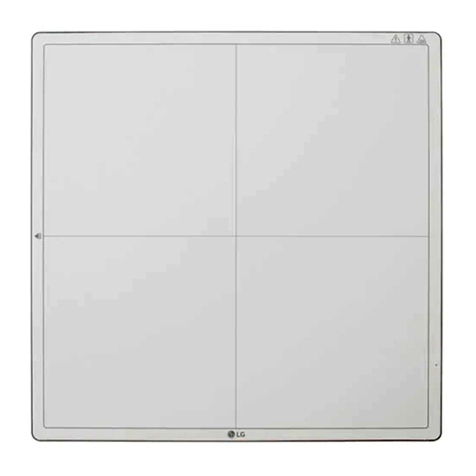
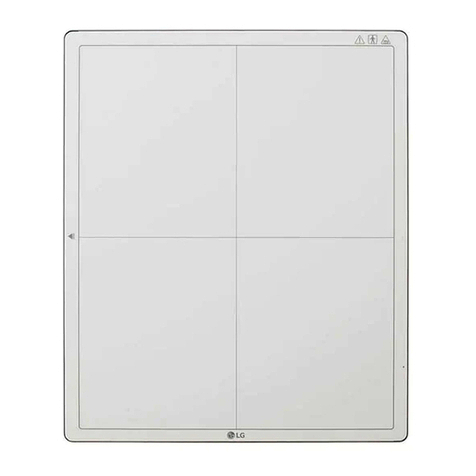
This model is an x-ray imaging device, a system that can acquire and process X-ray images as digital images. It utilizes amorphous silicon and a high-performance scintillator to ensure sharp high-definition image quality with the resolution
of 3.6lp/mm and the pixel pitches of 140um.This device is a flat panel based X-ray image acquisition device. This device must be used in conjunction with an operating PC and an X-ray generator. This device can be used for digitizing and
transferring X-ray images for radiological diagnosis.The data transmission between the detector and PC can be enabled with a wired (cable) or wireless connection.
5
ENGLISH
Product Components
Basic Accessories
Detector Battery 2EA AC Power Cord for the AC Power Adapter Inspection Report
Owner's Manual/Regulatory Manual/Calibration Software Main Cable AC Power Adapter for Charger Battery Charger
Control Box AC Power Cord for the Control Box Main Cable Cradle
6
ENGLISH
Optional Accessories
Trigger Cable LAN Cable
• Some models may not include optional accessories.
CAUTION
• You must use the authorised components as per the specification below. Unauthorised components may cause damage and/or cause the product to malfunction.
Component Standard
LAN Cable More than CAT5E Standard
Power Cord US – Approved Medical grade regulation
Others – Approved country safety regulation
• The AC/DC adapters etc. that are being used, with the exception of the upper components, must be supplied by the manufacturer.
7
ENGLISH
NAMES AND FUNCTIONS OF COMPONENTS
Detector
Front Back
Battery
8
ENGLISH
Side
4325 1
1
Connection to Main Cable
2
• Power LED Indicator
• Power button
3
• Wired/Wireless LED Indicator
• Wired/Wireless Connection Button
4
• Function Switch LED Indicator
• Function Switch Button
5
OLED Indicator
9
ENGLISH
Button Information
Button Description
(Power button) Press the Power button to turn the power on or off.
– On: Press and hold for 1 sec or longer
– Off: Press and hold for 5 sec or longer
(Wired/Wireless Connection button) Press this button for at least one second to switch between the following connection modes, in respective order: Ethernet/Station/AP mode.
(Function Switch button) Press this button for at least one second to switch between the following menus, in respective order: Check connection mode, video acquisition, image auto save. The menu is shown
on the OLED indicator.
– Press and hold the button for at least three seconds to change the on/off settings for each function.
NOTE
• Press and hold the and buttons at the same time for at least ten seconds to restore to factory settings.
10
ENGLISH
LED Indicator
LED Description
(Power LED Indicator) Displays the power and battery status of the detector.
Off Power off
White Power on
Orange The battery level is greater than 10% and less than 30%.
Orange(blinking) The battery level is less than 10%.
(Wired/Wireless LED Indicator) Displays the connection mode status of the detector.
Green Ethernet connected
Green(blinking) Ethernet disconnected
White Wireless(Station/AP) connected
White(blinking) Wireless(Station/AP) disconnected
(LED Indicator for Function Switch) Briefly lights up in green when the Function Switch button is used to change the on/off settings.
NOTE
• If the LED indicators show the following behaviour, a system error may have occurred. Please contact the manufacturer.
-(White(blinking)) + (Green(blinking)) + (Green(blinking))