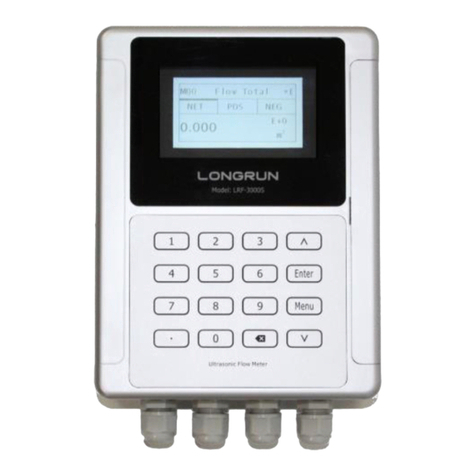
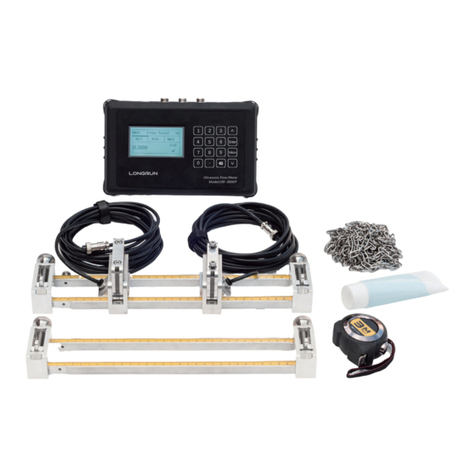
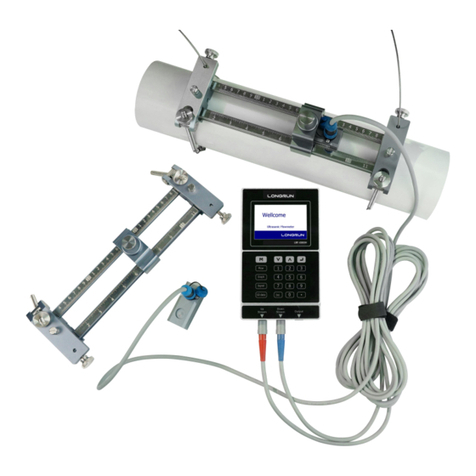
LRF-3000H Handheld Ultrasonic Flowmeter
- 7 -
1.3. Keypad Functions
Follow these guidelines when using the flowmeter keypad:
~
and to input numbers.
Backspace or delete characters to the left.
and
Return to the last menu or open the next menu. Acts
as “+” and “-” are used to enter numbers.
Select a menu. Press this key first, input a two-digit menu
number and the selected menu data will be displayed. For example,
to input a pipe outside diameter, press
Menu
where “11” is the
window ID to display the pipe outside diameter.
Enter/Confirm Data
Enter/Exit SD card storage interface.
、
、
、
、
、
.Are shortcuts to the windows for Flow Rate, POS Totalizer,
Velocity, Fluid Type, Signal Quality and Diagnosis.
1.4. Keypad Operation
The instrument setup and measurement displays are subdivided into more than 100 independent menus.
The operator can input parameters, modify settings or display measurement results by “visiting” a
specific menu. These menus are arranged by 2-digit serial numbers from 00~99, then using +0, +1, etc.
Each menu ID code has a defined meaning. For example, menu 11 is the pipe outside diameter, while
menu 25 is the mounting spacing between the transducers. Each menu is discussed later in this manual.
To visit a specific menu, press the
key at any time except the SD Card Storage Interface, then input
the 2-digit menu ID code and that menu will be displayed. For example, to input or check the pipe outside
diameter, press the
keys for window ID code 11.
Another method to visit a particular menu is to press the
and
keys to scroll through the
menus. For example, if the current menu is 30, press
-
>
key to enter menu 31, press the
button
again to enter menu 30.
The menus are divided into three types:
1) Data Type, such as M11, M12;
2) Selection Type, such as M14;
3) Display Type, such as M00, M01.
Visit Data Type menus to check specific
parameters. If parameter change is needed, just
input the values then press
; or press
first, then input the values and press
to
confirm.
Example 1: To enter a pipe outer diameter of
200mm, the procedure is as follows:
Press
to enter Menu11 (the numerical
value displayed currently is the previous pipe
outer diameter). Now press the
key. The
symbol “>” and a flashing cursor is displayed on
the left side of the third line on the screen. The
new value can now be entered. Or input the value
first then press
to confirm
.
Menu 11
Pipe Outer Diameter
200 mm
14:53:30 Q=00 R