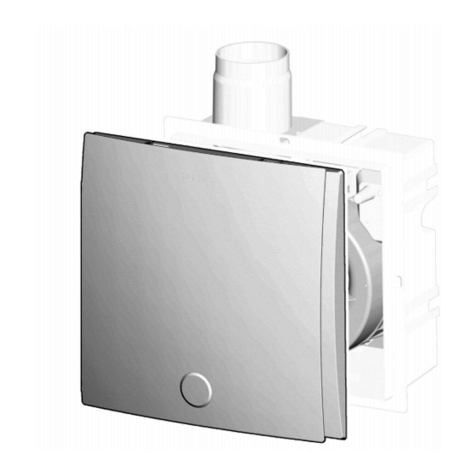
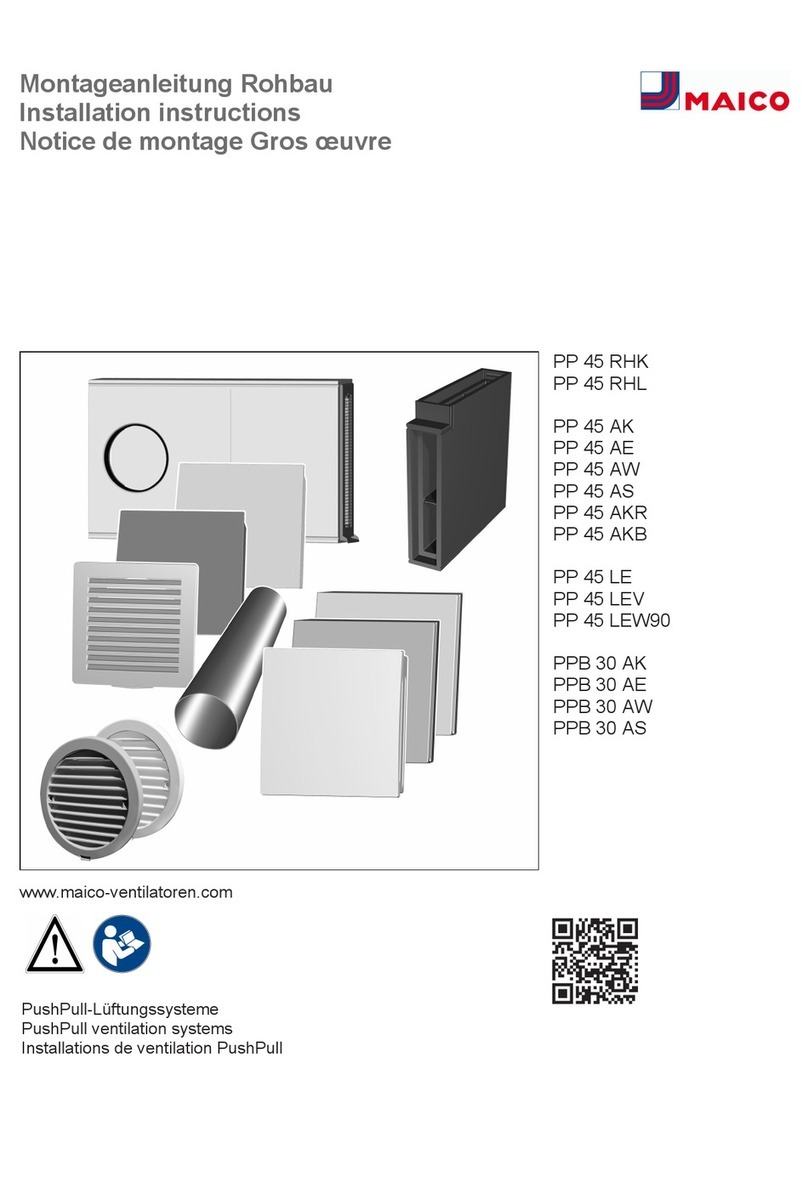
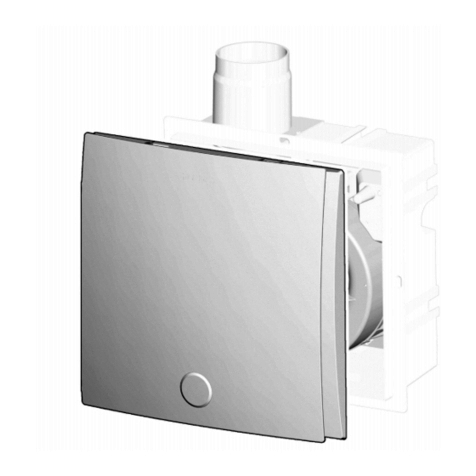
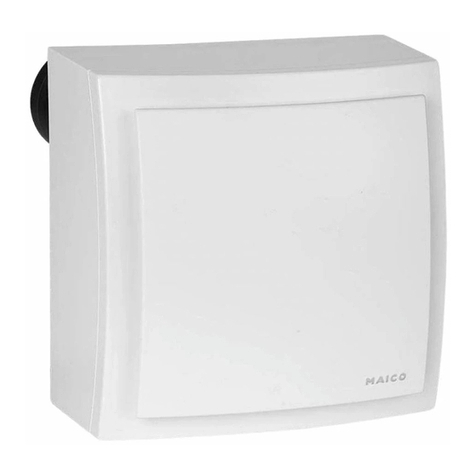
Maico PP 45 O Reference guide

PP 45, PPB 30
Kurzanleitung PP 45, PPB 30
Brief instructions for PP 45, PPB 30
Notice brève PP45, PPB30
Kurzanleitung: Einstellungen, Filterwechsel
Brief instructions: Settings, filter change
Notice brève: réglages, remplacement de filtre
PushPull Lüftungssysteme
PushPull ventilation systems
Installations de ventilation PushPull
PP 45 O
PP 45 K
PP 45 RC
+
RLS 45 O
RLS 45 K
DS 45 RC
PPB 30 O
PPB 30 K
PPB 30 RC
+
RLS 45 O
RLS 45 K
www.maico-ventilatoren.com

Kurzanleitung PushPull
2
Kurzanleitung PushPull
Für Bedieneinheiten RLS 45 O, RLS 45 K, DS
45 RC und Lüftungsgeräte PP45O, PP45K,
PP45RC, PPB30O, PPB30K, PPB30RC
Inhalt
• Betriebsart einstellen
• Lüftungsstufe einstellen
• Stoßlüftung einschalten (Stufe 5)
• Einschlaffunktion einschalten (Stufe 0)
• Bedarfsgeführten Betrieb einschalten
• Luftfilter am PP 45 oder PPB 30 wechseln
Beachten Sie für Reinigungs-, Wartungs, In-
stallations- und Reparaturarbeiten die Sicher-
heitshinweise im Downloadbereich.
Für Informationen zu weiteren Einstellmög-
lichkeiten → Bedienungsanleitung im Down-
loadbereich.
Downloadbereich unter
https://www.maico-ventilatoren.com/produkte/g/
raumluftsteuerungen-g54735
→ Produktdetails RLS 45 K, RLS 45 O oder DS
45 RC
→ Downloads, Montage/Bedienung/Wartung
1 PushPull-Bedieneinheiten
2 Funktion
PP 45:Einsatz in Zulufträumen. Geräte nur
paarweise mit abwechselnder Be- und Entlüftung
betreiben. PP 45 wechselt alle 60 Sekunden zwi-
schen Abluft- und Zuluftmodus.
PPB 30:Balancierte Lüftungsgeräte, vorzugs-
weise für Einsatz in Ablufträumen. Räume wer-
den gleichzeitig be- und entlüftet, wechselt alle
60 Sekunden. Abluftbetrieb startet abhängig von
der Einstellung vollautomatisch oder manuell per
Tastendruck. PPB 30 arbeiten als Einzelgeräte
oder im Verbund mit weiteren PPB 30/PP 45.
PPB 30 K + RLS 45 K oder PPB 30 RC: Bedarfs-
geführter Betrieb mit geregelter Lüftungsstufe an-
hand Messwerte des geräteinternen Feuchtsen-
sors.
Die Zuluft wird in einem Keramikspeicher
durch Wärmerückgewinnung aus dem Abluft-
strom erwärmt. Die Geräte sind für den 24h-
Betrieb ausgelegt.
3 Einstellungen
Betriebsarten, Lüftungstufen, Anzeigen
Betrieb mit Wärmerück-
gewinnung (WRG): Alle
an der RLS angeschlos-
sene Lüftungsgeräte ar-
beiten mit Wärmerückge-
winnung
Querlüftungsbetrieb ohne
Wärmerückgewinnung:
Schnelles Durchlüften,
Sommerbetrieb
Lüftungsstufenanzeigen
Filterwechselanzeige
→ Kapitel Luftfilter wech-
seln [}3]
Betriebsart einstellen
RLS 45 O: Taste
drücken, zugehörige LED
leuchtet.
RLS 45 K: Eine der bei-
den Tasten drücken, zu-
gehörige LED leuchtet.
DS 45 RC: Eine der bei-
den Tasten drücken, un-
ten am Lüftungsgerät
leuchtet die LED: orange
= WRG-Betrieb, blau =
Querlüftungs-Betrieb. Die
LED blinkt x-mal gemäß
Lüftungsstufe, z. B. Stu-
fe5=5-mal.
Lüftungsstufen einstellen
RLS 45 O: Taste
drücken, zugehörige LED
leuchtet. Lüftungsstufe0
nur bei aktiver Aus-Funk-
tion (Servicemenü).

4 Luftfilter wechseln
3
RLS 45 K, DS 45 RC:
Taste drücken, zugehöri-
ge LED leuchtet.
RLS 45 O, RLS 45 K:
Lüftungsstufen LEDs Stufe0 bis5
012345
PP 45 RC, PPB 30 RC:
Lüftungsstufen LEDs Stufe0 bis5
(orange oder blau)
012345
LED
Aus
LED
blinkt
1-mal
LED
blinkt
2-mal
LED
blinkt
3-mal
LED
blinkt
4-mal
LED
blinkt
5-mal
Bedarfsgeführten Betrieb (Automatikbetrieb
Entfeuchtung) einschalten
Funktion nur bei aktiviertem Feuchtesensor
freigeschaltet.
RLS 45 O: Lüftungsstu-
fe3 anwählen. Zum Aus-
schalten andere Lüf-
tungsstufe wählen.
RLS 45 K: Eine der bei-
den Tasten 2Sekunden
drücken. Symbol Auto-
matik leuchtet. Zum Aus-
schalten Taste erneut
2Sekunden drücken.
DS 45 RC: Eine der bei-
den Tasten 2Sekunden
drücken. Unten am Lüf-
tungsgerät leuchtet die
LED 5Sekunden: orange
= WRG-Betrieb, blau =
Querlüftungs-Betrieb.
Zum Ausschalten Taste
erneut 2Sekunden
drücken.
Stoßlüftung einschalten (Stufe 5)
RLS 45 K, DS 45 RC:
Taste 2Sekunden
drücken, Gerät läuft
30Minuten in Stufe5,
die zugehörige LED
leuchtet. Dauer parame-
trierbar.
Einschlaffunktion einschalten (Stufe 0)
RLS 45 K, DS 45 RC:
Taste 2Sekunden
drücken, Gerät schaltet
60Minuten aus (Stu-
fe0), die zugehörige LED
leuchtet. Dauer parame-
trierbar.
4 Luftfilter wechseln
Filterwechselanzeige blinkt
RLS 45 O: Aktuelle LED
blinkt. Filterwechsel
durchführen und quit-
tieren: Taste 5Sekunden
gedrückt halten.
RLS 45 K: Aktuelle LED
blinkt. Filterwechsel
durchführen und quit-
tieren: Beide Tasten ge-
meinsam 5Sekunden ge-
drückt halten.
PP 45 RC / PPB 30 RC:
Unten am RC-Gerät
blinkt eine LED (orange
oder blau).
Gehäuseabdeckung ent-
fernen, Filterwechsel
durchführen und quit-
tieren: Taste SET 5Se-
kunden drücken. Gehäu-
seabdeckung anbringen.
VORSICHT: Betreiben Sie das Lüftungsgerät
niemals ohne Luftfilter → Lüftungsgerät ver-
schmutzt, ungefilterte Stoffe können in die Räume
gelangen. Verwenden Sie nur Original-Luftfilter
mit vorgeschriebener Filterklasse → bei Nichtbe-
achtung Gesundheitsgefahr durch schädliche
Stoffe, die sich im Luftfilter ansammeln können.
Achten Sie auf die Filterwechselanzeige. Wech-
seln Sie die Luftfilter regelmäßig, spätestens nach
6 Monaten. Erneuern Sie die Luftfilter auch nach
einem längeren Stillstand des Lüftungsgerätes.

Impressum
4
4.1 PP 45 Luftfilter wechseln
Abdeckung entfernen.
Busleitung trennen.
Geräteeinschub am Auszugsbügel
aus der Wandhülse ziehen. Darauf
achten, dass der Geräteeinschub
sauber an der Klappe vorbei gezo-
gen wird.
Vorderen Luftfilter wechseln.
Hinteren Luftfilter wechseln.
Geräteeinschub in die Wandhülse
zurückschieben und Busleitung zu-
sammenstecken.
Abdeckung oben am Gehäuse ein-
hängen und nach unten schwen-
ken, bis diese im Gehäuse einras-
tet.
4.2 PPB 30 Luftfilter wechseln
Geräteabdeckung lösen. Dazu
unten an der Abdeckung die bei-
den Schnapper mit einem spitzen
Gegenstand leicht eindrücken.
Abdeckung am unteren Rand
nach vorn ziehen und abnehmen.
Die beiden gebrauchten Luftfilter
entnehmen (→ Pfeile).
Neue Luftfilter einsetzen. Wech-
seln Sie immer beide Luftfilter.
Abdeckung im oberen Bereich
einhaken.
Abdeckung nach unten schwen-
ken, bis die beiden Schnapper im
Gehäuse einrasten.
Impressum
© Maico Elektroapparate-Fabrik GmbH. Deut-
sche Original-Betriebsanleitung. Druckfehler, Irr-
tümer und technische Änderungen vorbehalten.

Brief instructions for PushPull
5
Brief instructions for PushPull
For RLS 45 O, RLS 45 K, DS 45 RC operating
units and PP45O, PP45K, PP45RC,
PPB30O, PPB30K, PPB30RC ventilation
units
Table of contents
• Setting operating mode
• Setting ventilation level
• Switching on intermittent ventilation (level 5)
• Switching on sleep function (level 0)
• Switching on demand-driven operation
• Changing air filter on PP 45 or PPB 30
Observe the safety instructions in the down-
load area for cleaning, maintenance, installa-
tion and repair work.
For information on further setting options →
Operating instructions in download area.
Download area at
https://www.maico-ventilatoren.com/produkte/g/
raumluftsteuerungen-g54735
→ Product details for RLS 45 K, RLS 45 O or DS
45 RC
→ Downloads, Installation/Operation/Mainten-
ance
1 PushPull operating units
2 Function
PP 45:Use in supply air rooms. Only use units
in pairs with alternating ventilation and air extrac-
tion. PP 45 switches between exhaust air mode
and supply air mode every 60 seconds.
PPB 30:Balanced ventilation units, preferably in-
tended for use in exhaust air rooms. Ventila-
tion of and air extraction from the rooms, take
place simultaneously (switches every 60
seconds). Depending on the setting, exhaust air
mode starts automatically or can be started
manually at the touch of a button. PPB 30 work
as stand-alone units or in combination with other
PPB 30/PP 45 units.
PPB 30 K + RLS 45 K or PPB 30 RC: Demand-
driven operation with regulated ventilation level
based on measured values from the unit’s internal
humidity sensor.
The supply air is warmed in a ceramic heat
storage tank via heat recovery from the ex-
haust air flow. The units are designed for 24h
operation.
3 Settings
Operating modes, ventilation levels, indicat-
ors
Operation with heat re-
covery (heat recovery
unit): All ventilation units
connected to the RLS,
operate with heat recov-
ery
Cross-ventilation mode
without heat recovery:
Quick ventilation, sum-
mer operation
Ventilation level indicat-
ors
Filter change indicator
→ Chapter Changing air
filters [}6]
Setting operating mode
RLS 45 O: Press button,
associated LED lights up.
RLS 45 K: Push one of
the two buttons, corres-
ponding LED lights up.
DS 45 RC: Press one of
the two buttons, the LED
at the bottom of the vent-
ilation unit lights up: or-
ange = heat recovery
mode, blue = cross-vent-
ilation operation. The
LED flashes x times ac-
cording to the ventilation
level, e.g. level5=5
times.

4 Changing air filters
6
Setting ventilation level
RLS 45 O: Press button,
associated LED lights up.
Ventilation level0 only
when the Off function is
active (service menu).
RLS 45 K, DS 45 RC:
Press button, associated
LED lights up.
RLS 45 O, RLS 45 K:
Ventilation level LEDs, levels0 to5
012345
PP 45 RC, PPB 30 RC:
Ventilation level LEDs, Levels0 to5
(orange or blue)
012345
LED
off
LED
flashes
1 time
LED
flashes
2 times
LED
flashes
3 times
LED
flashes
4 times
LED
flashes
5 times
Switching on demand-driven operation (auto-
matic dehumidification mode)
Function only enabled with activated hu-
midity sensor.
RLS 45 O: Select ventila-
tion level3. Select an-
other ventilation level to
switch off.
RLS 45 K: Press one of
the two buttons for
2seconds. Automatic
symbol lights up. To
switch off, press button
again for 2seconds.
DS 45 RC: Press one of
the two buttons for
2seconds. At the bottom
of the ventilation unit, the
LED lights up for
5seconds: orange = heat
recovery mode, blue =
cross-ventilation mode.
To switch off, press but-
ton again for 2seconds.
Switching on intermittent ventilation (level 5)
RLS 45 K, DS 45 RC:
Press the button for
2seconds. The unit runs
for 30minutes at level5,
the corresponding LED
lights up. Duration can be
parametrised.
Switching on sleep function (level 0)
RLS 45 K, DS 45 RC:
Press the button for
2seconds. The unit turns
off for 60minutes
(level0), the correspond-
ing LED lights up. Dura-
tion can be parametrised.
4 Changing air filters
Filter change indicator flashes
RLS 45 O: Current LED
flashes. Performing and
acknowledging filter
change: Press and hold
the button for 5seconds.
RLS 45 K: Current LED
flashes. Performing and
acknowledging filter
change: Press and hold
both buttons for
5seconds.
PP 45 RC / PPB 30 RC:
At the bottom of the RC
device, an LED (orange
or blue) flashes.
Remove the housing
cover, perform and ac-
knowledge filter
change: Press SET but-
ton for 5seconds. Attach
housing cover.
CAUTION: Never operate the ventilation unit
without an air filter → Ventilation unit gets dirty,
unfiltered substances can enter the rooms. Only
use original air filters with prescribed filter class
→ In case of non-compliance, risk to health due
to harmful substances that can accumulate in the
air filter. Pay attention to the filter change indic-

Company information
7
ator. Change the air filters regularly, after six
months at the latest. Replace the air filters even
after the ventilation unit has not been used for a
longer period of time.
4.1 Changing the PP 45 air filter
Remove the cover.
Separate the bus line.
Pull slide-in module, on pull-out
bracket, out of the wall sleeve.
Make sure that the slide-in module
is pulled cleanly past the shutter.
Change front air filter.
Change rear air filter.
Push the slide-in module back into
the wall sleeve and connect the
bus line.
Hook the cover at the top of the
housing and swing it downwards
until it engages in the housing.
4.2 Changing the PPB 30 air filter
Loosen unit cover. To do so,
lightly push in the two catches, at
the bottom of the cover, with a
pointed object.
Pull the cover forward on the
lower edge and remove it.
Remove both of the used air fil-
ters (→ arrows).
Insert new air filters. Always
change both air filters.
Hook in the cover in the upper
area.
Swing the cover downwards until
both catches engage in the hous-
ing.
Company information
© Maico Elektroapparate-Fabrik GmbH. Trans-
lation of the original operating instructions. Mis-
prints, errors and technical changes are reserved.

Notice brève PushPull
8
Notice brève PushPull
Pour les unités de commande RLS45O,
RLS45K, DS45RC et appareils de ventilation
PP45O, PP45K, PP45RC, PPB30O,
PPB30K, PPB30RC
Contenu
• Régler le mode de fonctionnement
• Réglage du niveau de ventilation
• Activer la ventilation par à-coups (niveau 5)
• Activer la fonction de mise en veille (niveau 0)
• Activer le fonctionnement selon les besoins
• Remplacer les filtres à air sur PP 45 ou PPB 30
Pour les travaux de nettoyage, d'entretien,
d'installation et de réparation, respectez les
consignes de sécurité disponibles dans la
zone de téléchargement.
Pour des informations sur d'autres possibili-
tés de réglage → Notice d'utilisation dans la
zone de téléchargement.
Zone de téléchargement sur
https://www.maico-ventilatoren.com/produkte/g/
raumluftsteuerungen-g54735
→ Détails sur les produits RLS45K, RLS45O
ou DS45RC
→ Téléchargement, montage/ commande/ en-
tretien
1 Unités de commande PushPull
2 Fonction
PP 45:utilisation dans des espaces d'air en-
trant. N'utiliser les appareils que par paire en al-
ternant l'insufflation et l'évacuation d'air. PP 45
passe du mode Air sortant au mode Air entrant
toutes les 60 secondes.
PPB 30:appareils de ventilation équilibrée, de
préférence pour l'utilisation dans les espaces
d'air sortant. Les pièces sont ventilées et aé-
rées simultanément, en alternance toutes les 60
secondes. Le mode Air sortant démarre en fonc-
tion du réglage de façon entièrement automatique
ou manuellement, en appuyant sur une touche.
Les PPB 30 fonctionnent comme appareils indivi-
duels ou en liaison avec d'autres appareils PPB
30/ PP 45.
PPB 30 K + RLS 45 K ou PPB 30 RC: fonction-
nement selon les besoins avec niveau de ventila-
tion réglé sur la base des valeurs mesurées par le
détecteur d'humidité interne à l'appareil.
L'air entrant est réchauffé dans un accumu-
lateur céramique par la chaleur récupérée à
partir du flux d'air sortant. Les appareils sont
conçus pour 24 h de service.
3 Réglages
Modes de fonctionnement, niveaux de venti-
lation, affichages
Fonctionnement à récu-
pération de chaleur: tous
les appareils de ventila-
tion raccordés à la RLS
fonctionnent en mode de
récupération de chaleur
Ventilation transversale
sans récupération de
chaleur:
aération rapide, mode
Été
Affichages des niveaux
de ventilation
Affichage de remplace-
ment de filtre
→ chapitre Remplacer les
filtres à air [}9]
Régler le mode de fonctionnement
RLS 45 O: appuyer sur
la touche, la LED corres-
pondante s'allume.
RLS 45 K: appuyer une
des deux touches, la LED
correspondante s'allume.
DS 45 RC: appuyer une
des deux touches, sous
l'appareil de ventilation,
la LED s'allume en:
orange = mode Récupé-
ration de chaleur, bleu =
mode Ventilation trans-
versale. La LED clignote


4 Remplacer les filtres à air
9
x fois selon le niveau de
ventilation, p. ex. en ni-
veau 5 = 5 fois.
Régler les niveaux de ventilation
RLS 45 O: appuyer sur
la touche, la LED corres-
pondante s'allume. Le ni-
veau de ventilation 0
n'est possible que si la
fonction Arrêt est activée
(menu Service).
RLS 45 K, DS 45 RC:
appuyer sur la touche, la
LED correspondante s'al-
lume.
RLS 45 O, RLS 45 K:
LED niveaux de ventilation 0 à 5
012345
PP 45 RC, PPB 30 RC:
LED niveaux de ventilation 0 à 5
(orange ou bleu)
012345
LED
éteinte
LED
cli-
gnote
1 fois
LED
cli-
gnote
2 fois
LED
cli-
gnote
3 fois
LED
cli-
gnote
4 fois
LED
cli-
gnote
5 fois
Activer le fonctionnement selon les besoins
(mode de déshumidification automatique)
Fonction activée seulement si le détecteur
d'humidité est activé.
RLS 45 O: sélectionner
le niveau de ventilation 3.
Sélectionner un autre ni-
veau de ventilation pour
désactiver.
RLS 45 K: appuyer sur
une des deux touches
pendant 2 secondes. Le
symbole automatique
s'allume. Pour désactiver,
appuyer de nouveau sur
la touche pendant 2 se-
condes.
DS 45 RC: appuyer sur
une des deux touches
pendant 2 secondes.
Sous l'appareil de ventila-
tion, la LED s'allume pen-
dant 5 secondes en:
orange = mode Récupé-
ration de chaleur, bleu =
mode Ventilation trans-
versale. Pour désactiver,
appuyer de nouveau sur
la touche pendant 2 se-
condes.
Activer la ventilation par à-coups (niveau 5)
RLS 45 K, DS 45 RC:
appuyer sur la touche
pendant 2 secondes, l'ap-
pareil fonctionne durant
30minutes en niveau5,
la LED correspondante
s'allume. Durée paramé-
trable.
Activer la fonction de mise en veille (niveau
0)
RLS 45 K, DS 45 RC:
appuyer sur la touche
pendant 2 secondes, l'ap-
pareil s'arrête durant
60minutes (niveau0), la
LED correspondante s'al-
lume. Durée paramé-
trable.
4 Remplacer les filtres à air
Affichage de remplacement de filtre clignote
RLS 45 O: la LED ac-
tuelle clignote. Rempla-
cer les filtres et valider:
maintenir la touche ap-
puyée pendant 5 se-
condes.
RLS 45 K: la LED ac-
tuelle clignote. Rempla-
cer les filtres et valider:
maintenir les deux
touches appuyées simul-
tanément pendant 5 se-
condes.

4 Remplacer les filtres à air
10
PP 45 RC/ PPB 30 RC:
sous l'appareil RC, une
LED clignote (orange ou
bleu).
Retirer le cache du boî-
tier, remplacer les filtres
et valider: appuyer pen-
dant 5 secondes sur la
touche SET. Remonter le
cache du boîtier.
PRUDENCE: n'utilisez jamais l'appareil de
ventilation sans filtre à air → Risque d'encrasse-
ment de l'appareil de ventilation, des substances
non filtrées peuvent pénétrer dans les pièces. Uti-
lisez uniquement des filtres à air d'origine avec
classe de filtre prescrite → Risque pour la santé
par des substances nuisibles qui peuvent s'accu-
muler dans le filtre à air, en cas de non-respect.
Tenez compte de l'indicateur de remplacement
de filtres. Remplacez régulièrement les filtres à
air, au plus tard après 6 mois. Remplacez aussi
les filtres à air après un long arrêt de l'appareil de
ventilation.
4.1 Remplacer les filtres à air PP45
Retirer le cache de protection.
Débrancher le câble de bus.
Sortir le module d'insertion de la
gaine murale à l'aide de l'étrier
d'extraction. Veiller à retirer le mo-
dule d'insertion correctement en le
faisant passer devant le volet.
Remplacer le filtre à air avant.
Remplacer le filtre à air arrière.
Repousser le module d'insertion
dans la gaine murale et brancher
le câble de bus.
Accrocher le cache de protection
en haut sur le boîtier et le faire pi-
voter vers le bas jusqu'à ce qu'il
s'enclenche.
4.2 Remplacer les filtres à air PPB30
Détacher le cache de l'appareil.
Pour cela, enfoncer légèrement
les deux loquets en bas du cache
de protection avec un objet poin-
tu.
Tirer le cache de protection vers
l'avant par le bord inférieur et le
retirer.
Enlever les deux filtres à air usa-
gés (→ flèches).
Insérer les nouveaux filtres à air.
Remplacer toujours les deux
filtres à air.
Other manuals for PP 45 O
2
This manual suits for next models
9
Table of contents
Languages:
Other Maico Ventilation Hood manuals

Maico
Maico ER-UP/G Service manual

Maico
Maico ER-AP User manual

Maico
Maico PP 45 RHK User manual

Maico
Maico AZV 100 User manual

Maico
Maico ER 100 D Service manual

Maico
Maico EAQ 10/3 Quick start guide

Maico
Maico WS 170 Guide

Maico
Maico ER-AP 60 VZ Quick start guide

Maico
Maico ER GH AP User manual

Maico
Maico ER 60 G Service manual