2max mobility
®
Do not operate over signicantly rough terrain, very
slick surfaces, extreme slopes, or loose ground. is
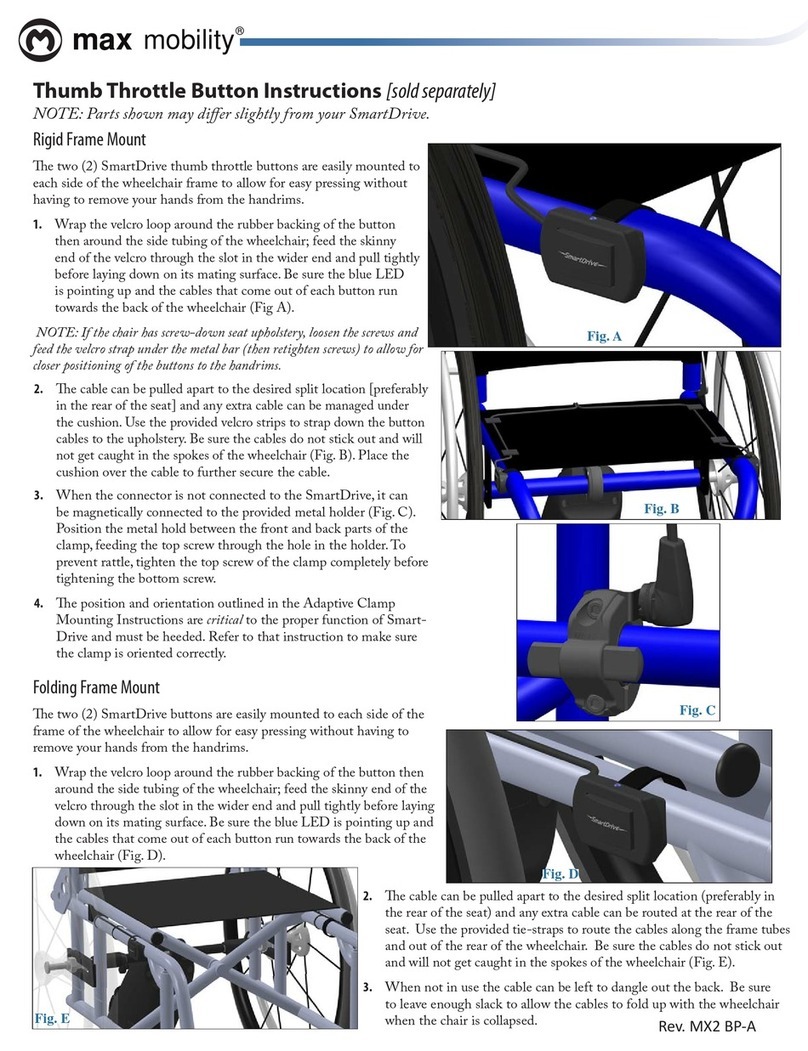
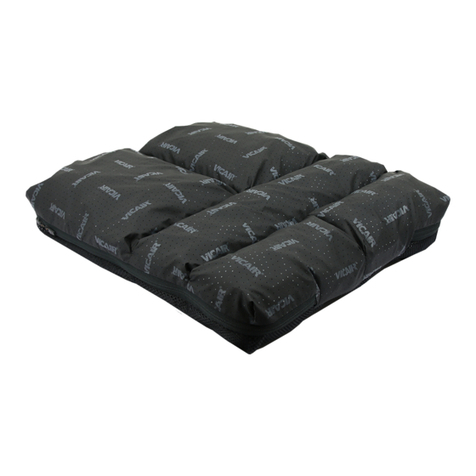
cables. It is strongly recommended that a seat cushion be
used on your wheelchair when using the buttons.
e drive unit and wristband have passed industry climate
testing, the same as power wheelchairs, and is considered
rain/splash proof. Complete submersion of either may
cause malfunction or damage and void the warranty.
Surface temperatures of the SmartDrive can increase and
become hot to the touch when exposed to external sources
of heat, such as sunlight.
Using Anti-Tippers substantially reduces your risk of
falling over backwards, which can cause serious injury.
If you are afraid of tipping over, use anti-tipppers. Anti-
Tippers will keep you from falling over, but they will limit
your ability to be pulled up curbs and some other maneu-
vers. Just as children learn to ride bikes without training
wheels, you may be able to learn to use your wheelchair
with Anti-tippers. It is STRONGLY recommended that
Anti-Tippers be employed to the wheelchair until the user
has become accustom to operating the SmartDrive in all
possible environments, situations, and conditions.
Do not tip or wheel your wheelchair without assistance,
unless you are highly skilled.
Do not shift your weight or sitting position toward the
direction you are reaching as one’s wheelchair may tip over
backwards or sideways.
Do not lean over the top of the back upholstery to reach
objects from behind as this may cause the wheelchair to tip
over.
Do not stand on the frame of your wheelchair.
Your wheelchair is not designed for weight training and
is unsafe from use as a seat while weight training. Weight
training from your wheelchair substantially changes the
stability of your chair and may cause tipping.
Do not attempt to stop a moving wheelchair with wheel
locks. Wheel locks are not brakes.
Do not take a SmartDrive attached wheelchair on an esca-
lator or moving walkway. Serious bodily injury may occur.
may cause a loss of traction, leading to injury or damage to
your SmartDrive and void the warranty.
e SmartDrive is not designed to drive up or down large
curbs/steps. Only perform this maneuver when absolutely
necessary and always ask for help. Also, be sure to turn o
your SmartDrive wristband.
Use extreme caution when operating a SmartDrive at-
tached wheelchair when near streets. Consider powering
o the wristband to reduce the chance of accident or injury.
When crossing major roads, intersection, railway crossings
or highways as well as when you drive steep, long slopes
you should always consider having somebody accompany
you in the interest of your safety.
With regards to driving up and down slopes, please adhere
to the instructions and specications given by the diverse
wheelchair manufacturers.
Riding over curbs or obstacles can cause tipping and
serious bodily harm. Turn o your SmartDrive wristband
when attempting to ride in these situations. If you have
any doubt that you can safely cross any curb or obstacle,
ALWAYS ask for help. Be aware of your riding skills and
personal limitations. Develop new skills only with the help
of a companion.
e wristband should ONLY be worn by the user sitting in
the wheelchair with the SmartDrive attached.
Use caution when operating a SmartDrive attached wheel-
chair indoors or in conned areas. Consider powering o
the wristband to reduce the chance of damage or injury.
Always turn the wristband o when parked to prevent ac-
cidental activation.
Always turn o your wristband before taking it o of your
wrist.
Always use caution when transferring in or out of the
wheelchair. Every precaution should be taken to reduce
the transfer distance and be certain the wheel locks are
engaged to prevent the wheels from moving. Also always
make sure the wristband is o when transferring to and
from your chair.
e optional buttons are designed to be used with
a seat cushion as to prevent sitting directly on the
Any modications to the SmartDrive will void the
warranty and may create a safety hazard.
NOTES: Figures and diagrams of the SmartDrive in this manual may vary slightly from your device.
An electronic version of this User’s Manual along with informational videos are available on our website
[www.max-mobility.com] for people with visual, reading or cognitive disabilities.
e Serial Number of your SmartDrive is located both on the underside of the drive unit and the bottom of the wristband.
It is recommended that you save this User’s Manual and record the Serial Number below for reference.
SmartDrive Serial Number: _______________________________________