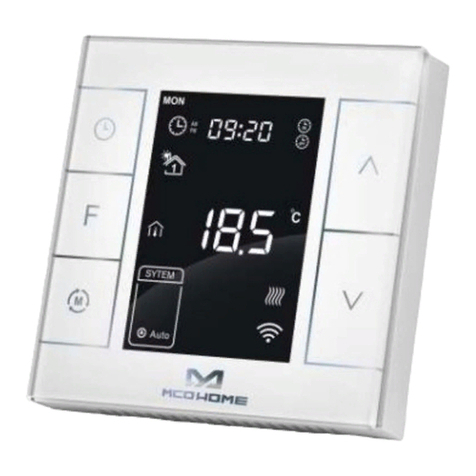
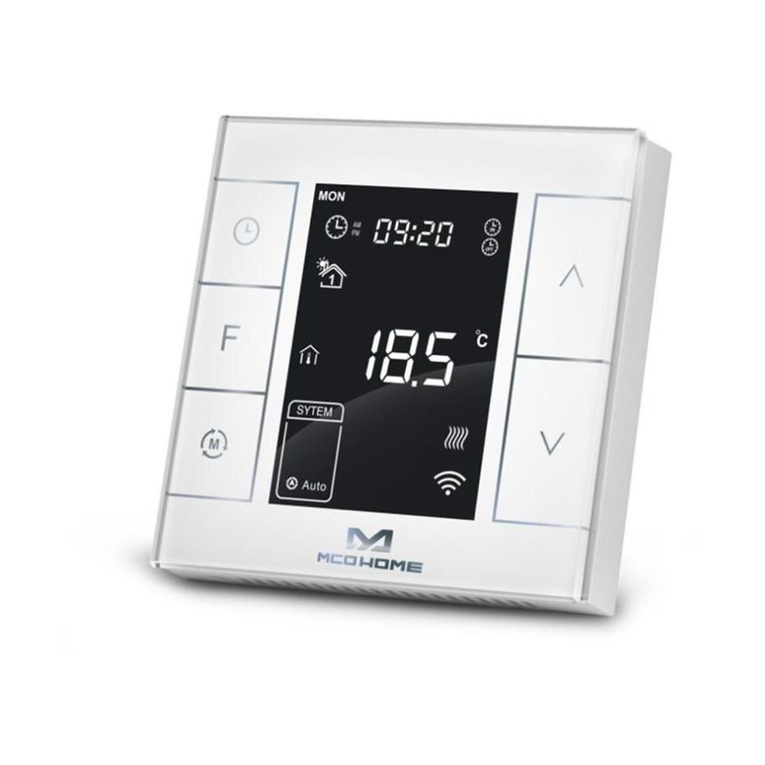
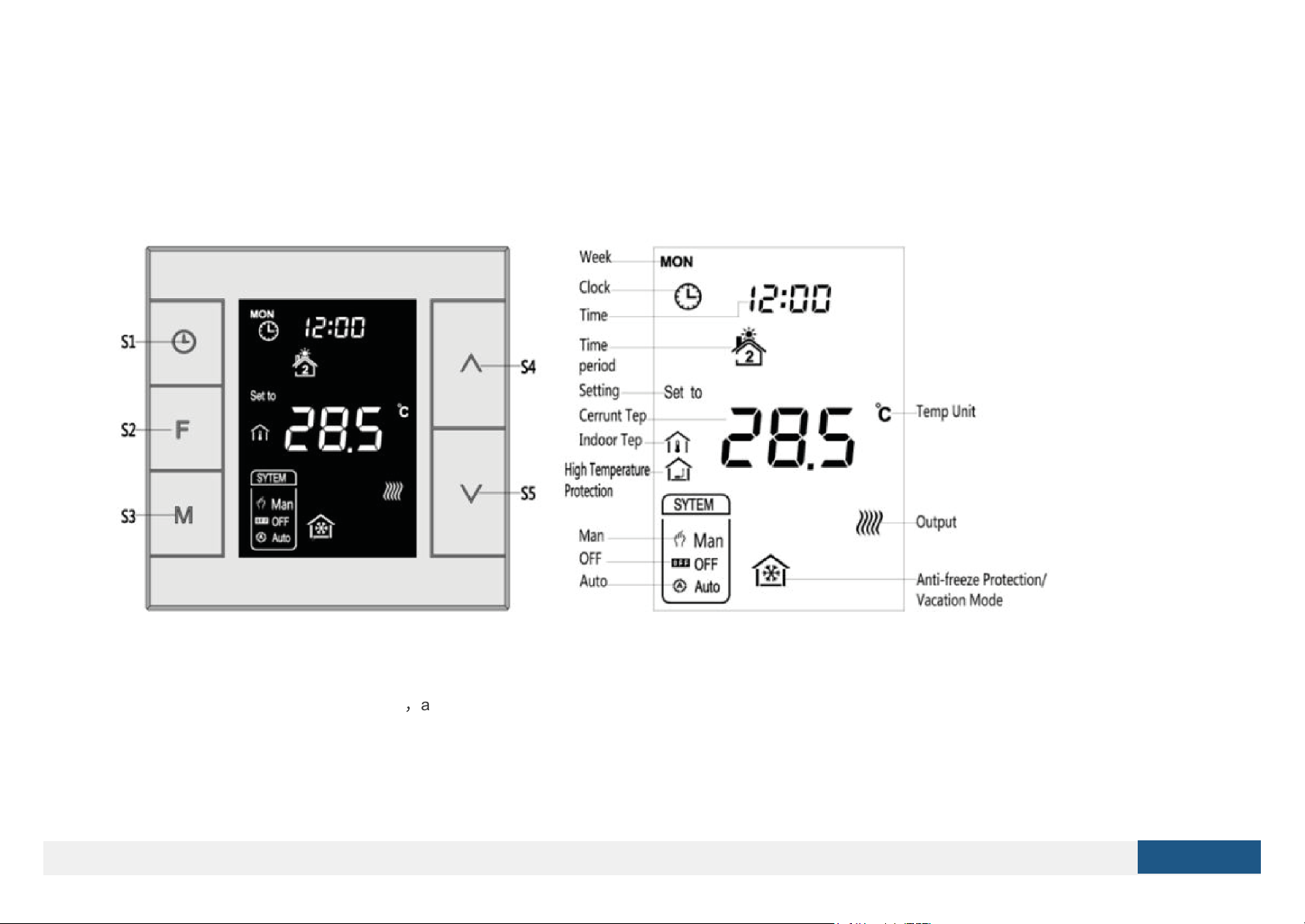
The setting range is 5-37 ℃
(
41-99℉
)
. Then press S4 or S5 can adjust the value. Press S3 or wait 25 seconds without any key operation will save the
setting and return back to the normal operation interface.
Auto Mode: The changed value only valid in the current time period for this time, and the device will not effect the preset time period value .
Manual Mode: The changed value will be valid until next setting.
Vacation Mode: The changed value will be valid until next setting.
Key lock function
In normal operating interface, long press S1+S4 button, icon appear that indicates the button is locked, at this time all buttons are disabled; When long
press S1+S4 button again, icon disappear that indicates the button is unlocked, all buttons back to normal work.
Control specifications
- Detection temperature < setting temperature - 1.5℃, output turns on, and output icon displays.
- Detection temperature ≥ setting temperature , output turns off, and output icon disappears.
Manual / Auto mode setting
In normal display interface, touch S3 button can switch between Manual and Auto mode.
Choose the mode you may need and press S2 button to save the setting.
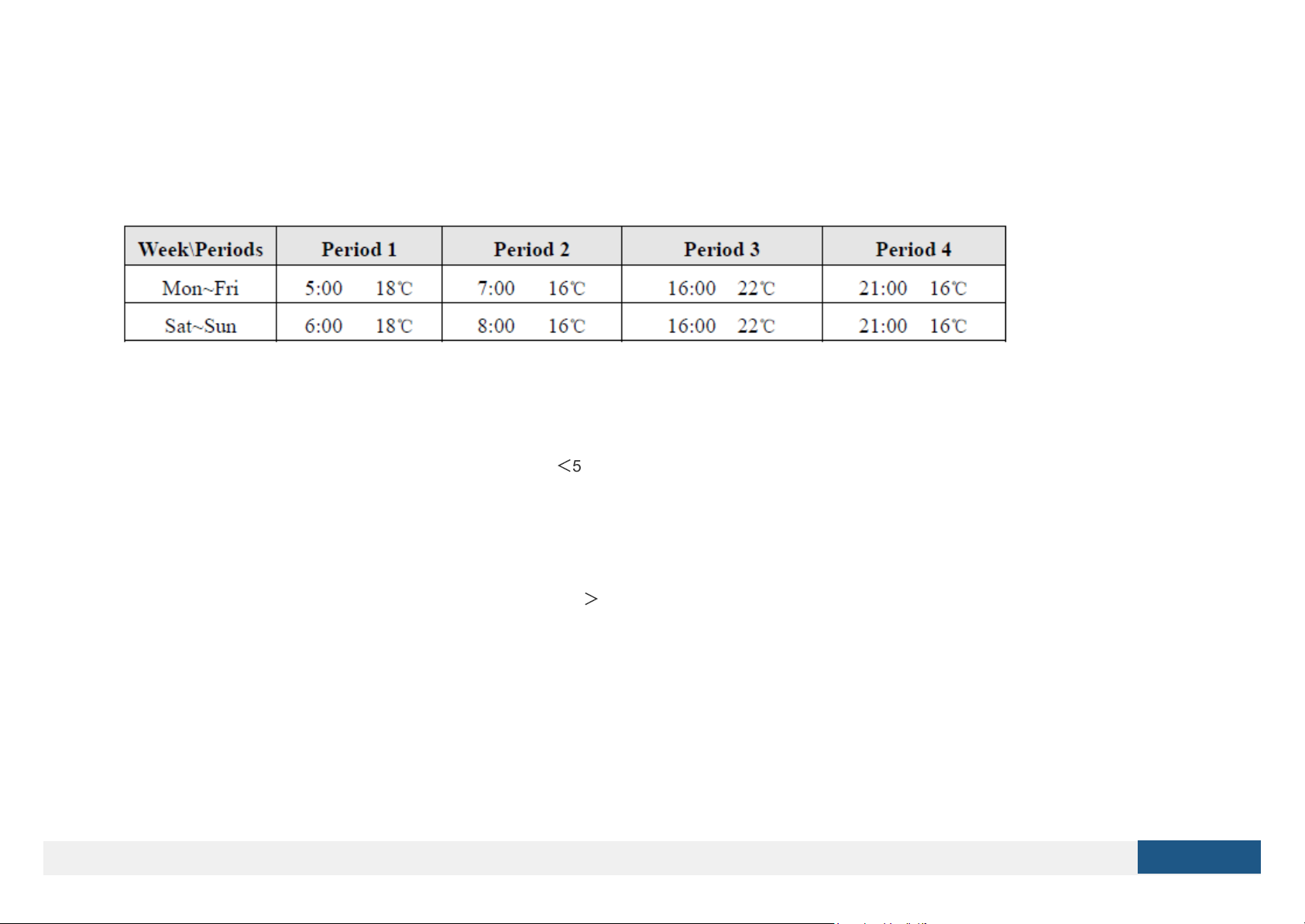
Auto Mode: Device will follow the preset time periods and temperature to control heating system automatically.
Manual Mode: Device will follow the manual setting temperature to control the heating system.
Vacation mode setting
- In normal working interface, if vocation mode is not activated, long press S2 button to enter vacation mode temperature setting. The default temperature
is 10 ℃, and setting range is 5-37 ℃
(
41-98℉
)
. Press S4 or S5 to adjust the value, then press S3 or wait 25 seconds to save the setting and return to
the normal working interface. In this time vacation mode icon displays, and device will follow the setting.
- Long press S2 again will end vacation mode and resume to normal work, vacation mode icon
will be disappeared.
Local Time Setting
- In normal working interface, long press S1 to enter into local time setting interface.
- In local time setting interface, press S4 or S5 button to set the “week, hour & minute” parameter, and press S1 button can switch among the “week, hour
& minute”.
- After finish the local time setting, press S1 or wait 25 seconds without any key operation will save the setting and return to normal display.