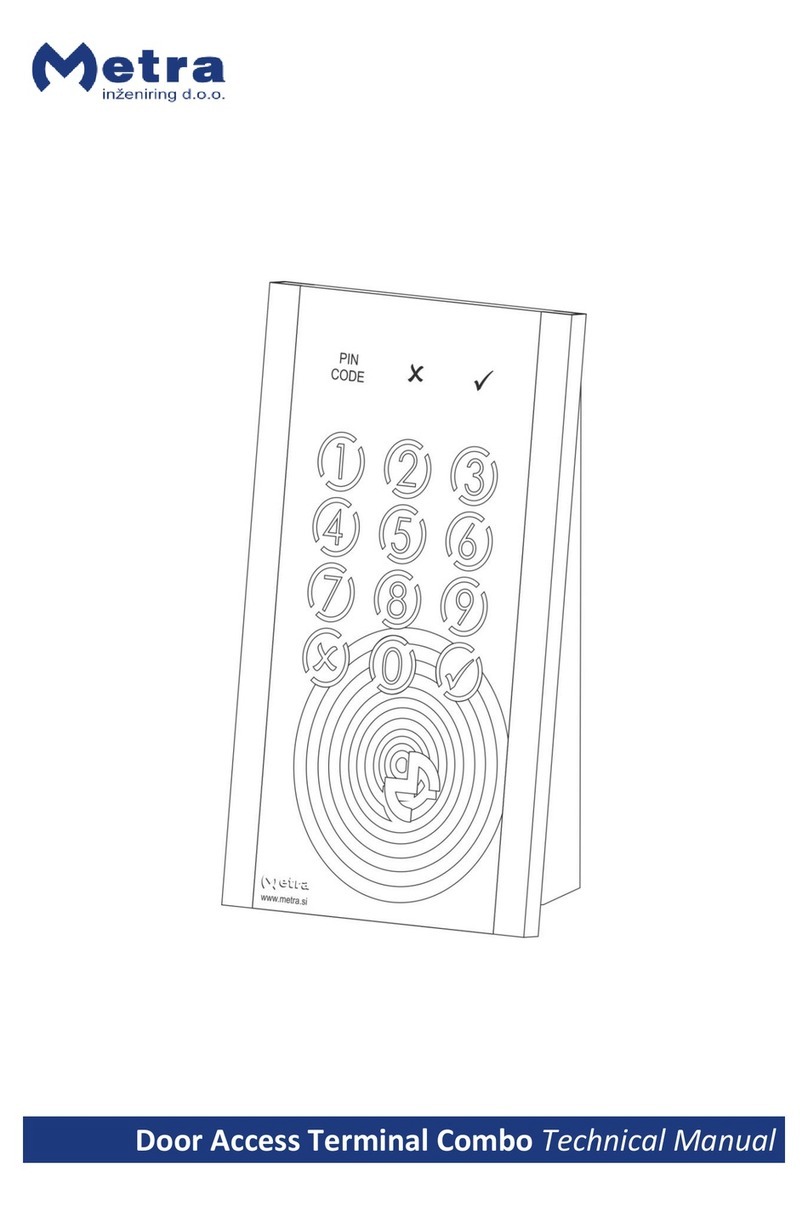
Metra Electronics ELS User manual

ELS User Manual

Page 2
Metra ELS User Manual
Table of contents
Metra ELS User Manual........................................................................................................................... 4
Product description............................................................................................................................. 4
Basic parts ........................................................................................................................................... 5
Display............................................................................................................................................. 5
Coin acceptor (optional) ................................................................................................................. 5
Fingerprint module (optional) ........................................................................................................ 6
Euro deposit pad (optional)............................................................................................................ 6
Display as User interface..................................................................................................................... 6
Display Combo ................................................................................................................................ 6
Display RFID .................................................................................................................................... 7
Display Keypad................................................................................................................................ 7
Power - on........................................................................................................................................... 8
Operating indicator............................................................................................................................. 8
Display Combo ................................................................................................................................ 8
Display RFID .................................................................................................................................... 8
Display Keypad................................................................................................................................ 9
Indication of unoccupied locker.......................................................................................................... 9
Basic operation ................................................................................................................................... 9
Locking procedures ........................................................................................................................... 10
Normal locking procedure with RFID media................................................................................. 10
Normal locking procedure with PIN code..................................................................................... 11
Normal locking procedure with fingerprint.................................................................................. 12
Multiple locking procedure with PIN code or fingerprint ............................................................ 13
Multiple locking procedure with Multi key .................................................................................. 14
User waiting time increment ........................................................................................................ 15
Locking procedure –payment required ....................................................................................... 16
Locking procedure –deposit required.......................................................................................... 16
Unlocking procedures ....................................................................................................................... 17
Locker locked with RFID media..................................................................................................... 17
Locker locked with PIN code......................................................................................................... 17
Locker locked with fingerprint...................................................................................................... 18
Multiple unlocking procedure (PIN code or fingerprint).............................................................. 19
Multiple unlocking procedure (User key and Multi key).............................................................. 20

Page 3
Metra ELS User Manual
Exceeded tenancy time................................................................................................................. 22
Expired tenancy time.................................................................................................................... 22
Use as an information terminal ........................................................................................................ 23
Use of Payment key .......................................................................................................................... 23
Use of Emergency open key.............................................................................................................. 24
Master mode of operation................................................................................................................ 24
Entering the Master mode by typing-in the Master code............................................................ 24
Entering the Master mode by presenting the Master card.......................................................... 25
Opening locker with 4 key keypad................................................................................................ 26
Opening locker(s) with 12 key keypad.......................................................................................... 26
Closing back the locker opened in Master mode ......................................................................... 27
Master mode termination ............................................................................................................ 27
Basic Setup mode of operation......................................................................................................... 27
Actions and Parameters................................................................................................................ 29
Warning signalization........................................................................................................................ 32
Alarm signalization............................................................................................................................ 32
Remote opening of single locker...................................................................................................... 32
Emergency opening of all lockers ..................................................................................................... 33

Page 4
Metra ELS User Manual
Metra ELS User Manual
Manufacturer:
Metra inženiring d.o.o.
IOC Trzin
Špruha 19
SI-1236 Trzin, Slovenia
phone:
fax:
web:
+386 1 56 10 740
+386 1 56 10 744
www.metra.si
System:
Metra ELS –Electronic Locking Systems
Product Group:
Locker Controller & Display
Related Documents:
Display –Technical manual.pdf
Locker Controller ELS & ELS SELECT –Technical Manual.pdf
ELS & ELS SELECT –Installation Recomendations.pdf
Year of Construction:
2008-2011
Declaration of Conformity:
The Metra ELS products have been developed, designed and
manufactured in accordance with the EU directive for Electromagnetic
Compatibility (2004/108/EC).
ELS User Manual [rev.0-061111]
2011 Metra inženiring d.o.o.
All Rights reserved.
No part of this manual may be reproduced in any form or by any means without prior written permission of Metra inženiring d.o.o.
The contents of this manual are subject to change without notice.
All efforts have been made to ensure the accuracy of the contents of this manual, however, should any errors be detected, Metra inženiring would greatly appreciate being informed of
them. Metra inženiring d.o.o. can assume no responsibility for any errors in this manual.
Product description
Metra Electronic Locking System (ELS) is primarily designed and used for locking lockers. Each ELS
system has two basic components: Metra Locker Controller and Metra Display. Locker Controller
drives and monitors up to 16 locks connected directly to the unit, with the possibility to add up to
two Extension Modules for 8 additional Electronic Locks each. This enables configurations of 16, 24
or 32 locks, which makes the controller adoptable to many locker layout configurations.
Locker Controller also supports emergency and security features. In case of attempt of break in an
Alarm message is distributed over Metra NET Network to other Metra devices.
Display (connected to the Locker Controller) is the products user interface. Different types are
available to suit different applications.

Page 5
Metra ELS User Manual
Other enhancing accessories are also available:
A Fingerprint module can be added to lock/unlock lockers simply by placing the finger
Euro deposit pad limits locker misuse
Coin acceptor generates revenue from locker use
Product can be used totally independent of Metra NET Network; Wiring all the Locker Controllers
into a network and adding a Metra Network Controller enables additional alarm notification, remote
locker management, and remote unlocking of locks by pushbutton.
Operating parameters are set up through Display’s keypad and stored in internal battery powered
memory. To simplify setup of Locker Controllers and master/payment/setup code management also
Metra ELS SW can be used.
Basic parts
Display
Display Combo
Display RFID
Display Keypad
Metra Display RFID is a user interface for Metra ELS systems, while
Metra Display Combo and Keypad are a user interfaces for Metra
ELS and Metra ELS SELECT systems.
Display Combo: Read RFID tickets as locker keys. Twelve key
washable keypad is integrated to enable additional user
interaction (PIN, locker number, etc.) and can be used for locking /
unlocking instead of RFID media.
Display RFID: Reads RFID tickets as locker keys.
Display Keypad: Integrated 12 key washable keypad to enable
user interaction (PIN, locker number, etc.).
Each model shows the locker number on a four digit LED display.
They also perform audio signalization and show an alarm message
if an attempt of break-in is detected on a Metra Electric Lock
connected to a Metra Locker Controller.
Locker Controller’s operating parameters are set up through
integrated 4 key system keypad (Display RFID) or through 12 key
keypad (Display Combo and Keypad) and stored in Locker
Controller’s internal battery powered memory. To simplify setup
of Locker Controller and manage master keys and master/setup
codes also Metra software can be used.
Coin acceptor (optional)
Locker Controller ELS can be configured to ask for payment when locking the
locker door. In that case Coin Acceptor is mounted near the Display.

Page 6
Metra ELS User Manual
Fingerprint module (optional)
Fingerprint module allows users to lock/unlock the locker by presenting the
finger to sensor. It offers higher comfort for users as they don't need to
remember PIN code or carry around the RFID media. When fingerprint module
is connected to ELS Locker Controller each user can freely choose whether
he/she will lock the locker using fingerprint/PIN code/RFID media.
Euro deposit pad (optional)
Euro deposit pad is mounted under the door strike. The locker can be locked
only if a coin is inserted. The coin is used as a deposit while the locker is
closed/locked.
Display as User interface
Standard models are supplied with front mask in gray colour and LED display in blue colour. For
additional colours contact Metra sales.
Display Combo
#
description
1
4 digit LED display
2
antenna field
3
12 key keypad

Page 7
Metra ELS User Manual
Display RFID
#
description
1
4 digit LED display
2
antenna field
3
4 key system keypad
Display Keypad
#
description
1
4 digit LED display
2
12 key keypad

Page 8
Metra ELS User Manual
Power - on
After the device is powered on, its network address is shown on display for a few seconds. This
feature is intended for maintenance personnel.
NOTE: If payment is turned ON, current Saldo is displayed after the network address.
Operating indicator
Display Combo
When the device is running, Metra logo on the front panel is blinking.
Display RFID
When the device is running, Metra logo on the front panel is blinking.

Page 9
Metra ELS User Manual
Display Keypad
When the device is running, a blue dot on the left side of display is blinking.
Indication of unoccupied locker
Indication of unoccupied locker is slightly opened locker
door. The Metra Electronic Lock has built-in door ejector.
Basic operation
User can choose any unoccupeid locker.
User locks the locker by using RFID media (card, wristband,
tag…), PIN code or fingerprint.
NOTE: Only one locker at the same level can be locked by the
same RFID media.

Page 10
Metra ELS User Manual
By presenting RFID media or fingerprint again, or typing-in the
PIN code the locker unlocks and is free for another user.
Locking procedures
Normal locking procedure with RFID media
STEP 1: Close the locker door. Time countdown starts
(vertical lines are displayed) on the Display and
interrupted beep acoustic signal is activated.
STEP 2: Approach the RFID media to the antenna field.
Reading distance is 2 –5 centimetres from the device
surface. Hold the RFID media in the field for a few
moments for device to read and process it.
STEP 3: When the RFID media is accepted as a locker key
the corresponding locker is locked and its number is
displayed.
MULTI LOCKING:
If the user RFID media supports multiple locking, you can
lock multiple lockers on the same or different devices.
Number of allowed locked lockers is set in Metra SW.
To lock multiple lockers, repeat previously described
three steps on different lockers.
Other manuals for ELS
1
Table of contents
Other Metra Electronics Lock manuals